Organizing events—whether corporate meetings, conferences, or product launches—requires a structured system to track proposals, approvals, and execution stages. The Event Planning & Approval Tracker in Google Sheets offers a ready-to-use, collaborative, and visual solution for managing event requests from submission to final approval.Event Planning & Approval Tracker in Google Sheets
This article explains everything about the tracker — including its structure, charts, key metrics, advantages, opportunities for improvement, and best practices.Event Planning & Approval Tracker in Google Sheets
Get the Event Planning & Approval Tracker in Google Sheets
What Is an Event Planning & Approval Tracker in Google Sheets?
An Event Planning & Approval Tracker is a centralized tool that helps organizations streamline the event proposal and approval workflow.Event Planning & Approval Tracker in Google Sheets
It provides:
-
A structured way to log new event requests.
-
Real-time status updates and visual summaries.
-
Department-wise and event-type analytics.
-
Approval tracking to avoid delays and confusion.
Built in Google Sheets, this tracker combines flexibility, automation, and collaboration—allowing multiple users (marketing, HR, admin, or operations teams) to manage events efficiently.
Tracker Structure Overview
The Event Planning & Approval Tracker in Google Sheets includes four main components:
Tracker Sheet Tab (Main Dashboard)
Search Sheet Tab
Data Sheet Tab
Support Sheet Tab
Each component serves a specific purpose in ensuring smooth event management and approval tracking.
Tracker Sheet Tab (Main Dashboard)
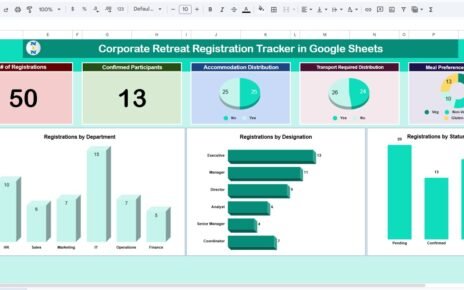
This is the main visualization and reporting tab. It summarizes all event proposals and their approval stages.
Charts Included
# of Proposals by Approval Status
-
Displays proposal counts under statuses like Pending, Approved, Rejected, or In Review.
-
Helps management monitor approval trends and turnaround times.
# of Proposals by Updated By
-
Shows which team members or departments have updated event requests.
-
Useful for tracking accountability and collaboration levels.
# of Proposals by Event Type
-
Categorizes proposals based on event nature — Corporate, Workshop, Product Launch, CSR Event, Training, etc.
-
Highlights which event categories dominate requests.
# of Proposals by Department
-
Provides insights into department-level event proposal activity (e.g., Marketing, HR, Operations).
# of Proposals by Event Location
-
Displays how many proposals are planned per location or city.
-
Useful for logistics and budget forecasting.
Each chart dynamically updates based on the entries in the Data Sheet Tab.

Search Sheet Tab
The Search Tab allows users to quickly locate any event proposal using a keyword or specific field search.
You can search by:
-
Event Name
-
Department
-
Event Type
-
Approval Status
-
Event Location
-
Proposal ID
Example:
Type “Marketing” to instantly view all marketing event proposals awaiting approval.

Data Sheet Tab
This tab is the backbone of the tracker, containing all proposal details. Each record corresponds to one event proposal.
Support Sheet Tab
This sheet provides dropdown list sources for standardized data entry, including:

Advantages of the Event Planning & Approval Tracker
-
Centralized Workflow: All event proposals and statuses in one place.
-
Instant Insights: Charts show real-time approval and department trends.
-
Data-Driven Decision Making: Quickly identify delays or bottlenecks.
-
Enhanced Accountability: Tracks who updated or approved each request.
-
Improved Collaboration: Teams across departments can coordinate seamlessly.
-
Customizable: Add more KPIs or charts as per organizational needs.
-
Cost-Effective: 100% built in Google Sheets — no paid software required.
Opportunities for Improvement
To make the tracker more advanced, consider these enhancements:
-
Automated Approval Workflow: Use Google Forms or Apps Script for approval submissions.
-
Email Notifications: Send automatic alerts when status changes.
-
Dynamic Filters: Add drop-down slicers for quick filtering by date or department.
-
Budget Monitoring: Compare proposed vs actual event budgets.
-
Dashboard Themes: Customize visuals using conditional color formatting.
Best Practices for Using the Tracker
-
Maintain Data Consistency: Use dropdowns for all category fields.
-
Review Weekly: Check pending approvals to avoid process delays.
-
Secure Access: Restrict editing rights to authorized personnel.
-
Use Filters Wisely: Combine department and approval filters for focused views.
-
Update Regularly: Add every new proposal immediately for accurate reports.
Conclusion
The Event Planning & Approval Tracker in Google Sheets simplifies how organizations manage event proposals, approvals, and performance tracking.
From proposal creation to approval insights, every stage is automated and visualized for clarity. This tracker empowers departments to collaborate better, save time, and ensure transparency throughout the event planning process.
It’s an ideal tool for HR, Marketing, Operations, and Admin teams looking for a professional yet simple way to manage event requests in Google Sheets.
If you want to strengthen the spreadsheet skills behind trackers like this, the NextGenTemplates Academy learning paths are a good place to start, with practice files included.
Get the Event Planning & Approval Tracker in Google Sheets
Frequently Asked Questions (FAQ)
1. Can I track multiple locations or countries?
Yes, simply expand the location list in the Support Sheet to include more regions.
2. Can multiple users update the tracker simultaneously?
Yes, Google Sheets supports real-time collaboration.
3. Can I add automatic approval notifications?
Yes, you can use Google Apps Script to trigger email alerts when the approval status changes.
4. How can I track rejected proposals?
Use the Approval Status field and view “Rejected” proposals in your charts.
5. Can I export monthly reports?
Yes, export the tracker dashboard to PDF or Excel for management reporting.