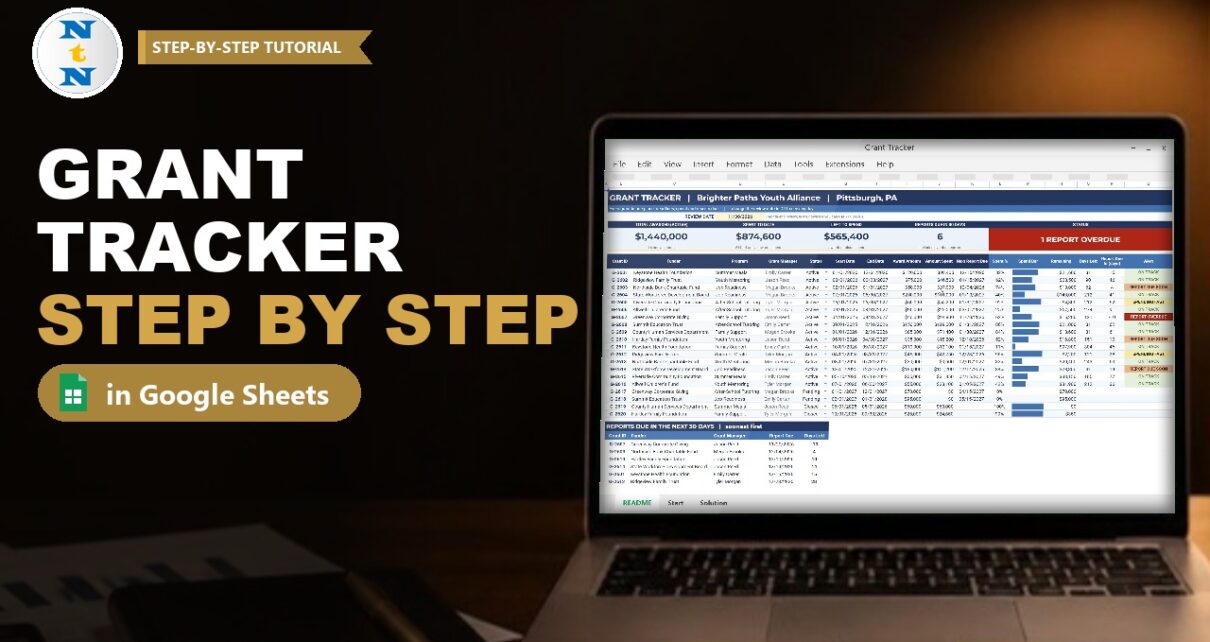
This tutorial builds a grant tracking spreadsheet in Google Sheets for a fictional youth nonprofit in Pittsburgh with 20 grants. The finished sheet shows money awarded and spent, every report that is due, and an alert for each grant.
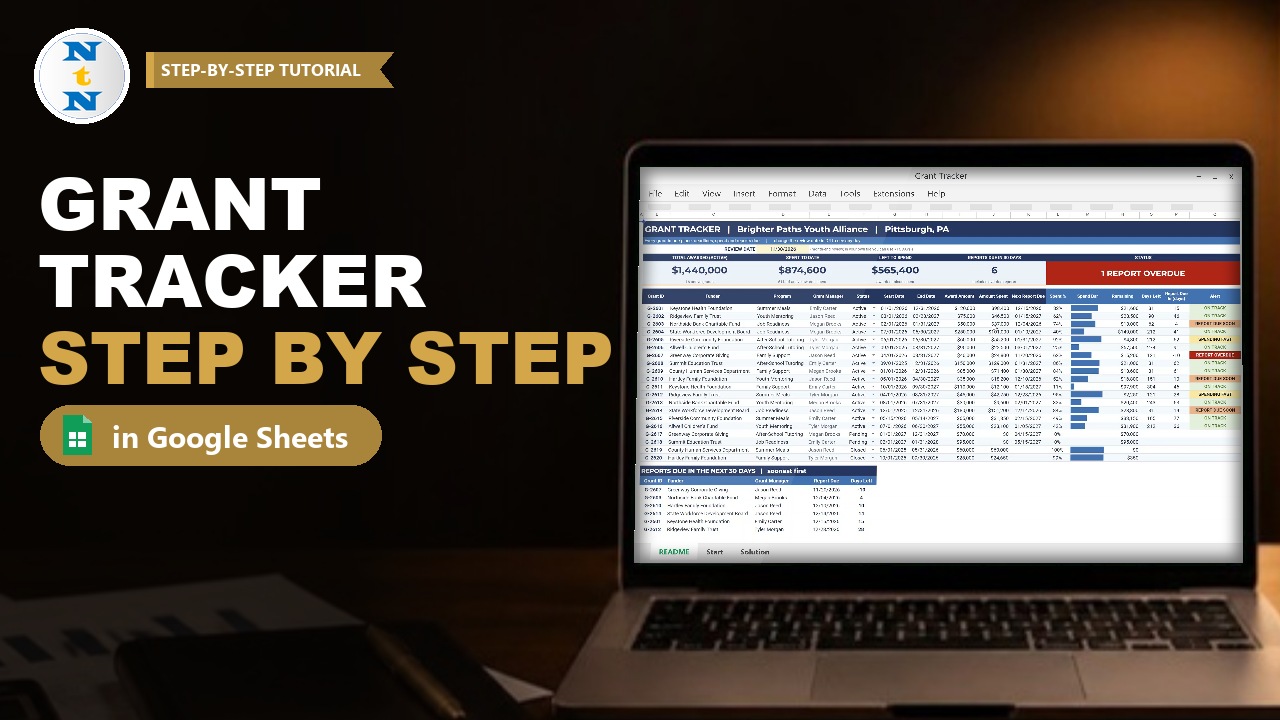
Watch the video tutorial
The video shows the finished tracker first and then builds each formula on the start tab, with one live test at the end.
What you will build
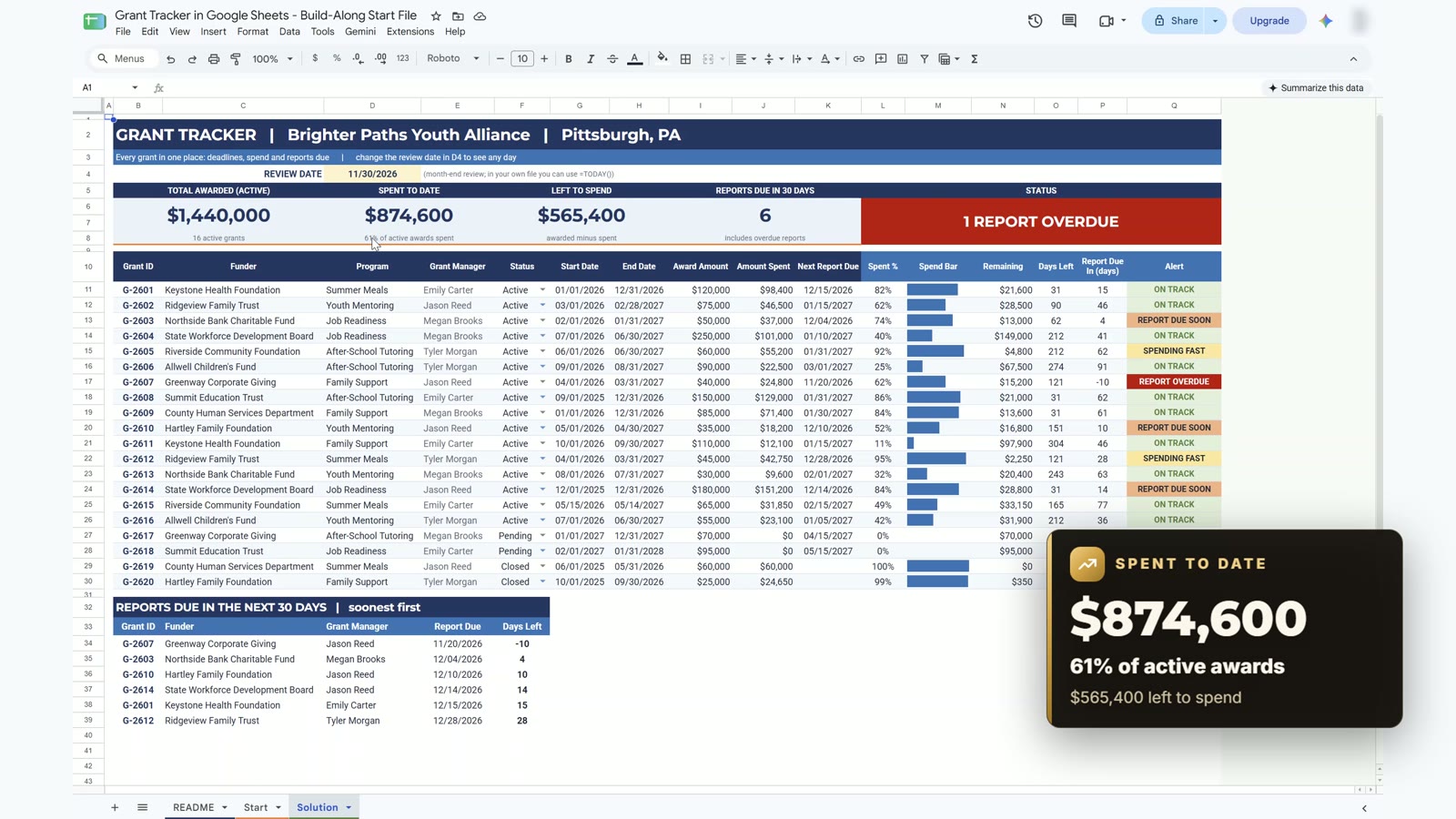
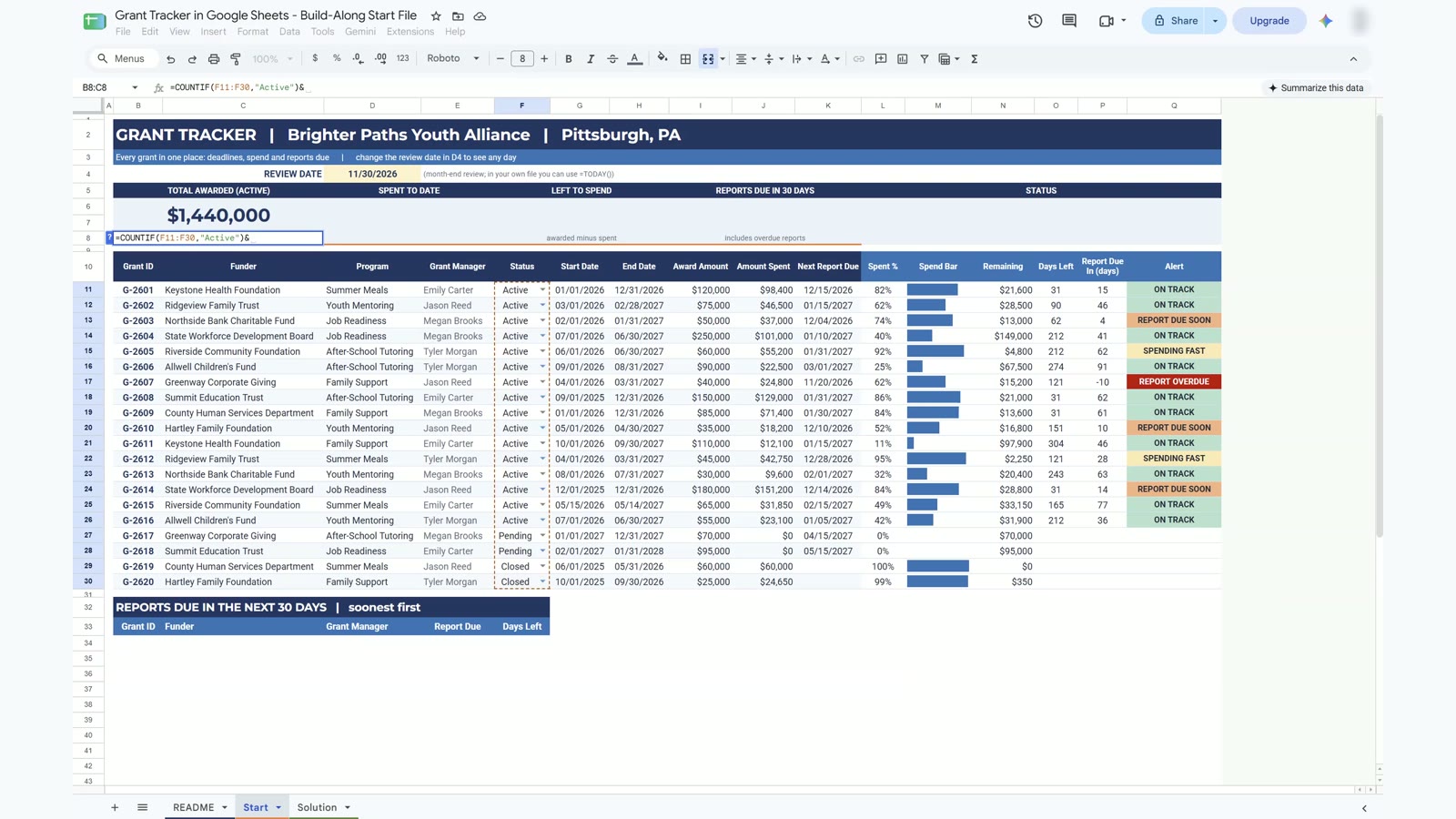
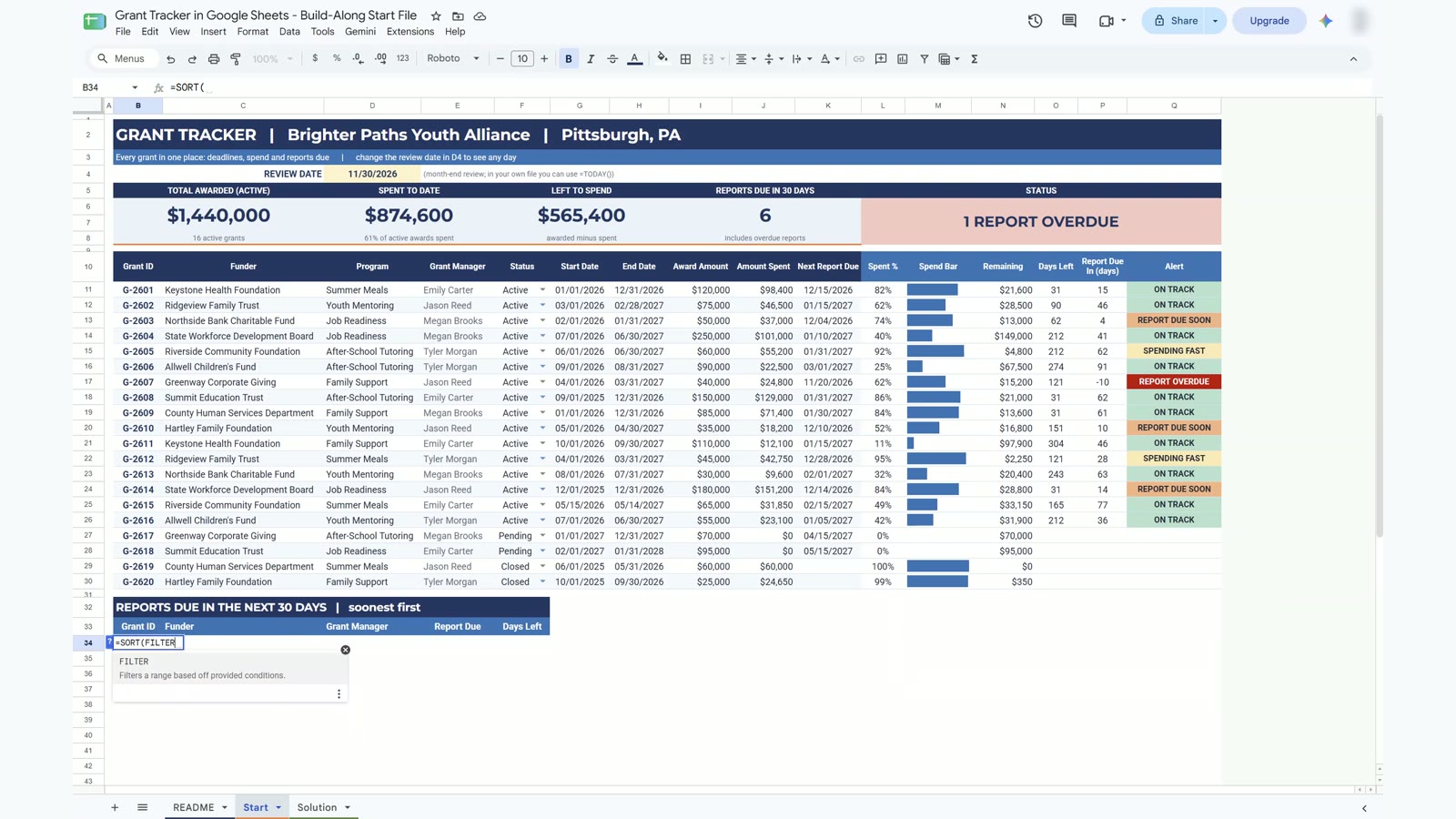
At the review date of 11/30/2026 there are 16 active grants worth $1,440,000, with $874,600 spent (61%), $565,400 left, one report overdue and six due within 30 days.
The starting data
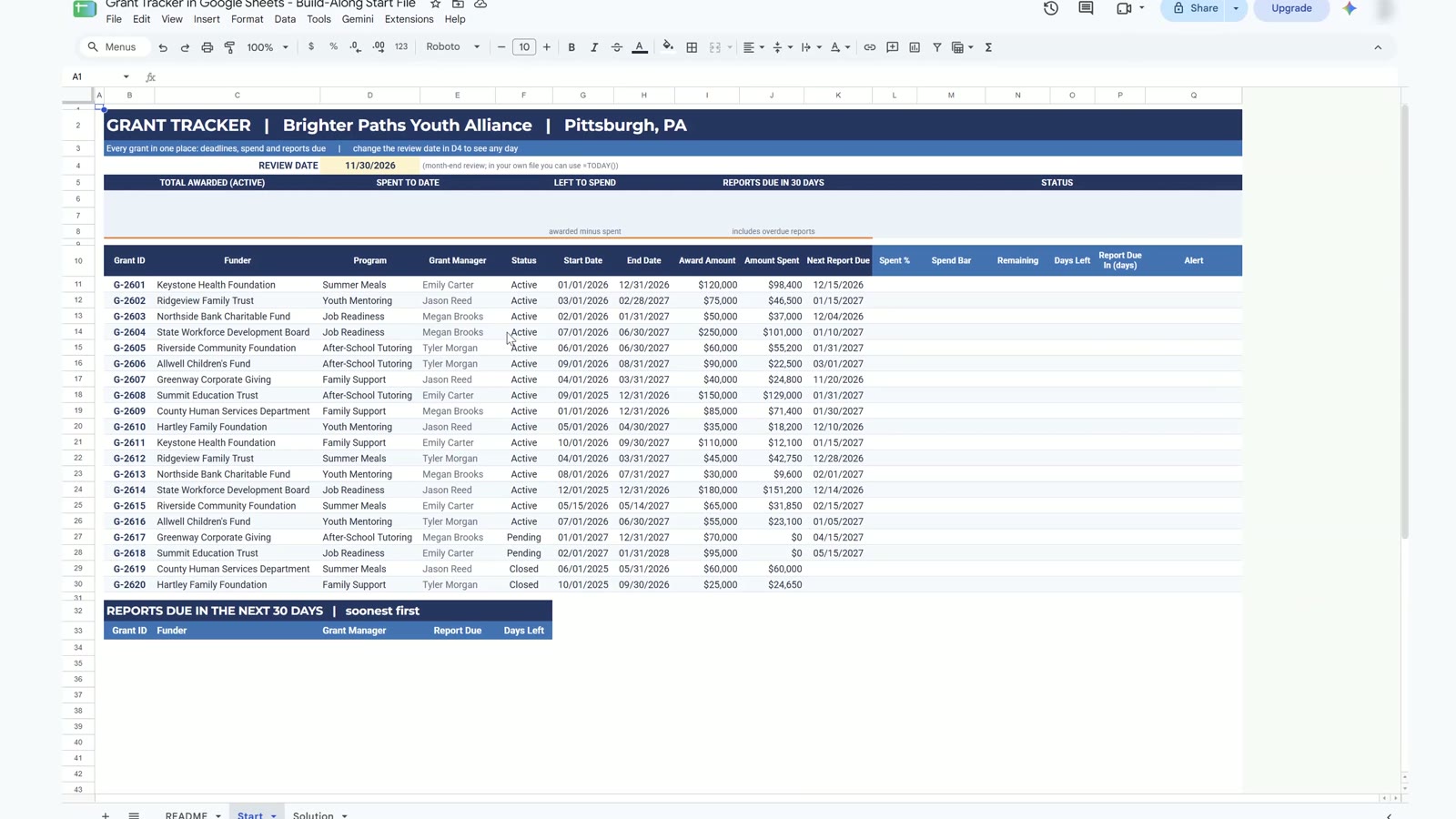
Each row has the grant ID, funder, program, manager, status, start and end date, award, amount spent and next report due date. The review date sits in D4.
Step 1: Status dropdown
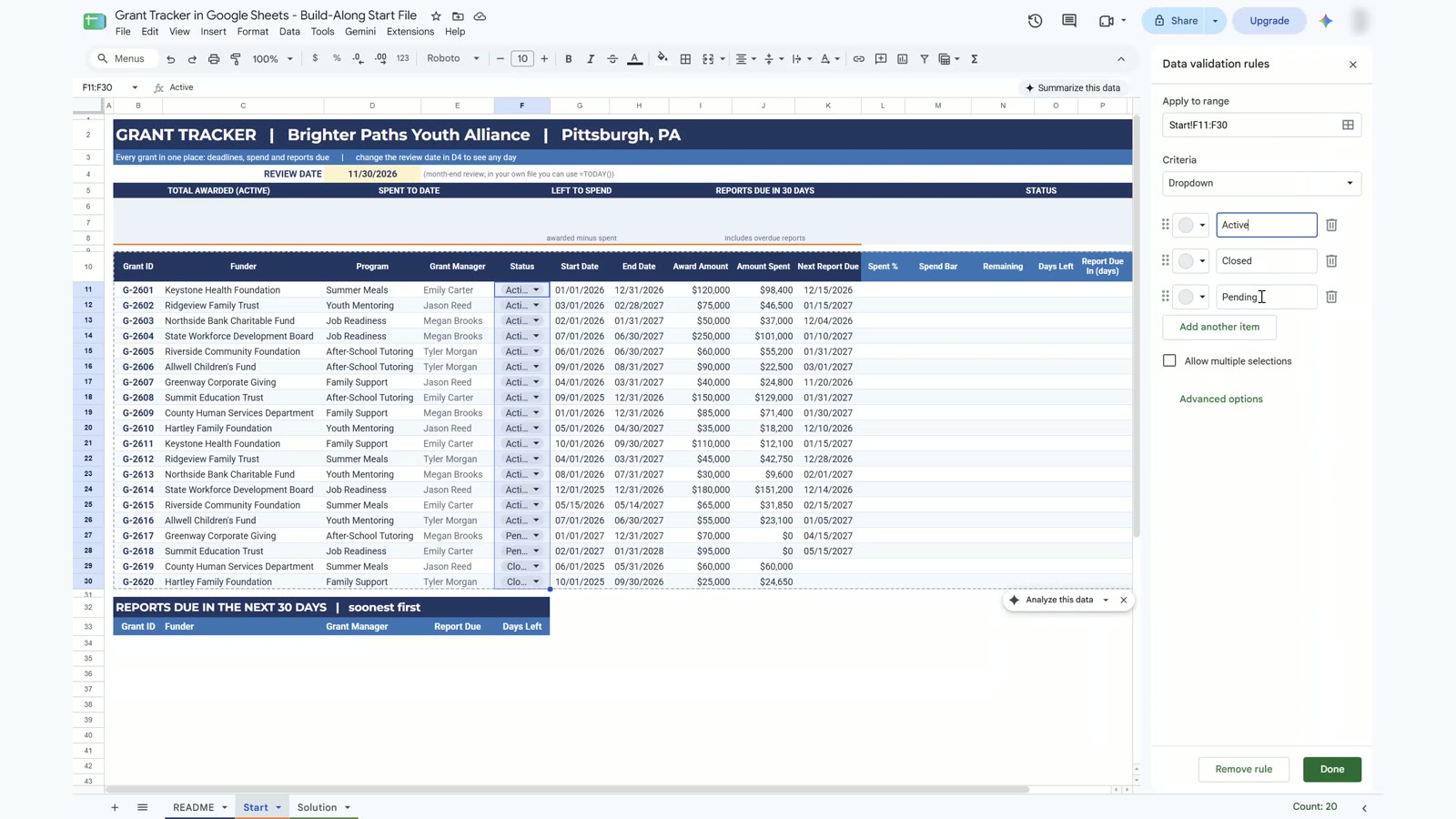
Select F11:F30, open Data, then Data validation, and keep Active, Pending and Closed as the only choices. Reject any other input.
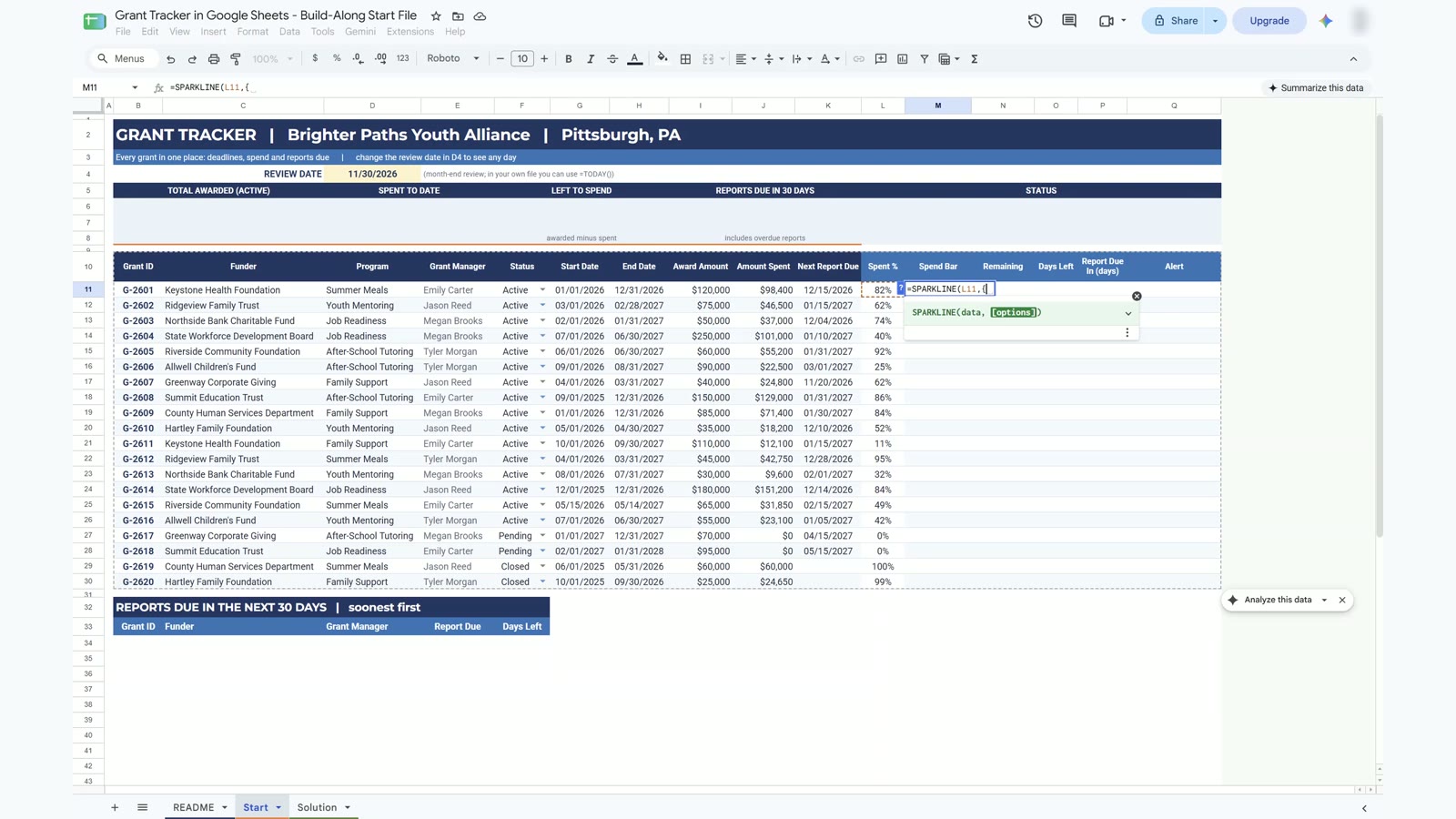
Step 2: Spent percent and spend bar
=J11/I11
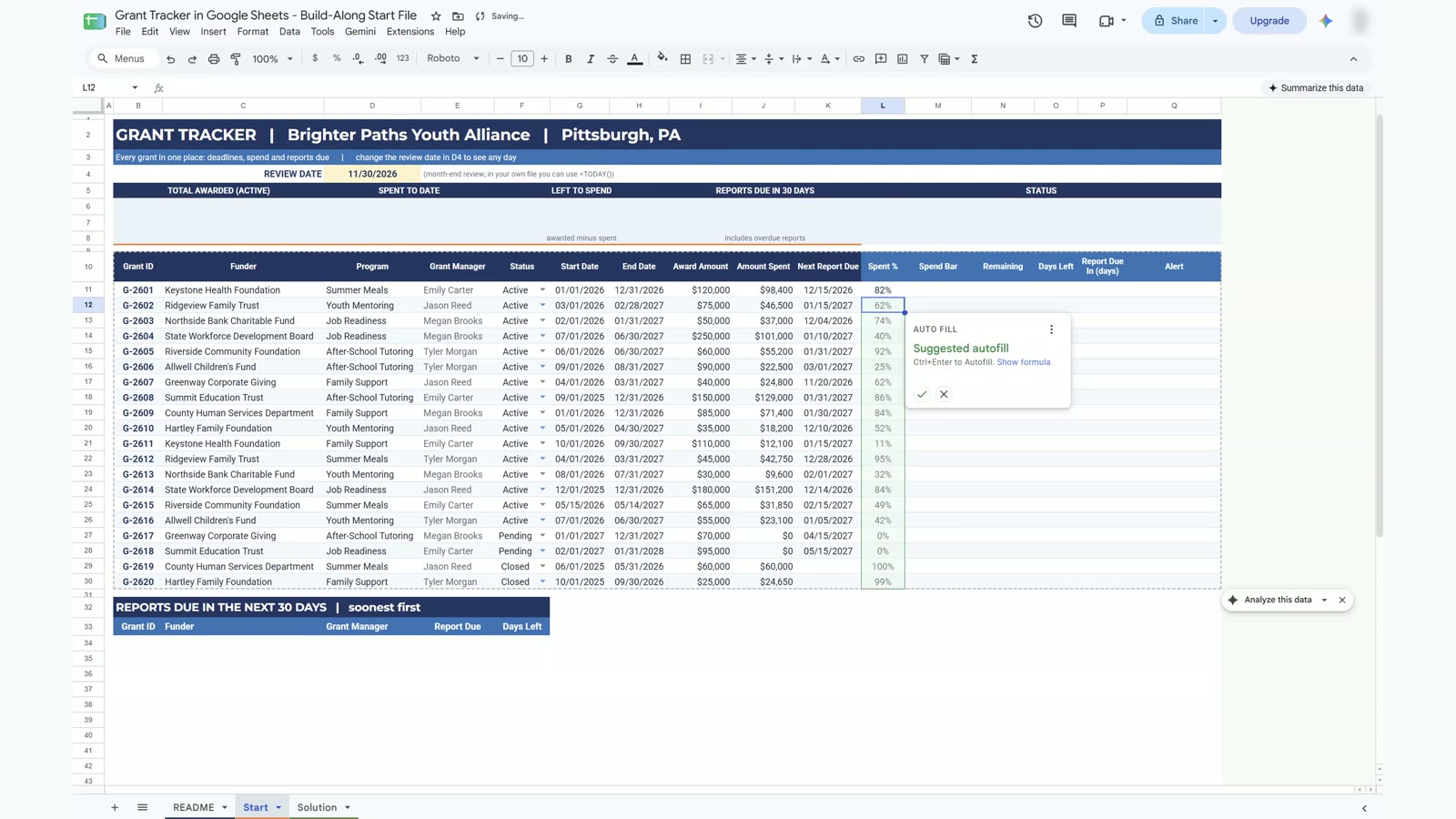
=SPARKLINE(L11,{"charttype","bar";"max",1;"color1","#2E75B6"})
Step 3 and 4: Remaining money and day counts
=I11-J11
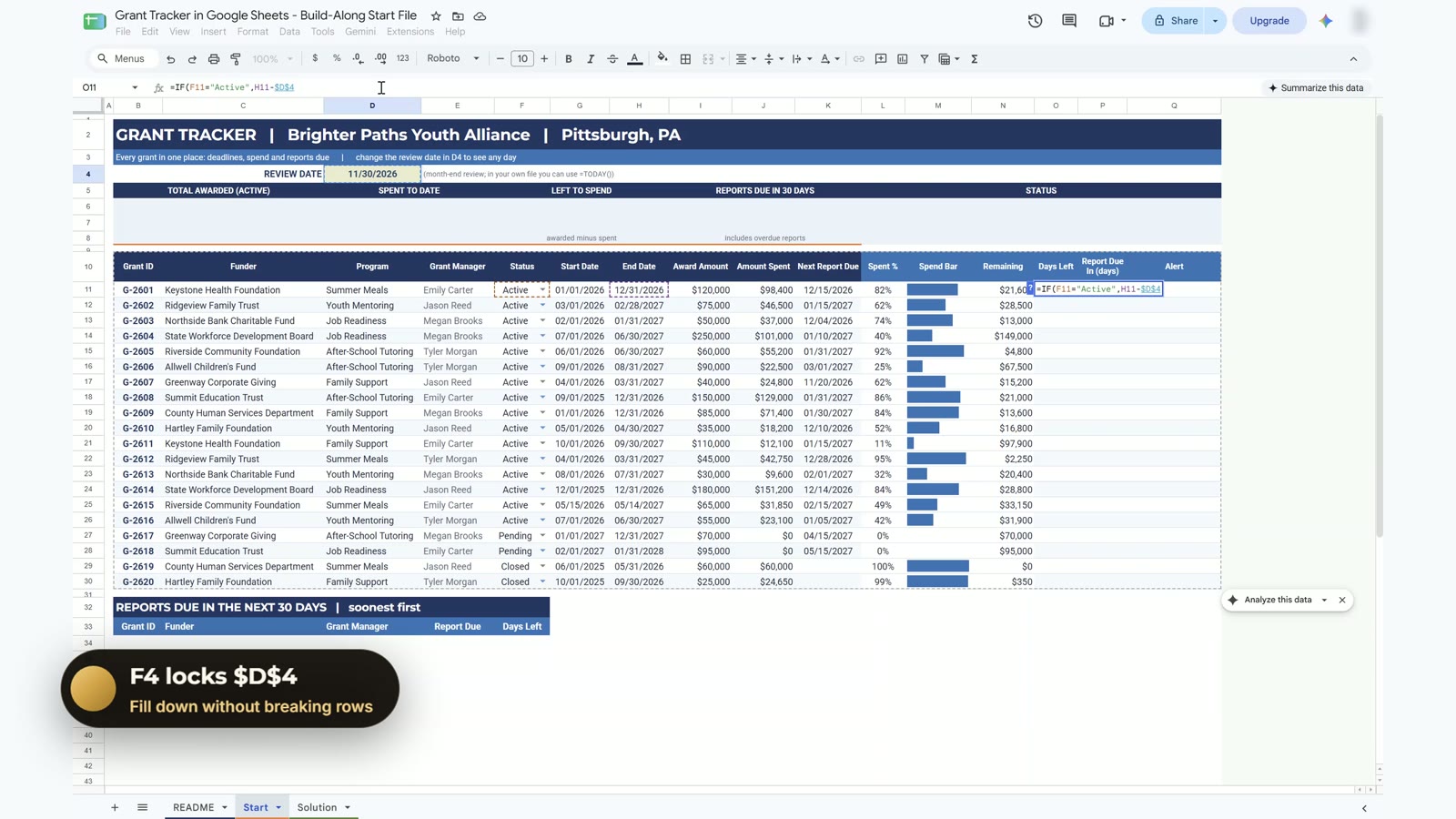
=IF(F11="Active",H11-$D$4,"")
=IF(F11="Active",K11-$D$4,"")
Press F4 so the review date stays locked when you fill the formulas down.
Step 5: The alert column
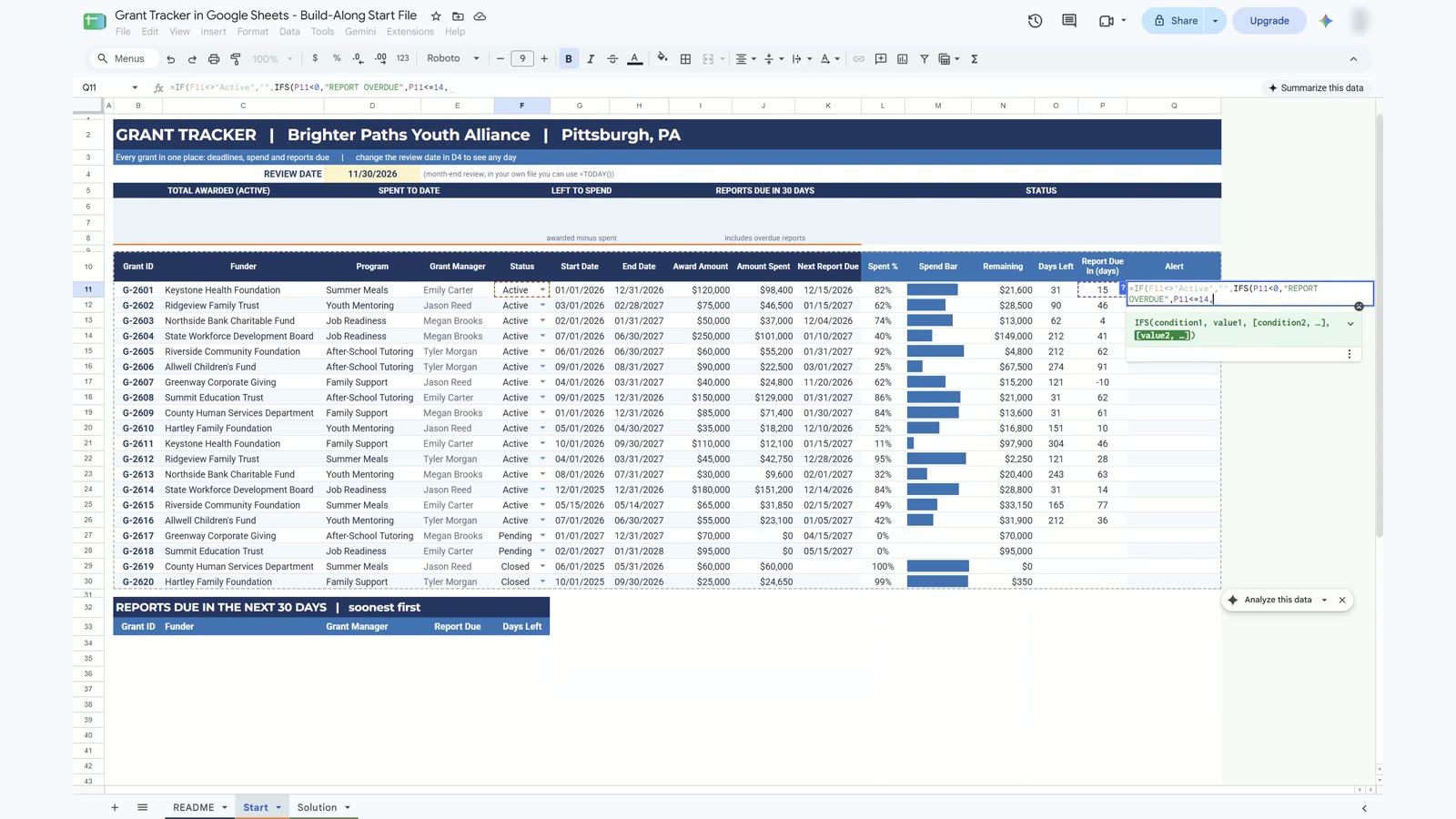
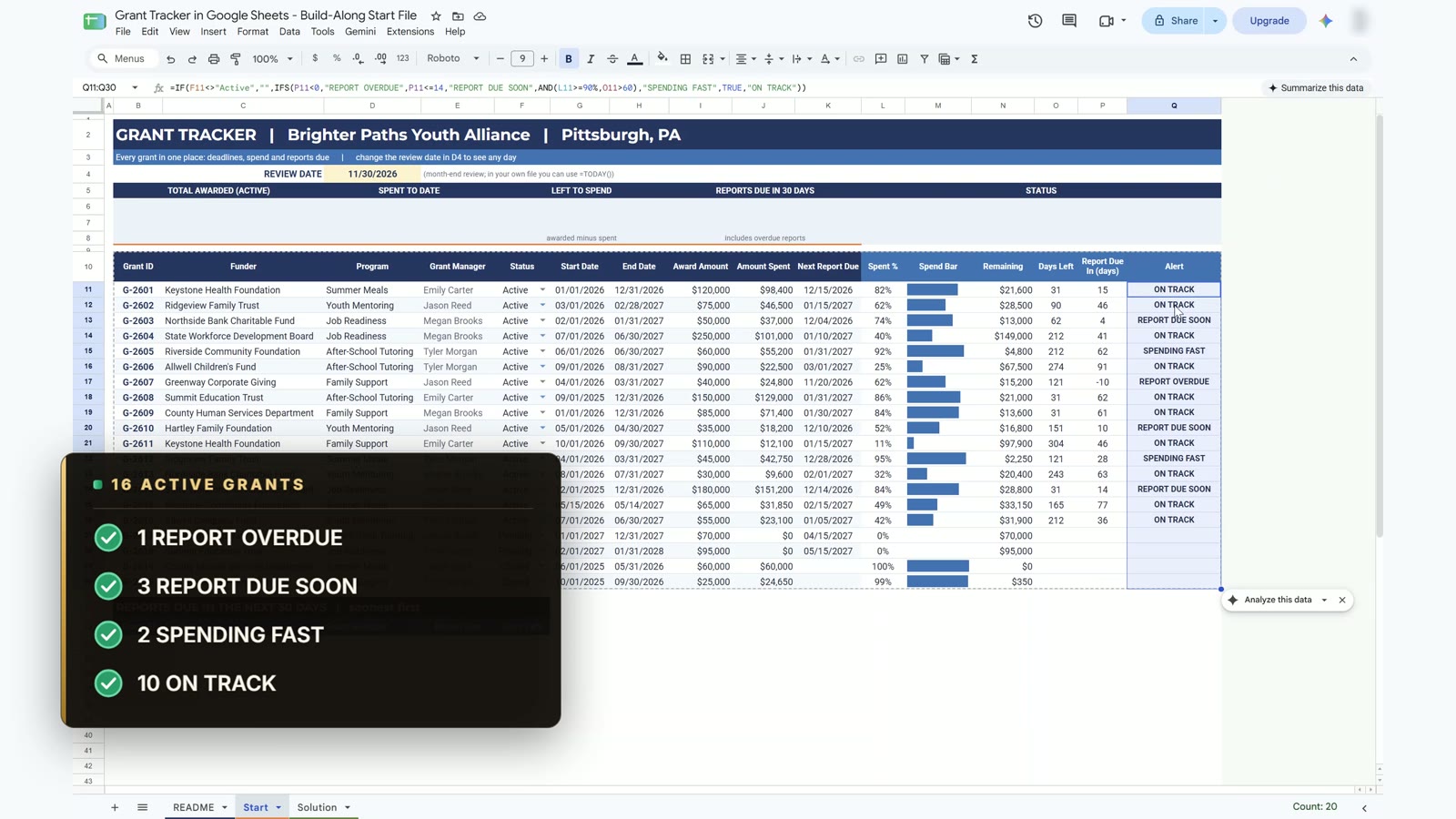
=IF(F11<>"Active","",IFS(P11<0,"REPORT OVERDUE",P11<=14,"REPORT DUE SOON",AND(L11>=90%,O11>60),"SPENDING FAST",TRUE,"ON TRACK"))
IFS stops at the first true test, so overdue comes before due soon. The result is 1 overdue, 3 due soon, 2 spending fast and 10 on track.
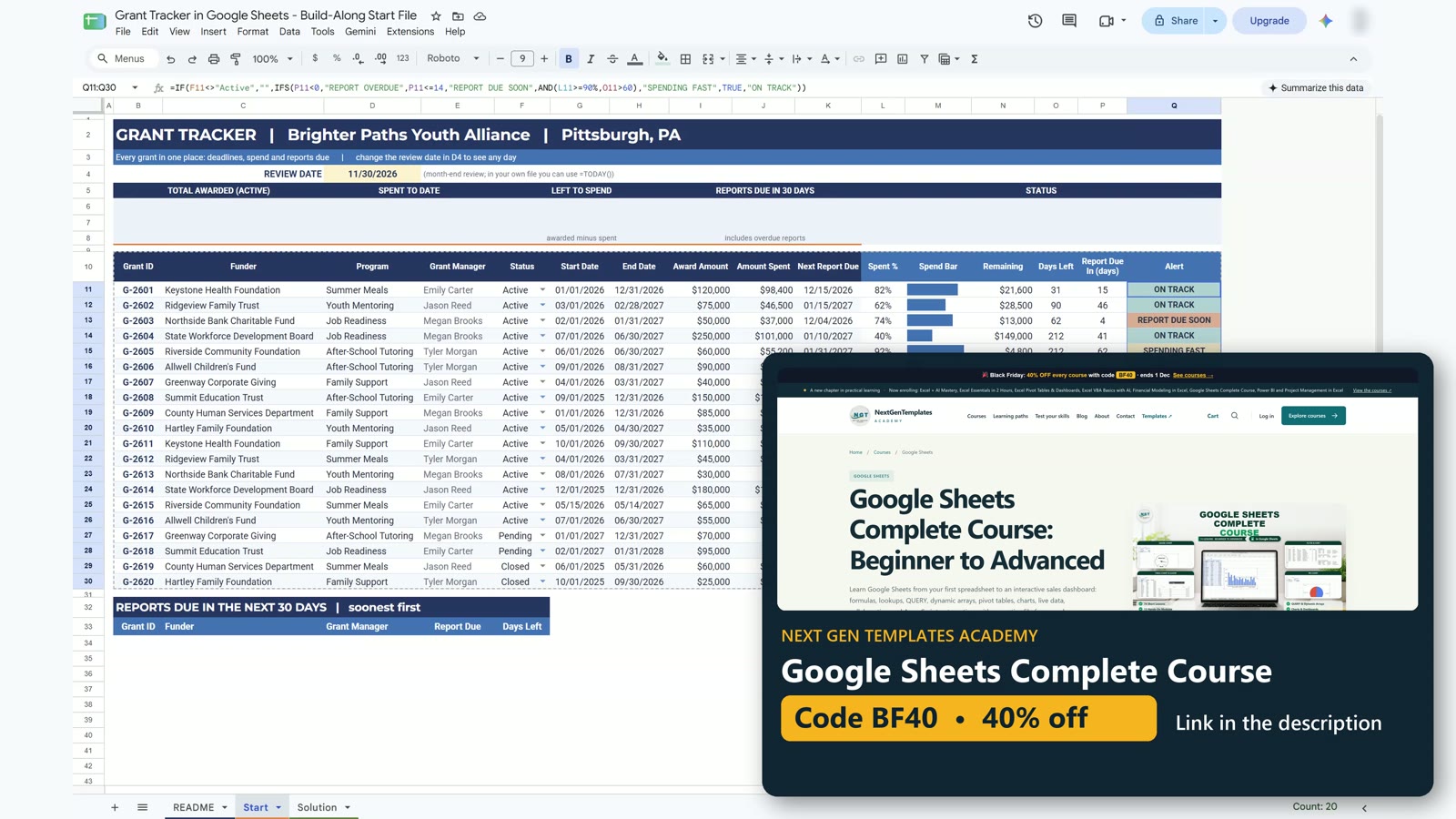
Step 6: KPI cards
=SUMIF(F11:F30,"Active",I11:I30)
=SUMIF(F11:F30,"Active",J11:J30)
=COUNTIFS(F11:F30,"Active",P11:P30,"<=30")
Step 7: Status box
=IF(COUNTIF(Q11:Q30,"REPORT OVERDUE")=0,"ALL REPORTS ON TIME",COUNTIF(Q11:Q30,"REPORT OVERDUE")&" REPORT OVERDUE")
Two custom conditional formatting rules turn the box green or red.
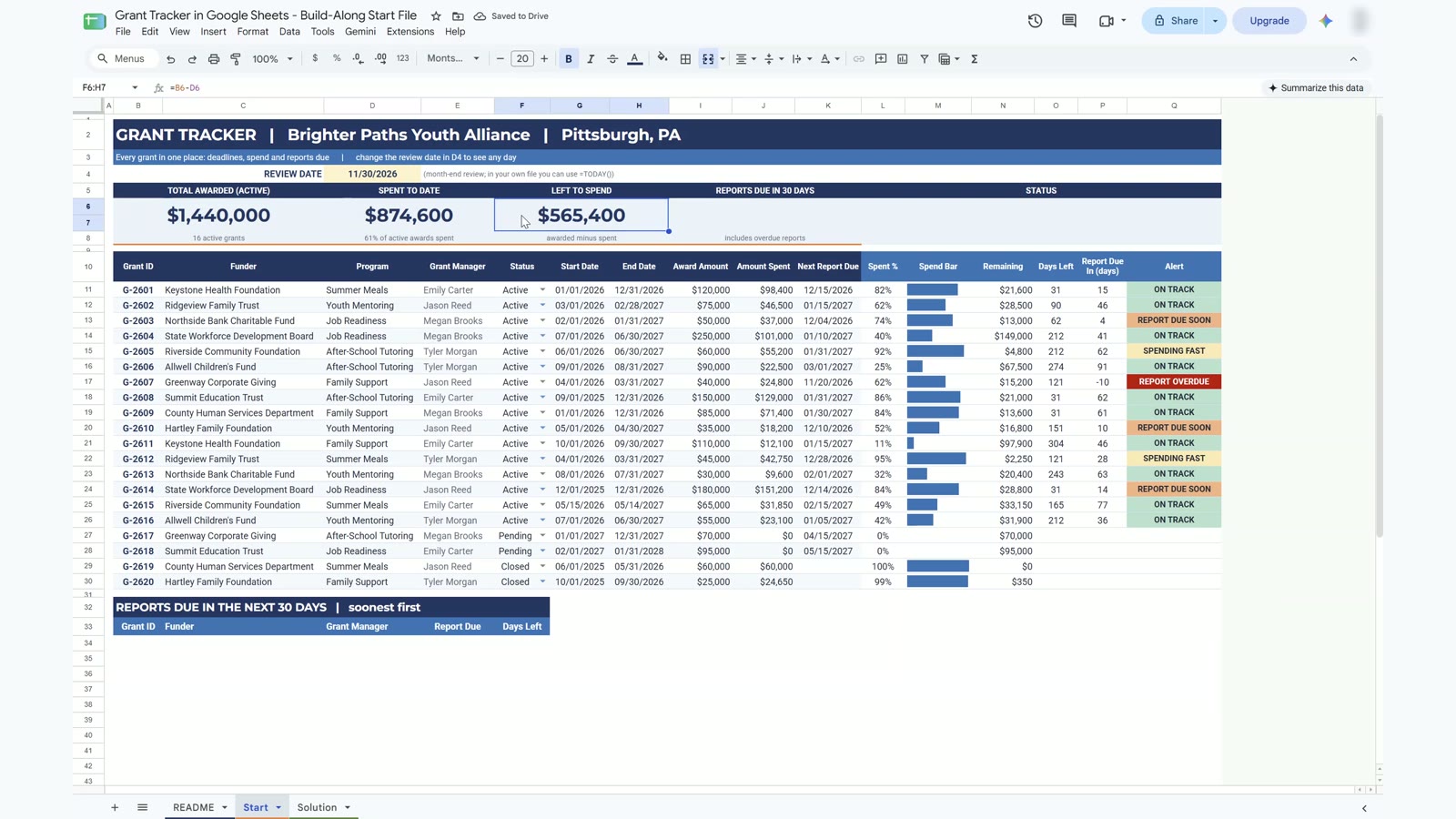
Step 8: Reports due in the next 30 days
=SORT(FILTER({B11:B30,C11:C30,E11:E30,K11:K30,P11:P30},F11:F30="Active",P11:P30<=30),5,TRUE)
Step 9: Funding by program
=QUERY({D11:D30,F11:F30,I11:I30,J11:J30},"select Col1, sum(Col3), sum(Col4) where Col2 = 'Active' group by Col1 order by sum(Col3) desc label Col1 'Program', sum(Col3) 'Awarded', sum(Col4) 'Spent'",0)
Select the summary, insert a column chart, and compare awarded with spent for each program.
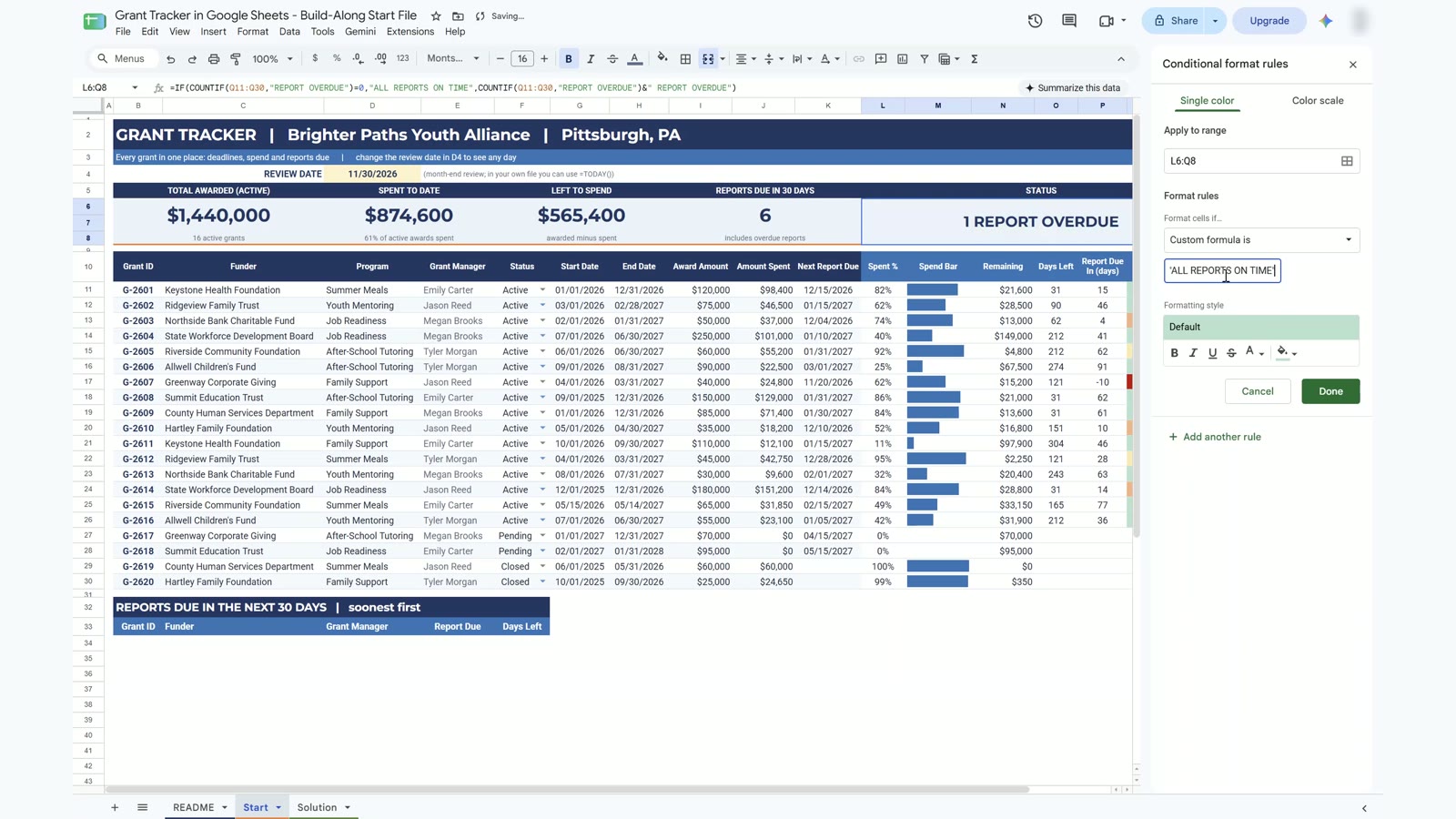
Test the tracker
Change the next report due date of grant G-2607 to 02/26/2027. The alert changes to on track, the status box turns green and the 30-day count drops from six to five.
Formulas used
| Need | Function |
|---|---|
| Spend bar | SPARKLINE |
| Alert labels | IF, IFS, AND |
| Totals and counts | SUMIF, COUNTIF, COUNTIFS |
| Due list | SORT, FILTER |
| Program summary | QUERY |
Want it ready to use?
The Nonprofit Grant Dashboard in Google Sheets includes 4 KPI cards, 13 charts on 6 tabs, slicers and a grant ID lookup.
- Task management tracker in Google Sheets
- Sales CRM in Google Sheets
- Sales tracker in Google Sheets
- Google reference: QUERY function
To go further, join the Google Sheets Complete Course on Next Gen Templates Academy. Code BF40 gives 40% off until 1 December 2026, 23:59 IST.
Frequently asked questions
What is a grant tracking spreadsheet?
It is one sheet that lists every grant with its funder, dates, award, spend and next report date, and warns you when something needs action.
How do I flag an overdue funder report in Google Sheets?
Subtract a review date from the report due date. A result below zero means the report is overdue, and an IFS formula can label it.
Why does the tracker use a review date instead of TODAY?
A fixed review date keeps month-end numbers stable. In your own file you can put =TODAY() in that cell.
Why do all my SPARKLINE bars look full?
Without the max option every bar is scaled to its own value. Set max to 1 so a full bar means 100% spent.
Why does QUERY need Col1 and Col2 here?
When the data is an array in curly brackets, the columns have no letters, so QUERY refers to them as Col1, Col2 and so on.
Is the build-along file free?
No. This is a build-along tutorial. The ready-to-use Nonprofit Grant Dashboard is a paid template on Next Gen Templates.
Conclusion
A status dropdown, a locked review date and one IFS formula turn a list of grants into a warning system. Add your own grants and set the review date to TODAY when you want it live.
More Google Sheets tutorials
- Sales CRM in Google Sheets: Lead Tracker, Pipeline Stages & Follow-Up Alerts (Free Template)
- Sales Tracker in Google Sheets: Daily Log, Monthly Report & Rep Targets (Free Template)
- Employee Skills Matrix in Google Sheets: Heatmap, Skill Gaps & Training Plan
- Purchase Order Tracker in Google Sheets: Free Template with Overdue Alerts
- Gantt Chart in Google Sheets: Auto Timeline, Progress Bars & Today Line (Free Template)
- Quote and Estimate Template in Google Sheets: Auto Totals, Tax and PDF (Free Template)