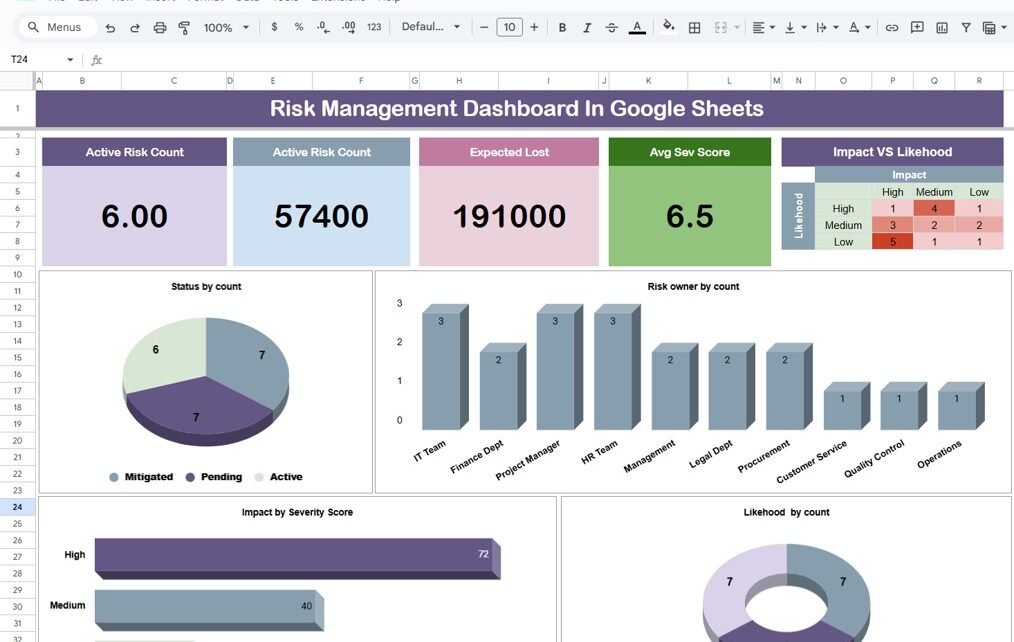
In today’s fast-paced business environment, managing risks is more important than ever. Whether you’re dealing with financial challenges, cybersecurity threats, or operational hurdles, it’s crucial to stay on top of potential risks. One of the best ways to do this is by using a Risk Management Dashboard. Even better? You can easily create one using […]
Tag: Data Management
Sales Order Tracker In Google Sheets: A Complete Guide
If you’ve ever struggled to keep track of all your sales orders, especially when dealing with multiple products, regions, or sales teams, you know how quickly things can get overwhelming. But don’t worry! A Sales Order Tracker in Google Sheets could be exactly what you need to streamline your process. Not only is it easy […]
How to Use the WRAPCOLS Function in Google Sheets – A Step-by-Step Example
Are you trying to organize a long list of data in Google Sheets but want it to be displayed in neat columns? The WRAPCOLS function can help you do just that! In this guide, we’ll walk you through how to use this amazing function with a simple example. Whether you’re new to Google Sheets or […]
5 Easy Methods to Remove Duplicates in Google Sheets (With Examples!)
remove duplicates in Google Sheets is essential when you’re working with large data sets. Whether you’re handling customer lists, sales data, or inventory sheets, duplicated values can distort your results. In this blog post, I’ll walk you through five simple methods to remove duplicates, all of which are easy to use and highly effective! Why […]
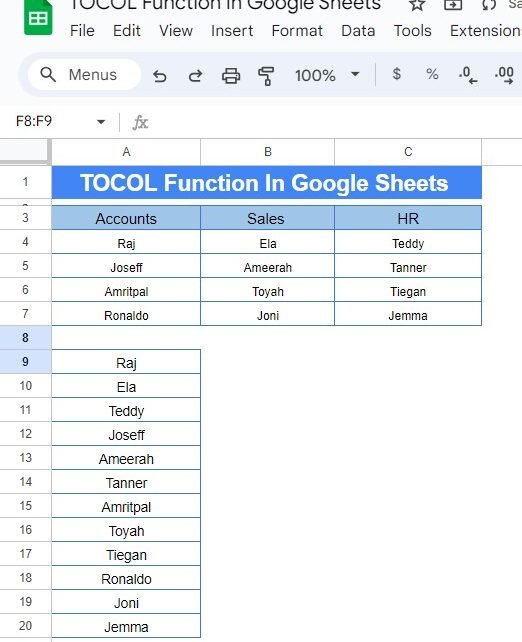
Memory updated How to Use the TOCOL Function in Google Sheets: A Step-by-Step Example
If you’ve ever had to reorganize data in Google Sheets, you know how tedious it can be to copy and paste data into a different format. But what if there was an easy way to take data from multiple columns and turn it into one single column? Well, there is! It’s called the TOCOL Function […]
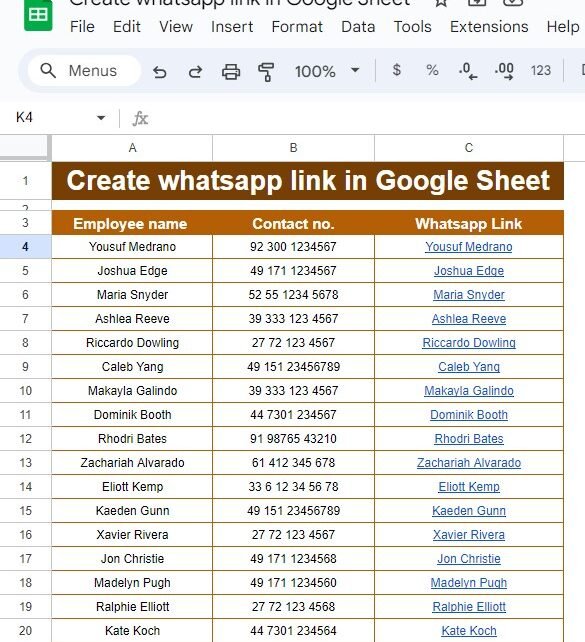
How to Easily Create WhatsApp Links in Google Sheets – A Step-by-Step Guide
Have you ever wanted to quickly send a WhatsApp message to someone, but had to go through the trouble of manually typing their number? Well, guess what? There’s a much easier way! In this guide, I’ll show you how to Create WhatsApp Links in Google Sheets, making communication with your contacts faster and more efficient. […]
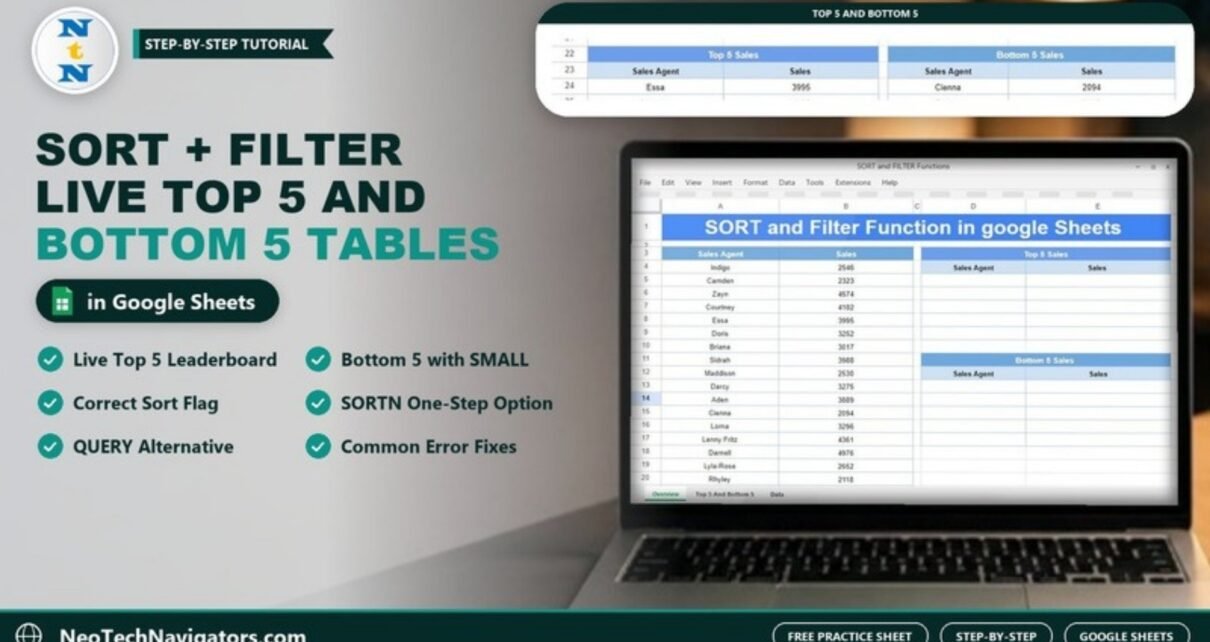
SORT and FILTER Functions in Google Sheets with an Example
Build live Top 5 and Bottom 5 tables with the SORT and FILTER functions in Google Sheets. Worked example with 17 sales agents, the correct sort flag, SORTN and QUERY alternatives, and fixes for common errors.
INDEX with Double MATCH in Google Sheets (Two-Way Lookup)
Use INDEX with two MATCH functions in Google Sheets to look up any employee by ID and any field by its header, with a worked call-centre example and a free practice file.
6 VLOOKUP Tricks in Google Sheets (With Real Examples)
Six practical VLOOKUP tricks in Google Sheets – normal lookup, VLOOKUP with COLUMN, VLOOKUP with MATCH, double VLOOKUP, IFERROR handling and age buckets – with a free practice file and checked results.
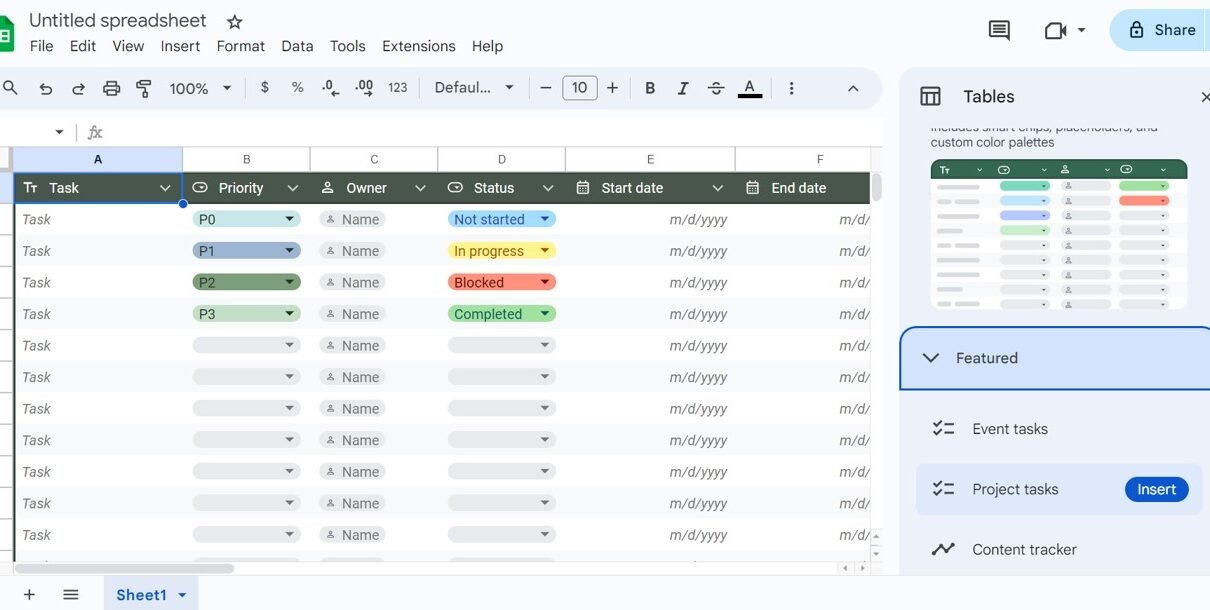
Tables in Google Sheets: How to Create, Format and Use Them
A step-by-step guide to Tables in Google Sheets: insert ready-made tables, set column types, convert a range, change colours, save group-by and filter views, rename tables and use table references like =SUM(Sales_Data[Sales]) in formulas.