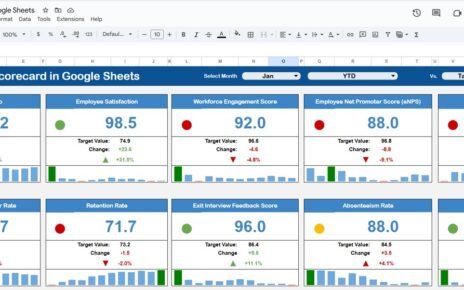
Employee recognition plays a critical role in improving motivation, engagement, productivity, and retention. When employees feel valued, they perform better and stay committed to the organization. However, many HR teams struggle to measure recognition effectiveness because data remains scattered across emails, surveys, and manual records.
That is exactly where an Employee Recognition KPI Dashboard in Google Sheets becomes extremely valuable. This ready-to-use dashboard helps HR teams track recognition activities, monitor performance trends, compare targets with actuals, and evaluate year-on-year improvement using structured KPIs.
In this article, you will learn how the dashboard works, which KPIs it tracks, how each worksheet functions, and how organizations can use it to build a strong culture of appreciation.
Get the Employee Recognition KPI Dashboard in Google Sheets
What Is an Employee Recognition KPI Dashboard in Google Sheets?
An Employee Recognition KPI Dashboard is a performance-tracking system designed to measure how effectively an organization recognizes and rewards employees. It converts raw recognition data into clear metrics such as recognition frequency, participation rate, award distribution, and impact on engagement.
Because this dashboard is built in Google Sheets, it offers:
-
Real-time updates
-
Easy collaboration
-
No software cost
-
Full customization
-
Automatic calculations
As a result, HR teams gain complete visibility into recognition programs without complex tools.
Key Features of the Employee Recognition KPI Dashboard
This dashboard is structured into 6 interconnected worksheets, each serving a specific purpose.
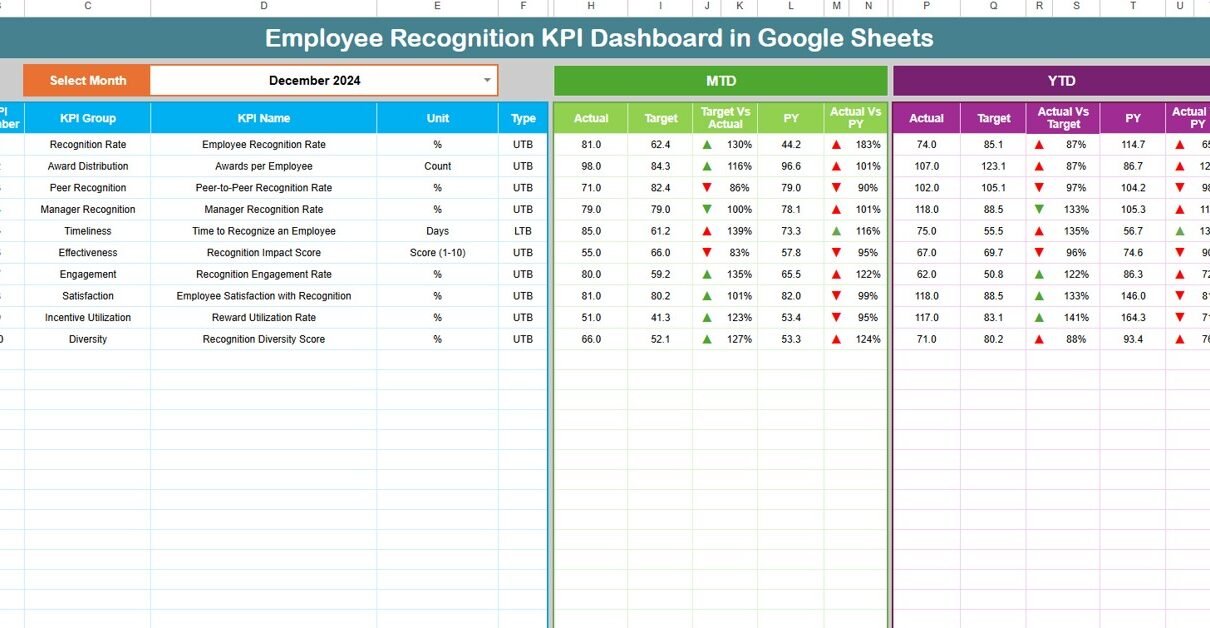
Dashboard Sheet Tab (Main Page)
The Dashboard Sheet is the central view of all KPIs.
You select the month from the dropdown in cell D3, and the entire dashboard updates instantly.
Metrics Displayed
MTD (Month-to-Date):
-
Actual
-
Target
-
Previous Year
-
Target vs Actual
-
Previous Year vs Actual
YTD (Year-to-Date):
-
Actual
-
Target
-
Previous Year
-
Target vs Actual
-
Previous Year vs Actual
Visual Indicators
-
Green arrow → positive trend
-
Red arrow → negative trend
This allows leadership to understand recognition performance at a glance.

KPI Trend Sheet Tab
This sheet focuses on one KPI at a time.
You select a KPI from the dropdown in cell C3, and the sheet displays:
-
KPI Group
-
KPI Unit
-
KPI Type (Lower the Better / Upper the Better)
-
KPI Formula
-
KPI Definition
-
Monthly trend visualization
This helps HR teams identify patterns and improvement opportunities.

Actual Number Sheet Tab
This sheet stores actual recognition data.
-
Enter MTD and YTD actual values
-
Select the first month of the year in cell E1
-
Monthly alignment updates automatically
This sheet acts as the primary data input source.

Target Sheet Tab
The Target Sheet defines expected performance.
-
Monthly targets (MTD)
-
Annual cumulative targets (YTD)
Targets help HR teams compare planned recognition goals with actual outcomes.

Previous Year Number Sheet Tab
This sheet stores last year’s recognition data.
It enables:
-
Year-on-Year comparison
-
Long-term trend analysis
-
Program effectiveness evaluation

KPI Definition Sheet Tab
This is the reference sheet for all KPIs.
It contains:
-
KPI Name
-
KPI Group
-
Unit
-
Formula
-
Definition
-
KPI Type (LTB / UTB)
This ensures clarity and consistency across the organization.

Advantages of Employee Recognition KPI Dashboard
-
Improves employee motivation
-
Increases engagement and morale
-
Ensures fair recognition distribution
-
Aligns recognition with business goals
-
Supports data-driven HR decisions
-
Improves retention
-
Enhances organizational culture
Opportunities for Improvement
-
Add sentiment analysis from surveys
-
Integrate with HRIS platforms
-
Track recognition vs performance ratings
-
Add predictive attrition models
-
Automate alerts for low participation
Best Practices for Using the Dashboard
-
Update recognition data monthly
-
Set realistic recognition targets
-
Encourage peer-to-peer recognition
-
Review department-wise equity
-
Align rewards with core values
-
Share insights with leadership
Conclusion
The Employee Recognition KPI Dashboard in Google Sheets transforms recognition programs into measurable, actionable, and impactful initiatives. With structured KPIs, automated calculations, and clear trend analysis, HR teams gain complete control over recognition performance.
This dashboard not only tracks appreciation but also strengthens culture, engagement, and long-term retention.
Interested in the reporting skills behind dashboards like this? The Excel Pivot Tables & Dashboards course on NextGenTemplates Academy covers them with practice files.
Get the Employee Recognition KPI Dashboard in Google Sheets
Frequently Asked Questions (FAQs)
1. Who should use this dashboard?
HR teams, people managers, and leadership.
2. Can I customize KPIs?
Yes, all KPIs are fully editable.
3. Does it support year-on-year analysis?
Yes, through the Previous Year sheet.
4. Is Google Sheets secure?
Yes, with proper access control.
5. Can it work for large organizations?
Yes, it scales easily.