Regular maintenance is crucial for ensuring operational efficiency, minimizing downtime, and extending the lifespan of equipment or facilities. Managing maintenance schedules can be challenging, especially when there are multiple assets and recurring tasks. That’s why we created the Maintenance Schedule Calendar in Google Sheets — a ready-to-use, interactive calendar to help you plan, track, and manage maintenance activities effectively.
Get the Maintenance Schedule Calendar in Google Sheets
What is the Maintenance Schedule Calendar in Google Sheets?
The Maintenance Schedule Calendar in Google Sheets is a comprehensive tool designed for facility managers, operations teams, and maintenance staff. It consolidates all scheduled maintenance events into one centralized calendar, making it easier to track, plan, and execute maintenance tasks.
By using this calendar, you can reduce missed maintenance, avoid equipment downtime, and improve overall operational efficiency.
Key Features of the Maintenance Schedule Calendar
This calendar consists of five worksheets, each designed for specific purposes:
1. Home Sheet Tab
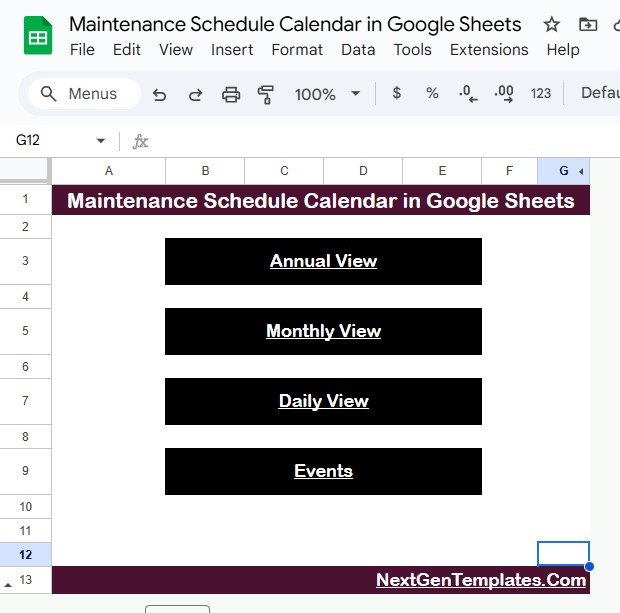
The Home sheet is an index page with buttons to navigate to other sheets quickly:
-
Annual View button
-
Monthly View button
-
Daily View button
-
Events database
This allows easy navigation and quick access to the calendar view you need.
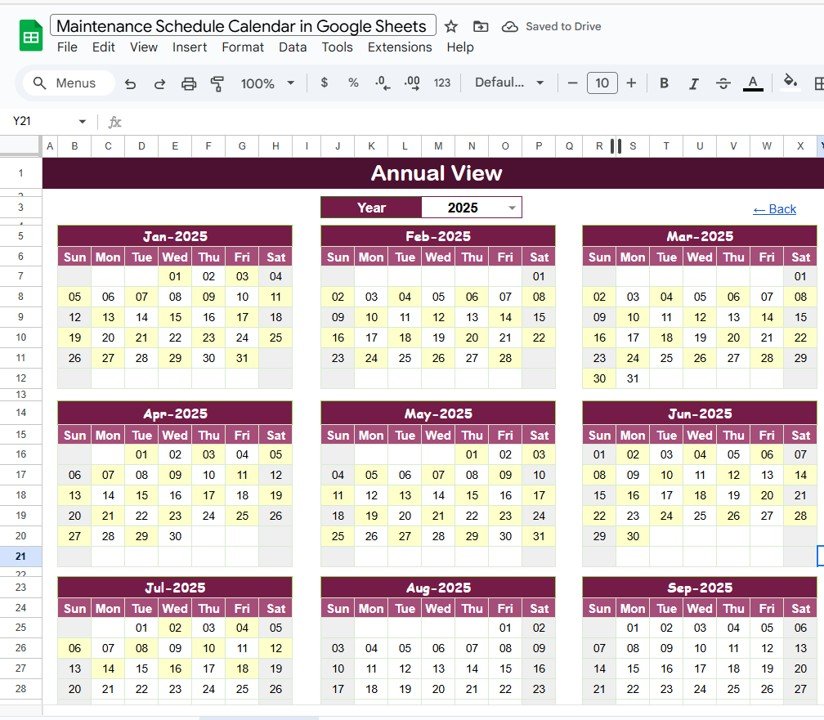
2. Annual View Sheet Tab
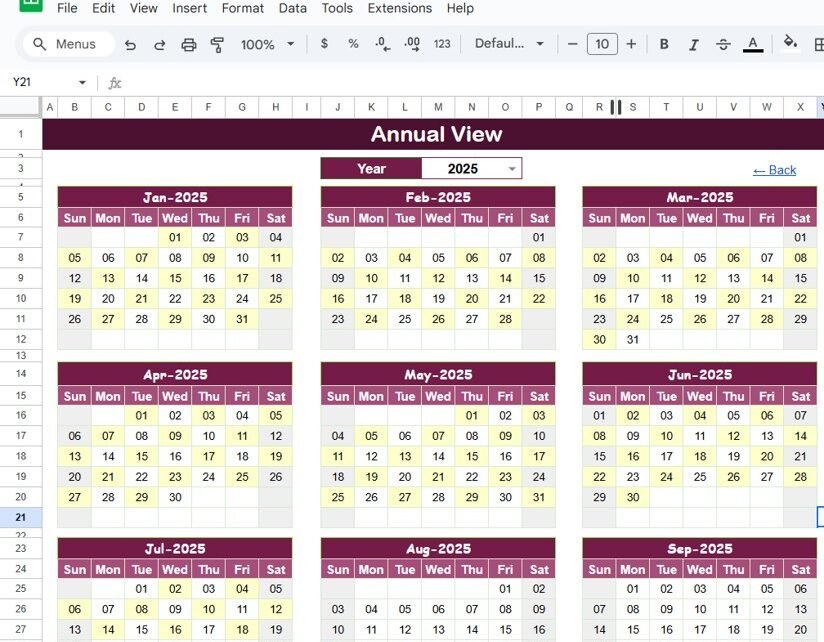
The Annual View sheet displays all 12 months of the year in a consolidated view.
Input Controls Include:
-
Select Year: Automatically updates the calendar for the chosen year
-
Start Month: Change the starting month of the calendar
-
Start Day: Adjust the starting day of the week (Sunday/Monday)
This view is ideal for long-term planning and getting an overall perspective of all scheduled maintenance.
3. Monthly View Sheet Tab
The Monthly View sheet provides a detailed calendar for a selected month and year.
Features Include:
-
Display events for the selected month
-
If multiple events occur on the same day, it shows “more than 1…”
-
Provides a clear and organized monthly view for easy planning
4. Daily View Sheet Tab
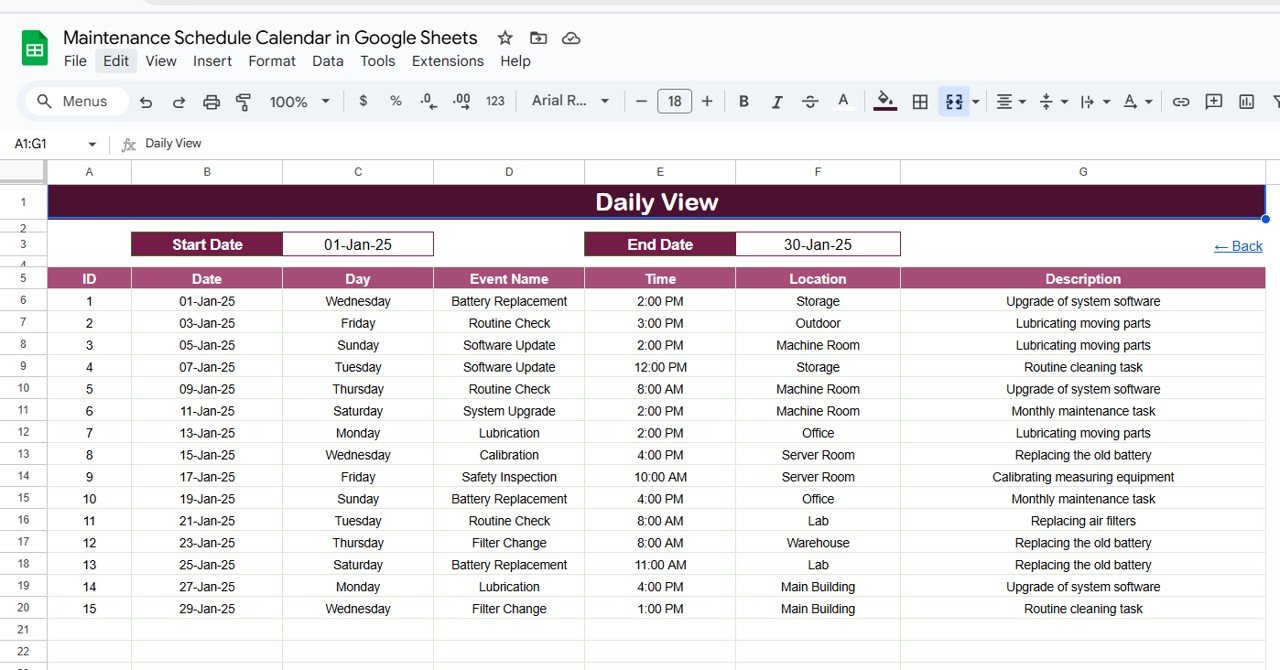
The Daily View sheet lists all events in a selected date range.
Features Include:
-
Enter Start Date and End Date at the top
-
Filter events within the selected date range
-
Provides detailed information for each maintenance task, helping staff manage daily schedules efficiently
5. Events Sheet Tab
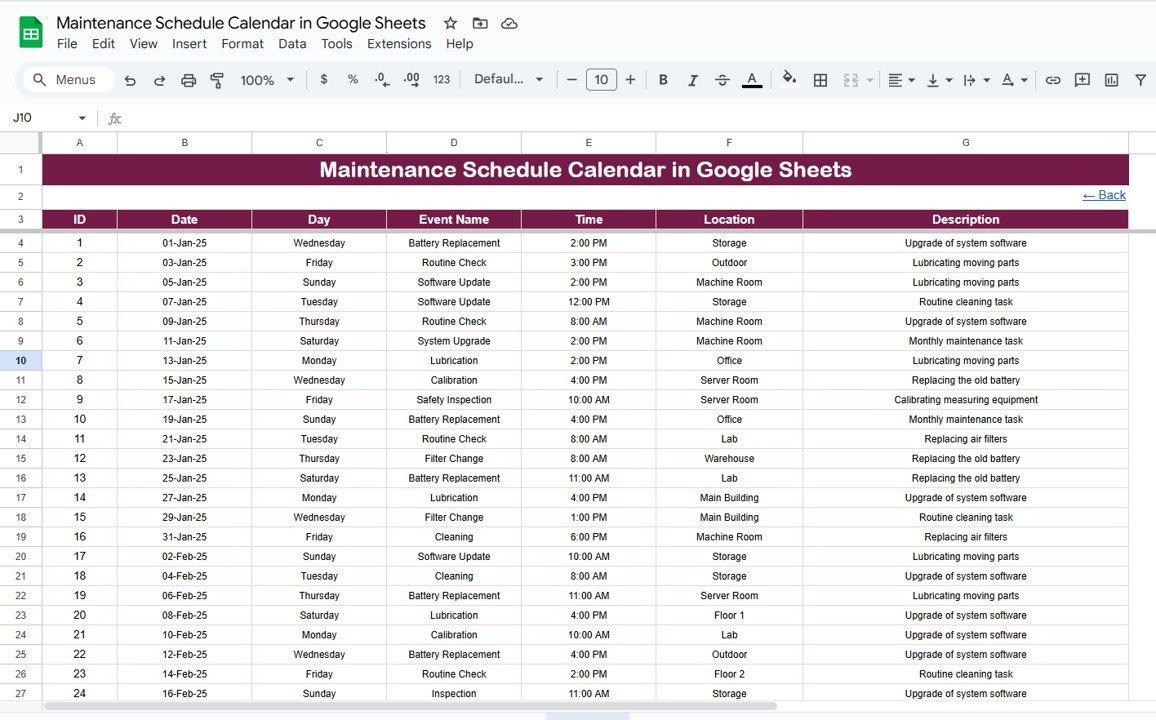
The Events sheet is the database where all maintenance activities are recorded.
Captured Information Includes:
-
ID: Unique identifier for each maintenance task
-
Date: Scheduled date of the maintenance
-
Day: Day of the week (Sunday, Monday, etc.)
-
Event Name: Name of the maintenance task
-
Time: Scheduled time of the event
-
Location: Where the maintenance will occur
-
Description: Short details about the maintenance activity
This structured database allows the calendar to update dynamically and generate accurate annual, monthly, and daily views.
Advantages of Using This Calendar
-
Centralized Scheduling: All maintenance events are captured in one place
-
Improved Planning: Annual and monthly views help with long-term maintenance planning
-
Daily Management: Easily track and manage tasks for each day
-
Dynamic Updates: Changing the year or month automatically updates the calendar
-
Reduced Downtime: Helps ensure maintenance is performed on time
Best Practices for Maintenance Scheduling
-
Update Data Promptly: Record all scheduled maintenance as soon as they are planned
-
Use Alerts/Reminders: Integrate with Google Calendar or email notifications if possible
-
Prioritize Critical Maintenance: Use the calendar to highlight high-priority tasks
-
Review Trends: Analyze past events to optimize future scheduling and reduce downtime
Conclusion
The Maintenance Schedule Calendar in Google Sheets is a simple, yet powerful tool to streamline maintenance planning, improve operational efficiency, and ensure timely execution of maintenance tasks. By organizing all activities in one interactive calendar, teams can stay on top of their schedules and reduce the risk of missed maintenance.
For more on building calendars, trackers and planners in a spreadsheet, the NextGenTemplates Academy learning paths offer step-by-step lessons with practice files.
Get the Maintenance Schedule Calendar in Google Sheets