Google Sheets

How to Use the WRAPCOLS Function in Google Sheets – A Step-by-Step Example

Are you trying to organize a long list of data in Google Sheets but want it to be displayed in neat columns? The WRAPCOLS function can help you do just that! In this guide, we’ll walk you through how to use this amazing function with a simple example. Whether you’re new to Google Sheets or […]

Google Sheets

How to Track Sales Performance in Google Sheets – A Simple Guide

Do you want a simple and effective way to Sales Performance in Google Sheets? Well, you’re in the right place! In this guide, we’ll walk you through setting up a Sales Performance Tracker in Google Sheets using a real-life example. Whether you’re a small business owner, a manager, or just looking to stay organized, this […]

Google Sheets

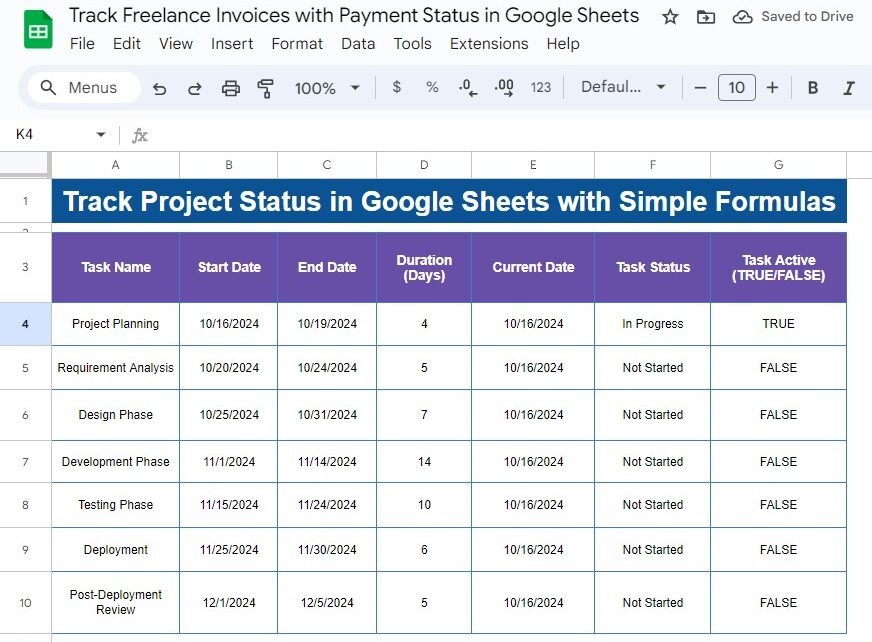
Track Project Status in Google Sheets with Simple Formulas – A Step-by-Step Guide

Track Project Status can be tricky, especially when working with multiple tasks and deadlines. But don’t worry—Google Sheets can simplify it for you! In this post, we’ll walk you through the process of tracking project status using simple formulas. You’ll learn how to calculate task duration, monitor real-time progress, and automate status updates. Why Use […]

Google Sheets

How to Organize Group Projects with Google Sheets – Easy Guide with Example

Organize Group Projects can sometimes feel overwhelming, right? But don’t worry! With Google Sheets, you can easily track tasks, monitor progress, and stay organized. In this guide, I’ll walk you through a simple example to help you manage group projects effectively. So, let’s get started! Why Should You Use Google Sheets for Organize Group Projects? […]

Google Sheets

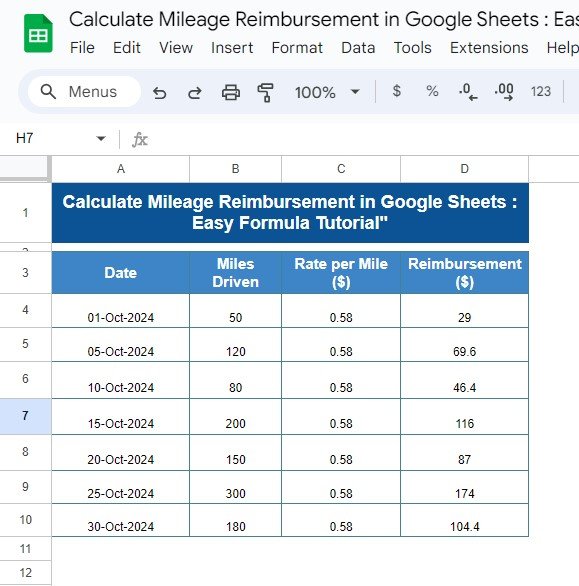
Calculate Mileage Reimbursement in Google Sheets: Easy Formula Tutorial

If you’ve ever wondered how to quickly calculate mileage reimbursement using Google Sheets, you’re in the right place! In this post, we’ll walk you through an easy formula that simplifies the entire process, allowing you to track miles driven, reimbursement rates, and calculate your total payouts accurately. Whether you are managing a business budget or […]

Google Sheets

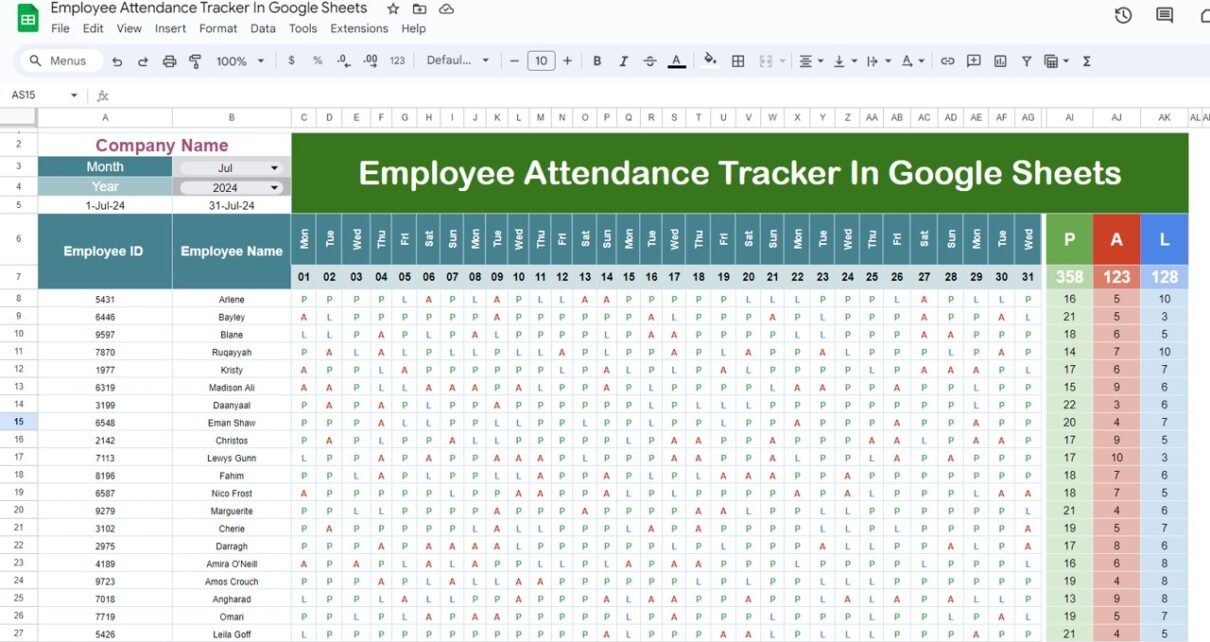
Employee Attendance Tracker in Google Sheets – Simplify Workforce Management

Let’s face it—keeping up with employee attendance can be overwhelming at times. Whether you’re managing a small team or a growing organization, tracking attendance accurately is essential. But don’t worry! You don’t need fancy software to stay on top of things. With just Google Sheets, you can build a powerful and efficient Employee Attendance Tracker […]

Google Sheets

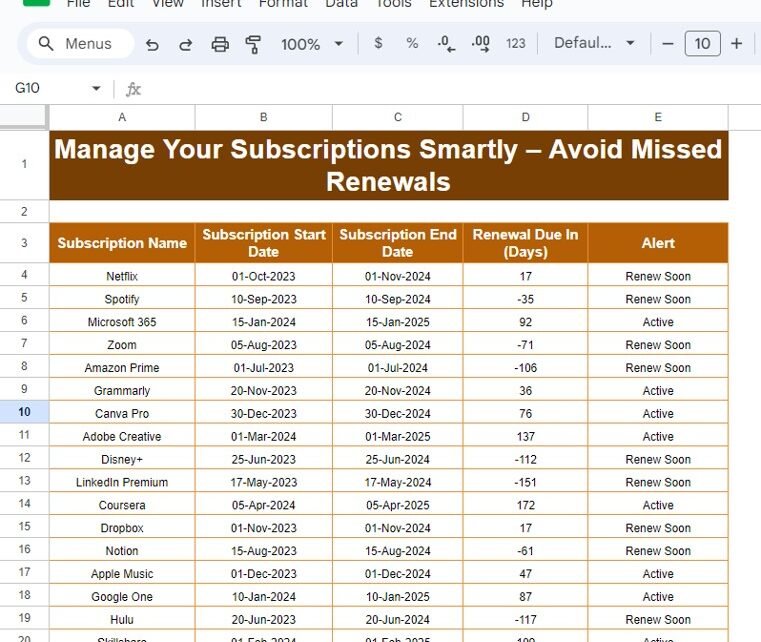
Manage Your Subscriptions Smartly – Avoid Missed Renewals with Google Sheets

Staying on top of multiple subscriptions can feel overwhelming, right? With so many platforms and renewal dates to track, missing a renewal or paying for services you don’t use becomes a real headache. But no worries! In this blog, I’ll show you how to manage your subscriptions smartly using Google Sheets. We’ll also use a […]

Google Sheets

Dynamic Employee Shift Scheduler Using ARRAYFORMULA in Google Sheets – Auto Shift Assignment Made Easy

Scheduling employee shifts can be overwhelming, right? Keeping everything accurate and up-to-date takes a lot of time and effort, especially if you’re doing it manually. But don’t worry! In this post, I’ll show you how to create a dynamic employee shift scheduler using Google Sheets and the ARRAYFORMULA function. This approach will automate your shift […]

Google Sheets

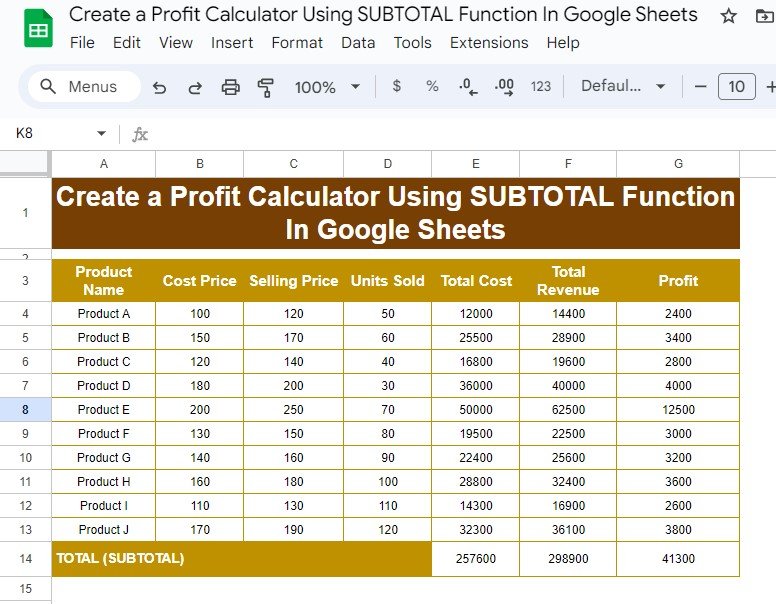
Create a Profit Calculator Using SUBTOTAL Function in Google Sheets

Managing profits across multiple products can quickly become overwhelming, but with the SUBTOTAL function in Google Sheets, you can simplify the process. In this blog post, we’ll show you step-by-step how to create a profit calculator that gives accurate results and keeps your data well-organized. With a few formulas, you’ll track costs, revenues, and profits […]

Google Sheets

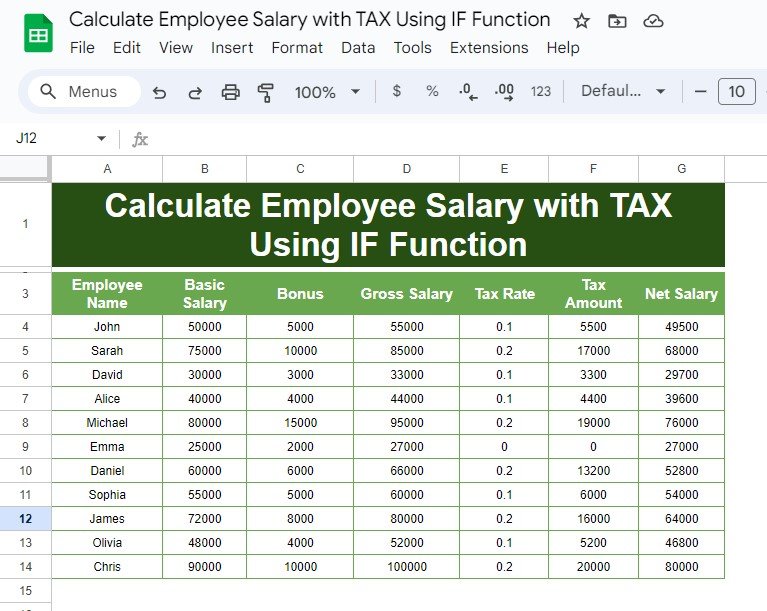
Calculate Employee Salary with TAX Using IF Function – Step-by-Step Guide

Calculate Employee Salary with TAX Using IF Function while accounting for taxes can be challenging. However, with the IF function in Excel, this task becomes much easier. In this blog post, we’ll walk you through how to calculate employee salaries with tax deductions using a practical example and formulas that are easy to apply. This […]