Google Sheets

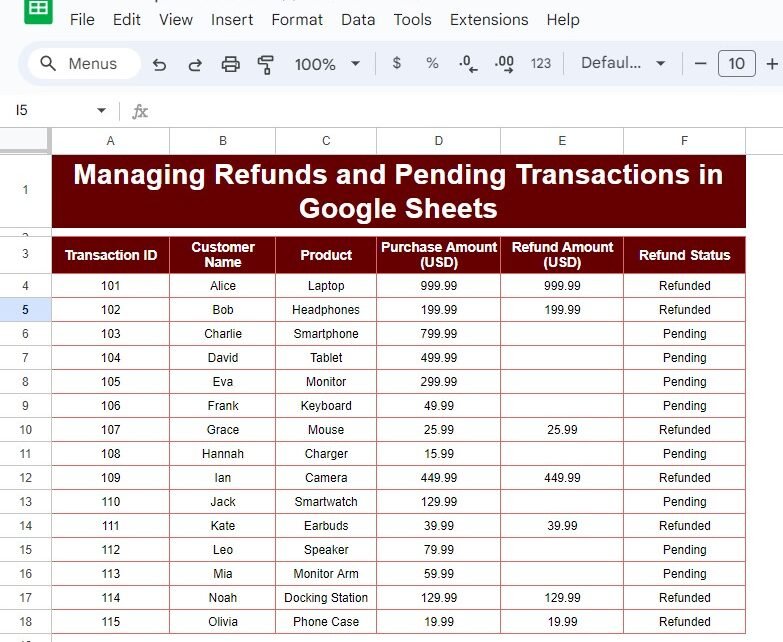
Managing Refunds and Pending Transactions in Google Sheets – A Simple Example

Managing Refunds and Pending Transactions can feel overwhelming, but with Google Sheets, you can streamline the process with ease! In this post, we’ll walk you through a real-life example, showing how to manage refunds and mark pending transactions using a simple formula. Whether you’re new to Google Sheets or looking to optimize your workflow, this […]
Google Sheets

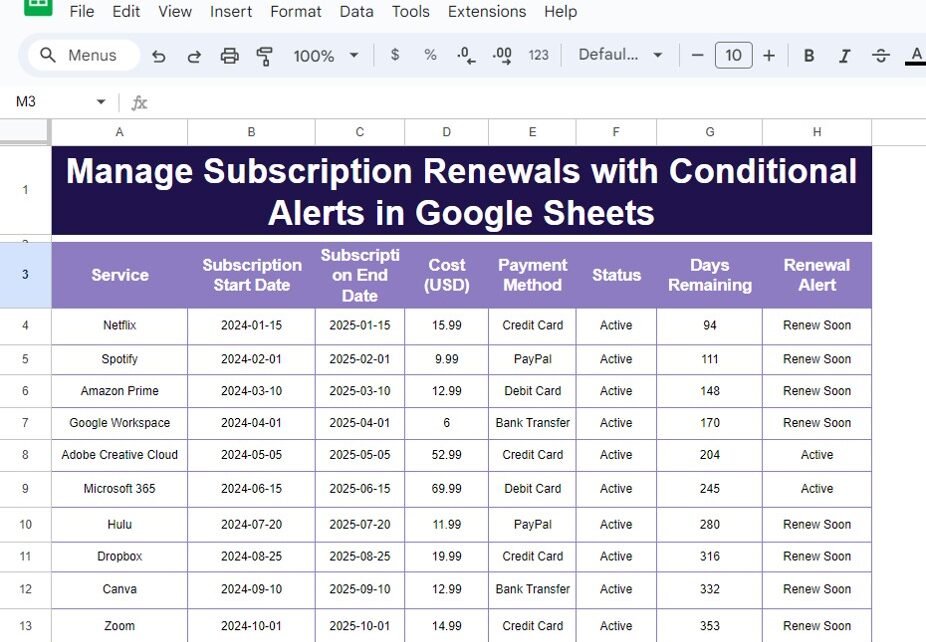
Manage Subscription Renewals with Conditional Alerts in Google Sheets: A Step-by-Step Guide

Keeping track of Subscription Renewals with Conditional Alerts can be overwhelming, especially when you have multiple services with different renewal dates. But don’t worry—Google Sheets can help you manage everything seamlessly by automating subscription renewal alerts with conditional formatting. This blog post will walk you through how to use Google Sheets to set up alerts, […]

Google Sheets

How to Easily Track Project Deadlines Using NETWORKDAYS in Google Sheets

Managing multiple projects and their deadlines can be overwhelming, but don’t worry, Google Sheets has a built-in function that makes it super easy! In this blog post, we’ll walk you through how to use the NETWORKDAYS function to track project deadlines and calculate the number of working days between two dates. Whether you’re handling several […]

Google Sheets

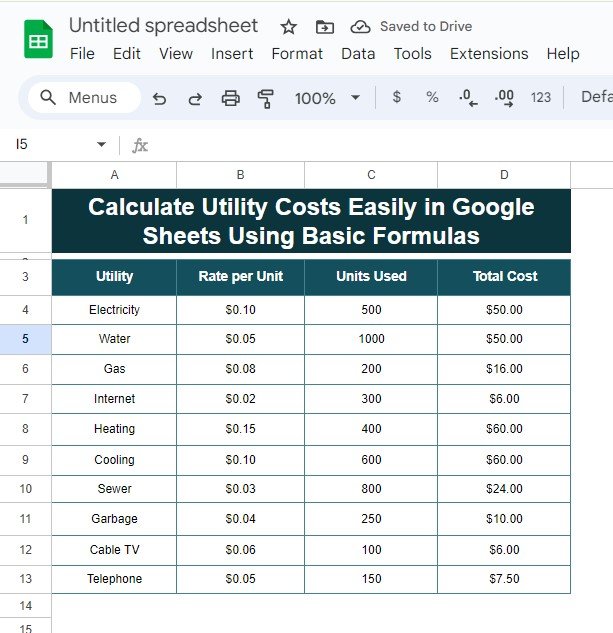
How to Easily Calculate Utility Costs in Google Sheets Using Simple Formulas

Are you looking for a super easy way to manage your calculate utility costs? You’re in the right place! In this blog post, I’ll show you how to use Google Sheets to calculate your utility expenses quickly using simple formulas. Whether it’s for electricity, water, or gas, you’ll learn how to calculate costs with just […]

Google Sheets

5 Easy Methods to Remove Duplicates in Google Sheets (With Examples!)

remove duplicates in Google Sheets is essential when you’re working with large data sets. Whether you’re handling customer lists, sales data, or inventory sheets, duplicated values can distort your results. In this blog post, I’ll walk you through five simple methods to remove duplicates, all of which are easy to use and highly effective! Why […]

Google Sheets

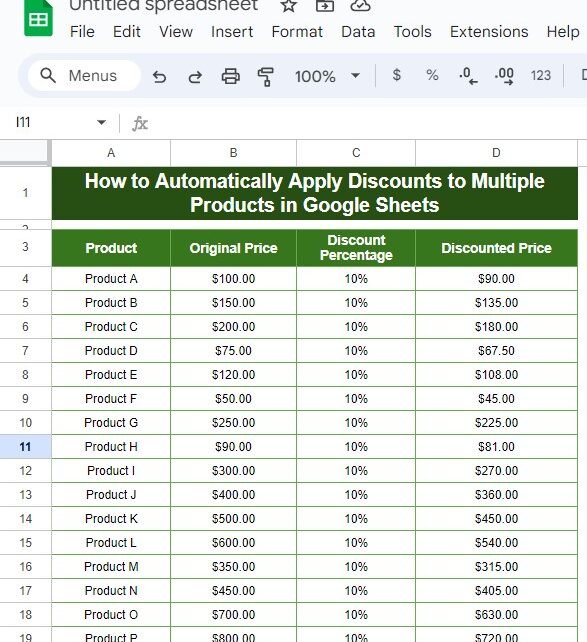
How to Automatically Apply Discounts to Multiple Products in Google Sheets: A Simple Step-by-Step Guide

Managing product prices, especially when you need to Apply Discounts to Multiple Products in Google Sheets, can be a bit time-consuming if done manually. But here’s the good news—you can automate the entire process using Google Sheets! In this blog post, we’ll walk you through the step-by-step process of automatically applying discounts to multiple products […]

Google Sheets

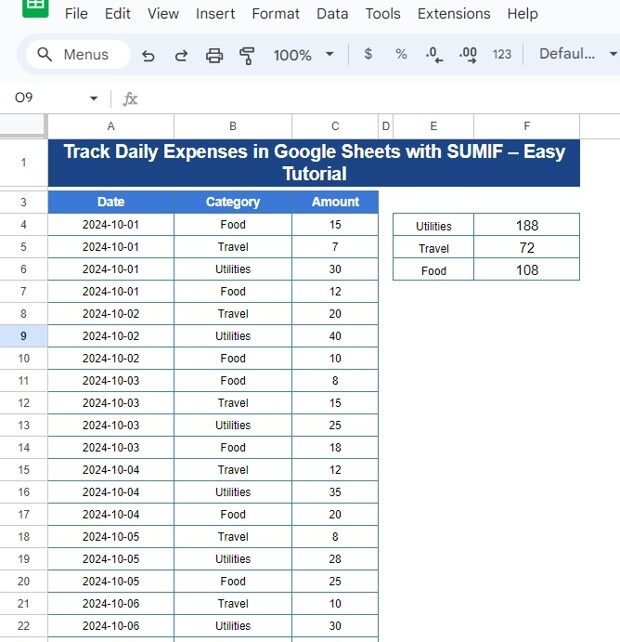
How to Easily Track Daily Expenses in Google Sheets Using SUMIF – Step-by-Step Guide

Daily Expenses in Google Sheets Using SUMIF Managing your daily expenses can be tricky, especially when you have multiple categories to monitor. But guess what? Google Sheets makes it super easy! In this tutorial, we’re going to walk you through a simple yet powerful method to Easily  Using SUMIF using the SUMIF function in Google […]

Google Sheets

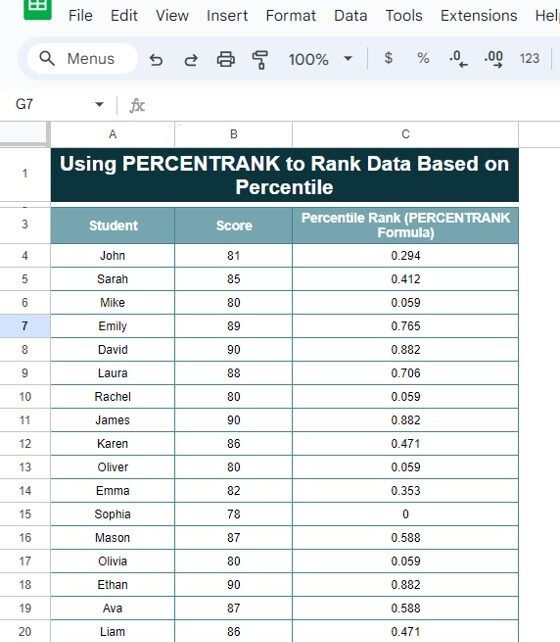
How to Use PERCENTRANK Function to Rank Data Based on Percentile – A Simple Example

Are you looking to rank data based on percentiles but aren’t sure where to start? Don’t worry! In this blog post, I’ll guide you through how to use the PERCENTRANK function to rank your data effectively and easily. Whether you’re analyzing student scores, sales data, or any other type of data, PERCENTRANK is a handy […]

Google Sheets

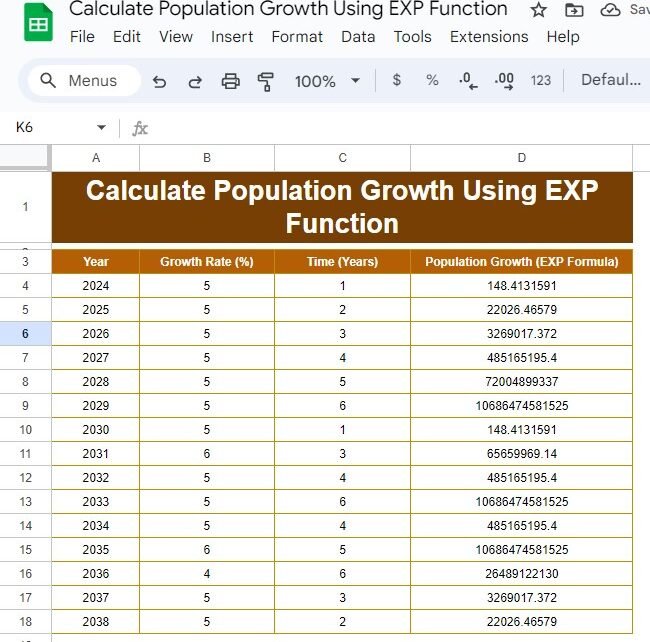
How to Easily Calculate Population Growth Using the EXP Function – A Simple Example

Are you interested in learning how to calculate population growth? Don’t worry, it’s easier than it sounds! Whether you’re working on a school project or analyzing real-world data, using the EXP function can make things super simple. In this guide, I’ll show you step-by-step how to use the EXP function to project population growth, complete […]

Google Sheets

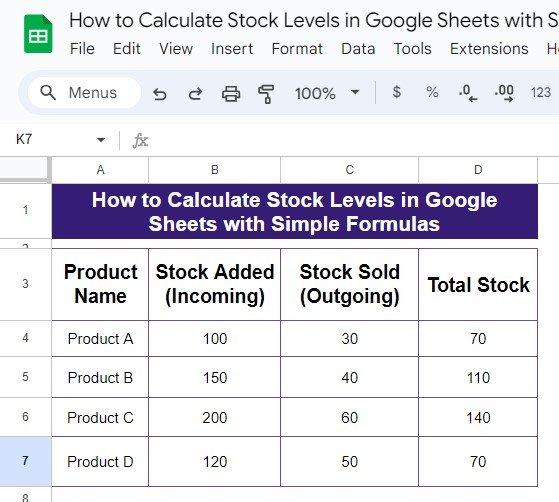
How to Easily Calculate Stock Levels in Google Sheets Using Simple Formulas

Are you looking for a quick and easy way to keep track of your stock levels? Well, you’re in luck! In this blog post, we’ll guide you through the simple steps to calculate stock levels in Google Sheets using just one easy formula. Whether you’re managing a small inventory or a large one, this method […]