Running an auto spare-parts shop means juggling thousands of parts across dozens of vehicle models, GST invoices, supplier credit and daily stock movement. This Auto Parts Store Management System is built in Google Apps Script with Google Sheets as the database, so it works as a multi-user, web-based management system with nothing to host and no monthly fee.
Get the Auto Parts Store Management System
Key Features of the Auto Parts Store Management System
- Fast GST counter billing with automatic CGST/SGST/IGST split by customer state.
- Parts inventory with vehicle compatibility, HSN codes, rack/bin location and live stock badges.
- A reconcilable stock ledger — purchases add, sales reduce, returns and adjustments correct.
- Customer and supplier ledgers with credit limits, part-payments and running balances.
- Fourteen reports plus a GST summary, and printing in 3-inch, 4-inch and A4 sizes.
- Role-based access for Admin, Manager and Cashier, enforced on the server.
Screens and Modules Explained
🚀 Try the Live Demo Before You Buy
We have deployed this web app in our own Google account so you can test every page, every role — with real sample data — before purchasing. No signup, no email required.
🔑 Test Login Credentials
Sign in as admin for full access — Settings, User Management, Database Archive and Audit Log — as manager for sales, purchases, inventory, customers, suppliers, payments and reports, or as cashier for billing, sales returns and customer/stock lookup.
| Role | Username | Password |
|---|---|---|
| 👨💼 Admin | admin | Admin@123 |
| 🧑💼 Manager | manager | Manager@123 |
| 🧾 Cashier / Sales | cashier | Cashier@123 |
💡 What you get after purchase: The full source code (Code.gs + Index.html) plus a step-by-step deployment guide so you can deploy your own private instance in your own Google account in under 15 minutes.
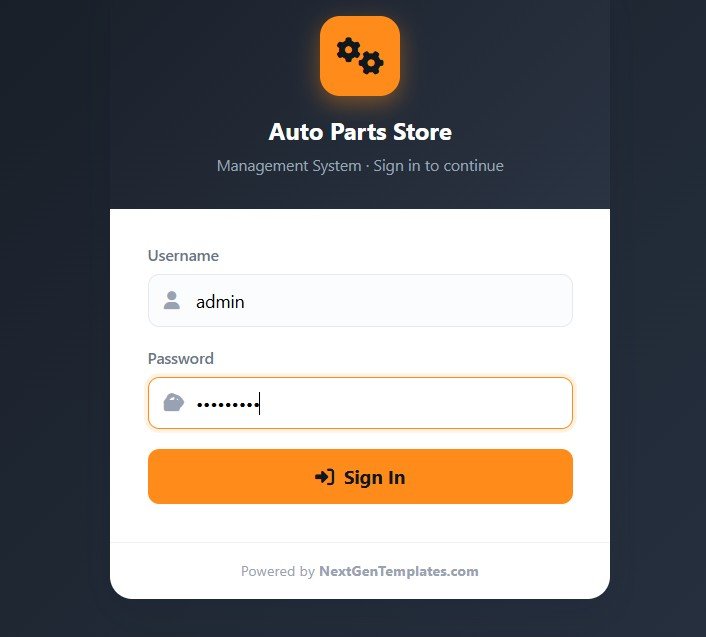
1. Login Page
A secure username and password sign-in with Auto Parts Store branding. Only registered store users get access, and each person enters with their own role-based account.
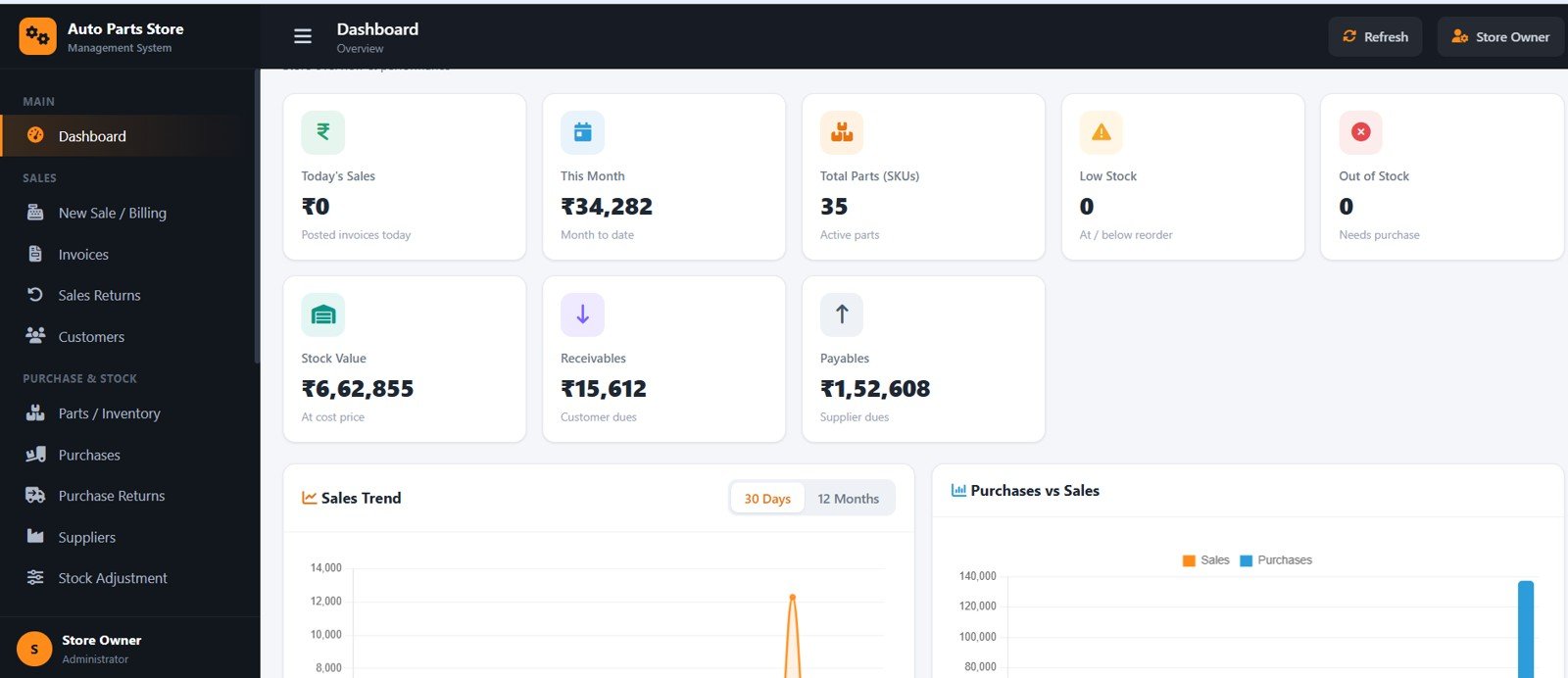
2. Dashboard Overview
Shows Today’s Sales, This Month, Total Parts, Low Stock, Out of Stock, Stock Value, Receivables and Payables at a glance, with sales trends and quick lists so owners see the health of the shop instantly.
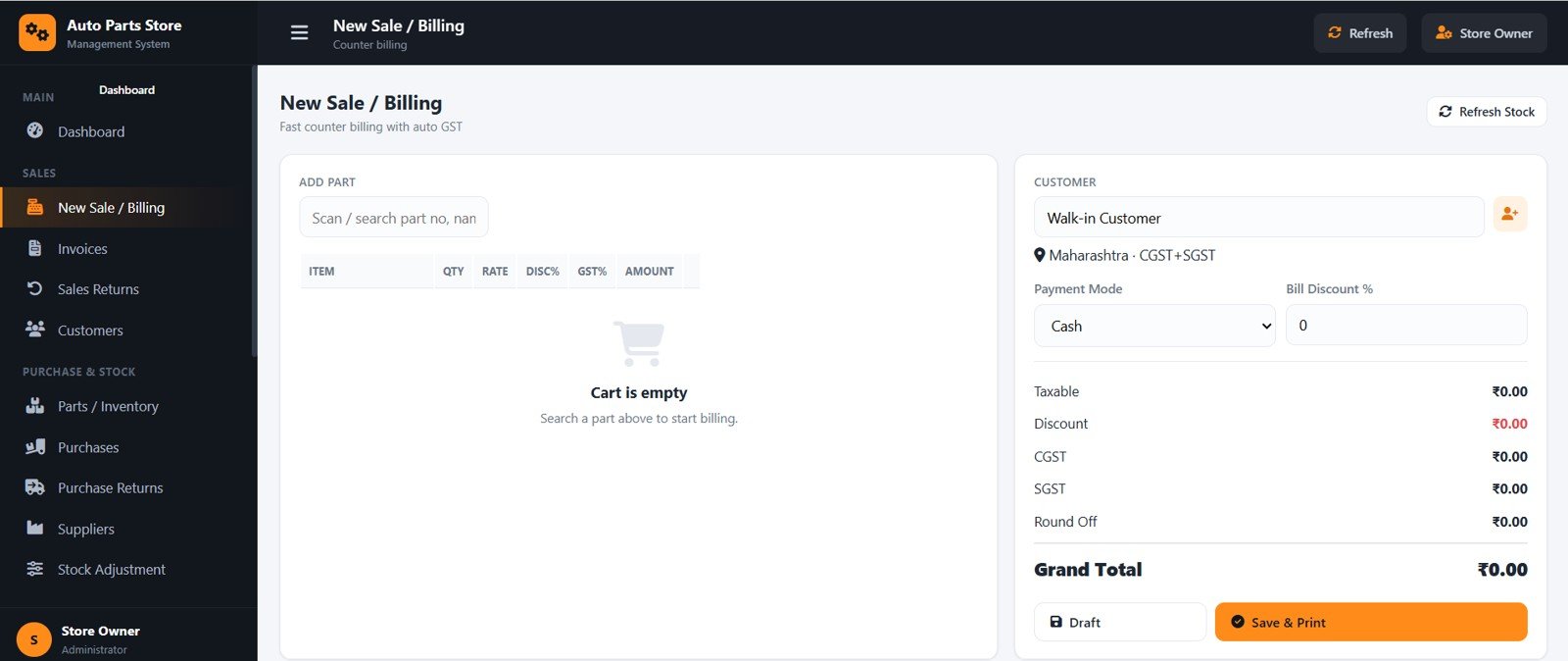
3. New Sale / Billing
A fast POS screen to add parts, set quantity, rate and discount, and pick Cash, UPI, Card or Credit. Taxable value, CGST, SGST, round-off and grand total update live before you Save & Print.
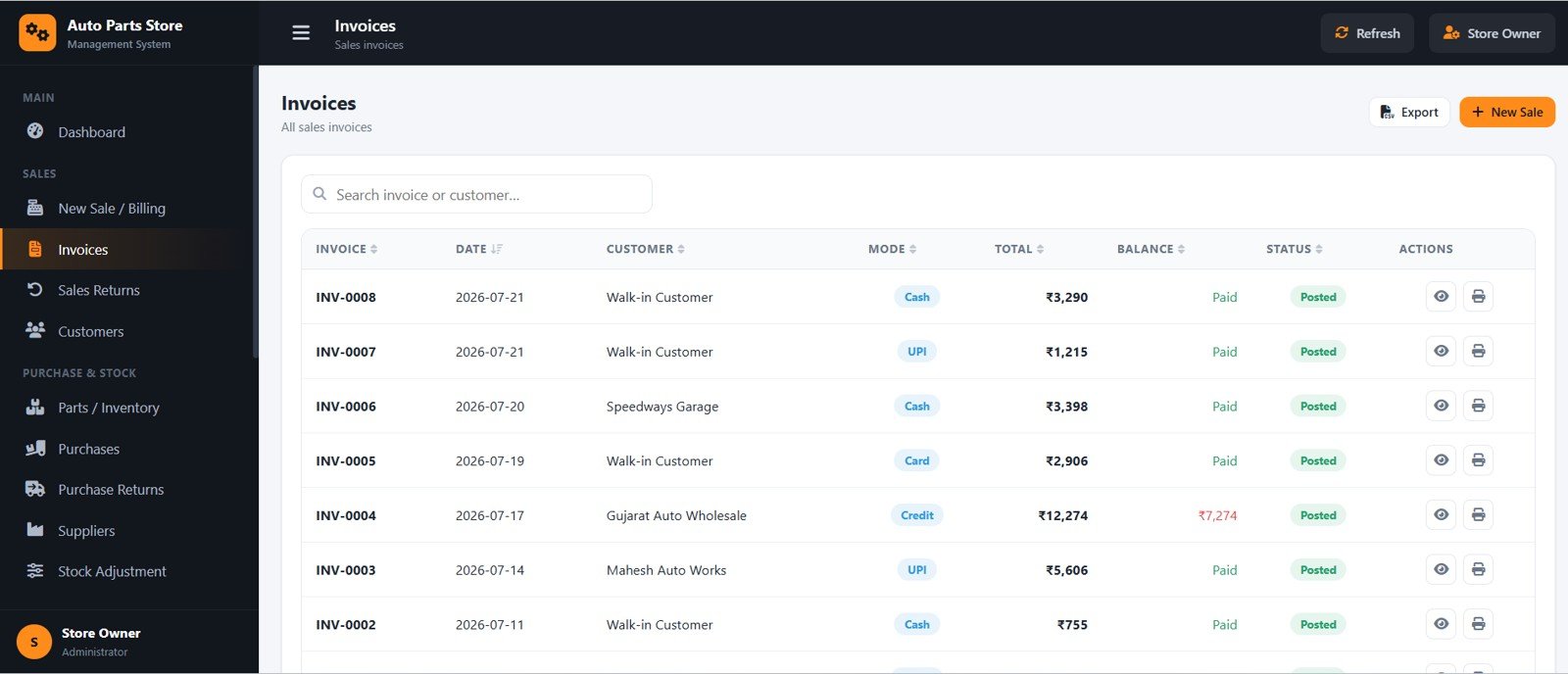
4. Invoices
A searchable list of every sales invoice with date, customer, mode, total, balance and status. From here you can view or print any bill and spot unpaid balances quickly.
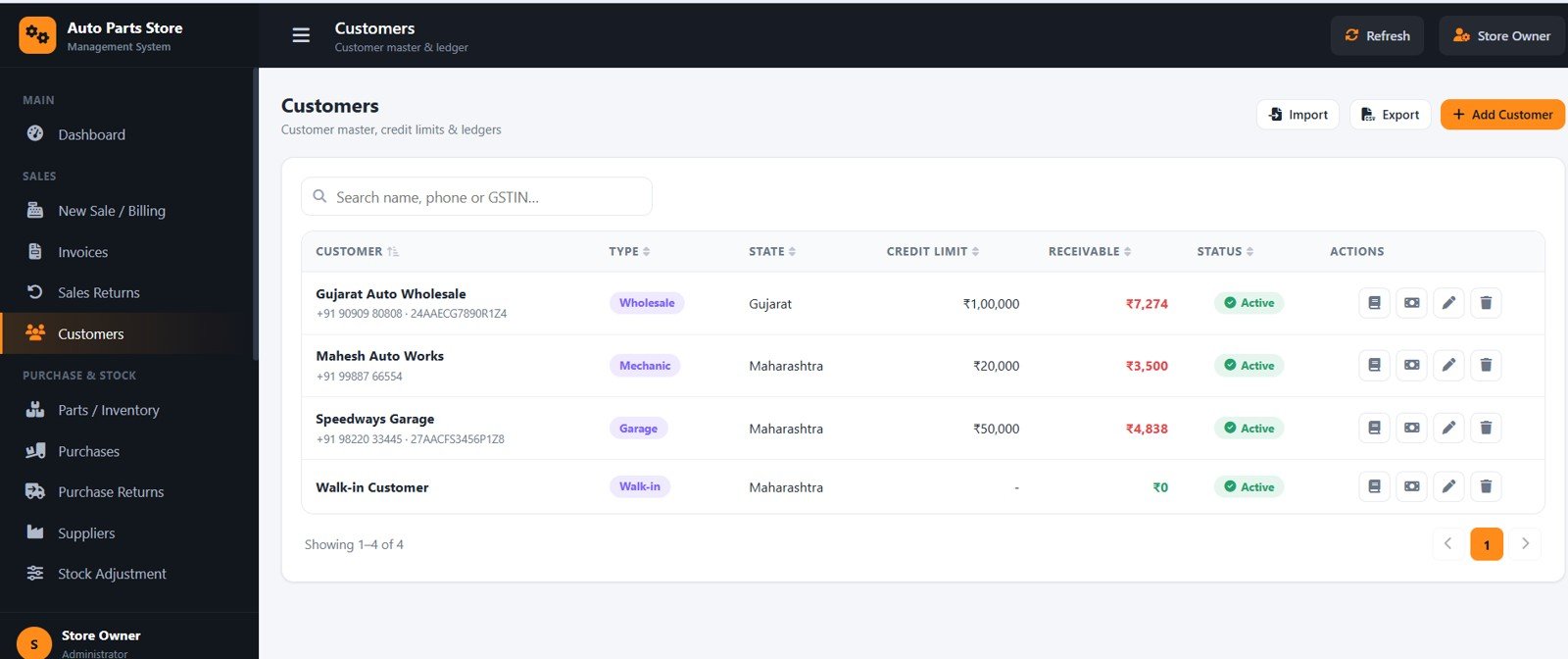
5. Customers
Maintains customer type, state, credit limit, receivable and status in one place. It flags customers who cross their credit limit so you can control risk on credit sales.
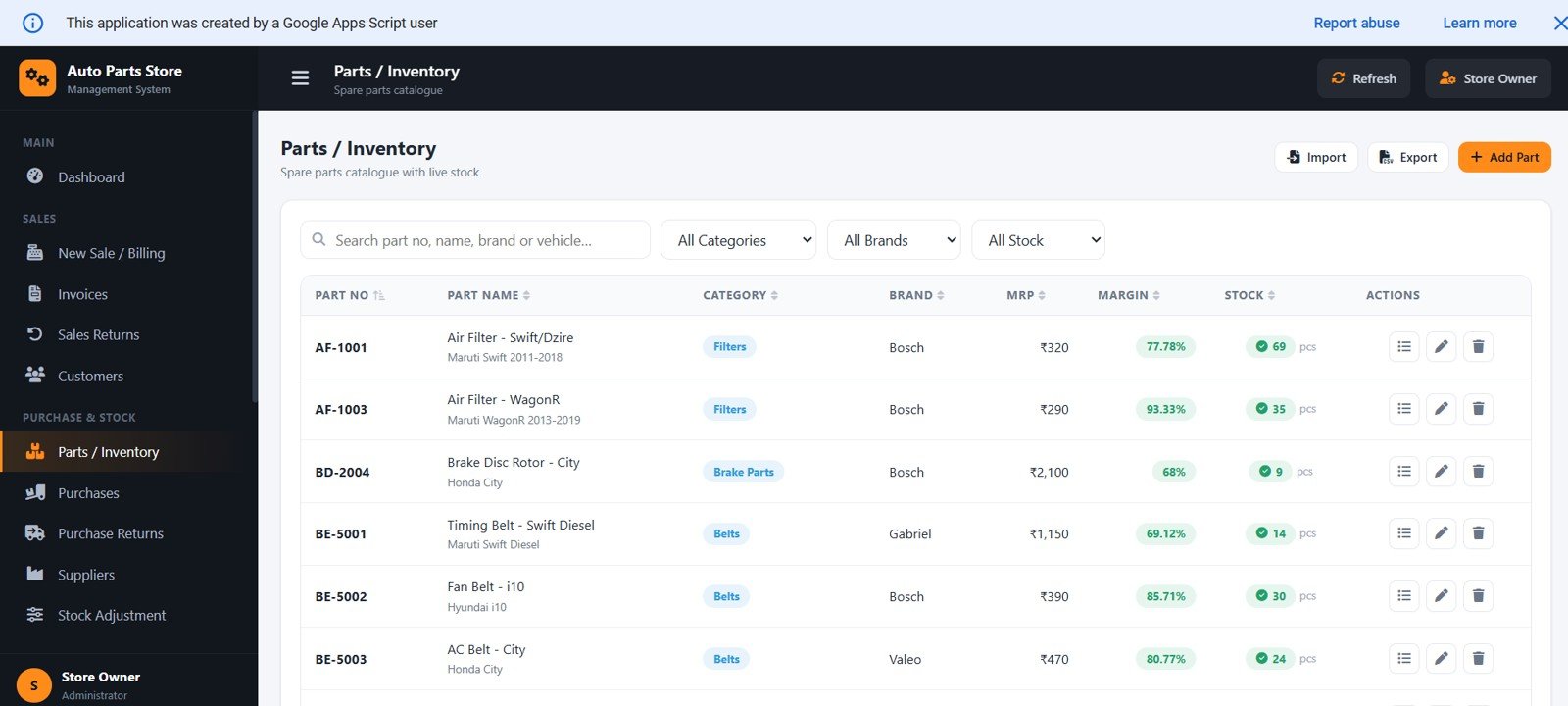
6. Parts / Inventory
Lists each part with part number, name, category, brand, MRP, margin and live stock. Powerful search by vehicle and filters for in-stock, low and out-of-stock parts make finding items effortless.
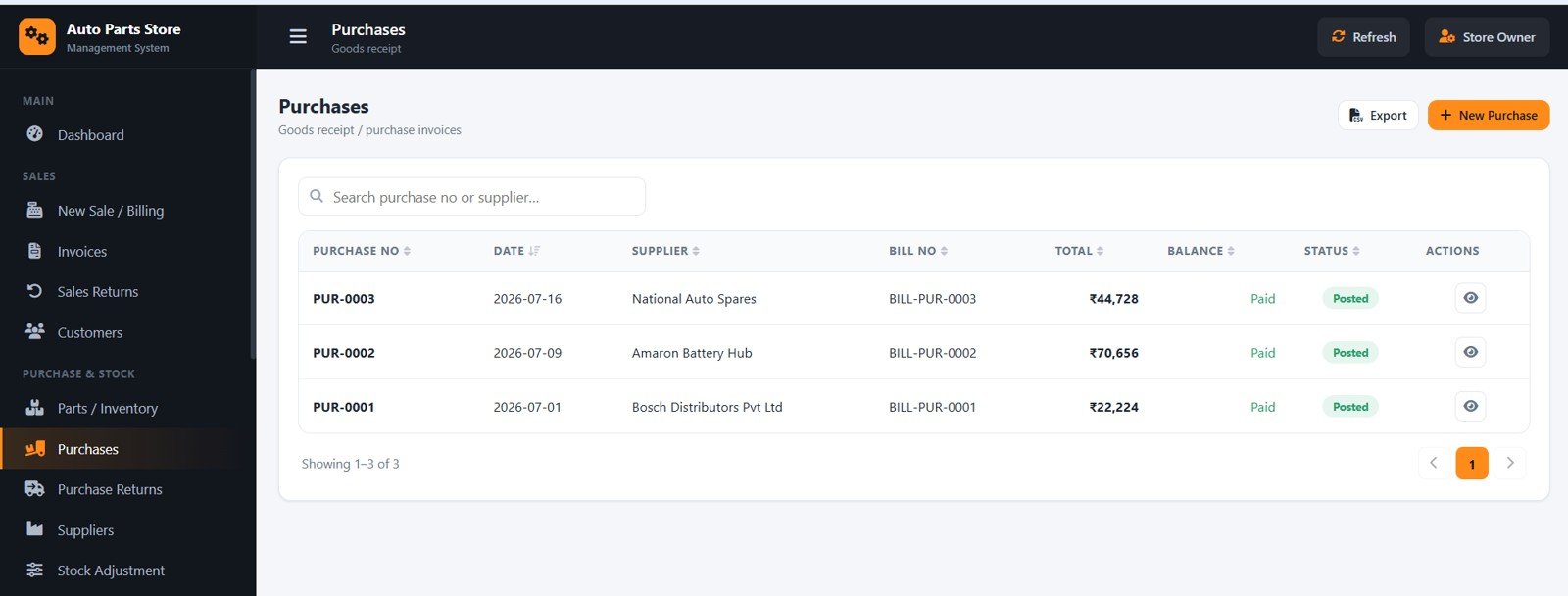
7. Purchases
Records goods receipts against a supplier with bill number, purchase rate and GST. On posting it increases stock and updates the supplier ledger automatically.
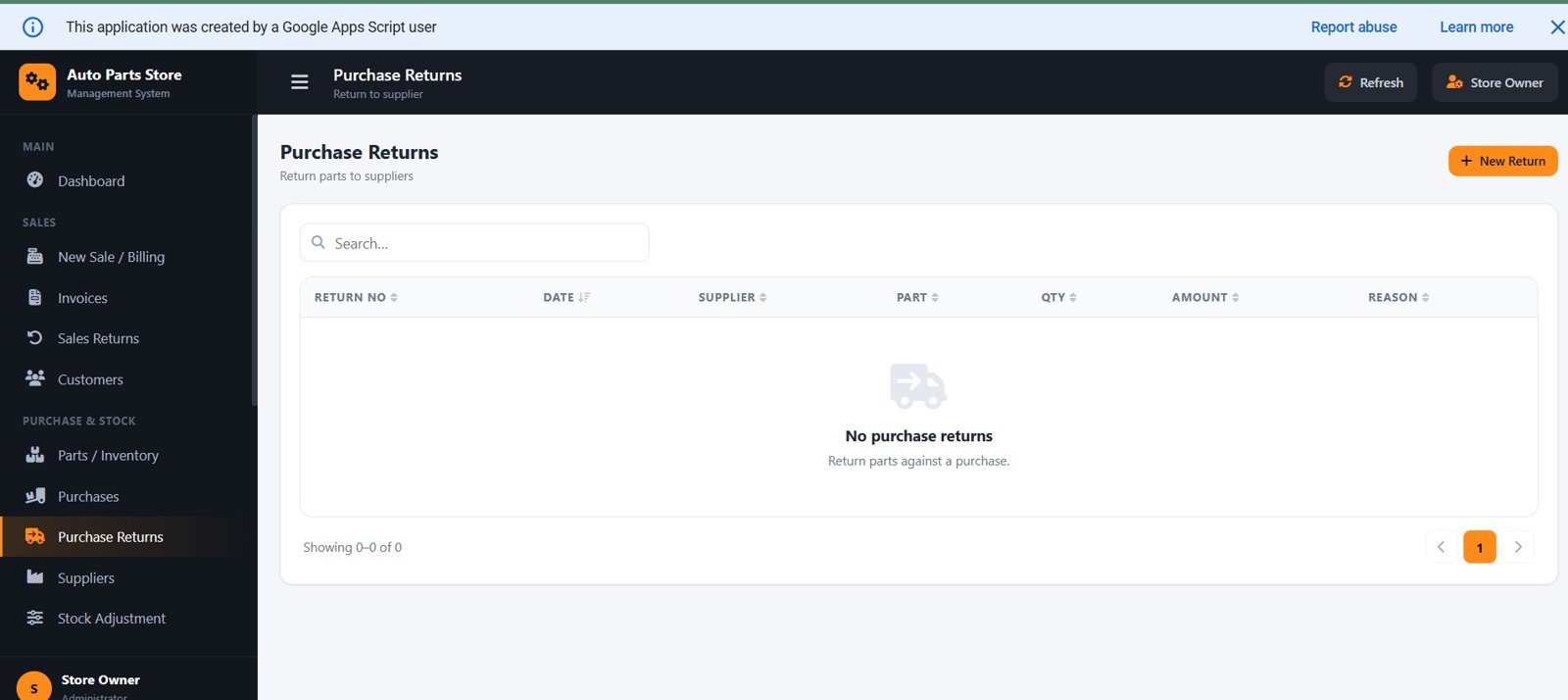
8. Purchase Returns
Handles parts returned to a supplier with quantity, amount and reason. Stock is reduced and the supplier ledger is adjusted so payables stay correct.
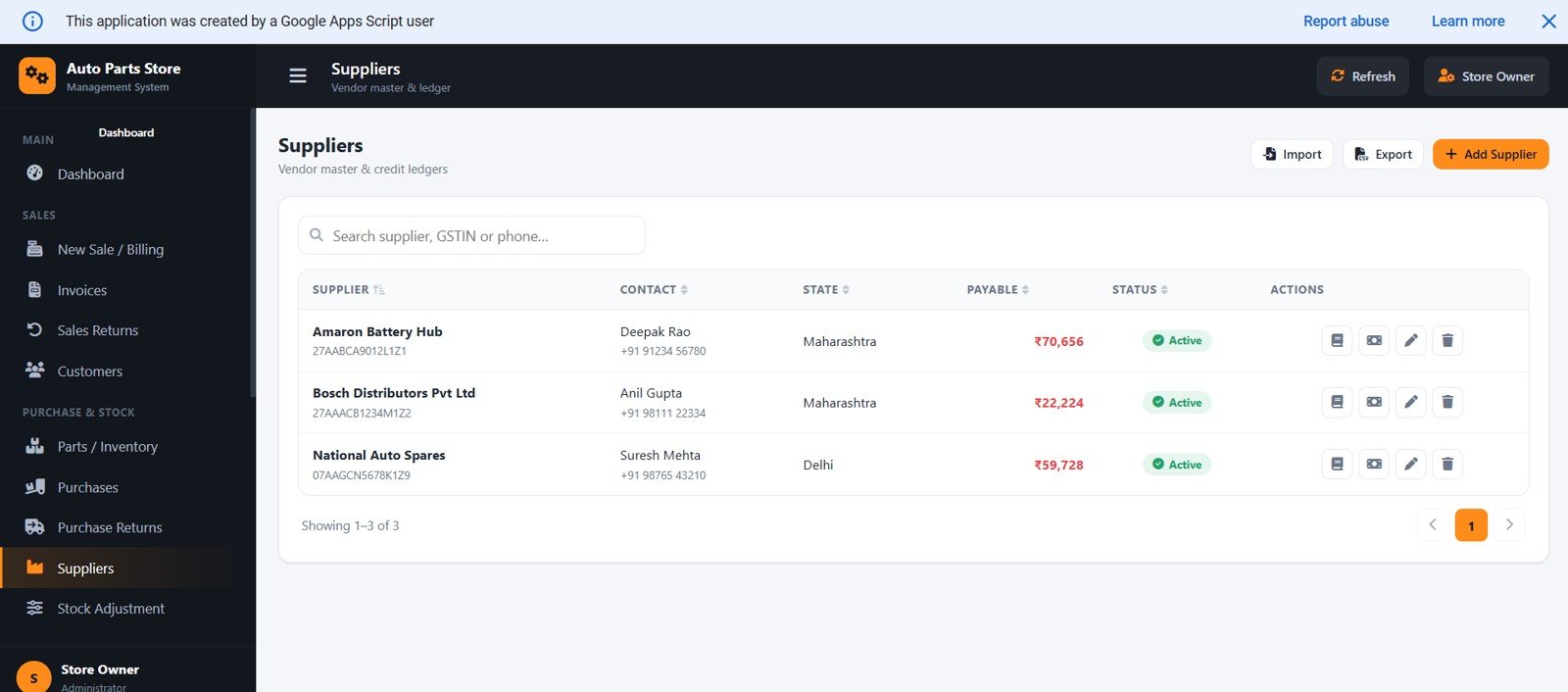
9. Suppliers
Keeps supplier contact, state, payable and status together, with a full ledger of purchases, returns and payments for every vendor.
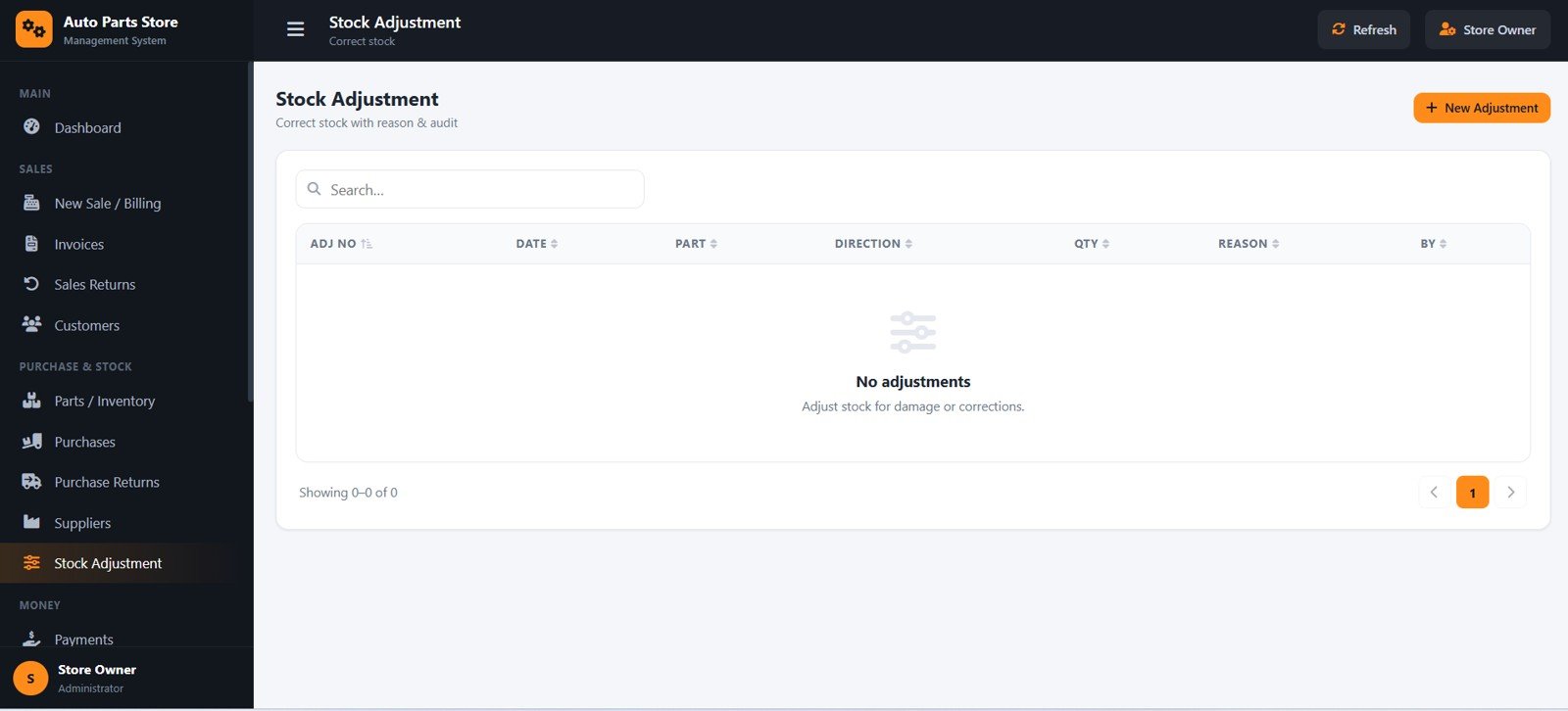
10. Stock Adjustment
Corrects stock for damage, loss or counting errors with a direction, quantity and reason. Every adjustment is logged so the stock ledger stays trustworthy.
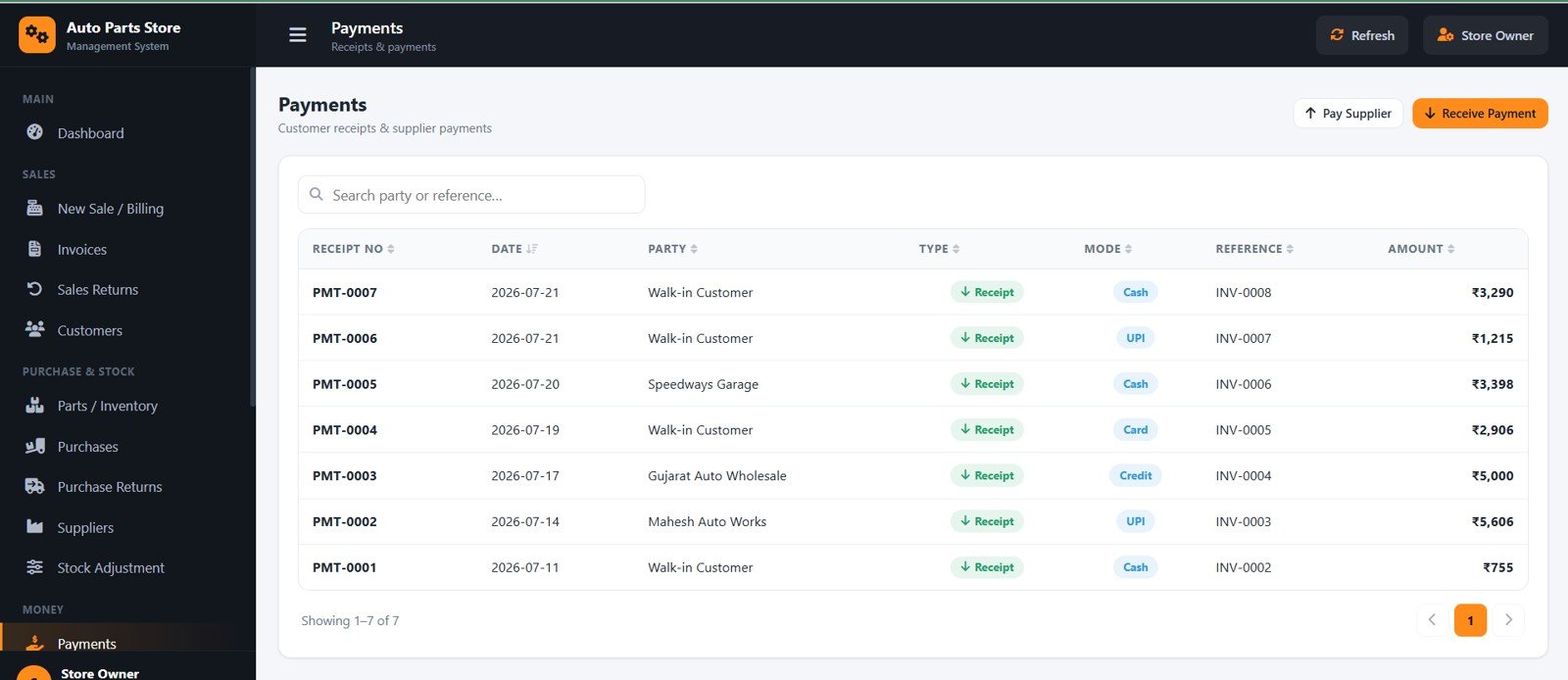
11. Payments
Records customer receipts and supplier payments with mode and reference number. Receipts are applied to open invoices automatically and update the right ledger.
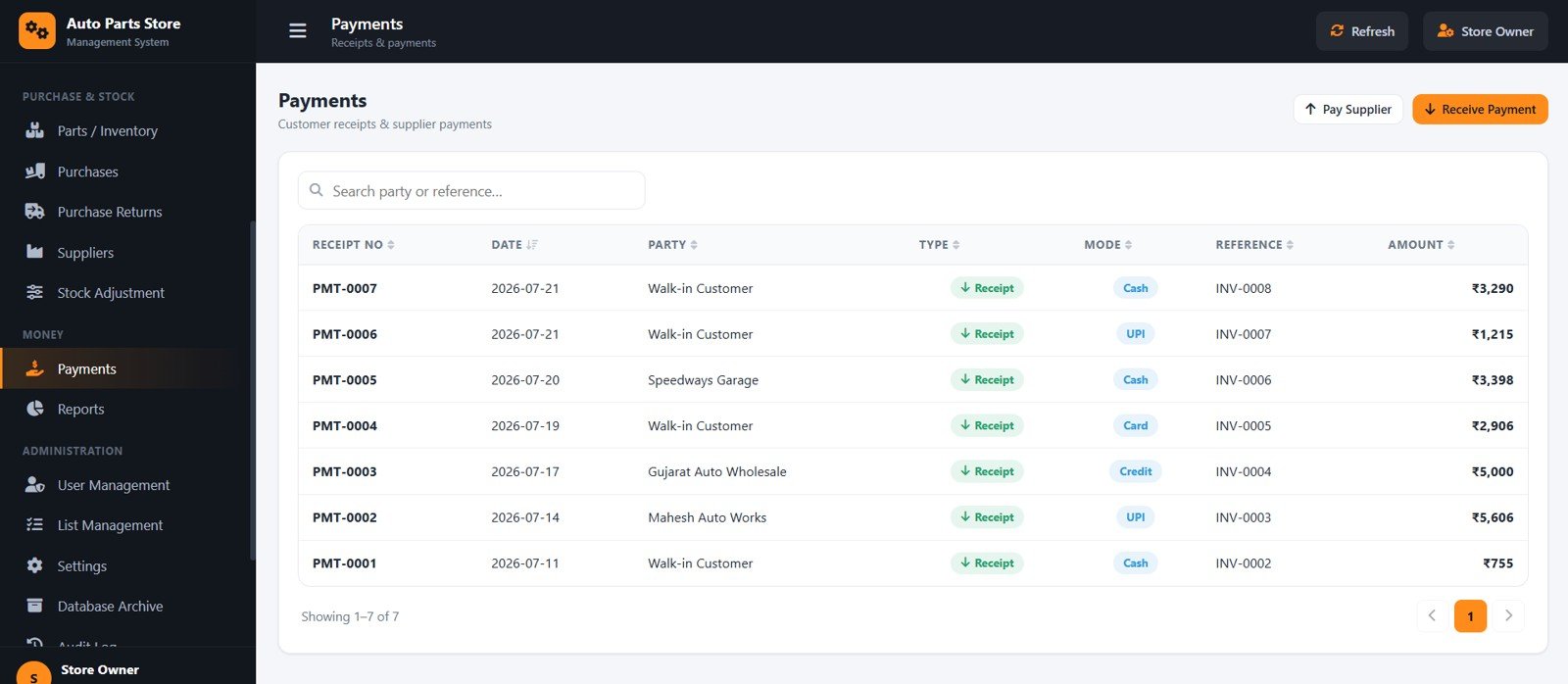
12. Payments Register
A complete history of every receipt and payment with date, party, type, mode, reference and amount — an easy audit of the money moving in and out each day.
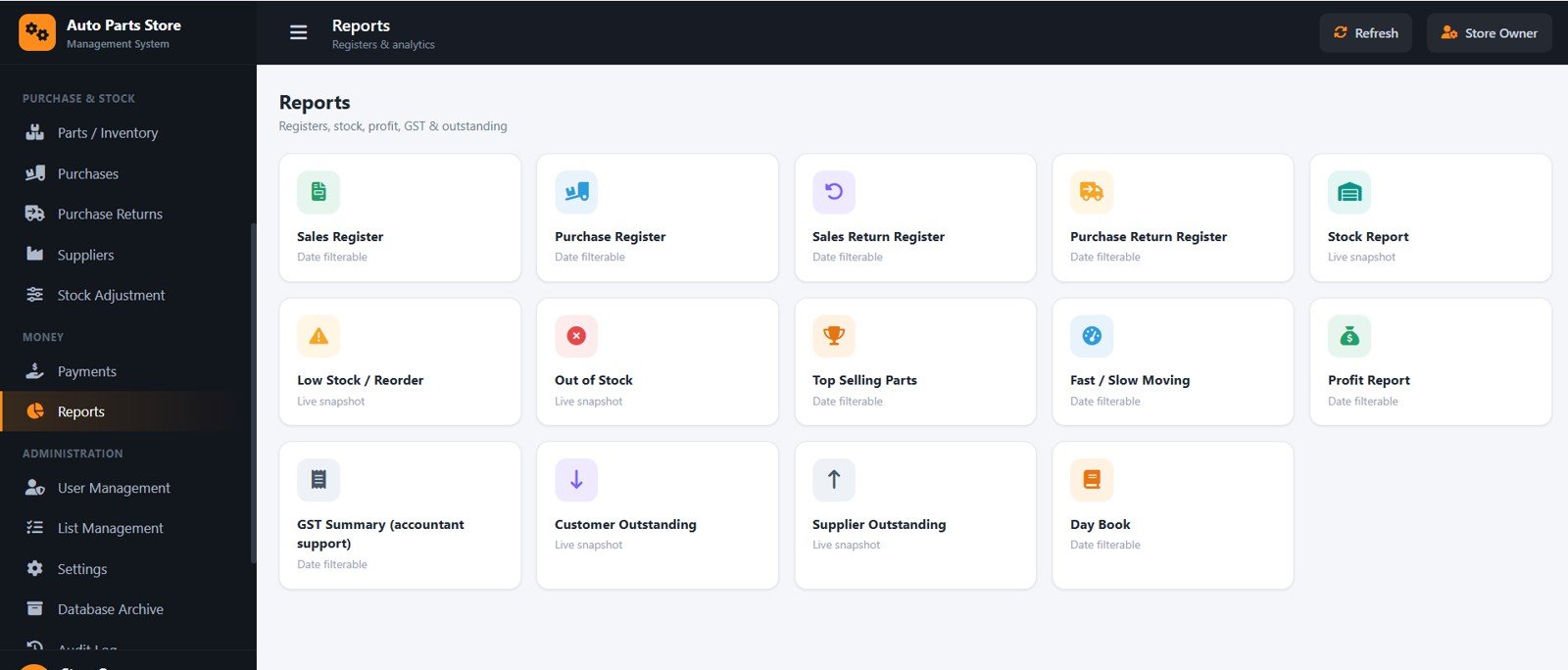
13. Reports
Fourteen filterable reports including Sales and Purchase registers, Stock, Low Stock, Out of Stock, Top Selling, Profit, GST Summary and Customer/Supplier Outstanding — all exportable and printable for your accountant.
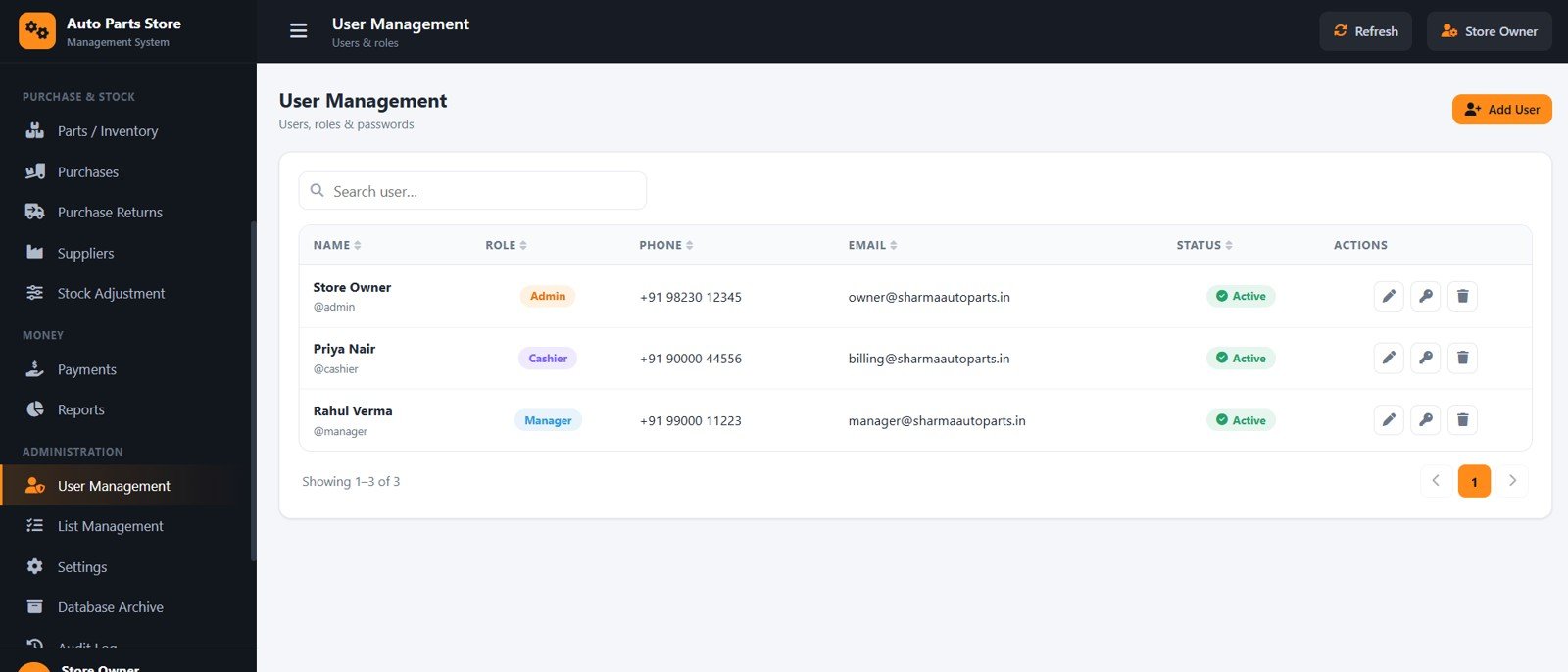
14. User Management
Lets the admin add staff, set roles, capture phone and email, reset passwords and activate or deactivate accounts, controlling exactly who can do what.
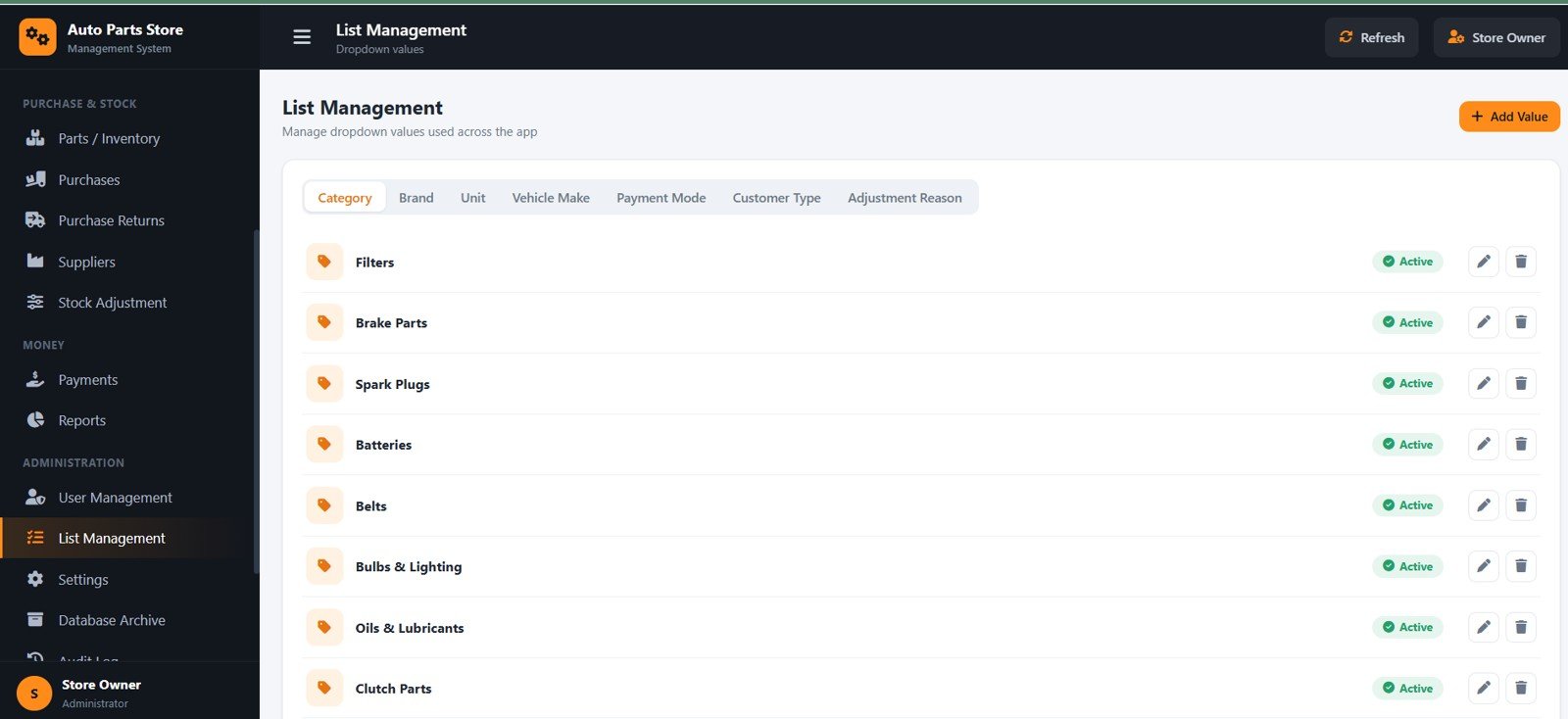
15. List Management
Manages the dropdown values used across the app — categories, brands, units, vehicle makes, payment modes, customer types and adjustment reasons — so data entry stays consistent.
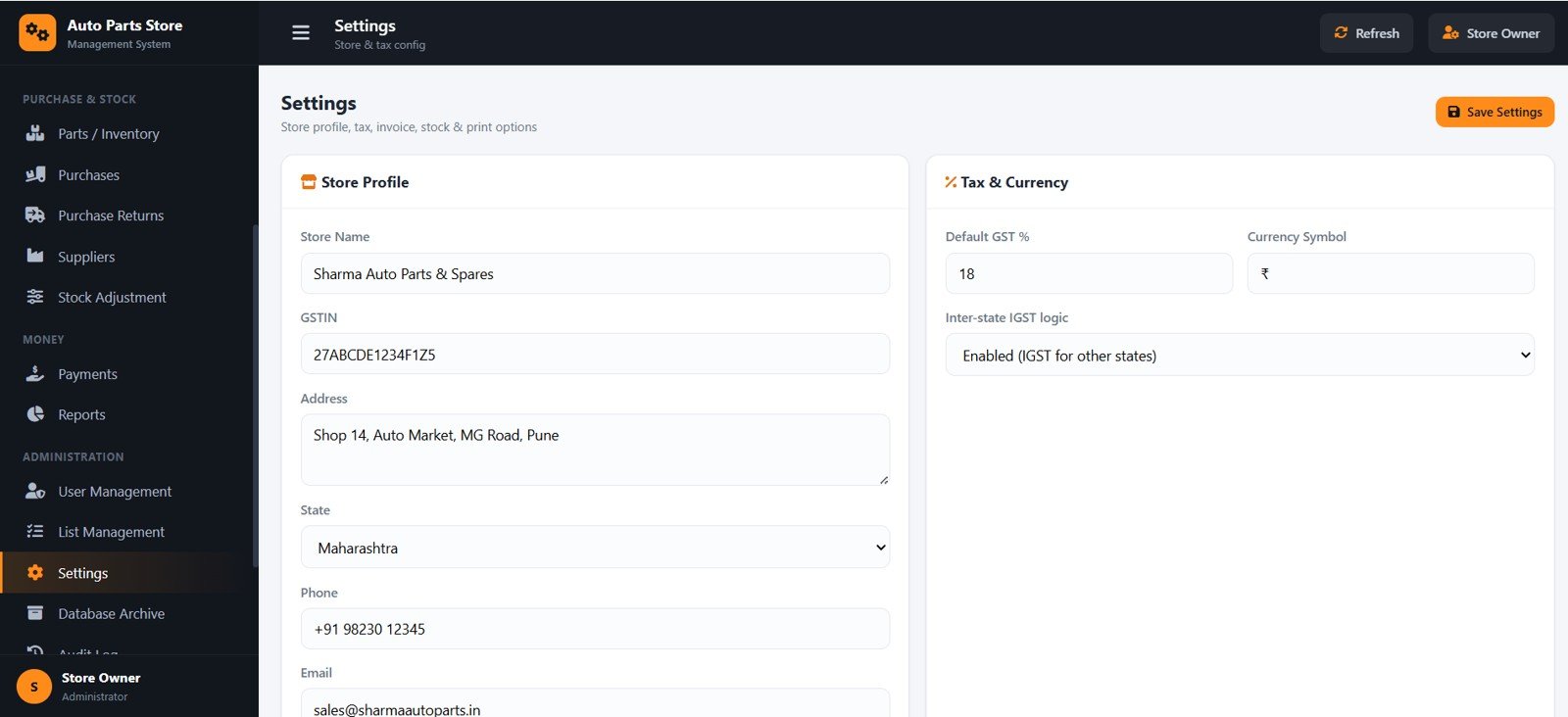
16. Settings
Holds the store profile, GSTIN, address, state, default GST %, currency symbol and inter-state IGST logic, plus invoice numbering and print size, so every bill reflects your business.
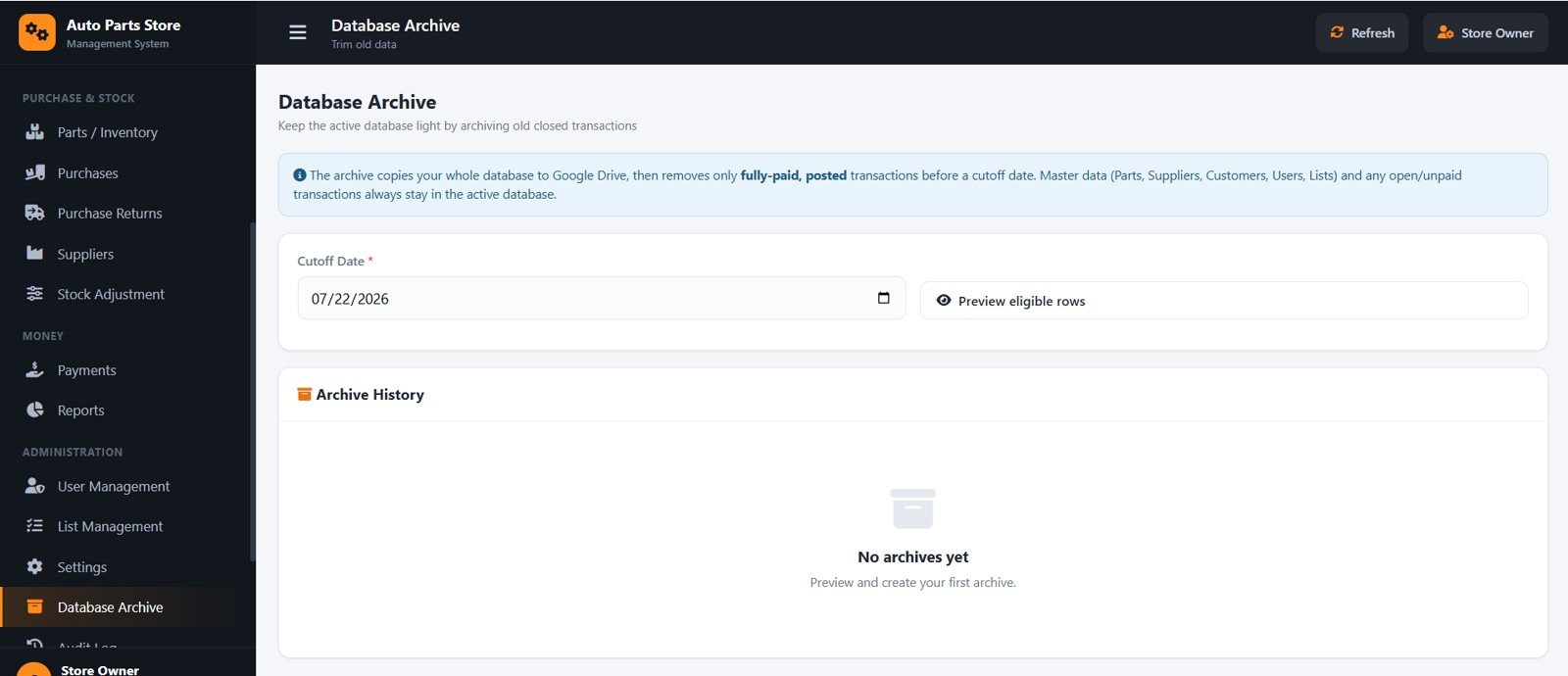
17. Database Archive
Keeps the active database light by copying it to Google Drive and moving only fully paid, closed transactions before a cutoff date, while master data and open items stay in place.
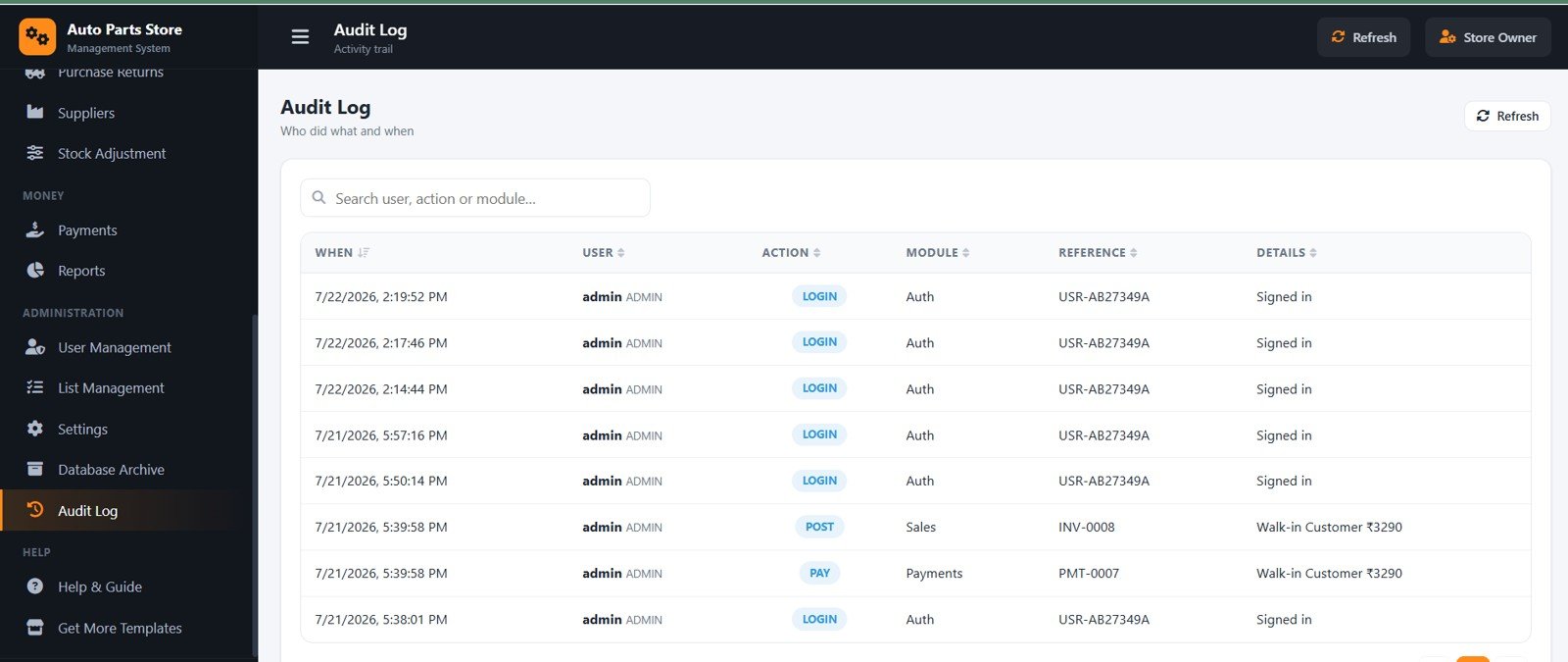
18. Audit Log
Records who did what and when across the system — the action, module, reference and details — giving owners a clear activity trail for every user.
Auto Parts Store Management System vs. Manual Spreadsheets vs. Paid Billing SaaS
| Feature | Auto Parts Store Management System | Manual Excel / Sheets | Vyapar / Zoho Inventory (SaaS) |
|---|---|---|---|
| Cost | $39.99 one-time | Free but manual | Digital-3,600 / year and up |
| Platform | Google Apps Script web app | Spreadsheet | Cloud SaaS |
| Setup time | Under 15 minutes | Hours of formula work | Account + onboarding |
| GST CGST/SGST/IGST auto-split | Yes | Manual formulas | Yes |
| Search parts by vehicle | Yes | Manual | Limited |
| Reconcilable stock ledger | Yes | Error-prone | Yes |
| Multi-user roles | Admin / Manager / Cashier | No | Extra per user |
| You own the data & code | Yes, in your Google Drive | Yes | No (vendor-hosted) |
| Year-1 cost at 3 users | $39.99 | $0 + your time | Digital-10,000+ |
For shops that want proper GST billing and stock control without paying every month per user, the Auto Parts Store Management System sits in the sweet spot.
Who Should Use This Template
Perfect for:
- Retail and wholesale auto parts and spare-parts shops that issue GST invoices.
- Garages with a parts counter selling to mechanics and walk-in customers.
- Small distributors tracking supplier and customer credit ledgers.
Not a fit if:
- You need barcode hardware and warehouse-scale WMS features.
- You require fully offline desktop billing with no internet.
- You need built-in statutory GST e-filing (this gives a GST summary for accountant support, not direct filing).
Real-World Use Cases
Ramesh runs a spare-parts counter in Pune. He bills walk-in customers on the POS screen, prints a 3-inch thermal receipt, and stock reduces automatically, ending his daily counting mismatches.
Anita supplies parts to three garages on credit. She uses customer ledgers and credit limits to track dues, records receipts against invoices, and reviews the Customer Outstanding report each week.
Advantages of the Auto Parts Store Management System
- Saves hours every week by automating GST calculation, stock updates and ledgers.
- Removes stock guesswork because every movement is recorded and reconcilable.
- Costs a one-time fee instead of a monthly per-user SaaS subscription.
- Keeps your data on your own Google Drive, fully under your control.
Opportunities for Improvement
The system relies on an internet connection and a Google account, so it is not suited to fully offline counters. It prepares a GST summary for your accountant rather than filing returns directly, and very large multi-branch chains may need barcode hardware or warehouse features beyond its scope.
Best Practices
- Set your store profile, GSTIN and invoice prefix in Settings before your first bill.
- Change the default passwords and create a separate login for each staff member.
- Use Stock Adjustment (not manual edits) to correct quantities so the ledger stays accurate.
- Run the Database Archive periodically once you have many old, fully settled transactions.
Explore Relevant Templates
- Auto Parts Inventory Management System Web App
- Auto Garage Job Card Management System Web App
- Art Supply Store Management System Web App
- Art and Craft Class Management System Web App
You can learn more about the underlying platform from the Google Apps Script documentation and about tax rules from the official GST portal.
Planning to adapt a system like this to your own shop? The NextGenTemplates Academy learning paths include practice files for the spreadsheet skills behind trackers and management systems.
Get the Auto Parts Store Management System
Frequently Asked Questions
What is the Auto Parts Store Management System?
The Auto Parts Store Management System is a Google Apps Script web app that handles GST counter billing, parts inventory with vehicle compatibility, purchases, returns, payments, customer and supplier ledgers, and 14 reports for an auto spare-parts shop.
How long does setup take?
Setup for the Auto Parts Store Management System takes under 15 minutes: paste the code into a Google Apps Script project, name the HTML file Index, run setup once, and deploy as a web app. A step-by-step deployment video is included.
Does it handle GST correctly?
Yes. The Auto Parts Store Management System splits GST into CGST + SGST for in-state customers and IGST for inter-state customers based on the customer’s state, and uses HSN codes with configurable GST rates.
How does this compare to Vyapar or Zoho Inventory?
Unlike monthly SaaS billing tools, the Auto Parts Store Management System is a one-time purchase you own on your own Google Drive, with no per-user fees, while still offering GST billing, stock ledgers and role-based multi-user access.
Can multiple staff use it at the same time?
Yes. Share the web app link and each person signs in with their own Admin, Manager or Cashier account; the Auto Parts Store Management System hides and disables actions each role is not allowed to use.
Will my stock stay accurate?
Yes. Every movement is written to a stock ledger, so purchases add, sales reduce, and returns or adjustments correct stock — current stock always reconciles with the ledger.
About the Author
Built by PK — Microsoft Certified Professional with 15+ years of Excel, Google Sheets, and Power BI experience. Founder of NextGenTemplates, reaching 300K+ subscribers across YouTube channels. Every template is hand-built and tested before release.
Conclusion
The Auto Parts Store Management System gives auto spare-parts shops everything they need to bill faster, control stock and track credit — in one web-based tool they own outright.
Instant download · One-time payment · No subscription.
Last updated: July 2026