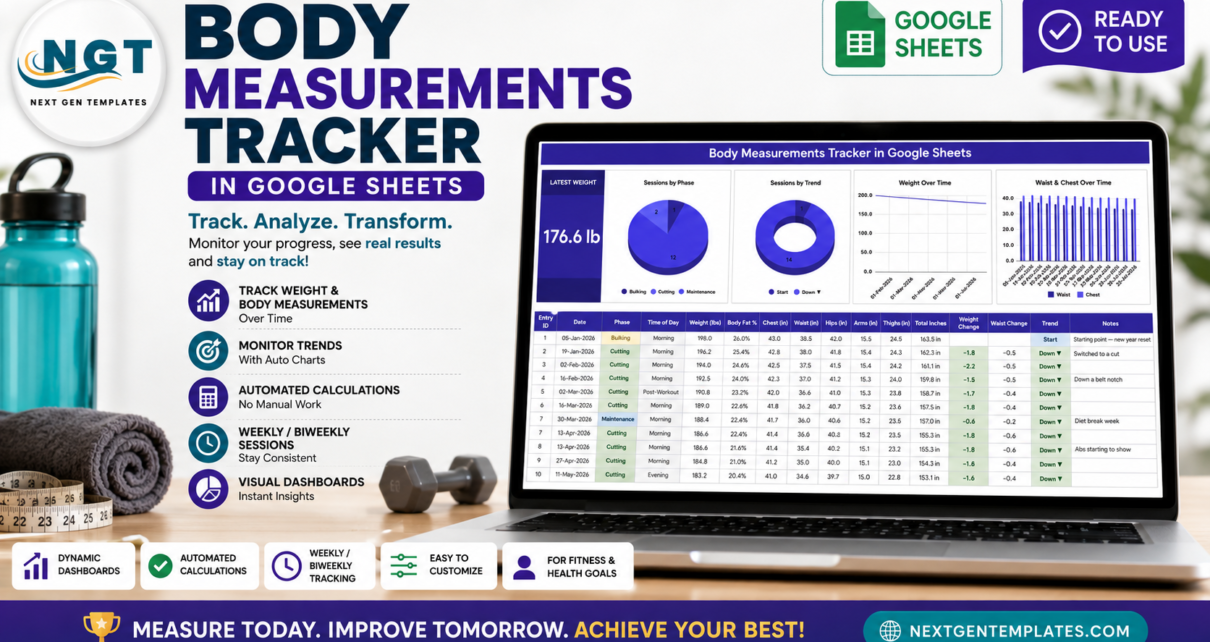
The Body Measurements Tracker in Google Sheets records 8 metrics per session – weight, body fat percentage, chest, waist, hips, arms and thighs – inside a 16-column log, and drives 4 auto-updating charts and 1 live summary card from them. It ships with 15 sample sessions, formulas and charts wired out to row 1000, and dropdown lists ready for 500 values. Setup takes under 10 minutes.Body Measurements Tracker in Google Sheets Template
Most people who measure themselves end up with the numbers scattered across a notes app, a photo of a scale and a half-finished spreadsheet. The point of a body measurements tracker is not the measuring, it is having every reading in one place long enough for a trend to show up. This template does exactly that and nothing more: it is a logging and charting spreadsheet. It does not give medical, nutritional or fitness advice, and it does not set targets for you – please speak to a qualified professional about what your numbers mean.Body Measurements Tracker in Google Sheets Template
Get the Body Measurements Tracker in Google Sheets
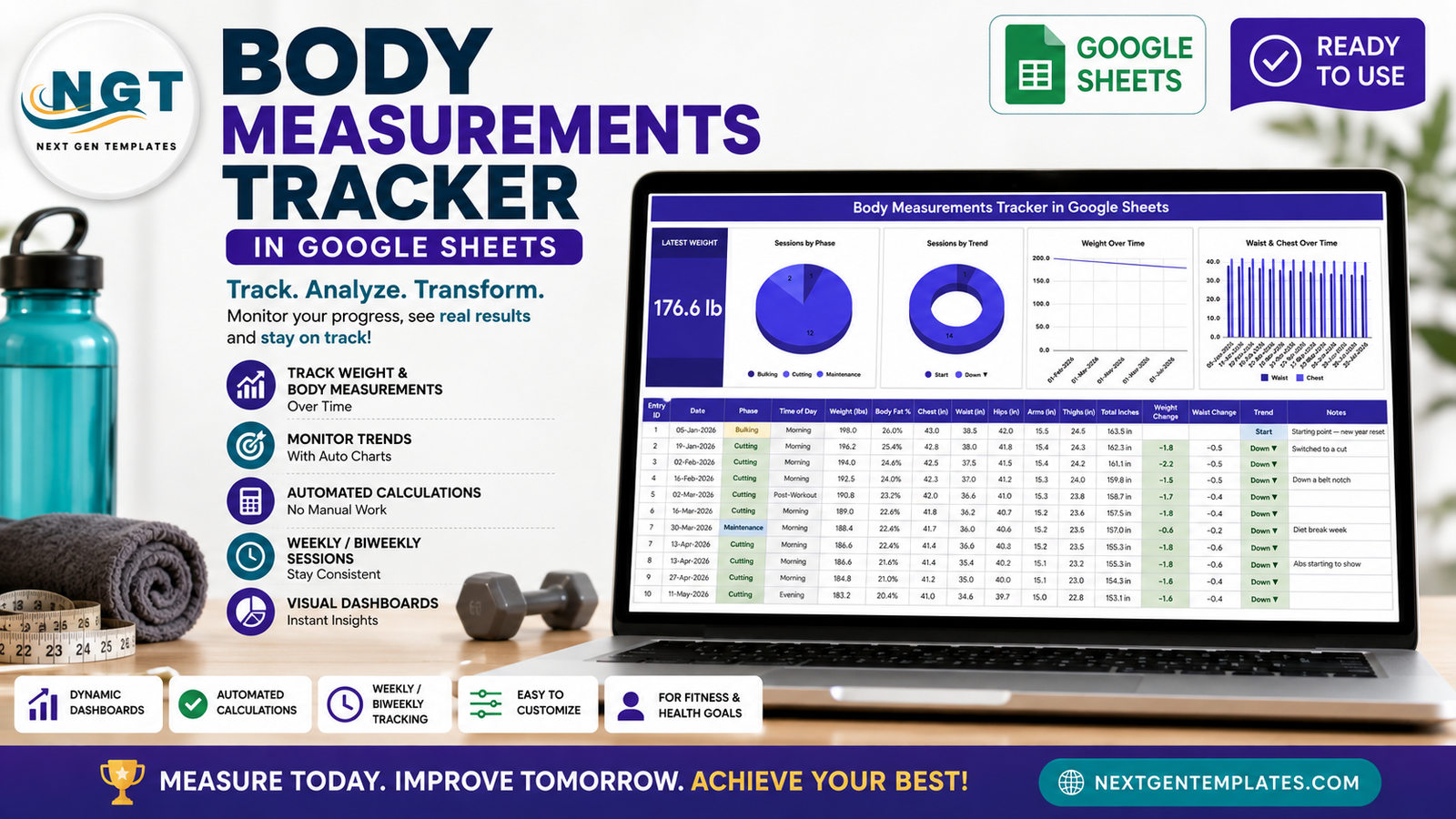
Key Features of the Body Measurements Tracker in Google Sheets
- Eight metrics per session. Date, Phase, Time of Day, Weight (lbs), Body Fat %, Chest, Waist, Hips, Arms and Thighs all sit on one row, so a session takes about thirty seconds to enter.Body Measurements Tracker in Google Sheets Template
- Five automatic columns. Entry ID, Total Inches, Weight Change, Waist Change and Trend are formulas. They fill themselves the moment a new row appears and should never be typed into.
- A running comparison. Weight Change and Waist Change measure each session against the one before it, so a -1.8 lb or -0.4 in movement is visible without any arithmetic.
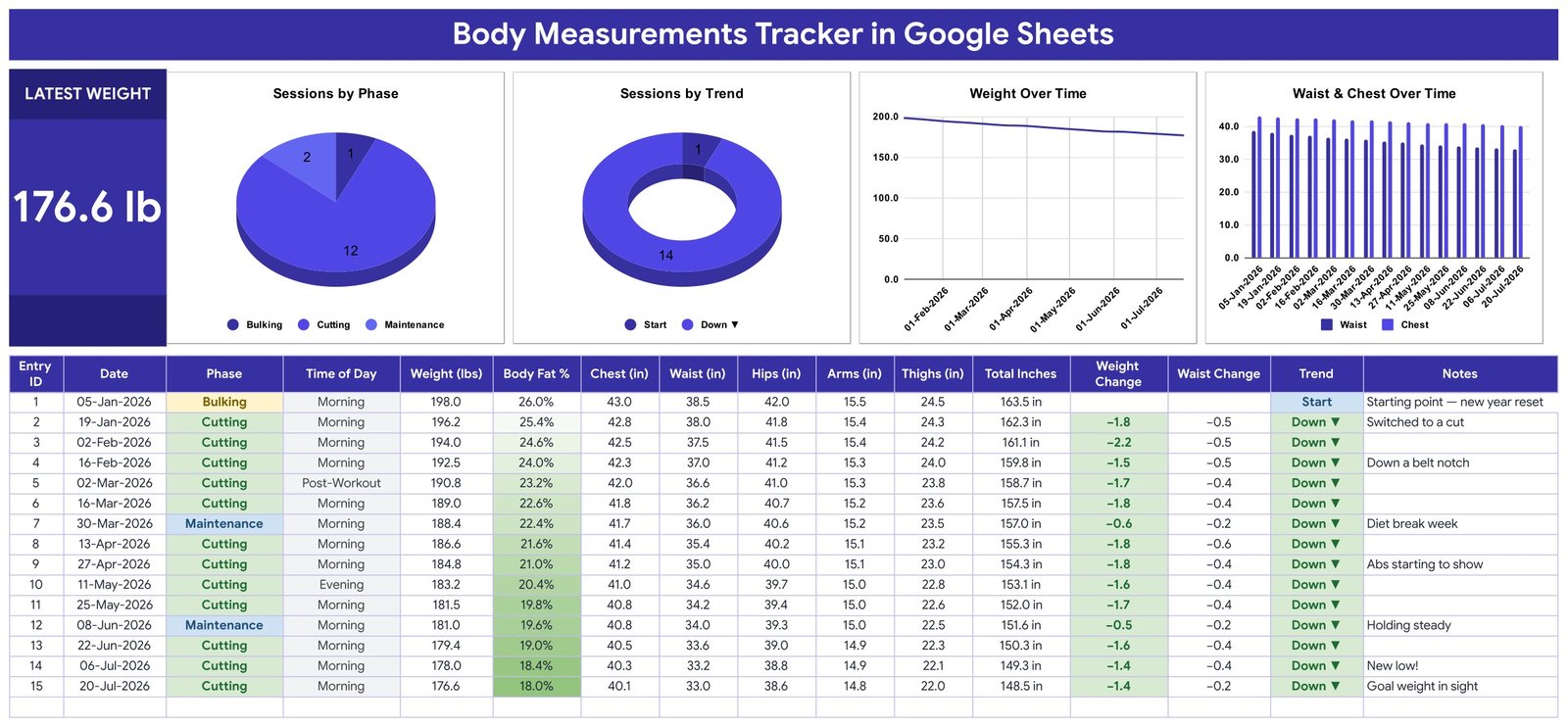
- One large Latest Weight card. It always displays the most recent logged weight – 176.6 lb in the sample data – and refreshes as soon as you add a row.
- Four charts reading the raw columns. Sessions by Phase, Sessions by Trend, Weight Over Time and Waist & Chest Over Time all point at rows 16 to 1000 of the log. There are no hidden helper tables in the file.
- Auto-expanding dropdowns. Phase and Time of Day are pulled from a List tab covering rows 2 to 500. Add a value there and it appears in the dropdown right away.
- Metric or imperial. The template ships in lbs and inches, but the formulas are unit-agnostic – rename the headers to kg and cm and everything keeps working.
- One colour block. The whole palette lives in a single const C definition, so re-theming the tracker is a single edit.
Template Structure – Sheet by Sheet
The workbook has three visible tabs plus a List tab that feeds the dropdowns.
Tracker – the Latest Weight card, four charts and the session log
This is the sheet you live in. The tall Latest Weight card occupies the left edge, and four charts run across the top: Sessions by Phase, Sessions by Trend, Weight Over Time and Waist & Chest Over Time. Below them sits the log itself with sixteen columns. Body Fat % carries a colour scale so the gradient is readable at a glance, Phase renders as a coloured chip (Bulking, Cutting, Maintenance), and Trend prints Start, Down or Up against every row after the first.
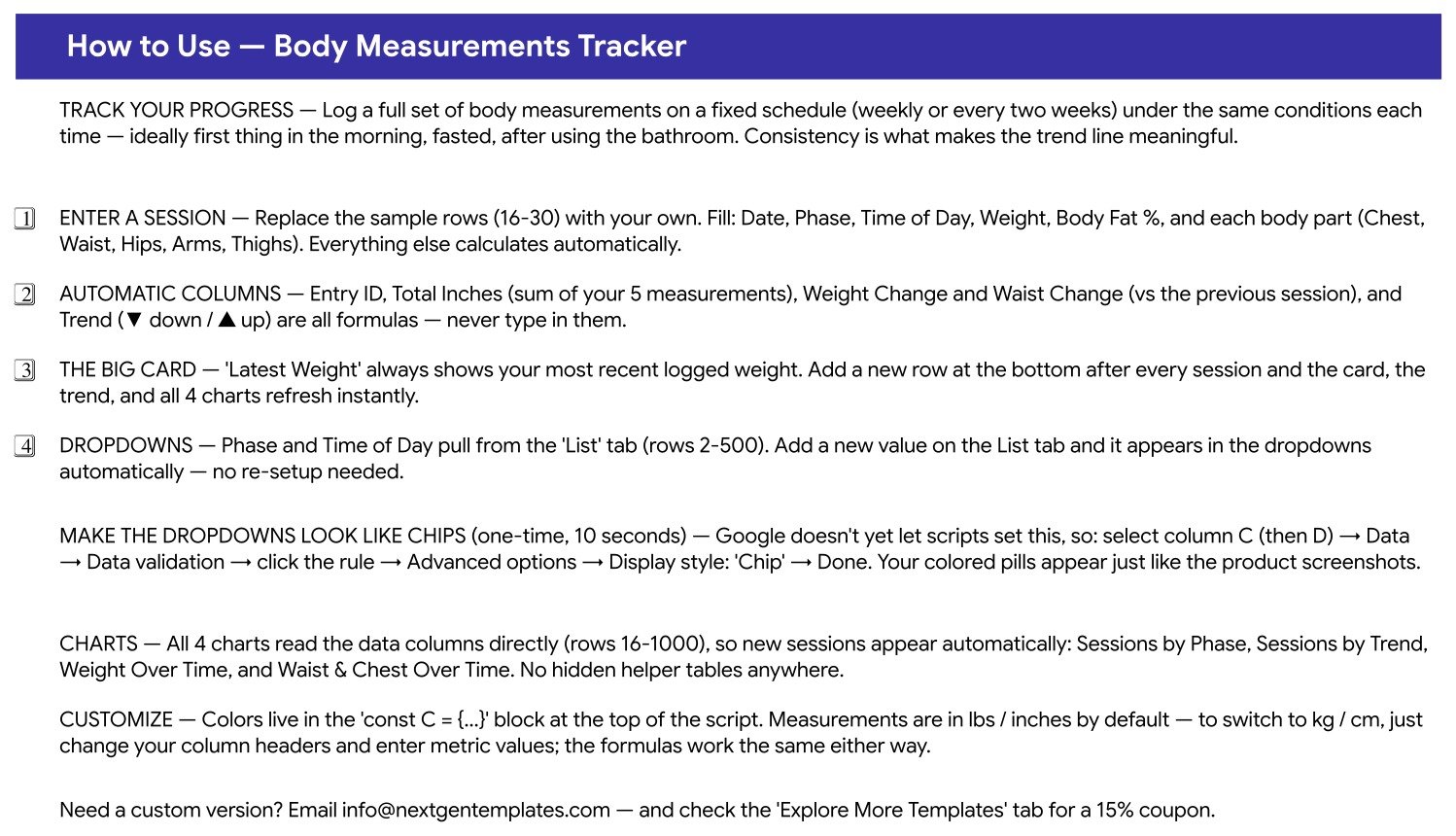
How to Use – setup, formulas and customisation
A plain-language reference sheet built into the file. It covers logging a session, which columns are formulas, how the Latest Weight card behaves, how the List-tab dropdowns expand, the lbs-to-kg switch, and the one-time ten-second step that turns the Phase and Time of Day dropdowns into coloured chips through Google Sheets data validation.
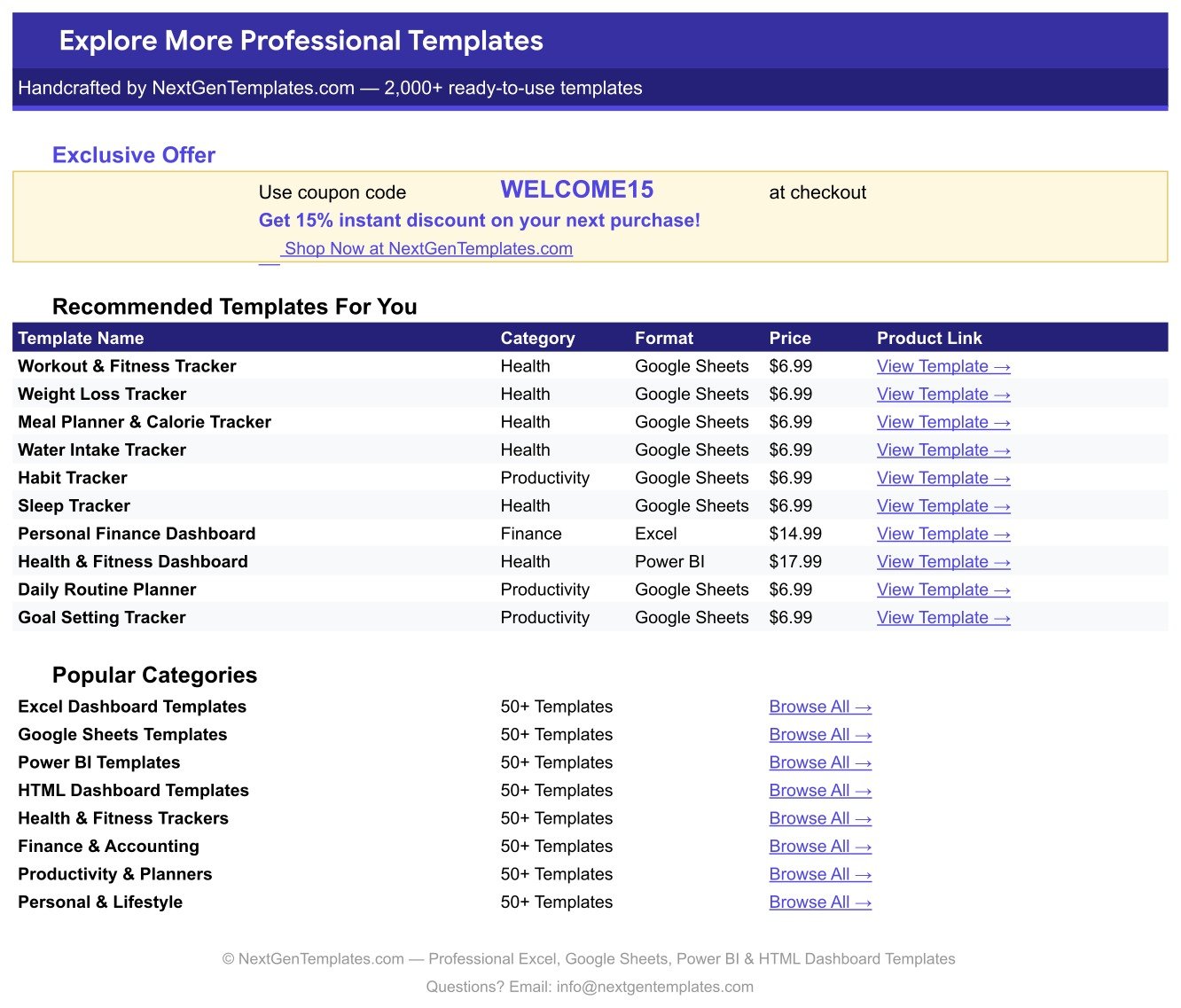
Explore More Templates – catalogue and coupon
A short in-file catalogue of related NextGenTemplates trackers and dashboards with direct product links, a WELCOME15 coupon for 15% off, and shortcuts to the main template categories.
Body Measurements Tracker in Google Sheets vs. an Excel Workbook vs. a Paid Fitness App
| Feature | Body Measurements Tracker in Google Sheets | Excel workbook | MyFitnessPal Premium / Fitbit Premium |
|---|---|---|---|
| Cost | $6.99 one-time | $3-15 one-time, plus Office 365 | $9.99-19.99 per month |
| Platform | Google Sheets, free account | Microsoft Excel licence needed | Vendor app only |
| Setup time | Under 10 minutes | 10-20 minutes | Account, onboarding, permissions |
| Edit on phone and desktop | Yes, same file | Limited on mobile | Yes |
| Share with a coach by link | Yes, one link | Email the file back and forth | Paid tier or export only |
| Own your raw data | Yes, it is your Drive file | Yes | Held in the vendor account |
| Add your own measurement columns | Yes, plain spreadsheet | Yes | Fixed fields |
| Charts included | 4 live charts | Build them yourself | Yes, on the paid tier |
| Year-1 cost | $6.99 | $3-15 plus licence | $120-240 |
For anyone who wants a measurement log they can see, edit and keep without a monthly app fee, the Body Measurements Tracker in Google Sheets sits in the sweet spot.
Who Should Use This Template
Perfect for:
- People logging weight and body-part measurements weekly or fortnightly who want every reading in one file.
- Lifters who train in phases and want each session tagged Bulking, Cutting or Maintenance.
- Coaches and personal trainers who would rather send one Google Sheets link per client than collect screenshots.
- Anyone leaving a subscription fitness app who wants to keep their history in a file they control.
Not a fit if:
- You are looking for medical, nutritional or training guidance – this template records numbers and draws charts, nothing more.
- You want automatic sync from a smart scale or wearable. Every entry is typed in by hand.
- You mainly want to log food – the Calorie & Macro Tracker in Google Sheets covers that side.
- You are running a gym rather than tracking yourself – see the Gym Membership Tracker in Google Sheets.
Real-World Use Cases
Daniel is a software engineer who lifts four mornings a week. He logs one session every Monday before breakfast and tags it Cutting or Maintenance. The Waist & Chest Over Time chart is the one he actually watches – it shows his waist coming down while his chest holds, which a single weight reading never told him.
Priya coaches eleven online clients. Each client gets their own copy of the tracker, shared by link. On review calls she pulls up the Weight Over Time chart on her phone rather than scrolling back through a chat thread of photographs.
Marcus cancelled a $14.99-a-month fitness app after two years and wanted his history somewhere he owned. He pasted three years of readings into the log in one afternoon, and the Trend column and all four charts rebuilt the whole picture without any manual work.
Advantages of the Body Measurements Tracker in Google Sheets
The obvious saving is money: $6.99 once against $120 to $240 a year for a premium fitness app tier. The less obvious saving is time. Because Entry ID, Total Inches, Weight Change, Waist Change and Trend are all formulas, a session is five real values plus two dropdowns – everything else computes. And because the four charts read the data columns directly rather than a helper table, there is no refresh step and nothing to re-point when the log grows.
Ownership matters too. The file lives in your own Google Drive, opens on any browser or phone, and can be shared with a coach through a single link with view or edit rights. If you ever want a column the template does not have – resting heart rate, sleep hours, a photo link – you just add it, which no fitness app will let you do.
Opportunities for Improvement
Being honest about the limits: there is no integration with smart scales or wearables, so every reading is typed by hand. The template tracks a single person – coaches running multiple clients need one copy per client rather than a client column. Body Fat % has to come from a caliper, a smart scale or a scan; the sheet stores it but cannot calculate it. And the coloured-chip look for the Phase and Time of Day dropdowns needs one manual ten-second step after copying, because Google Apps Script cannot yet set the chip display style. The How to Use sheet documents that step clearly.
Best Practices
- Measure under the same conditions every time – ideally first thing in the morning, fasted, after using the bathroom. Consistency is what makes the trend line mean anything.
- Pick one interval and stay with it. Weekly or fortnightly beats measuring whenever you remember.Body Measurements Tracker in Google Sheets Template
- Use the same tape and the same measuring points each session. A tape held half an inch higher will move the number more than a week of effort.
- Use the Phase column honestly – a maintenance week logged as Cutting makes the Sessions by Phase chart useless later.Body Measurements Tracker in Google Sheets Template
- Write in the Notes column. Six months on, a note like diet break week explains a flat reading better than any chart.Body Measurements Tracker in Google Sheets Template
- Do not chase single sessions. Weight moves with water, salt and sleep; the Weight Over Time chart exists precisely so you look at the line rather than the last row.Body Measurements Tracker in Google Sheets Template
Explore Relevant Templates
- Body Measurements Tracker in Google Sheets – the template described in this post.
- Calorie & Macro Tracker in Google Sheets – log intake alongside your measurements.
- Water Intake Tracker in Google Sheets – daily hydration, and the reason a morning weigh-in can swing two pounds.
- Weight Loss Tracker in Google Sheets – a weight-only log without the five body-part columns.Body Measurements Tracker in Google Sheets Template
- Gym Personal Records (PR) Tracker in Google Sheets – track what you lift next to how you measure.
- Habit Tracker in Google Sheets – keep the routine that produces the measurements.Body Measurements Tracker in Google Sheets Template
Get the Body Measurements Tracker in Google Sheets
Want to build spreadsheet skills like this step by step? The NextGenTemplates Academy learning paths on NextGenTemplates Academy walk you through it with practice files.
Frequently Asked Questions
What exactly does the Body Measurements Tracker in Google Sheets record?Body Measurements Tracker in Google Sheets Template
The Body Measurements Tracker in Google Sheets records weight, body fat percentage and five body-part measurements – chest, waist, hips, arms and thighs – plus Phase, Time of Day and notes. Total Inches, Weight Change, Waist Change and Trend are calculated automatically for every row.Body Measurements Tracker in Google Sheets Template
How long does setup take?
Under ten minutes. Open the PDF in your download, click the copy link to create your own Google Drive copy, clear the 15 sample rows and log your first session. The Body Measurements Tracker in Google Sheets needs no add-ons, macros or extra permissions.Body Measurements Tracker in Google Sheets Template
Can I switch to kilograms and centimetres?
Yes. The Body Measurements Tracker in Google Sheets ships in lbs and inches, but the formulas do not care about units. Rename the column headers to kg and cm, enter metric values, and Total Inches, Weight Change, Waist Change and the four charts behave identically.
How does this compare to a paid fitness app?
MyFitnessPal Premium and Fitbit Premium run roughly $120 to $240 a year and keep your history inside their account. The Body Measurements Tracker in Google Sheets is $6.99 once, the file sits in your own Drive, and you can add any column you like.
Does it connect to a smart scale or fitness band?
No. The Body Measurements Tracker in Google Sheets is a manual log by design. You type each session in, which is what keeps it free of connectors, account permissions and vendor lock-in, and why it opens instantly on any device.
Does this template offer health or weight-loss advice?
No. The Body Measurements Tracker in Google Sheets stores numbers and draws charts. It does not interpret your results, recommend targets, or provide medical, nutritional or training guidance. Consult a qualified professional about your own health.
How many sessions will it hold?
Formulas and charts run out to row 1000 and the List-tab dropdowns to row 500, so the Body Measurements Tracker in Google Sheets holds well over a decade of weekly logging before anything needs extending.
About the Author
Built by PK – Microsoft Certified Professional with 15+ years of Excel, Google Sheets and Power BI experience. Founder of NextGenTemplates, reaching 300K+ subscribers across YouTube channels. Every template is hand-built and tested before release.
Conclusion
If you have been measuring yourself but never in one place, the Body Measurements Tracker in Google Sheets is the smallest thing that fixes it: one row per session, five automatic columns, four charts and a Latest Weight card that is always current. No subscription, no account, no sync to configure – just a spreadsheet you own.
Instant download – One-time payment – No subscription
Reminder: this is a logging and charting template. It is not medical advice.
Last updated: August 2026