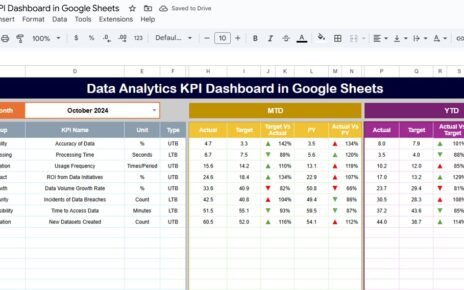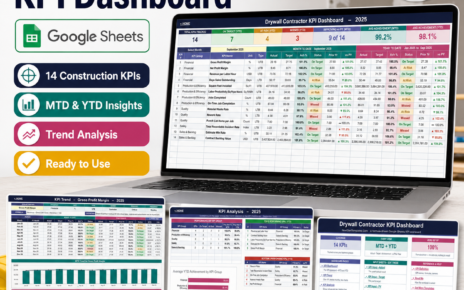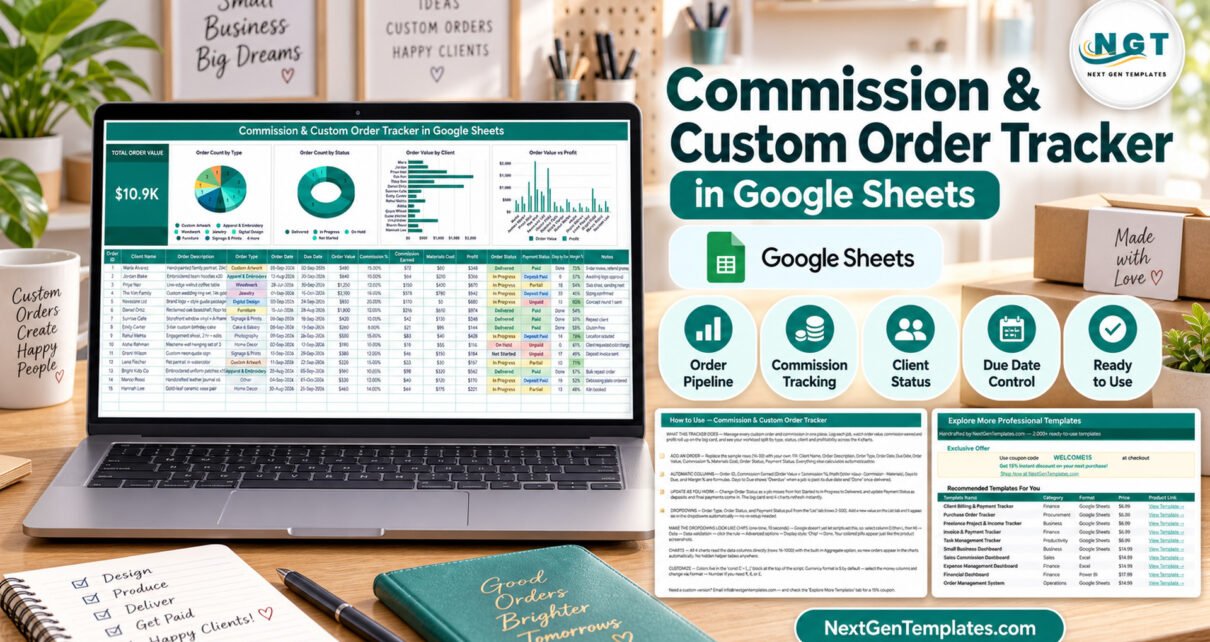
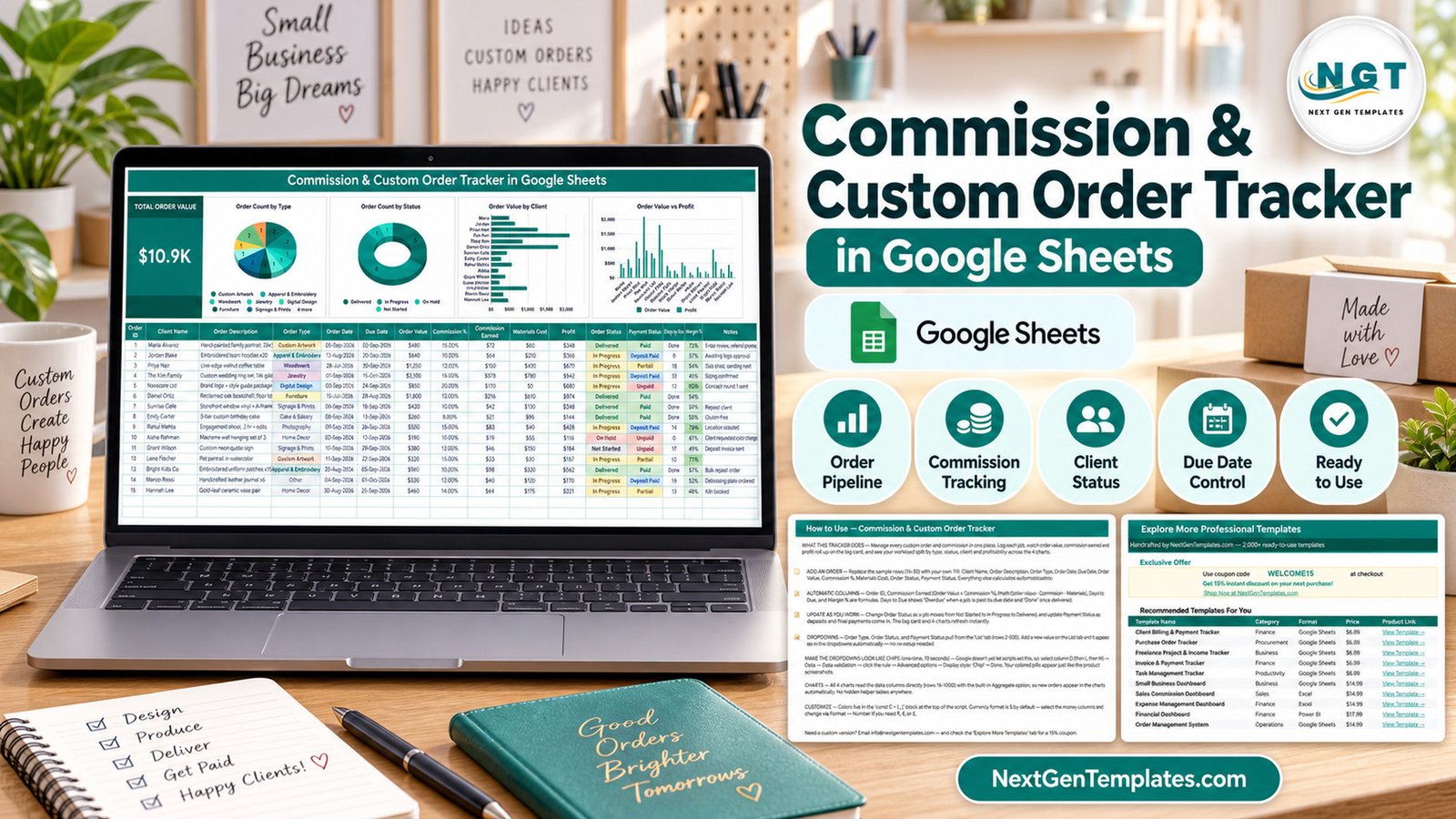
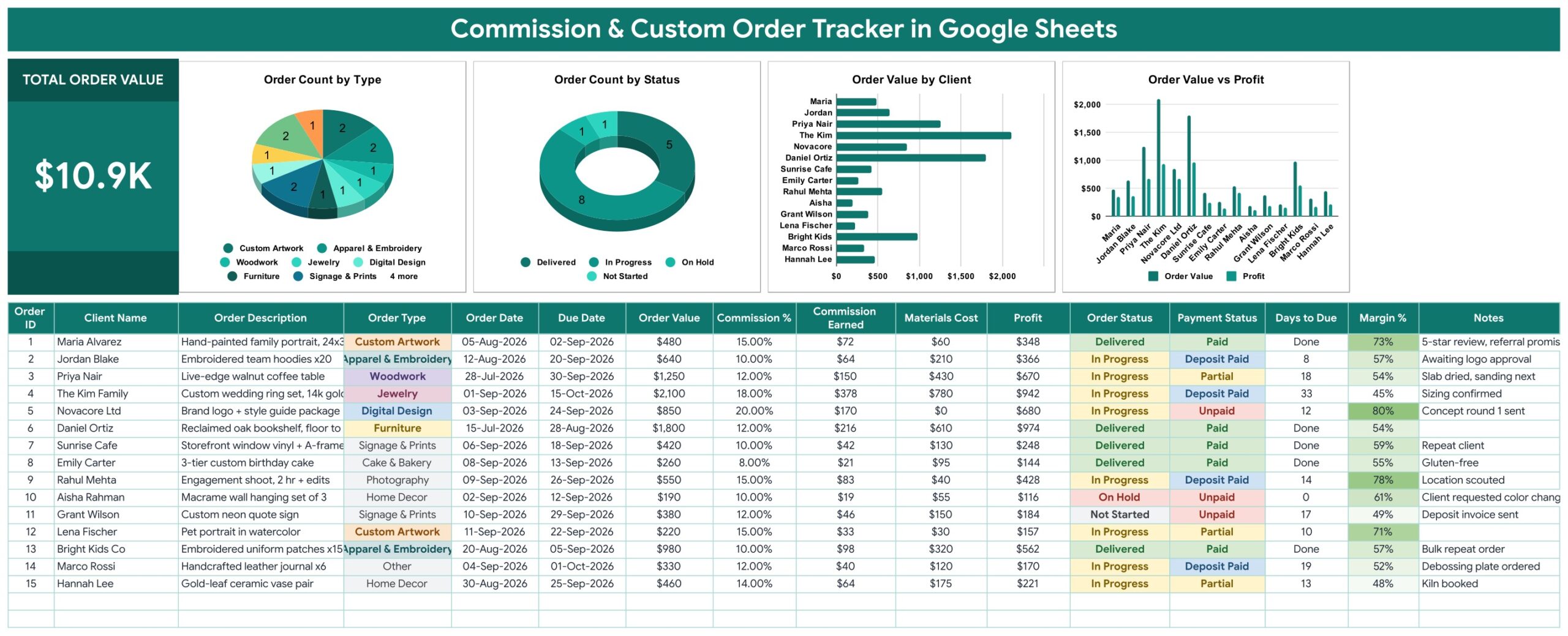
The commission and custom order tracker is a one-page Google Sheets file that holds 16 columns per job, 1 headline KPI card, 4 live charts and 5 self-calculating formula columns. It ships with 15 worked sample orders totalling $10.9K in order value, the charts are wired to rows 16 through 1000, and the dropdown lists run to row 500 on a separate List tab. Setup takes under 10 minutes.
Get the Commission & Custom Order Tracker
If you take commissioned work — a painted portrait, an embroidered team run, a live-edge walnut table, a wedding ring set — the job does not live in one place. The request arrives in a direct message, the deposit lands in a payment app, the delivery date sits in your head, and the materials receipt is in a drawer. By the time you want to know whether the last twenty jobs actually made money, the answer takes an evening to reconstruct. The Commission & Custom Order Tracker in Google Sheets puts all of it on one row, and does the arithmetic for you.
Think of it as a custom order tracking spreadsheet and a commission tracker for makers in one file — a Google Sheets tracker that replaces the notebook, the reminder app and the shoebox of receipts.
Key Features of the Commission and Custom Order Tracker
- 16 columns per order. Order ID, Client Name, Order Description, Order Type, Order Date, Due Date, Order Value, Commission %, Commission Earned, Materials Cost, Profit, Order Status, Payment Status, Days to Due, Margin % and Notes.
- Five automatic columns. Commission Earned is Order Value × Commission %. Profit is Order Value − Commission Earned − Materials Cost. Margin % expresses that as a percentage. Order ID numbers each job, and Days to Due counts down to the deadline.
- “Overdue” and “Done” flags. Days to Due shows a number while a job is live, flips to “Overdue” once the promised date has passed, and reads “Done” as soon as the order is marked Delivered.
- Four charts with no helper tables. Order Count by Type, Order Count by Status, Order Value by Client and Order Value vs Profit read the data columns directly using the built-in Aggregate option, so a new order appears in all four instantly.
- Total Order Value KPI card. One large number beside the charts, rolling up every job logged.
- Self-extending dropdowns. Order Type, Order Status and Payment Status read from a List tab. Add a value there and it appears in the dropdown with no data-validation rebuild.
- Two independent status tracks. Order Status runs Not Started → In Progress → Delivered, with On Hold for stalled work. Payment Status runs Unpaid → Deposit Paid → Partial → Paid. A piece can be Delivered and still Unpaid, and the sheet says so.
- Recolour and re-currency in minutes. Colours live in a single constants block at the top of the build script; the $ format can be swapped for ₹, € or £ through Format → Number.
Sheets Explanation
Tracker Page
The working sheet. The Total Order Value card sits at the left, then Order Count by Type, Order Count by Status, Order Value by Client and Order Value vs Profit, with the 16-column entry table beneath. Order Type, Order Status and Payment Status display as coloured chips once you apply the one-time chip setting described on the instructions tab.
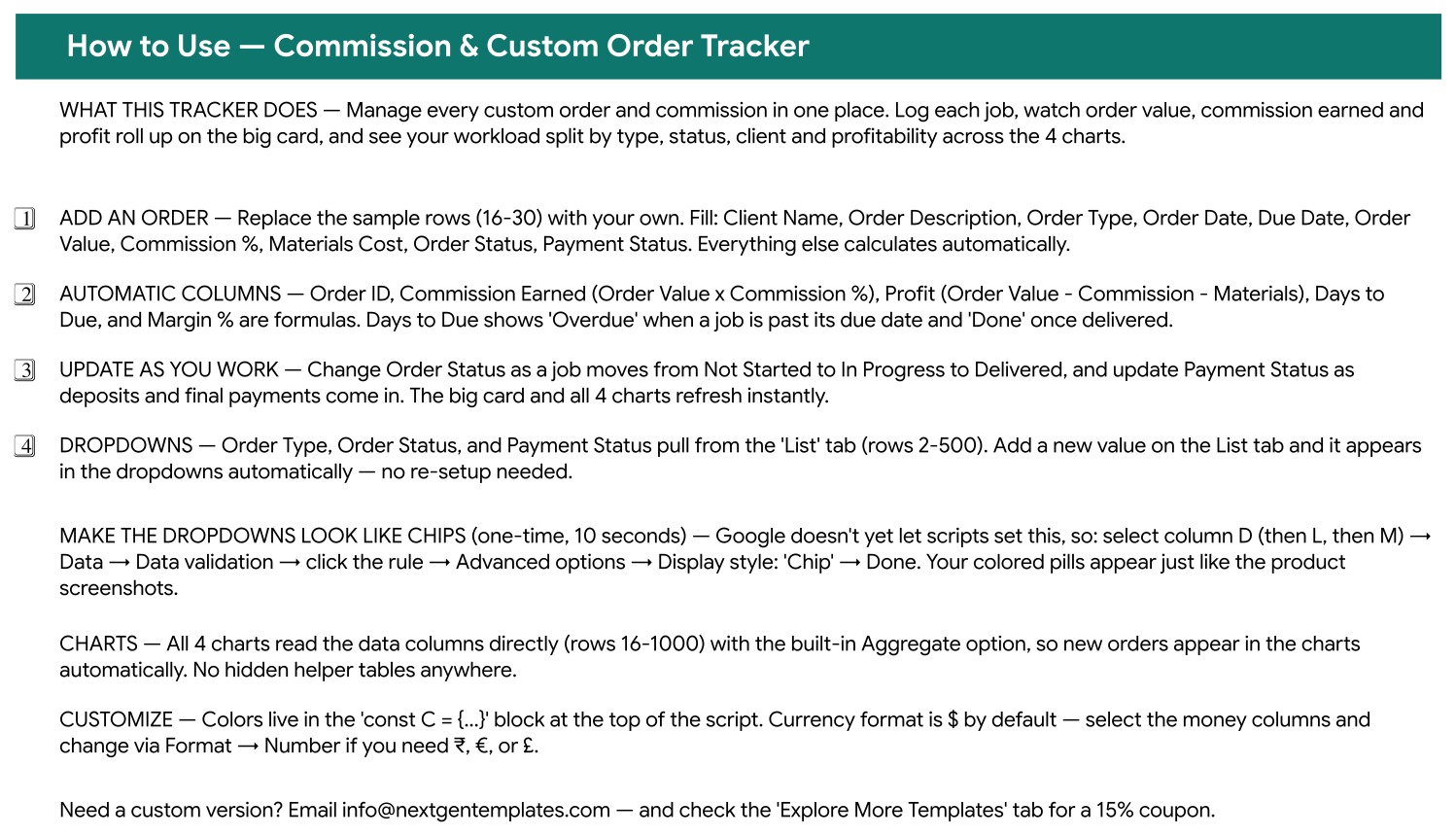
How to Use Tab
A built-in instruction sheet: what to type, which columns are formulas, how the List tab feeds the dropdowns, the 10-second step that turns the dropdowns into chips, and where the colours and currency formats live.
Explore More Templates Tab
A curated list of related NextGenTemplates spreadsheets with category, format and direct links, plus a WELCOME15 coupon worth 15% off the next purchase.

List Tab
A fourth, plain tab holding the dropdown values for Order Type, Order Status and Payment Status in rows 2 to 500. The shipped Order Type list covers Custom Artwork, Apparel & Embroidery, Woodwork, Jewelry, Digital Design, Furniture, Signage & Prints, Cake & Bakery, Photography, Home Decor and Other.
Commission & Custom Order Tracker vs. an Excel Order Workbook vs. Paid Maker SaaS — Feature Comparison
| Feature | Commission & Custom Order Tracker in Google Sheets | Microsoft Excel order workbook | Craftybase / Order Desk |
|---|---|---|---|
| Cost | One-time purchase ✅ | One-time, plus an Office licence | $29–$99 per month |
| Platform | Any browser, free Google account ✅ | Desktop Excel on Windows or Mac | Vendor web app |
| Setup time | Under 10 minutes ✅ | 15–45 minutes | Hours of account and catalogue setup |
| Real-time collaboration | Native Google Sheets sharing ✅ | Only through OneDrive co-authoring | Yes ✅ |
| Mobile access | Google Sheets mobile app ✅ | Limited on mobile Excel | Yes ✅ |
| Add your own order types | Type a row on the List tab ✅ | Edit each validation rule by hand | Fixed to the vendor taxonomy |
| Deposit vs. balance tracking | Four-step Payment Status ✅ | Build it yourself | Yes ✅ |
| Takes payments / issues invoices | No — tracking only | No | Yes ✅ |
| Year-1 cost at 5 users | The purchase price, once ✅ | Licence cost per seat | $1,740–$5,940 |
For makers who want deposits, due dates and real per-job profit in one place without a monthly platform fee, the Commission and Custom Order Tracker sits in the sweet spot.
Who Should Use This Template
Perfect for:
- Artists and illustrators taking portrait and custom-piece commissions
- Woodworkers, jewellers, embroiderers, leatherworkers and ceramicists
- Bakers and cake decorators working to hard delivery dates
- Freelance photographers, designers and signmakers quoting per project
- Studios of one to five people who want one shared sheet instead of five notebooks
Not a fit if:
- You need to take payments or issue invoices — the tracker records what was agreed and what has been paid, but it does not process money or produce an invoice document
- You want orders imported automatically — it does not connect to Etsy, Shopify, PayPal, Stripe or any other storefront, and every row is typed in by hand
- You need per-user permissions, audit trails or single sign-on
- You need an offline desktop file with macros — this is browser-based Google Sheets with no macros and no add-ons
- You need raw-material inventory and batch costing — Materials Cost is one figure per order
Real-World Use Cases
Maria, portrait artist. Every enquiry goes in the day it arrives. She sets the Due Date from the agreed delivery week and marks Payment Status as Deposit Paid once the holding fee clears. Margin % showed her that large canvases carry a framing cost that quietly halved her profit, so framing is now quoted separately.
Daniel, two-person furniture workshop. He and his partner share one copy of the sheet. Order Value vs Profit shows which pieces justify the bench time, and Order Count by Status tells them how many builds are already In Progress before they accept the next booking.
Emily, home cake business. Every custom cake is logged with an Order Date and a Due Date, and Days to Due gives her a rolling countdown with an “Overdue” flag she cannot miss. Order Value by Client revealed that three repeat customers account for a third of her revenue.
Advantages of the Commission and Custom Order Tracker
The biggest gain is that profit stops being a guess. Because Materials Cost and Commission % sit on the same row as Order Value, Profit and Margin % are computed per job rather than estimated at the end of the quarter — and the Order Value vs Profit chart makes the gap between a big order and a good order visible at a glance.
The second gain is deadline safety. A separate Days to Due column that flips to “Overdue” is a far more reliable prompt than a date sitting in a column you have to read and compare yourself.
The third is cost. Purpose-built maker platforms start around $29 a month and run past $99 for busier shops. For a solo maker doing a handful of commissions a month, that is a subscription bought to solve a spreadsheet-sized problem. This file is a one-time purchase that opens in any browser.
Opportunities for Improvement
It is worth being straight about the limits. The tracker does not issue invoices, take payments, or pull orders from a storefront, so anyone selling mainly through Etsy or Shopify will still be copying order details across by hand. Materials Cost is a single number per order rather than a bill of materials, so a workshop that needs per-component costing will outgrow it. There is no client contact sheet, no file attachment per job, and no automatic reminder email — the “Overdue” flag only helps if someone opens the sheet.
The chip display style for the three dropdown columns also has to be applied once by hand, because Google Sheets does not yet let a script set it. It takes about ten seconds per column and the instructions tab walks you through it, but it is a manual step rather than something that arrives pre-configured.
Best Practices
- Log the enquiry, not the confirmed job. A row with Order Status set to Not Started is how you find out how much work is actually in the pipeline.
- Enter Materials Cost as soon as you buy, not when you deliver. Late entries are the main reason margin numbers drift.
- Keep Order Type lists short. Eight to twelve categories keeps Order Count by Type readable; thirty makes the chart useless.
- Review Order Value by Client once a month. Repeat clients usually deserve either a discount or a price rise, and the chart tells you which.
- Use the Notes column for the one detail that decides a re-order — “gluten-free”, “sizing confirmed”, “debossing plate ordered”.
- Share the file with edit access only to people who fill rows, and keep a view-only link for anyone who just wants the numbers.
Explore Relevant Templates
- Print-on-Demand Sales Tracker in Google Sheets — for the merch line that a print partner fulfils. We covered it in detail in the Print-on-Demand Sales Tracker guide.
- Sponsorship & Brand Deal Tracker in Google Sheets — paid collaborations and deliverables, walked through in the Sponsorship & Brand Deal Tracker post.
- Digital Product Sales Tracker in Google Sheets — the off-the-shelf prints, patterns and downloads side of a maker business. See the Digital Product Sales Tracker breakdown.
- Affiliate Marketing Income Tracker in Google Sheets — a second income stream, tracked the same way. The affiliate income tracker walkthrough explains the layout.
If you want to understand the mechanics underneath the file, Google’s own documentation on dropdown lists and data validation and on adding and editing charts covers exactly the features this tracker is built from, and the Google Apps Script guide for Sheets is the place to start if you want to extend it.
Looking to sharpen the spreadsheet skills behind trackers like this? The NextGenTemplates Academy learning paths teach them step by step, with practice files.
Get the Commission & Custom Order Tracker
Frequently Asked Questions
What does the Commission and Custom Order Tracker track?
The Commission and Custom Order Tracker records 16 columns per job: client, description, order type, order and due dates, order value, commission percentage and amount, materials cost, profit, order and payment status, days to due, margin percentage and notes. Five of those columns are formulas.
How long does setup take?
Under 10 minutes. Open the copy link in the PDF, edit the List tab to your own order types, apply the chip display style to three columns, and replace the 15 sample rows. The Commission & Custom Order Tracker is working from that point.
Does it connect to Etsy, Shopify or PayPal?
No. The Commission & Custom Order Tracker in Google Sheets is a manual tracking sheet. It does not sync orders from a storefront, does not take payments and does not issue invoices — which is precisely why it suits word-of-mouth and direct-message commissions that never touch a marketplace.
Can I add my own order types?
Yes. Order Type, Order Status and Payment Status read from the List tab, rows 2 to 500. Add a value there and it appears in the dropdown at once, with no validation rules to rebuild. Eleven craft categories ship in the file already.
How does this compare to Craftybase or Order Desk?
Those platforms cost $29 to $99 a month and add inventory, invoicing and marketplace sync. The Commission and Custom Order Tracker is a one-time Google Sheets purchase covering the pipeline, deposits, due dates and per-job profit. Without automated invoicing you keep the same visibility for a fraction of a single month’s subscription.
Do I need Excel or macros to use it?
No. It is a browser-based Google Sheets file with no macros and no add-ons. A free Google account and any modern browser are enough — Windows, Mac, Chromebook, tablet or phone.
How many orders will it hold?
The formula columns and all four charts are wired to rows 16 through 1000, giving roughly 985 orders in the shipped range. The dropdown lists on the List tab run to row 500.
About the Author
Built by PK — Microsoft Certified Professional with 15+ years of Excel, Google Sheets and Power BI experience. Founder of NextGenTemplates, reaching 300K+ subscribers across YouTube channels. Every template is hand-built and tested before release.
Conclusion
Commissioned work is a business of promises: a piece, a price and a date. The Commission and Custom Order Tracker keeps all three on one row, adds the deposit and the materials cost, and then does the profit arithmetic you would otherwise put off. It will not invoice for you and it will not talk to your shopfront — but for the part of the job that decides whether the work was worth taking, it is a ten-minute setup.
Instant download · One-time payment · No subscription
Last updated: September 2026