PR work runs on dates: a press release on Tuesday, a media briefing on Friday, a product launch next month and a crisis-management drill somewhere in between. The Public Relations (PR) Outreach Calendar in Google Sheets keeps all of those activities in one event list and shows them as an annual calendar, a monthly calendar and a date-range list, so the whole team can see what is coming and where the gaps are. In short, it is a PR Outreach Calendar in Google Sheets that needs no extra software.
It is designed for PR managers, communications teams, marketing coordinators, freelance PR consultants and nonprofit communications staff who already work in Google Sheets. Below you will find what each of the five sheets does, the seven fields every event uses, how to set it up with your own outreach plan, real-world use cases and the honest limits of a spreadsheet calendar.
Get the PR Outreach Calendar for Google Sheets
Why a Dedicated PR Outreach Calendar Helps
Outreach plans often live in several places at once: a shared inbox, a few personal calendars, a campaign brief and someone’s notebook. That makes it hard to answer basic planning questions. Are two press events clashing on the same day? Has a whole month gone by with no media activity? What exactly is happening between the 1st and the 20th, and where?
This template answers those questions from a single Events sheet. You type each activity once, and the Annual, Monthly and Daily views read from that list. Because it is a Google Sheets file, everyone with access sees the same version, and it works in any browser.
What Is Inside the PR Outreach Calendar in Google Sheets
| Sheet | What it shows | How you control it | Best for |
|---|---|---|---|
| Home | Four navigation buttons: Annual View, Monthly View, Daily View, Events | Click a button to jump to that sheet | Starting point each time you open the file |
| Annual View | All 12 months of the selected year, with event dates shaded | Year dropdown | Yearly planning and spotting quiet months |
| Monthly View | One month as a calendar grid with event names under each date | Month and Year dropdowns | Weekly planning and clash checks |
| Daily View | Every event between two dates with full details | Start Date and End Date cells | Briefing agendas and short-range lists |
| Events | The master list of all activities | You type entries here | Adding and editing events |
Home Sheet
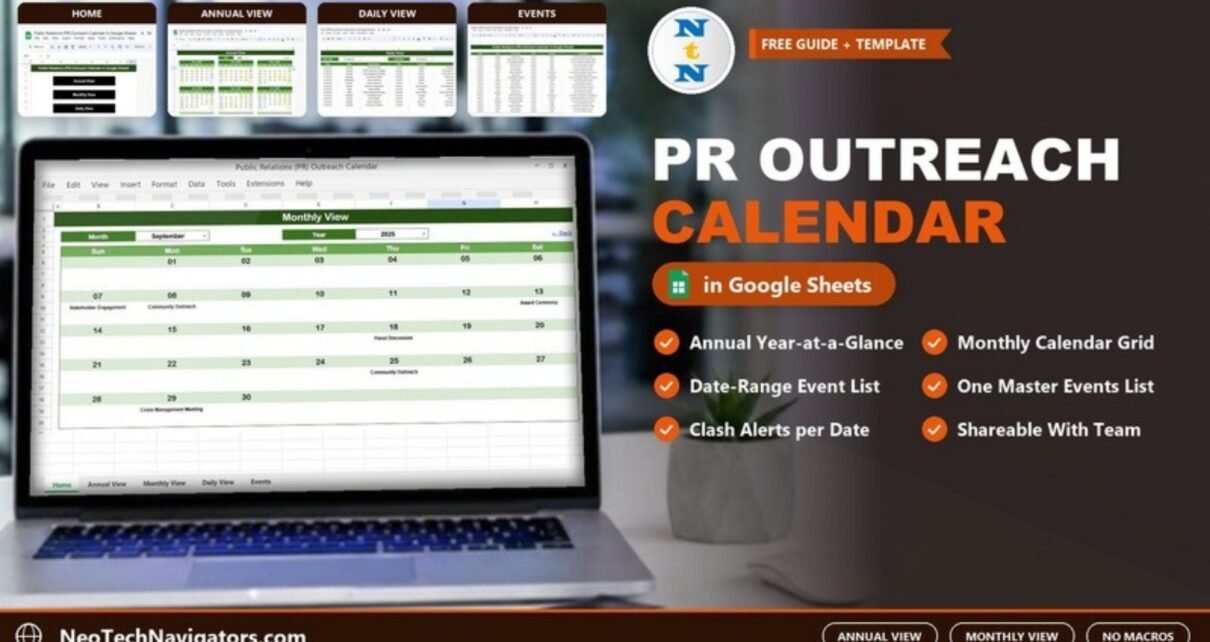
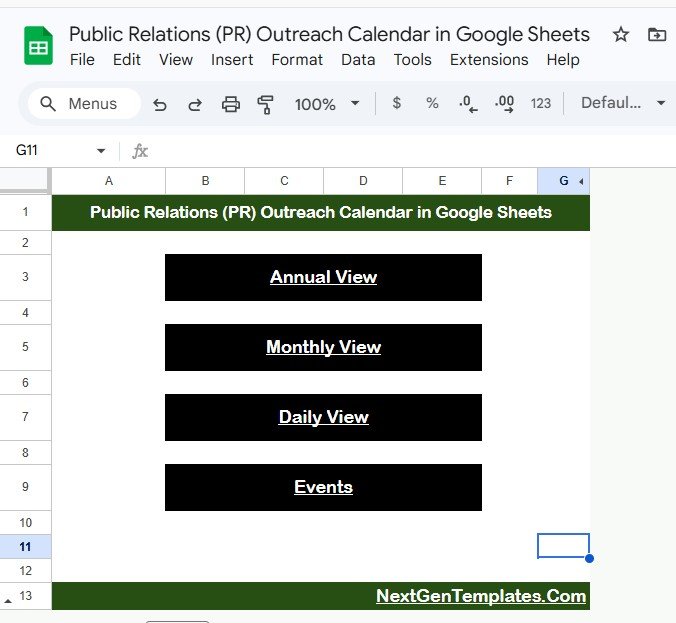
The Home sheet is a simple index titled “Public Relations (PR) Outreach Calendar in Google Sheets” with four black buttons: Annual View, Monthly View, Daily View and Events. Each view has a ← Back link in its top-right corner to return here.
Annual View
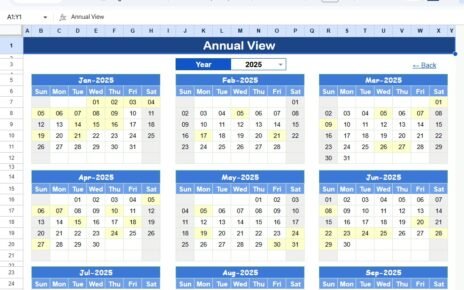
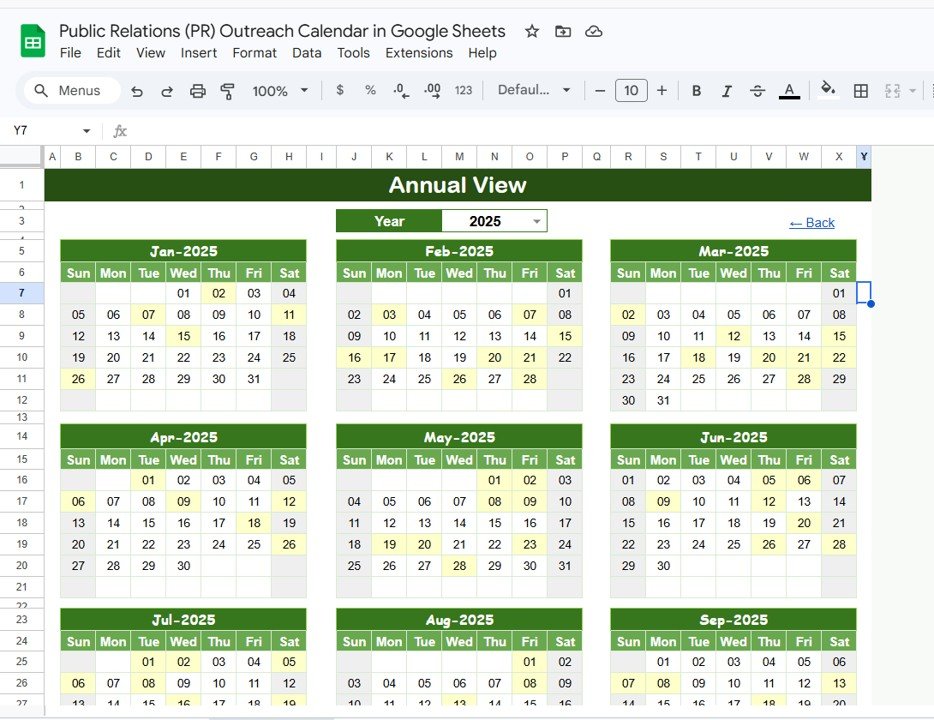
The Annual View lays out Jan to Dec of the year chosen in the Year dropdown (2025 in the sample). Dates that have at least one event are shaded, so the rhythm of your outreach is visible at a glance. In the sample, January shows activity on the 2nd, 7th, 11th, 15th and 26th, matching the entries in the Events sheet. A month with almost no shaded days is a signal to plan a pitch, a feature story or a community activity before it arrives.
Monthly View
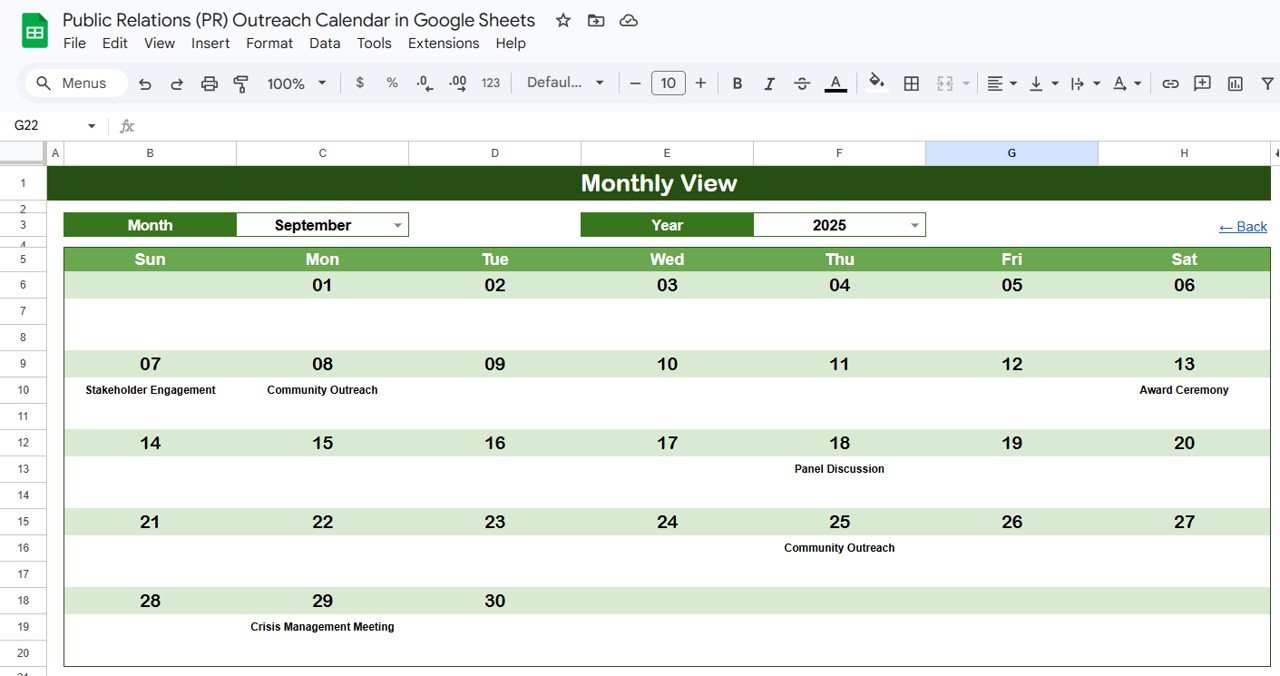
Pick a Month and Year at the top and the grid redraws for that month, Sunday to Saturday. Each date shows the event name beneath it. The September 2025 sample shows Stakeholder Engagement on the 7th, Community Outreach on the 8th, Award Ceremony on the 13th, Panel Discussion on the 18th, Community Outreach on the 25th and a Crisis Management Meeting on the 29th. Each date cell shows one event; when a date holds more than one activity the cell displays “more than 1…”, which is your cue to open the Daily View for that date and check for a clash.
Daily View
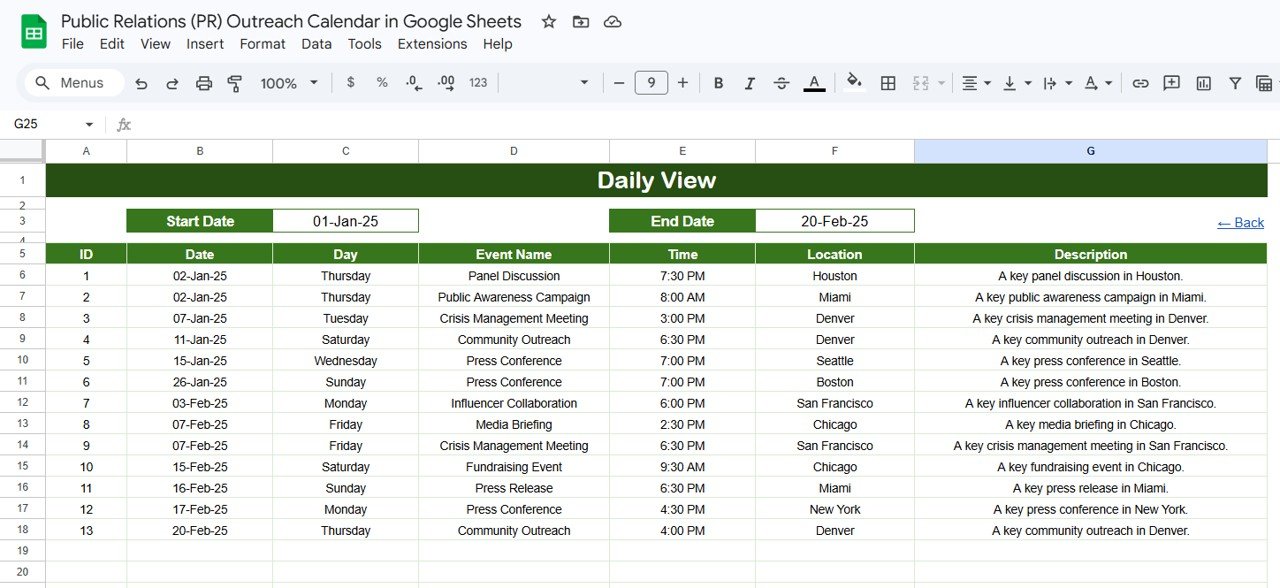
The Daily View lists every event between a Start Date and an End Date. Double-click either date cell to open the date picker. With 01-Jan-25 to 20-Feb-25 selected, the sample returns 13 events, from a Panel Discussion in Houston on 02-Jan-25 at 7:30 PM to Community Outreach in Denver on 20-Feb-25 at 4:00 PM. Each row shows ID, Date, Day, Event Name, Time, Location and Description, which makes this view a ready-made agenda for a weekly PR stand-up or a short report for leadership.
Events Sheet
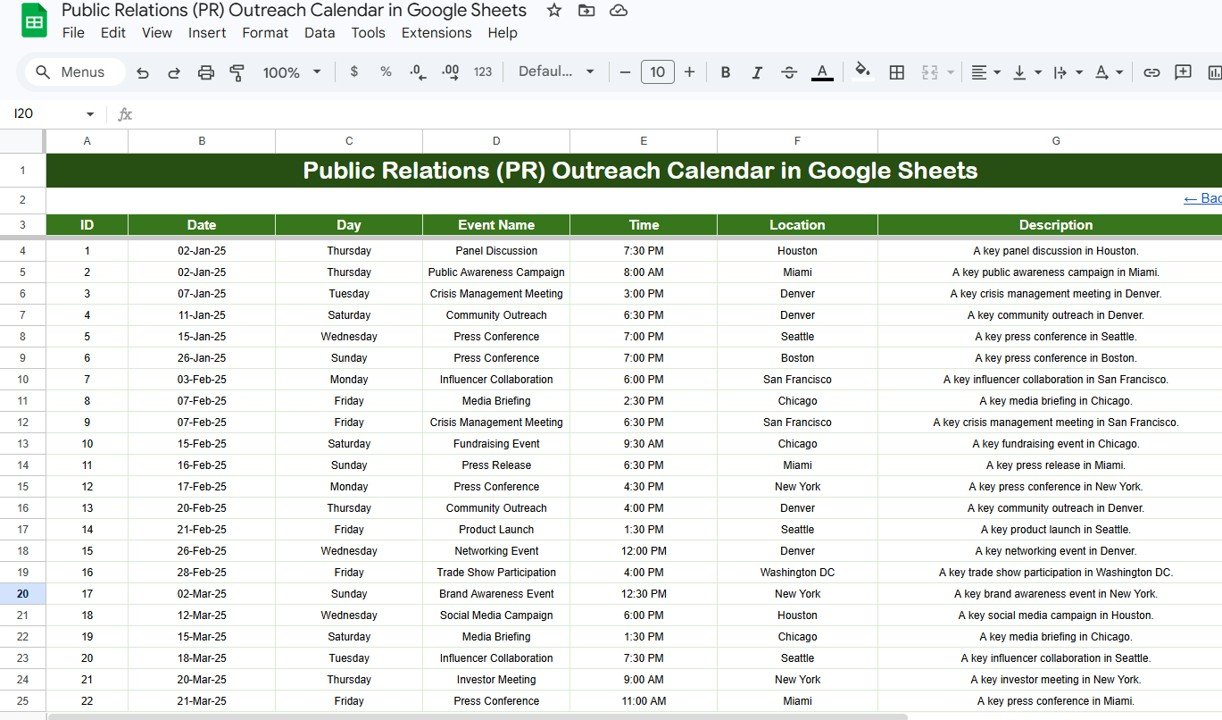
The Events sheet is the single source for everything else. Every activity uses seven fields:
- ID: generated automatically
- Date: the day of the activity
- Day: calculated automatically from the date
- Event Name: for example Press Conference, Media Briefing or Product Launch
- Time
- Location
- Description: short context such as the outlet, spokesperson or angle
The sample list uses PR activity types such as Panel Discussion, Public Awareness Campaign, Crisis Management Meeting, Community Outreach, Press Conference, Influencer Collaboration, Media Briefing, Fundraising Event, Press Release, Product Launch, Networking Event, Trade Show Participation, Brand Awareness Event, Social Media Campaign and Investor Meeting, in cities from Houston and Miami to New York and Washington DC.
How to Set It Up With Your Own Outreach Plan
- Open the Google Sheets link from the PDF guide in your download and choose File > Make a copy to save it to your own Drive.
- Go to the Events sheet and clear or overwrite the sample rows.
- Enter each activity’s Date, Event Name, Time, Location and Description. The ID and Day fill in automatically.
- Use consistent event names (for example always “Press Release”, not “PR release” in one row and “Press Release” in another) so the calendar stays easy to scan.
- Open Annual View, set the Year, and look for empty stretches.
- Open Monthly View each week, pick the Month and Year, and check any date that shows “more than 1…”.
- Before a status meeting, set Start Date and End Date in Daily View to the coming week and share that list.
- Share the file with Share in the top-right corner: Editor for the team, Viewer for stakeholders or clients.
Three Real-World Use Cases
- In-house PR team. A communications manager logs every pitch deadline, press release and media briefing in Events, then runs the Monday stand-up from a seven-day Daily View.
- Freelance consultant with several clients. The consultant keeps a separate copy per client and shares a view-only link, so each client sees their own outreach schedule without access to anyone else’s.
- Nonprofit communications. A small team plans fundraising events, awareness campaigns and community outreach for the year in the Annual View and uses it in board meetings to show the year’s communications plan on one screen.
Spreadsheet Calendar vs Shared Calendar App vs PR Software
| Need | This Google Sheets template | Shared calendar app | Dedicated PR / media software |
|---|---|---|---|
| Year-at-a-glance outreach plan | Yes, Annual View | Possible, but crowded | Usually yes |
| Filtered list for a date range | Yes, Daily View | Limited | Yes |
| Add your own columns (outlet, journalist, status) | Yes, edit the Events sheet | No | Depends on plan |
| Automatic reminders | No | Yes | Yes |
| Media contact database and monitoring | No | No | Yes |
Best Practices
- Treat the Events sheet as the only place to type; never edit the views directly.
- Use the Description field for the journalist, outlet or pitch angle so the Daily View doubles as a briefing note.
- Plan at least a quarter ahead in the Annual View, then refine week by week in the Monthly View.
- Resolve every “more than 1…” date before the week starts.
- Make a copy of the file at year-end to keep a clean archive of the year’s outreach.
Limitations
This is a planning calendar, not PR software. It does not send email reminders, store a journalist database, track coverage or measure results. If you need alerts, pair it with your normal calendar app. If you need to measure outreach outcomes, a dashboard such as the Public Relations (PR) Dashboard in Google Sheets or the Public Relations KPI Dashboard in Google Sheets is a better fit. Teams that need media monitoring and contact management at scale will need a dedicated PR platform.
Related Calendar Templates
Several other planning calendars on this site follow a similar event-list-plus-views approach. Marketing teams often pair this one with the Marketing Campaign Calendar in Google Sheets and the Social Media Posting Calendar in Google Sheets. For event-heavy nonprofits, see the Fundraising Event Calendar in Google Sheets, and for contract deadlines the Vendor Contract Renewal Calendar in Google Sheets.
Related templates: Public Relations (PR) Outreach Calendar in Excel · Public Relations (PR) Dashboard in Google Sheets
If you would like to build up your spreadsheet skills alongside this calendar, the NextGenTemplates Academy learning paths offer step-by-step lessons with practice files.
Frequently Asked Questions
What views does the PR Outreach Calendar in Google Sheets include?
It has five sheets: Home (navigation), Annual View, Monthly View, Daily View and Events. The three views all read from the Events sheet.
Which fields does each PR event have?
Seven: ID, Date, Day, Event Name, Time, Location and Description. ID and Day are filled in automatically.
What happens when two PR events fall on the same date?
The Monthly View shows “more than 1…” in that date cell. Set the Daily View to that date to see every event with its time and location.
Can my whole team use the same calendar?
Yes. Share the Google Sheets file with your team as editors and with stakeholders or clients as viewers. Everyone sees the same, current version.
Can I add columns such as journalist or outlet?
You can add columns to the right of the Events table for your own tracking. Keep the seven original columns in place so the views keep working, and test on a copy first.
Does it need macros or Apps Script?
No macros are required. It runs in Google Sheets in the browser and in the Google Sheets mobile app.
Wrapping Up
The Public Relations (PR) Outreach Calendar in Google Sheets gives a PR team one shared place to plan press releases, media briefings, launches and community events, with yearly, monthly and date-range views built from a single list. Copy the file, enter next quarter’s activities in the Events sheet, and use the Annual View to fill the gaps before they become quiet months.
Get the PR Outreach Calendar for Google Sheets
📅 Last updated: October 2026