Google Sheets has become one of the most widely used tools for organizing data, performing calculations, and collaborating with others. Whether you’re a beginner looking to get started or an advanced user aiming to refine your skills, these life-changing tips will help you master Google Sheets in no time. In this article, we will cover […]
Tag: data analysis
Filtering Rows in Power Query for Power BI
When you’re working with large datasets, filtering becomes one of the most crucial tasks for narrowing down your focus to just the relevant data. Fortunately, Power Query in Power BI offers a variety of tools to filter rows based on specific criteria. This makes it easier to include only the necessary data in your reports, […]
Removing Blank or Duplicate Rows in Power Query
Data inconsistencies, such as blank or duplicate rows, can significantly affect the accuracy of your analysis in Power BI. Power Query in Power BI offers simple yet powerful tools for identifying and removing these unwanted rows. In this article, we’ll cover how to efficiently remove blank and duplicate rows, ensuring that your data is clean, […]
JSON Connectivity in Power BI
Power BI is a fantastic tool for analyzing and visualizing data, and it’s flexible enough to support various data formats. One of the most widely used formats is JSON (JavaScript Object Notation). JSON is a lightweight and human-readable data format commonly used by web services and APIs to exchange data. In this guide, we’ll walk […]
Text/CSV Connectivity in Power BI
Power BI is a powerful tool that allows users to connect, analyze, and visualize data from various sources. Among these sources, Text/CSV files are common data formats used across industries for storing information. These formats are lightweight and easy to share, making them a popular choice for exporting data from various systems. This article provides […]
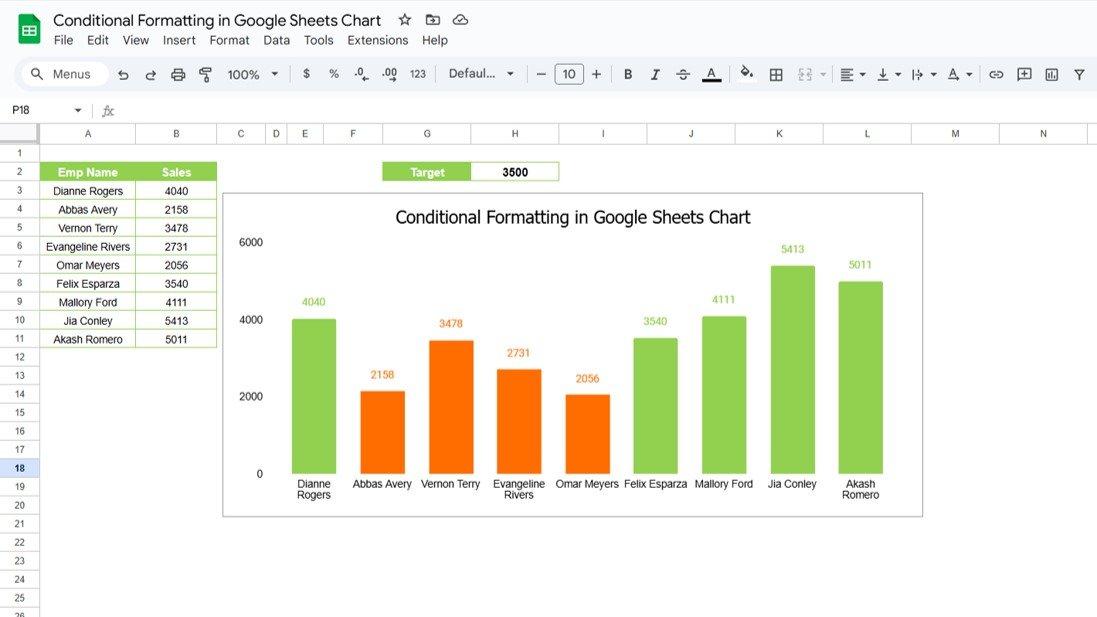
Conditional Formatting in Google Sheets Chart
Google Sheets offers a wide range of features to help you visualize and analyze data efficiently. One of the most powerful and visually appealing options is Conditional Formatting in Google Sheets Charts. By using conditional formatting, you can instantly highlight key data points, making it easier to interpret your data. In this article, we will […]
Connecting Power BI with Excel
Power BI and Excel are two of the most popular tools for data analysis and visualization. While each has its strengths, combining them can unlock even more powerful insights. Connecting Power BI with Excel allows you to work with Excel data in Power BI and vice versa, making your data analysis workflow more efficient. In […]
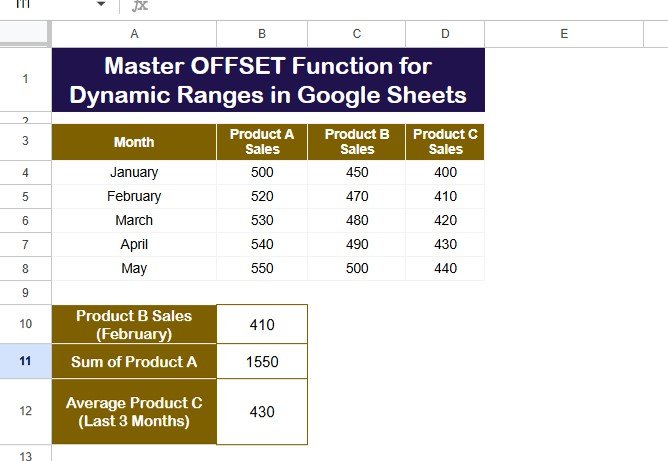
OFFSET Function for Dynamic Ranges in Google Sheets
Google Sheets is an incredibly versatile tool that helps you organize and analyze data with ease. One of its most powerful functions is the OFFSET function. This function allows you to create flexible data ranges, perform calculations, and manage data without constantly adjusting cell references. Whether you’re working with a large dataset or designing a […]
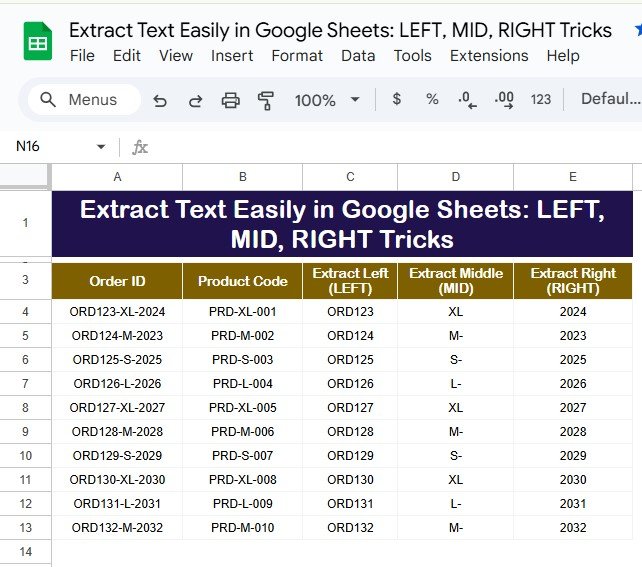
Extract Text Easily in Google Sheets LEFT, MID, RIGHT Tricks
Google Sheets is a versatile tool for managing and analyzing data. Among its many features, the LEFT, MID, and RIGHT functions stand out for their ability to Extract Text Easily in Google Sheets portions of text strings. These functions are incredibly useful when working with structured data, such as order IDs or product codes, where […]
Grade Distribution in Google Sheets
Google Sheets is an incredibly powerful tool for data analysis, and one of its practical applications is automating grade distribution. Assigning grades based on scores can be tedious, but with the right formula, you can simplify the entire process. This article will walk you through Grade Distribution in Google Sheets, including step-by-step instructions, practical examples, […]