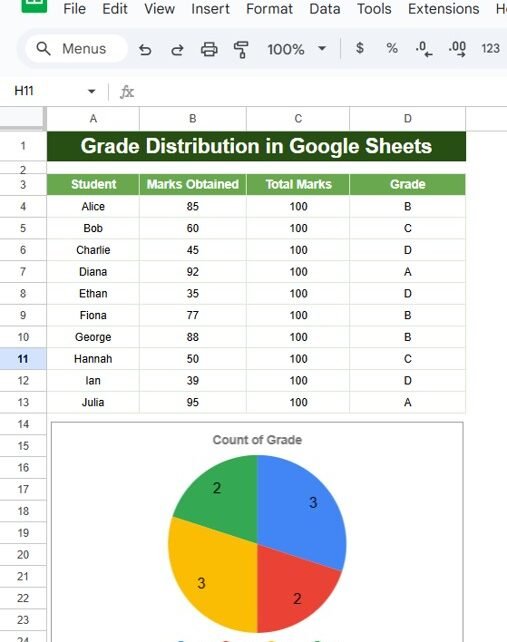
Auto-Highlight Top 3 Students in Google Sheets Recognizing top-performing students is an essential task for educators and administrators. Google Sheets makes this task seamless by automating the process of highlighting the top 3 students in a dataset. In this article, you will learn how to use Google Sheets to Auto-Highlight the Top 3 Students with […]
Tag: data analysis
Mastering the ODD & EVEN Formula in Google Sheets
Have you ever wondered how to quickly find odd and even numbers in Google Sheets? If you’re looking for a simple and easy solution, you’re in the right place! In this blog post, we’ll walk you through the ODD & EVEN Formula in Google Sheets. By the end, you’ll know exactly how to use these […]
How to Use DATE, DAY, and MONTH Functions in Google Sheets (With Example)
The DATE, DAY, and MONTH Functions in Google Sheets are incredibly useful when you need to extract specific pieces of information from a full date. For instance, you might need to find out the exact day of the month or pull just the month or year from a given date. These functions make it quick […]
Mastering the SUMIFS Formula in Google Sheets
Are you looking to make your data analysis in Google Sheets easier and more efficient? Well, the SUMIFS Formula in Google Sheets might just be your new best friend! This powerful tool allows you to add up values based on multiple criteria, making it perfect for everything from managing your budget to tracking expenses. In this […]
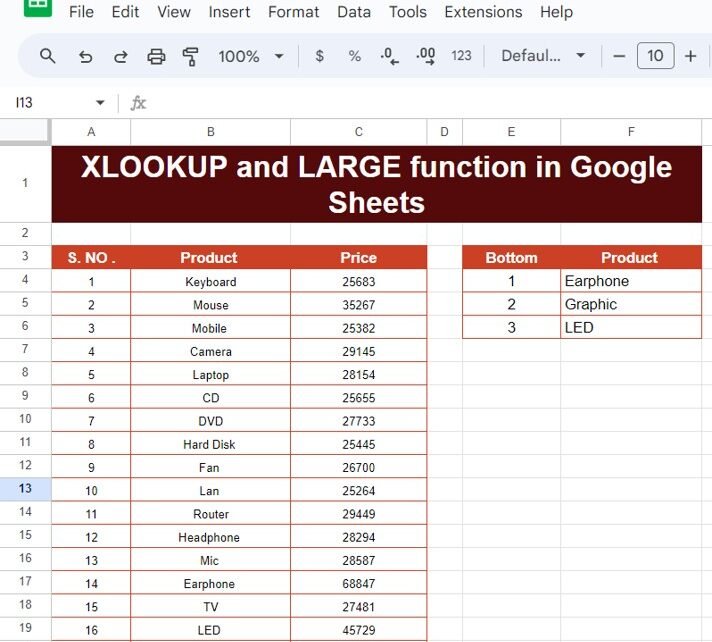
XLOOKUP and LARGE Function in Google Sheets: A Simple Guide with Example
Have you ever needed to find the highest or largest values in a list and then pull related data in Google Sheets? If so, you’re in luck! In this blog post, we will explain how to use two powerful functions—Learn how to use XLOOKUP and LARGE functions in Google Sheets with a clear example to […]
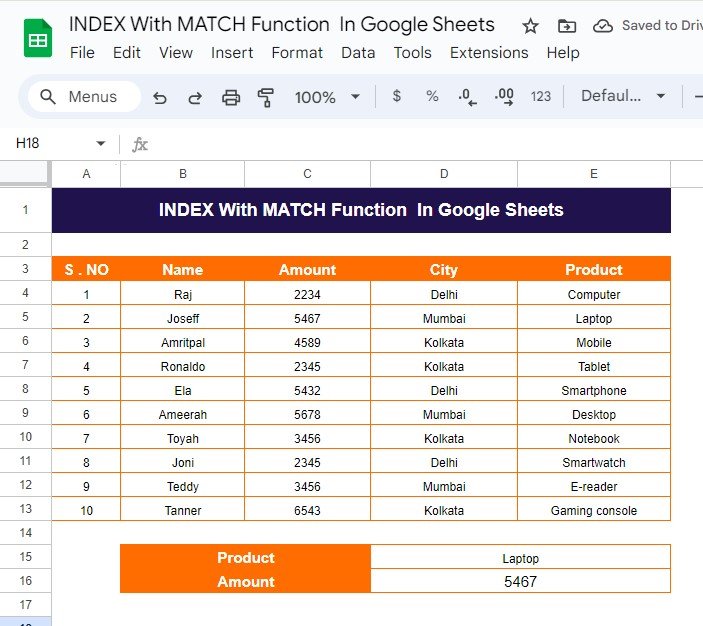
How to Use INDEX With MATCH Function in Google Sheets: A Simple Example
If you’re working with data in Google Sheets and need to find specific values from a large dataset, the INDEX With MATCH Function together offer a powerful and flexible solution. While many of us may be familiar with the more popular VLOOKUP function, INDEX and MATCH provide an even better alternative with fewer limitations. In […]
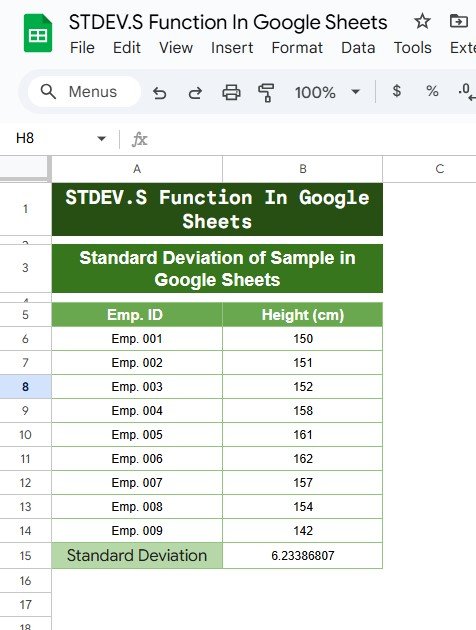
Standard Deviation of a Sample in Google Sheets
When working with data in Google Sheets, one of the essential statistical measures you’ll often need is Standard Deviation of a Sample in Sheets. This measure helps you understand the spread or variation of data points around the mean (average). In this blog post, we will guide you on how to calculate the standard deviation […]
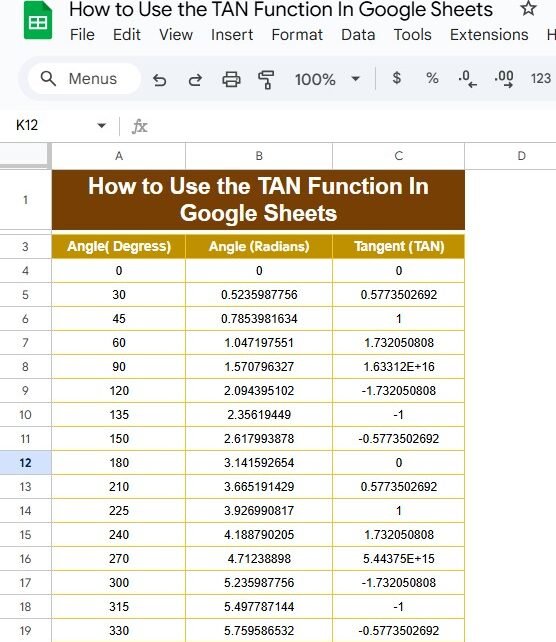
How to Use the TAN Function in Google Sheets: A Step-by-Step Guide
If you’ve ever found yourself tangled in trigonometry while using Google Sheets, you’re not alone! Today, we’re diving into the TAN function and how you can use it effectively. This blog post is inspired by our recent YouTube video, where we break down the process with practical examples. So, grab your spreadsheet, and let’s get […]
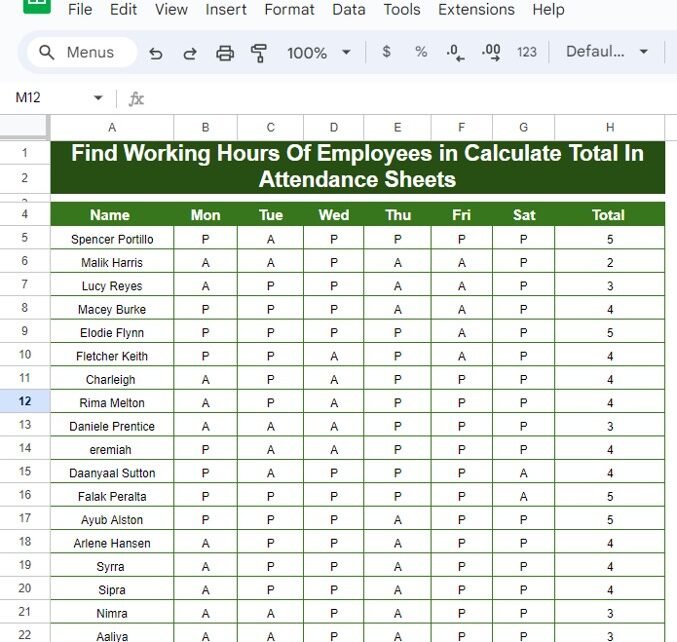
How to Find Working Hours of Employees and Calculate Totals in Attendance Sheets: A Practical Example
Managing employee attendance can be tricky, especially when you have to keep track of their working hours day by day. Thankfully, with Google Sheets, you can easily calculate the total working hours using the COUNTIF function, saving you tons of time and effort! In this guide, we’ll walk you through how to track attendance and […]
ACOS Function in Google Sheets
If you’ve ever worked with trigonometric functions in Google Sheets, you may have come across the ACOS function. This powerful tool calculates the inverse cosine (arccosine) of a given number, returning the angle in radians. You can even convert the result to degrees with another simple formula. In this post, we’ll show you exactly how […]