When you’re working in Google Sheets, you might find yourself needing to convert regular numbers into RROMAN Function In Google Sheets . This can be useful in a variety of situations, whether you’re dealing with historical data, adding a unique flair to your spreadsheet, or simply need to follow specific formatting rules. In this blog […]
Tag: Google Sheets tips
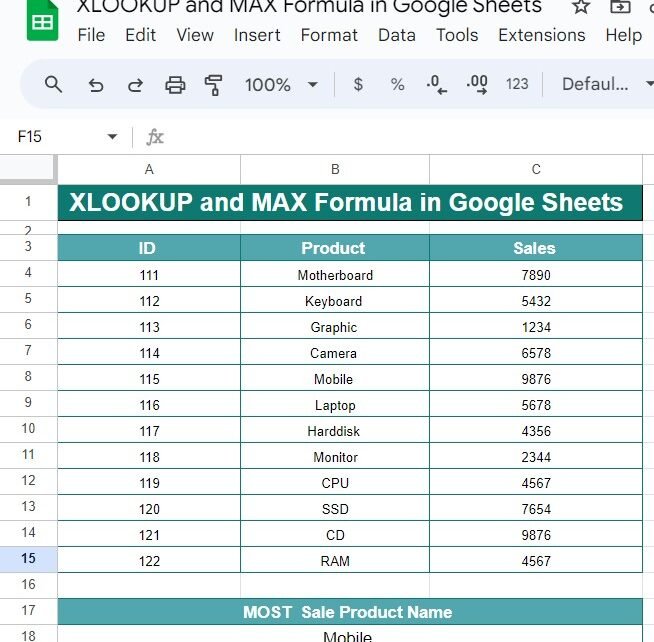
Mastering XLOOKUP and MAX Formula in Google Sheets: Step-by-Step Guide with Example
Have you ever needed to find the product with the highest sales or identify the top-performing item in your dataset? Google Sheets provides a powerful combination of functions—XLOOKUP and MAX Formula—to easily fetch the highest value and its corresponding data. In this blog post, we’ll walk you through how to use the XLOOKUP and MAX […]
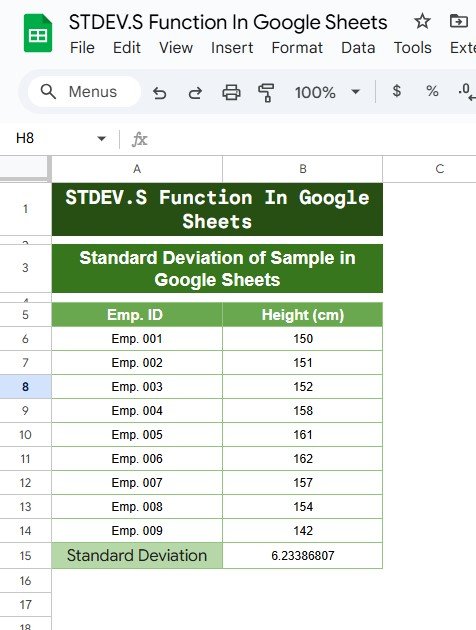
Standard Deviation of a Sample in Google Sheets
When working with data in Google Sheets, one of the essential statistical measures you’ll often need is Standard Deviation of a Sample in Sheets. This measure helps you understand the spread or variation of data points around the mean (average). In this blog post, we will guide you on how to calculate the standard deviation […]
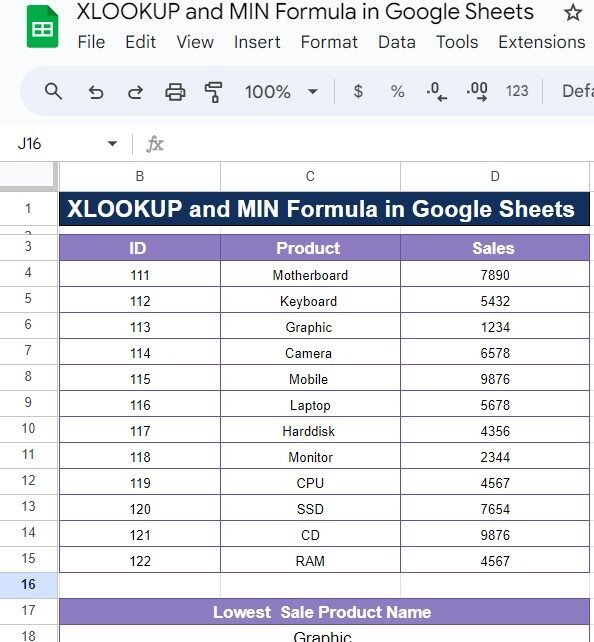
XLOOKUP and MIN Formula in Google Sheets: A Simple Guide with Example
If you’ve ever needed to find specific data, like the lowest sales figure from a dataset in Google Sheets, then you’re in for a treat! Today, we’ll explore how to combine the power of the XLOOKUP and MIN Formula to quickly and accurately retrieve valuable information. Don’t worry if you’re not familiar with these functions […]
TYPE Function in Google Sheets
If you’re looking to improve your Google Sheets skills, one of the functions you definitely want to get familiar with is the TYPE Function in Google Sheets. This simple yet powerful function allows you to identify the type of data in any given cell. Whether you’re dealing with numbers, text, errors, or arrays, the TYPE […]
How to Use the WRAPCOLS Function in Google Sheets – A Step-by-Step Example
Are you trying to organize a long list of data in Google Sheets but want it to be displayed in neat columns? The WRAPCOLS function can help you do just that! In this guide, we’ll walk you through how to use this amazing function with a simple example. Whether you’re new to Google Sheets or […]
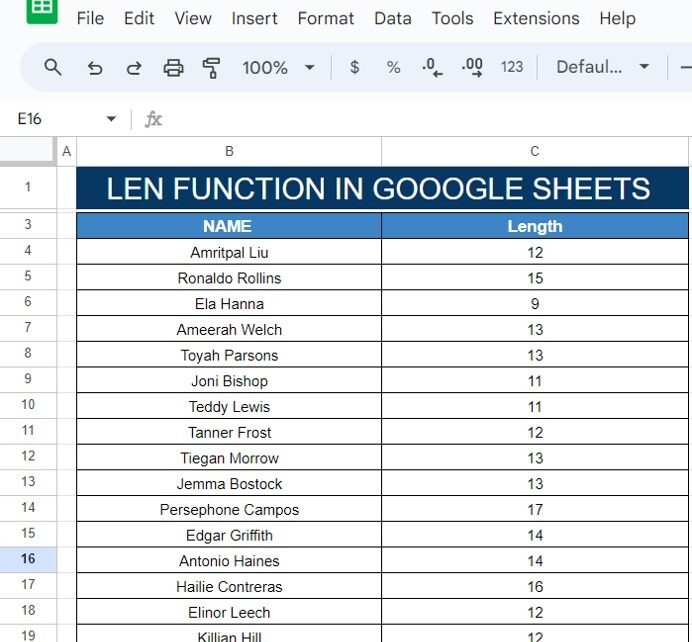
How to Use the LEN Function in Google Sheets (With a Simple Example!)
Have you ever needed to count the number of characters in a cell? Whether it’s for analyzing names, product descriptions, or any other type of text data, Google Sheets has a helpful feature for this—the LEN function! In this post, I’ll show you exactly how to use the LEN Function in Google Sheets with a […]
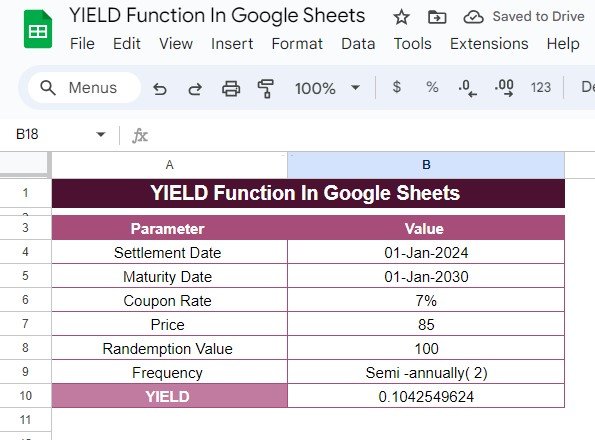
How to Use the YIELD Function in Google Sheets: Step-by-Step Example
Calculating bond yields can be a tricky task, but thankfully, Google Sheets has a built-in function that makes it a lot easier. In this guide, we’ll explain how to use the YIELD function in Google Sheets with a real-world example, breaking down each step to help you understand the process. If you’re ready to learn […]
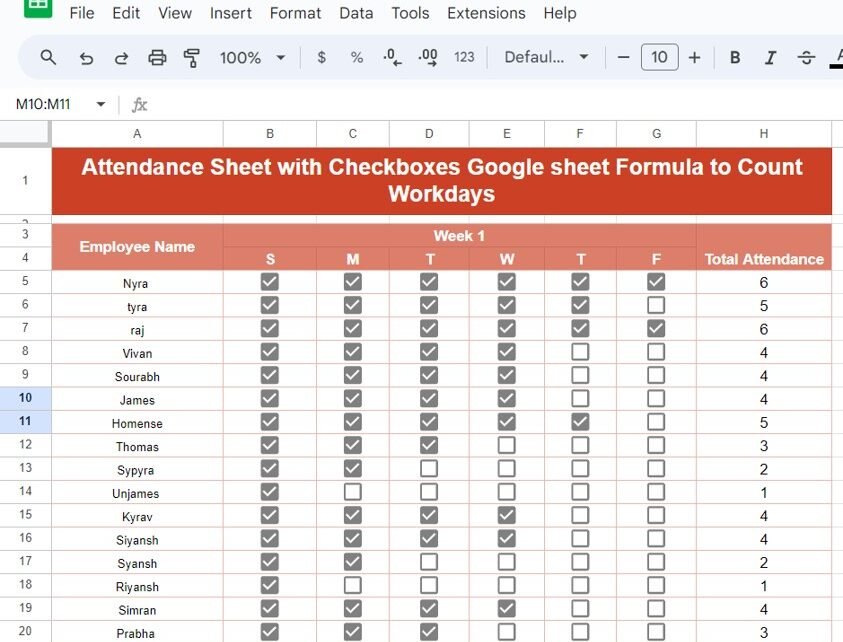
Attendance Sheet with Checkboxes in Google Sheets to Count Workdays
Managing attendance is a crucial part of workplace organization, and Google Sheets makes it easy to keep track of workdays using simple formulas. In this post, we’ll guide you through the process of creating an Attendance Sheet with Checkboxes in Google Sheets, along with a formula to automatically count the workdays. Why Use Attendance Sheet […]
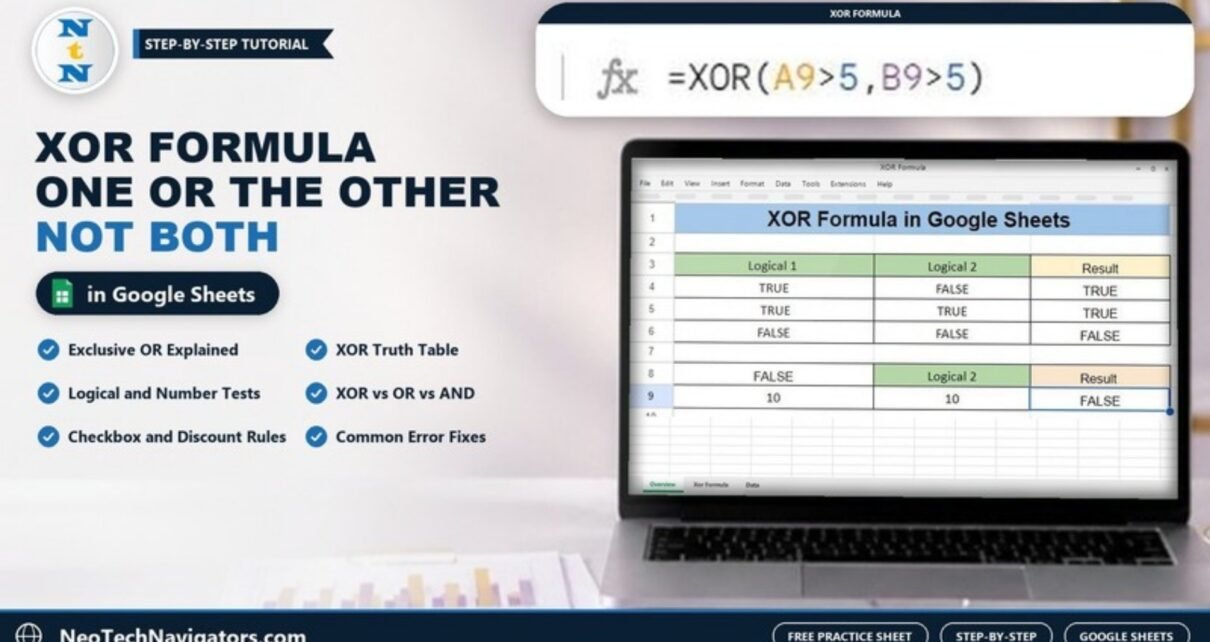
How to Use the XOR Formula in Google Sheets: A Step-by-Step Guide
Have you ever found yourself working in Google Sheets and needing to compare two conditions to get a clear result? If so, the XOR formula is exactly what you need! In this post, I’ll guide you through how to use the XOR Formula in Google Sheets with a simple, practical example. So, let’s jump right […]