Google Sheets offers a variety of text functions that make working with data a breeze. Whether you’re managing names, addresses, or product lists, these functions allow you to manipulate, extract, and format text quickly. If you’re looking to save time and increase efficiency, you’re in the right place! In this guide, we’ll go over five […]

Tag: Google Sheets Tutorial
How to Create Dynamic Dashboards in Google Sheets
In today’s fast-paced data-driven world, businesses need efficient tools to analyze and visualize information quickly. Google Sheets is one such tool that offers both flexibility and functionality when it comes to data management and visualization. One of its powerful features is the ability to create dynamic dashboards, which help decision-makers track performance, trends, and other […]
How to Rename a Google Sheets Tab
Rename a Google Sheets Tab is an incredibly useful tool for managing data, collaborating with teams, and organizing projects effectively. One essential feature of Google Sheets is the ability to rename tabs. Although it may seem like a small detail, renaming tabs can make a huge difference in keeping your spreadsheet organized and easy to […]
How to Freeze Rows and Columns
If you’ve ever scrolled through a large spreadsheet and lost track of your headers or important labels, you know how frustrating it can be. Fortunately, Google Sheets has a simple solution: freezing rows and columns. This feature keeps specific rows or columns visible no matter how far you scroll. In this guide, we’ll show you […]
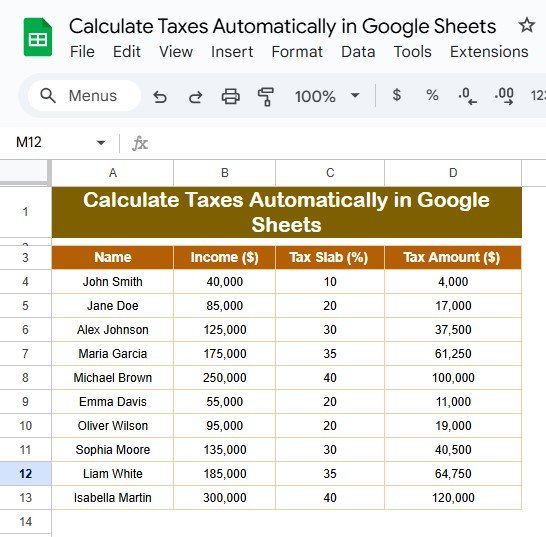
Calculate Taxes Automatically in Google Sheets
Calculate Taxes Automatically in Google Sheets are an essential but often tedious task, especially when working with multiple income records. However, Google Sheets simplifies this process by allowing you to calculate taxes automatically. Using structured formulas and predefined tax slabs, you can eliminate manual errors and save time. This guide explains everything you need to […]
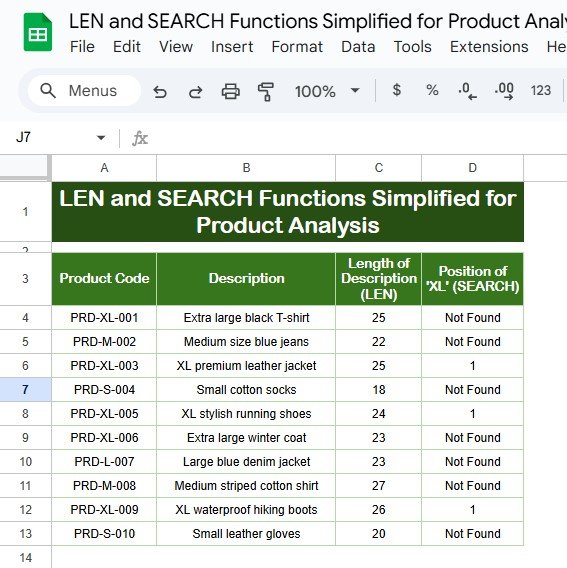
LEN and SEARCH Functions Simplified for Product Analysis
Working with product descriptions can get overwhelming, especially when you’re managing large datasets. Thankfully, Google Sheets offers a simple solution to streamline your work with the LEN and SEARCH functions. These handy tools help you analyze patterns, extract keywords, and identify specific terms effortlessly. In this guide, we’ll break down these functions, show you how […]
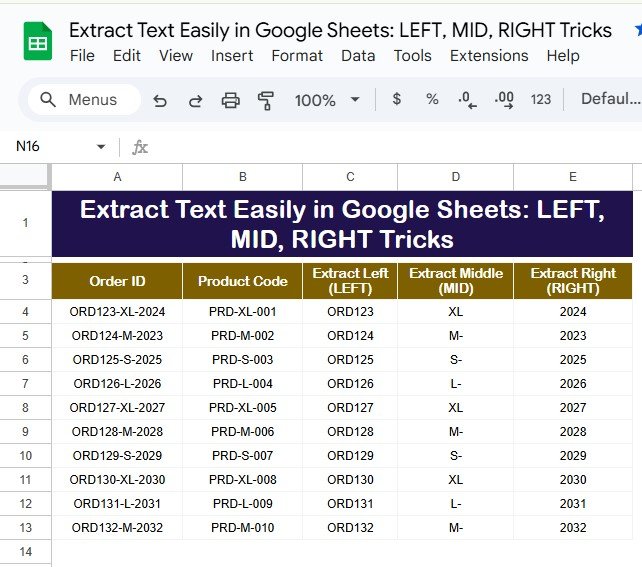
Extract Text Easily in Google Sheets LEFT, MID, RIGHT Tricks
Google Sheets is a versatile tool for managing and analyzing data. Among its many features, the LEFT, MID, and RIGHT functions stand out for their ability to Extract Text Easily in Google Sheets portions of text strings. These functions are incredibly useful when working with structured data, such as order IDs or product codes, where […]
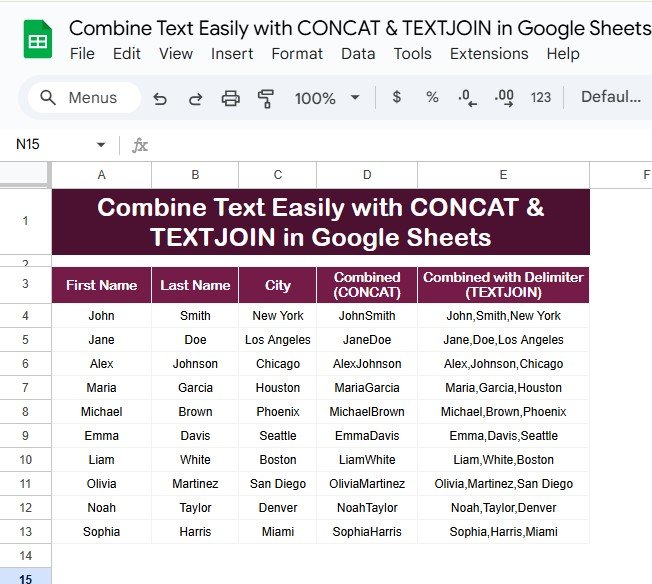
Combine Text Easily with CONCAT & TEXTJOIN in Google Sheets
Combining text from different cells is a common task when working with spreadsheets. Whether you’re creating full names, generating formatted addresses, or merging multiple fields for analysis, Google Sheets makes it easy with functions like CONCAT & TEXTJOIN in Google Sheets. These two tools are powerful yet simple ways to handle text in Google Sheets. […]
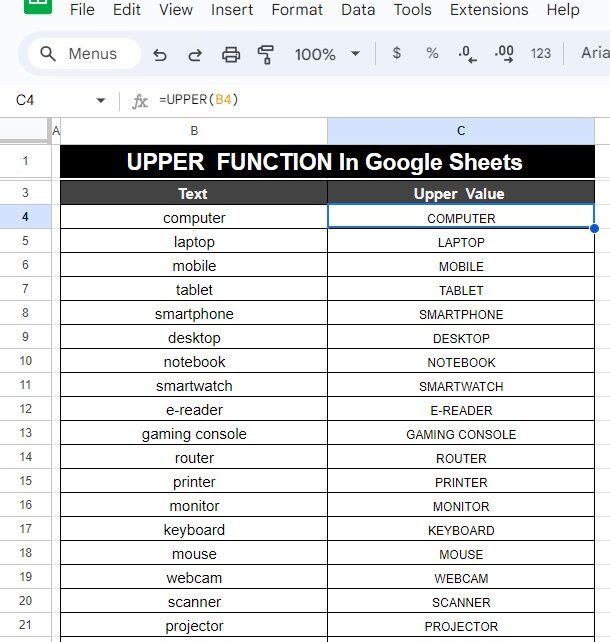
How to Use the UPPER Function in Google Sheets (With Example)
Have you ever needed to convert text to uppercase in Google Sheets? Whether you’re organizing data, creating product lists, or formatting names, the UPPER Function in Google Sheets is the perfect tool to quickly change lowercase text to uppercase. In this blog post, I’ll guide you through the process with an easy-to-follow example. Ready to […]
How to Use the LOWER Function in Google Sheets (With Example)
Have you ever needed to change all the letters in a text to lowercase in Google Sheets? Whether you’re cleaning up data or making everything consistent, the LOWER Function in Google Sheets is the perfect tool. It quickly converts any text to lowercase. In this guide, we’ll show you how to use the LOWER function […]