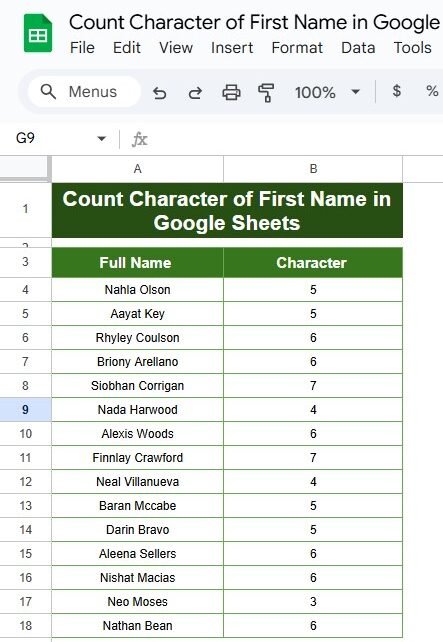
Ever wanted to count just the characters in the first names of a list in Google Sheets? Maybe you’re working with a dataset and need to quickly identify how long each first name is. Well, you’re in the right place! In this blog post, we’ll show you a simple way to count the characters of […]
Tag: Google Sheets Tutorial
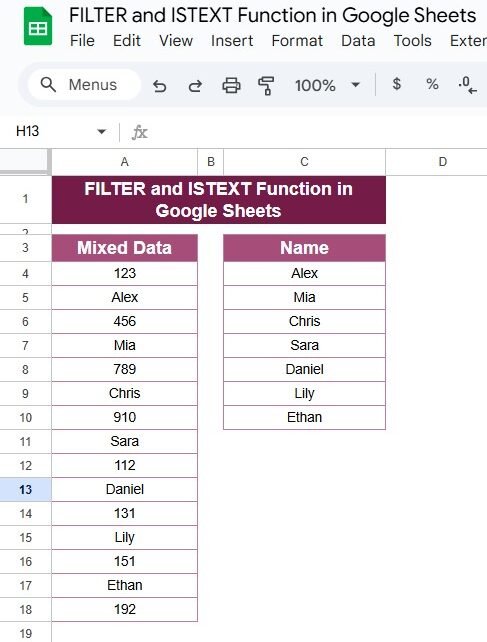
How to Use the FILTER and ISTEXT Functions in Google Sheets with Example
Are you looking to make sense of a mixed dataset in Google Sheets? Maybe you have a list that contains both numbers and names, and you want to filter out only the text entries. Well, you’re in the right place! Today, I’ll show you a super easy way to do this using two powerful functions: […]
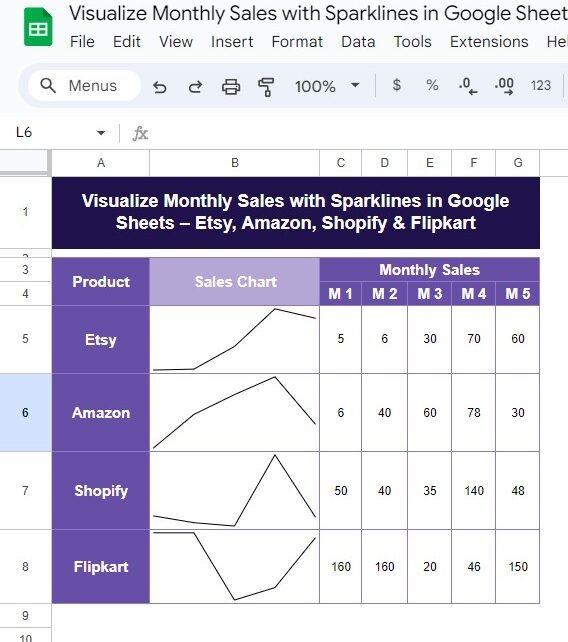
Visualize Monthly Sales with Sparklines in Google Sheets – Etsy, Amazon, Shopify & Flipkart (Step-by-Step Guide)
Managing sales data across multiple platforms can be tricky, but Google Sheets offers a fantastic solution: Sparklines! In this blog post, we’ll show you exactly how to create a simple and effective Monthly Sales with Sparklines in Google Sheets for platforms like Etsy, Amazon, Shopify, and Flipkart. By the end, you’ll have a clear visual […]
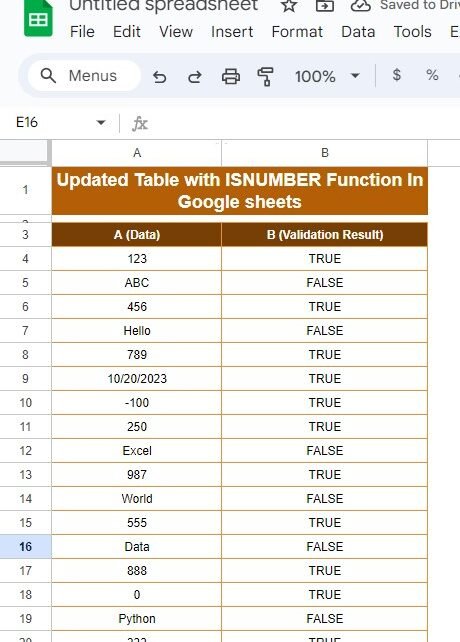
How to Use the ISNUMBER Function in Google Sheets: A Simple and Practical Guide
Have you ever needed to figure out if a cell in Google Sheets contains a number or not? Well, there’s a super easy way to do this using the ISNUMBER function! In this blog post, I’ll walk you through how to update a table using this handy function, and by the end, you’ll know exactly […]
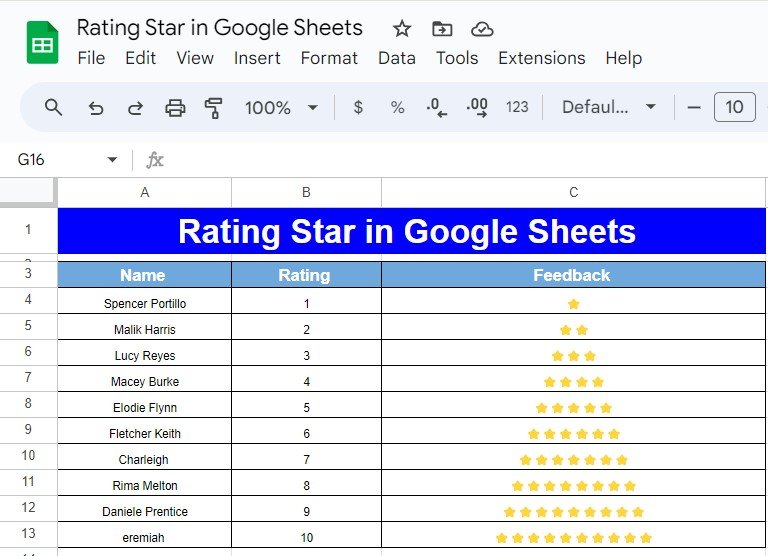
How to Create a Star Rating in Google Sheets Using the REPT Function
Have you ever wanted to create a rating system in Google Sheets using stars? Whether it’s for product reviews, employee feedback, or any type of rating system, this guide will show you how to easily create a star rating using the REPT function in Google Sheets. In this post, we’ll walk you through the process […]
How to Use the WRAPCOLS Function in Google Sheets – A Step-by-Step Example
Are you trying to organize a long list of data in Google Sheets but want it to be displayed in neat columns? The WRAPCOLS function can help you do just that! In this guide, we’ll walk you through how to use this amazing function with a simple example. Whether you’re new to Google Sheets or […]
5 Easy Methods to Remove Duplicates in Google Sheets (With Examples!)
remove duplicates in Google Sheets is essential when you’re working with large data sets. Whether you’re handling customer lists, sales data, or inventory sheets, duplicated values can distort your results. In this blog post, I’ll walk you through five simple methods to remove duplicates, all of which are easy to use and highly effective! Why […]
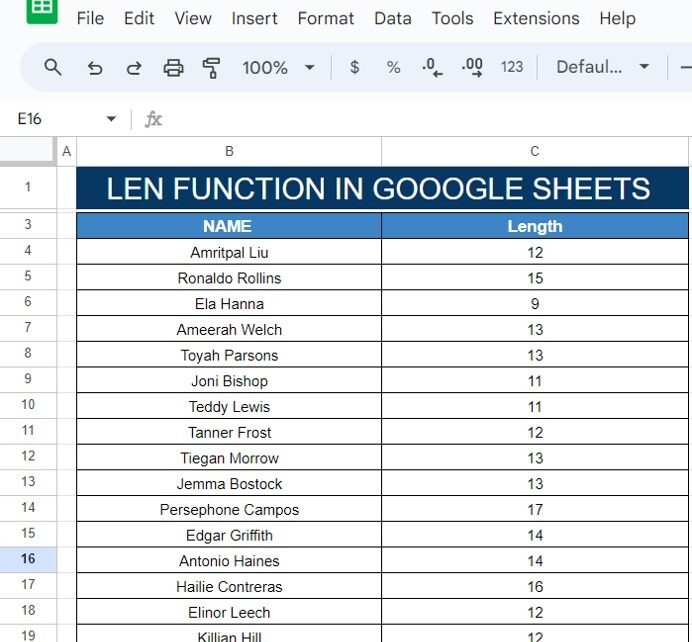
How to Use the LEN Function in Google Sheets (With a Simple Example!)
Have you ever needed to count the number of characters in a cell? Whether it’s for analyzing names, product descriptions, or any other type of text data, Google Sheets has a helpful feature for this—the LEN function! In this post, I’ll show you exactly how to use the LEN Function in Google Sheets with a […]
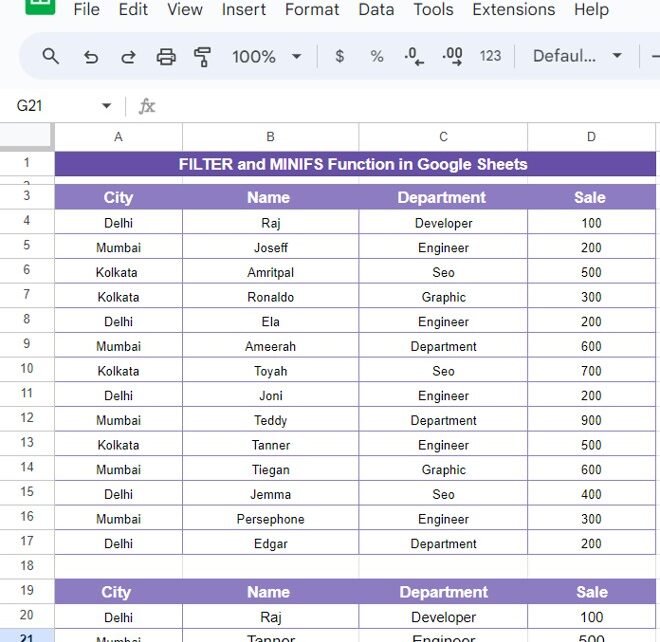
How to Use the FILTER and MINIFS Functions in Google Sheets: Easy Example
Do you want to filter your data based on specific criteria and find the minimum values in Google Sheets? You’re in the right place! In this post, we’ll explore how to use two powerful Google Sheets functions, FILTER and MINIFS Functions, together to streamline your data analysis. In our example, we’ll walk through the process […]
How to Use FILTER and LARGE Formula in Google Sheets:
If you’re looking to analyze data in Google Sheets with precision and efficiency, you’ve come to the right place! In this blog post, we’re going to break down how to use the FILTER and LARGE functions together. By the end of this post, you’ll know exactly how to filter data based on top or bottom […]