Google Sheets

Dynamic Employee Shift Scheduler Using ARRAYFORMULA in Google Sheets – Auto Shift Assignment Made Easy

Scheduling employee shifts can be overwhelming, right? Keeping everything accurate and up-to-date takes a lot of time and effort, especially if you’re doing it manually. But don’t worry! In this post, I’ll show you how to create a dynamic employee shift scheduler using Google Sheets and the ARRAYFORMULA function. This approach will automate your shift […]

Google Sheets

Managing Refunds and Pending Transactions in Google Sheets – A Simple Example

Managing Refunds and Pending Transactions can feel overwhelming, but with Google Sheets, you can streamline the process with ease! In this post, we’ll walk you through a real-life example, showing how to manage refunds and mark pending transactions using a simple formula. Whether you’re new to Google Sheets or looking to optimize your workflow, this […]

Google Sheets

Manage Subscription Renewals with Conditional Alerts in Google Sheets: A Step-by-Step Guide

Keeping track of Subscription Renewals with Conditional Alerts can be overwhelming, especially when you have multiple services with different renewal dates. But don’t worry—Google Sheets can help you manage everything seamlessly by automating subscription renewal alerts with conditional formatting. This blog post will walk you through how to use Google Sheets to set up alerts, […]

Google Sheets

How to Easily Calculate Utility Costs in Google Sheets Using Simple Formulas

Are you looking for a super easy way to manage your calculate utility costs? You’re in the right place! In this blog post, I’ll show you how to use Google Sheets to calculate your utility expenses quickly using simple formulas. Whether it’s for electricity, water, or gas, you’ll learn how to calculate costs with just […]

Google Sheets

5 Easy Methods to Remove Duplicates in Google Sheets (With Examples!)

remove duplicates in Google Sheets is essential when you’re working with large data sets. Whether you’re handling customer lists, sales data, or inventory sheets, duplicated values can distort your results. In this blog post, I’ll walk you through five simple methods to remove duplicates, all of which are easy to use and highly effective! Why […]

Google Sheets

Memory updated How to Use the TOCOL Function in Google Sheets: A Step-by-Step Example

If you’ve ever had to reorganize data in Google Sheets, you know how tedious it can be to copy and paste data into a different format. But what if there was an easy way to take data from multiple columns and turn it into one single column? Well, there is! It’s called the TOCOL Function […]

Google Sheets

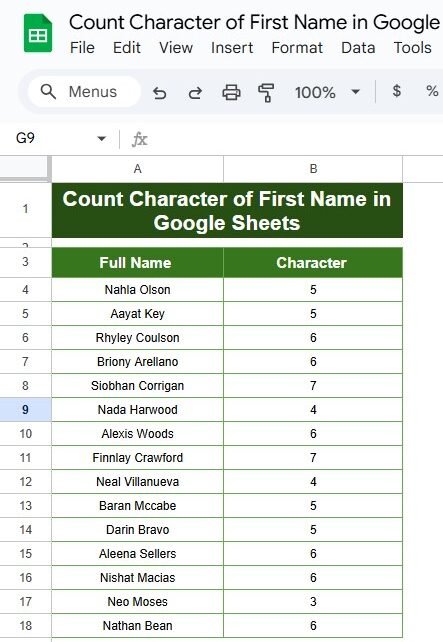
How to Use the LEN Function in Google Sheets (With a Simple Example!)

Have you ever needed to count the number of characters in a cell? Whether it’s for analyzing names, product descriptions, or any other type of text data, Google Sheets has a helpful feature for this—the LEN function! In this post, I’ll show you exactly how to use the LEN Function in Google Sheets with a […]

Google Sheets

How to Use the YIELD Function in Google Sheets: Step-by-Step Example

Calculating bond yields can be a tricky task, but thankfully, Google Sheets has a built-in function that makes it a lot easier. In this guide, we’ll explain how to use the YIELD function in Google Sheets with a real-world example, breaking down each step to help you understand the process. If you’re ready to learn […]

Google Sheets

How to Use the DMAX Function in Google Sheets: A Step-by-Step Example

Google Sheets offers a variety of useful functions for data analysis, and one of the most powerful is the DMAX Function in Google Sheets. This function allows you to retrieve the maximum value from a dataset based on specific conditions. Whether you’re managing a large dataset or just need to analyze a small set of […]

Google Sheets

Using the DMIN Function in Google Sheets: A Real-Life Example with Conditional Filtering

Google Sheets offers a wide range of powerful functions that make data analysis simple and efficient. One of these is the DMIN Function in Google Sheets, which allows you to find the minimum value from a set of data that meets specific criteria. If you’re working with a large dataset and want to extract the […]