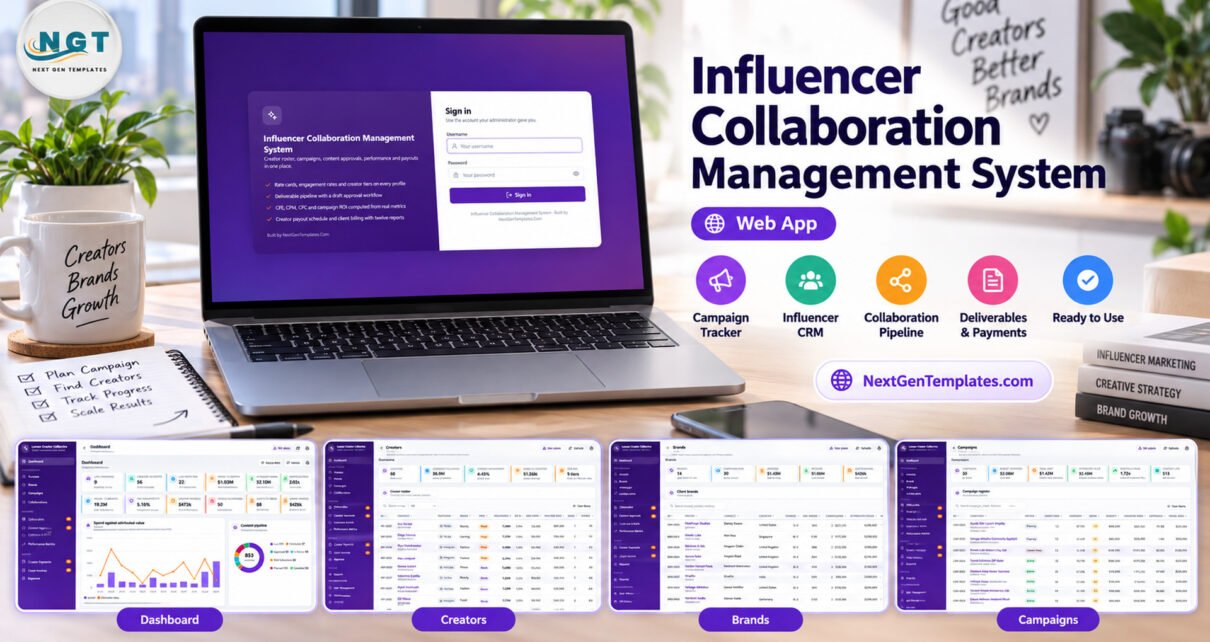
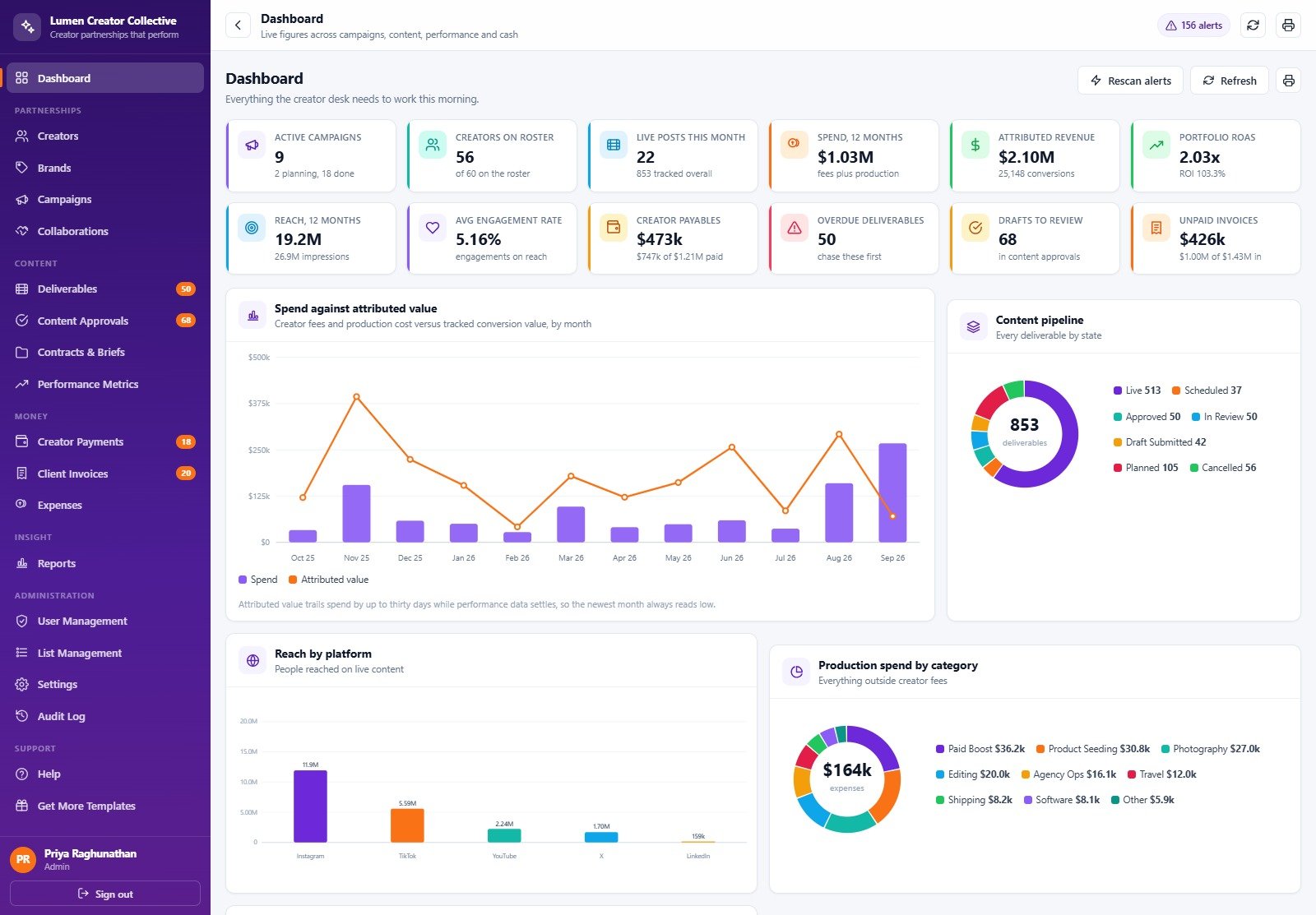
Influencer Collaboration Management System Web App is a deployable Google Apps Script solution for teams that need one operational record for creators, brands, campaigns, collaborations, deliverables, content approvals, contracts, performance metrics, creator payments, client invoices, expenses, and reports. Its seeded database demonstrates the workflow with 60 creators, 14 brands, 30 campaigns, 247 collaborations, 853 deliverables, and 2,335 performance snapshots. That scale makes the demo useful: you can inspect how the system behaves before replacing sample records with your own.
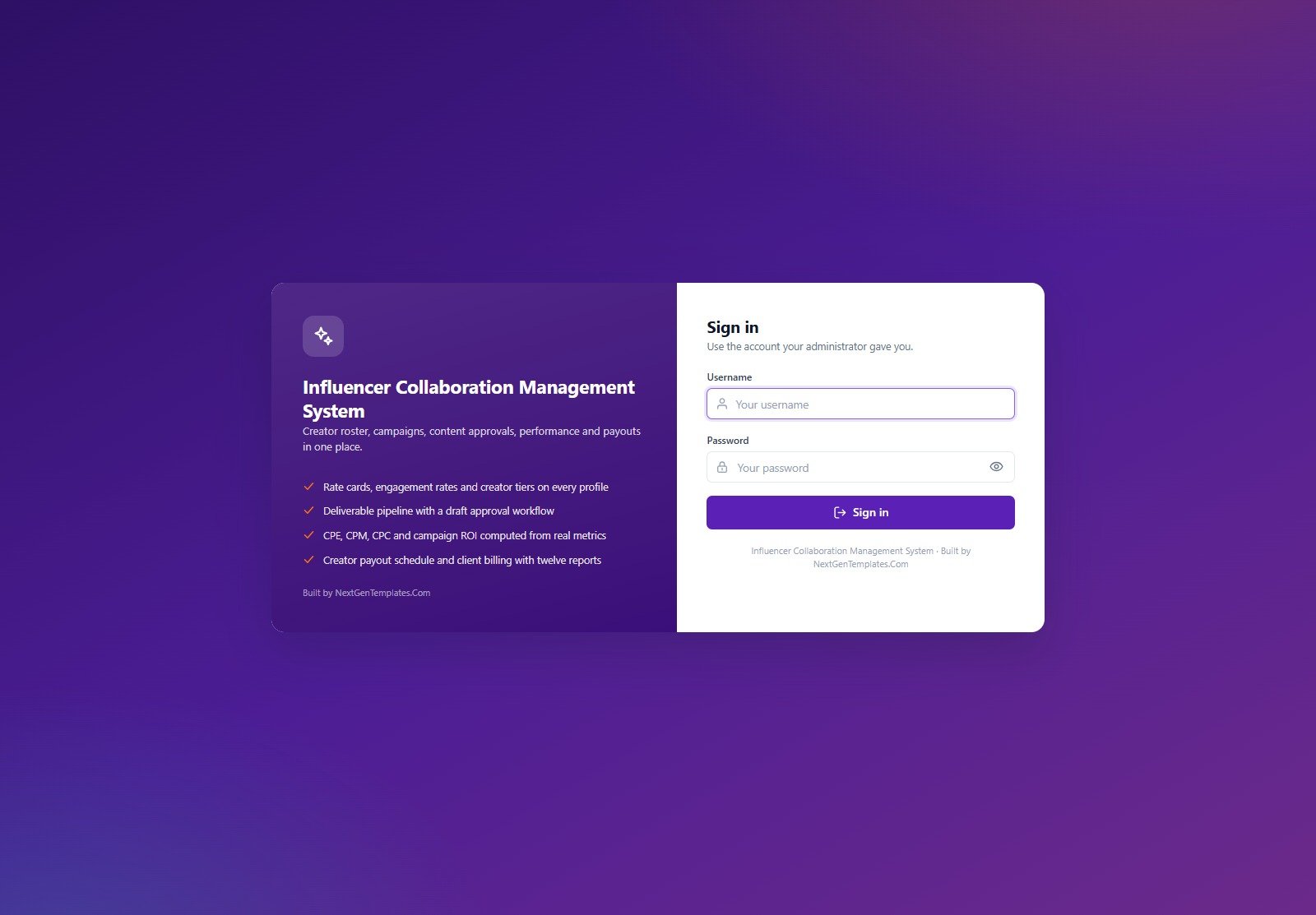
🚀 Try the Live Demo Before You Buy
We have deployed this web app in our own Google account so you can test every page, every role, the approval workflow, campaign reporting, and payment controls with realistic sample data before purchasing. No signup or email is required.
🔑 Test Login Credentials
Use Admin for the complete setup, Campaign Manager for creator programmes, Content Reviewer for approvals, Finance for payments and invoices, or Viewer for read-only access.
💡 What you get after purchase: Code.gs and Index.html source plus a deployment guide for your own private Google account. The credentials above belong only to a shared seeded demo that may reset. Change every default password before storing real records.
Key Features of the Influencer Collaboration Management System Web App
This Google Apps Script influencer CRM is a creator campaign management tool organised around five roles. Admin controls users, lists, settings, backups, archives, and audit history. Campaign Managers work with creators, brands, campaigns, collaborations, deliverables, approvals, contracts, performance, expenses, and reports. Content Reviewers focus on submitted work and approval evidence. Finance controls creator-payment approval and release, invoices, expenses, and financial reports. Viewer provides read-only visibility.
The application computes creator engagement rate from average likes and comments against followers. At deliverable level, the latest performance snapshot feeds engagement rate, CPE, CPM, CPC, and CPA. Campaign ROI and ROAS use recorded creator fees, expenses, and attributed value. These are operational calculations based on entered data, not independently audited marketing results.
Web App Modules Explained
Creators and brands
Creator profiles hold platform, tier, niche, audience, rate-card, and engagement context. Brand records provide the client side of the relationship. Together they give collaboration and campaign records a consistent master-data foundation.
Campaigns, collaborations, and deliverables
Campaigns connect commercial goals to creator collaborations, agreed fees, deliverables, contracts, briefs, due dates, and status. A campaign cannot be marked Completed while any deliverable is outside Live or Cancelled; the server identifies the blocking items.
Content approvals
The approval workspace records submitted content and reviewer decisions. Notifications highlight drafts that exceed the configured approval SLA, giving Content Reviewers a focused queue rather than asking them to scan every collaboration.
Performance metrics and reporting
The system stores multiple performance snapshots at defined intervals. Reports summarise campaign, creator, content, finance, invoice, and operational views. A spreadsheet-only analytical companion can complement the system when the priority is visual analysis rather than workflow.
Creator payments and client invoices
Payment milestones cannot exceed the agreed creator fee unless an amount is treated as a bonus. Released payments cannot be deleted. Finance users can track outstanding balances, invoice status, expenses, and printable records, while actual banking remains outside the app.
Administration, backup, and archive
Settings cover company details, regional preferences, commercial defaults, notifications, and print size. Backup makes a full spreadsheet copy. Archive first creates and registers a full copy, then removes eligible closed transactions while leaving open work and master records active.
This Web App vs. Spreadsheet vs. Paid CRM/SaaS – Feature Comparison
| Area | This web app | Manual spreadsheet | Paid CRM/SaaS |
|---|---|---|---|
| Deployment | Your Google account | Your Drive | Vendor cloud |
| Source code | Included | Sheet structure only | Usually unavailable |
| Permissions | Five server-enforced roles | File or range sharing | Plan-dependent roles |
| Campaign workflow | Connected campaign, collaboration, deliverable, approval, payment, and reporting records | Manual conventions and joins | Varies by vendor |
| Recurring subscription | No NextGenTemplates subscription | None | Usually monthly or annual |
| Maintenance | Customer-managed deployment and security | Customer-maintained formulas and controls | Vendor-maintained service |
Who Should Use This Template
The influencer marketing management software fits agencies, in-house creator partnerships teams, campaign managers, content reviewers, and finance coordinators. It works best when a small or midsize team already uses Google Workspace and wants ownership of its operational system. The read-only Viewer role can support client visibility without granting edit or payment permissions.
It is not a social-listening platform, creator marketplace, post scheduler, e-signature tool, automatic bank-payment service, accounting package, or compliance certification system. It does not scrape social platforms. Teams should confirm Google Workspace quotas, privacy duties, records-retention rules, contract requirements, and internal access controls before production use.
Real-World Use Cases
Agency campaign operations
An agency can connect each client campaign to creators, collaborations, fees, deliverables, approvals, performance snapshots, invoices, and expenses. A service-focused agency system can provide a useful comparison when a team manages a different delivery workflow.
Brand-side creator programme
A marketing lead can track campaign activity while reviewers handle content decisions and Finance controls releases. A compact Google Sheets dashboard can complement the web app when the priority is visual performance reporting.
Client reporting
A Viewer login supports read-only access across operational modules and reports, while administrative and financial actions remain restricted.
Advantages of the Creator Collaboration System
- Connected records reduce repeated creator, campaign, approval, and payment data.
- Server-side permission guards supplement the visible navigation.
- Source code allows qualified teams to adapt fields, workflows, branding, and reports.
- Seeded data makes the first login useful for evaluation and training.
- Backup, archive, audit, and notification functions are included in the operational design.
Opportunities for Improvement
Customers may wish to add organisation-specific integrations, SSO, automated social-platform ingestion, e-signature, payment-provider links, advanced visualisation, or custom approval stages. These are not included by default. Because the product is customer-deployed source code rather than hosted SaaS, such changes require Apps Script, JavaScript, HTML, data-model, and security expertise.
Best Practices
- Try the demo first with several roles and confirm the workflow matches your team.
- Follow the included PDF to deploy Code.gs and Index.html. Google documents the web-app deployment model in its Apps Script web apps guide.
- Change every default password before entering real creator or client information.
- Review company, regional, commercial, notification, and print settings.
- Grant only the roles each user needs, and test restricted actions on non-sensitive sample data.
- Schedule backups, test restore expectations, and preview archives before removing closed transactions from the active database.
Explore Relevant Templates
- Influencer Collaboration Analytics Dashboard in Google Sheets
- Influencer Marketing Campaign Performance Dashboard in Google Sheets
- Content Writing Agency Management System Web App
Frequently Asked Questions
Can I try it before buying?
Yes. Launch the shared demo and use any seeded role above. Do not enter private data because the environment is public and may reset.
What files are included?
The product ZIP contains Code.cs.txt, Index.txt, and the Influencer Collaboration Management System user manual PDF.
Where does the app store data?
Your deployment creates its own Google Sheets database and supporting folders in your Google Drive.
Does it pull live social-media metrics?
No. Users record performance snapshots. The app calculates operational metrics from those entries.
Can it send notifications?
Yes. Settings include notification recipients and switches for approvals, payments, invoices, overdue reminders, and weekly summaries. Gmail permissions and Apps Script quotas apply.
Does it transfer money to creators?
No. It controls and records approval, release, milestones, and outstanding balances; actual payment processing remains external.
Can I customise it?
Yes. The source is included, but safe modification requires relevant technical skill and testing.
About the Author
Built by PK – Microsoft Certified Professional with 15+ years of Excel, Google Sheets, and Power BI experience. Founder of NextGenTemplates, reaching 300K+ subscribers across YouTube channels. Every template is hand-built and tested before release.
Conclusion
The creator collaboration system gives creator-marketing teams an owned, role-based Google Workspace workspace rather than another disconnected tracker. Test the live demo, review the limitations, and then download the web app to deploy your private copy.
For practical template walkthroughs, visit PK: An Excel Expert on YouTube.