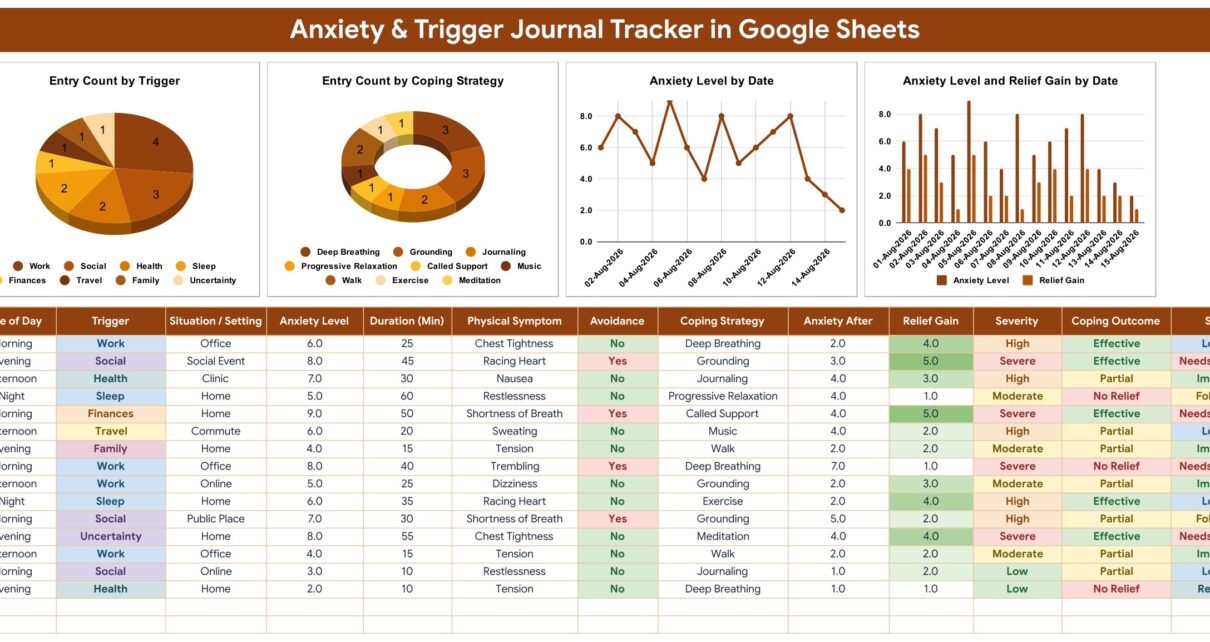
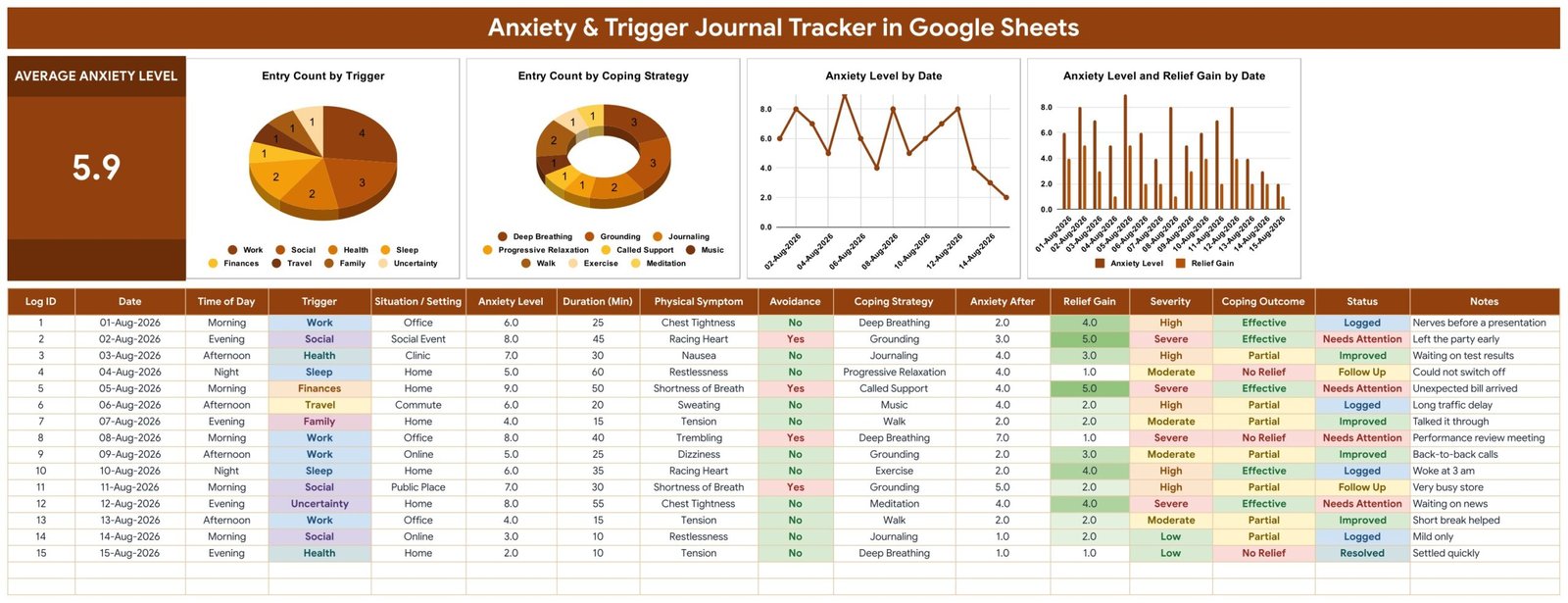
The Anxiety & Trigger Journal Tracker in Google Sheets records one anxious episode per row across 16 columns, fills 4 of those columns by formula, and drives 1 KPI card and 4 charts that update the moment you add an entry. Seven dropdown lists ship with 58 pre-loaded values — 14 triggers, 12 coping strategies, 11 physical symptoms, 9 settings, 5 times of day, 5 statuses and a Yes/No avoidance flag — and the log has room for roughly 985 entries before you touch anything.
Most anxiety journalling fails for a dull reason: free-form notes are easy to write and impossible to read back. Six weeks later you have pages of prose and still cannot say which trigger came up most, or whether the breathing exercise actually did anything. This template solves that by making every episode a structured row, so the pattern falls out of the data instead of out of your memory.
Get the Anxiety & Trigger Journal Tracker in Google Sheets
Before anything else: what this template is, and what it is not
This is a personal self-reflection journal. It is not a medical device. It makes no diagnosis, offers no treatment or therapy, uses no validated screening instrument such as the GAD-7 or PHQ-9, and interprets none of your scores. Severity and Coping Outcome are ordinary spreadsheet formulas applied to the 1–10 ratings you type yourself — arithmetic, never assessment.
It is also worth being blunt about storage. A Google Sheet is not appropriate storage for clinical records, and this template makes no HIPAA or GDPR compliance claim. It stores nothing encrypted. It is a private notebook for one person, not a system of record for a clinic — and the file’s own How to Use tab says the same thing.
If anxiety is affecting your daily life, please speak to a qualified doctor or therapist. A dated log is a genuinely useful thing to bring to that conversation, but it is not a replacement for it. In an emergency, contact your local emergency number.
Key Features of the Anxiety & Trigger Journal Tracker
- Sixteen columns, eleven of them yours. Log ID, Date, Time of Day, Trigger, Situation / Setting, Anxiety Level, Duration (Min), Physical Symptom, Avoidance, Coping Strategy, Anxiety After, Relief Gain, Severity, Coping Outcome, Status and Notes.
- Relief Gain is calculated for every entry. The sheet subtracts Anxiety After from Anxiety Level, so each episode carries a number showing how far the coping strategy moved things — not a vague sense of whether it helped.
- Severity bands automatically as Low, Moderate, High or Severe from the 1–10 rating you entered, with the cell coloured to match.
- Coping Outcome grades the strategy. A drop of 4 or more reads “Effective”, a drop of 2 or more reads “Partial”, anything smaller reads “No Relief”.
- Four charts read the data columns directly using the built-in Aggregate option, with no hidden helper tables anywhere in the file.
- Dropdown lists you can extend. Each list reads rows 2 to 500 of its column on the List tab, so a new trigger typed there appears in the dropdown immediately.
- No clinical identifiers anywhere. There is no name column, no date of birth, no medical record or patient number, no clinician field, no diagnosis field, no medication or dose column and no insurance or claim field.
Template Structure — the four tabs explained
Tab 1: Anxiety Journal
The working page. A single KPI card reports Average Anxiety Level across every entry — in the sample data that reads 5.9 across fifteen episodes. Four charts sit beside it: Entry Count by Trigger, Entry Count by Coping Strategy, Anxiety Level by Date, and Anxiety Level and Relief Gain by Date. The log itself begins at row 16 and the charts read down to row 1000, leaving space for around 985 episodes.
Tab 2: How to Use
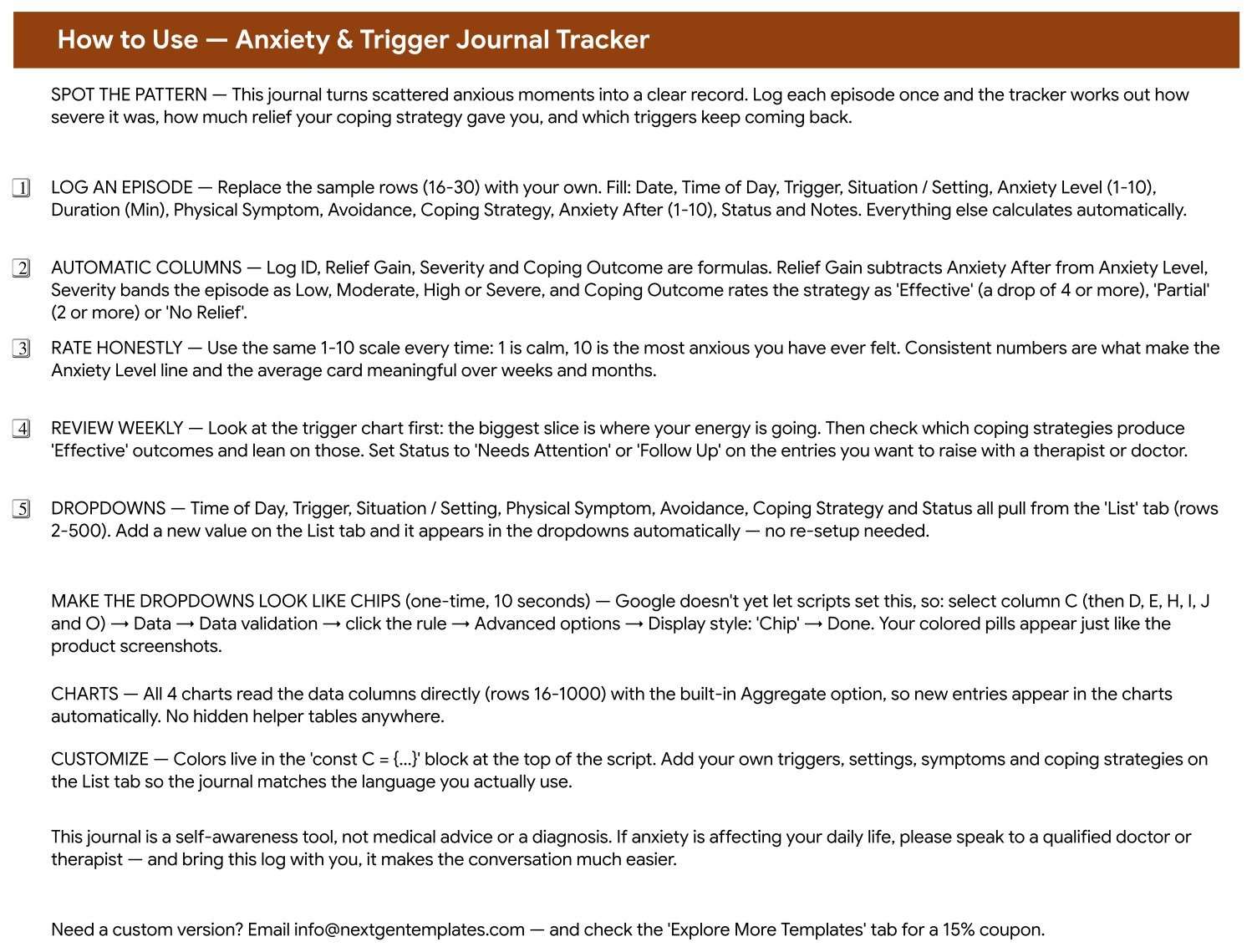
A five-step guide that travels with the file: which columns to fill, which four calculate themselves, how the Severity and Coping Outcome rules are defined, how to extend the dropdown lists, and a ten-second Data validation tweak that turns plain dropdowns into the coloured chips you see in the screenshots. It ends with the same reminder as this article — the journal is a self-awareness tool, not medical advice.
Tab 3: List
Seven columns of dropdown values, and the tab you will edit most after the first week. Time of Day holds 5 values, Trigger 14, Situation / Setting 9, Physical Symptom 11, Avoidance 2, Coping Strategy 12 and Status 5. Add your own words underneath and the dropdowns pick them up with no data-validation editing, because each rule already points at rows 2 to 500 of its column.
Tab 4: Explore More Templates
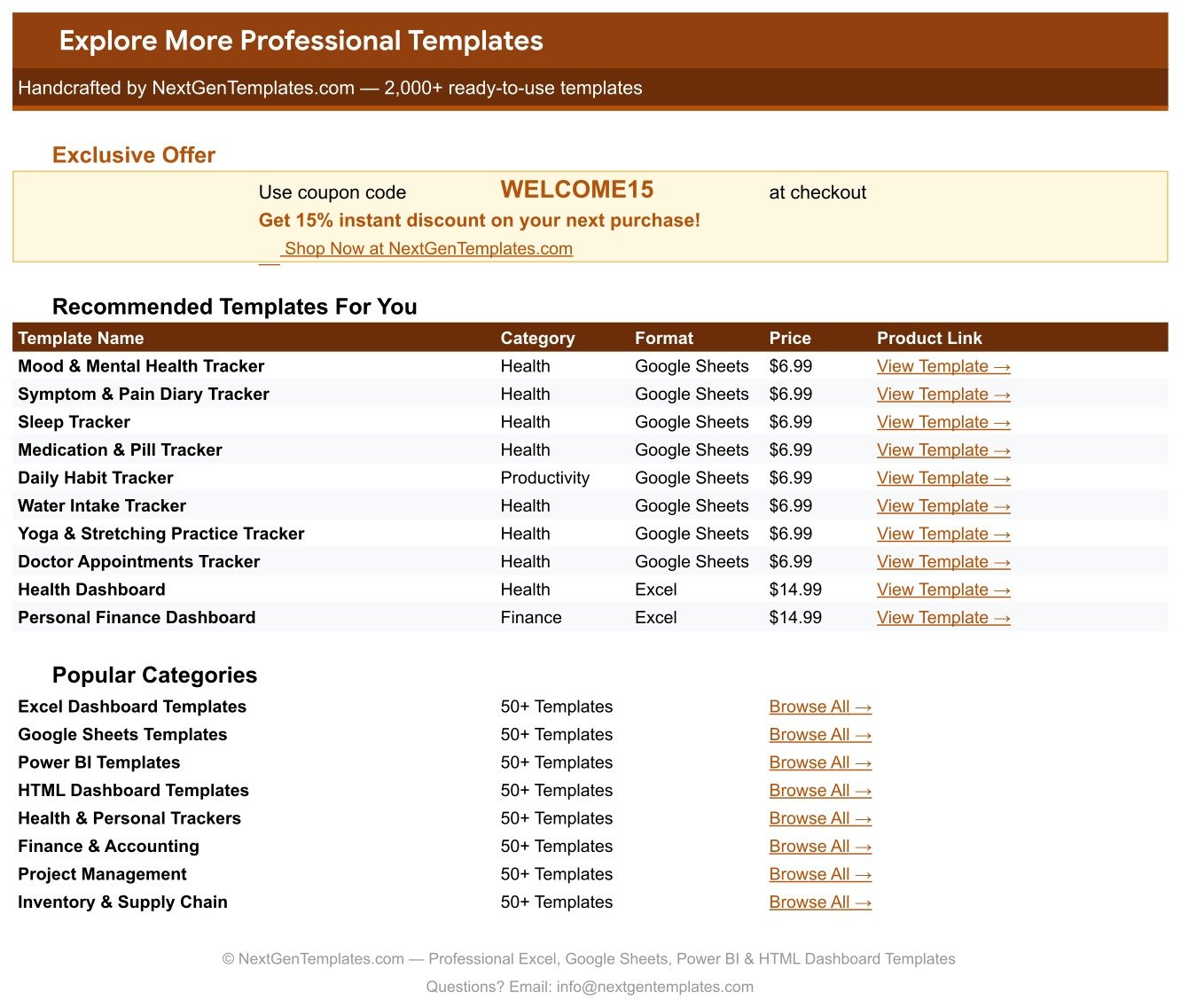
A shortcut tab listing related NextGenTemplates products with prices and direct links, plus a WELCOME15 coupon worth 15% off a future purchase.
Anxiety & Trigger Journal Tracker vs. a Microsoft Excel Journal vs. a Paid Mood-Tracking App — Feature Comparison
| Feature | Anxiety & Trigger Journal Tracker | Excel journal you build yourself | Paid mood-tracking app |
|---|---|---|---|
| Cost | $6.99 one-time | Free, plus your build time | Recurring subscription |
| Year-1 cost | $6.99, then nothing, ever | $0 plus several hours | Renews every year you keep it |
| Setup time | Under 5 minutes — click the copy link | Hours of formula and chart work | Minutes, after creating an account |
| Phone and desktop | ✅ Google Sheets app and any browser | Excel mobile, with layout compromises | ✅ Built phone-first |
| You own the raw data file | ✅ Your Drive, exportable to CSV or Excel | ✅ Your own file | Export depends on the vendor’s plan |
| Account required | A Google account only | None | Vendor account, on vendor servers |
| Custom triggers and coping strategies | ✅ Type them on the List tab — dropdowns update instantly | ✅ If you wire the validation yourself | Limited to what the app allows |
| Relief Gain and Coping Outcome scoring | ✅ Built in, two formula columns | Build it yourself | Varies by app |
| Reminders and notifications | ❌ None — this is a manual journal | ❌ None | ✅ Usually included |
For people who want their own anxiety data in a file they control, without an account on someone else’s servers and without a renewing subscription, the Anxiety & Trigger Journal Tracker sits in the sweet spot — as long as you are happy to open it yourself, because it will never nudge you.
Who Should Use This Template
Perfect for:
- Anyone keeping a personal anxiety or trigger journal who wants patterns rather than pages of prose
- People preparing for an appointment who would rather arrive with a dated log than reconstruct six weeks from memory
- Spreadsheet-comfortable users who would rather own a file than rent an app
- Anyone who wants the journal to use their own vocabulary of triggers and coping strategies
Not a fit if:
- You are a clinician or clinic looking for a patient record — this stores no identifiers and is not an EHR, EMR or practice system
- You need reminders, alerts or notifications; the sheet sends nothing at all
- You want a screening or assessment tool with a validated scale and an interpreted score
- You prefer tapping an app on a phone lock screen — a spreadsheet takes a few taps more
Real-World Use Cases
Maya journals before her monthly check-in. She used to spend the morning of the appointment trying to remember the previous four weeks. Now she logs each episode as it happens and arrives with the trigger chart already telling the story — which is a far better use of a short appointment than reconstruction.
Daniel is testing what actually helps him. He had four coping habits and no idea which were worth the time. Six weeks of Coping Outcome answered it: two read “Effective” most of the time, one almost always read “No Relief”. He stopped doing the one that was not working and put the time into the ones that were.
Priya wanted her data in her own hands. She had been using a phone app and disliked that her most private notes sat on a company’s servers behind a renewing subscription. The tracker gave her the same journal in a file she owns, exports and deletes on her own terms.
Advantages of the Anxiety & Trigger Journal Tracker
It turns a feeling into a number you can compare. The single most useful column is Relief Gain, because it converts “did that help?” into a figure you can chart across weeks. Paired with Coping Outcome, it answers a question that free-text journalling almost never answers.
The structure survives contact with a bad week. Filling eleven mostly-dropdown fields takes about thirty seconds, which matters enormously on the days you least feel like journalling. A blank page asks for effort; a row of dropdowns does not.
The cost is a rounding error against a subscription. One $6.99 payment, no per-user fee, no renewal, and the file stays yours whether or not you keep using it. If you want the mechanics behind it, Google’s own data validation documentation explains how the dropdown rules work.
Nothing is hidden. No helper tabs, no hidden ranges, no script that has to be authorised. Every formula is visible in the cell, which means you can change any of them — including the Severity bands — if your own scale works differently.
Opportunities for Improvement
An honest list, because the limits matter more than usual on a template like this:
- No reminders of any kind. The sheet does not email, notify or nudge. If you need prompting to journal, pair it with a phone alarm — the template will not do it for you.
- No filters or slicers. The four charts always show every entry. To look at a single month or a single trigger you need to sort or filter the sheet by hand, or add your own filter view.
- No weekly or monthly rollup page. There is one KPI card, showing an all-time average, so a long log will eventually flatten the trend that a rolling 30-day view would surface.
- The chip display is a manual step. Google Sheets does not let a script set the “Chip” display style, so the coloured pills shown in the screenshots need a ten-second Data validation tweak on your copy.
- Charts stop at row 1000. Ample for years of journalling, but if you log several times a day you will eventually need to extend the chart ranges.
Best Practices
- Rate on the same scale every time. Decide once what 1 and 10 mean for you and stick to it. Inconsistent ratings make the trend line meaningless.
- Log close to the event. Anxiety After is much more accurate within the hour than the next morning.
- Rewrite the List tab in week one. The 58 seeded values are a starting point, not a prescription. A trigger list in your own words gets used; a generic one does not.
- Read the trigger chart before the trend line. Where the entries cluster is usually more actionable than whether the average moved half a point.
- Use Status deliberately. Marking an episode “Needs Attention” or “Follow Up” gives you a shortlist to raise with a professional instead of a whole log to read out.
- Keep Notes short and factual. One line of context is enough; the structured columns are doing the analytical work.
Explore Relevant Templates
The nearest neighbour is the Symptom & Pain Diary Tracker in Google Sheets, built on the same one-row-per-episode shape for physical symptoms. Because poor sleep and anxious days tend to travel together, the Sleep Tracker in Google Sheets is the most natural companion, and the Yoga & Stretching Practice Tracker in Google Sheets records the practice side of the same routine.
For appointments and results rather than day-to-day feelings, see the Doctor Appointments & Medical History Tracker and the Lab Results & Health Metrics Tracker. The whole range sits under Google Sheets Trackers and the wider Google Sheets Templates collection.
If you would like to build trackers like this yourself, the NextGenTemplates Academy learning paths walk through the spreadsheet skills involved, with practice files along the way.
Get the Anxiety & Trigger Journal Tracker in Google Sheets
Frequently Asked Questions
Is the Anxiety & Trigger Journal Tracker a medical or diagnostic tool?
No. The Anxiety & Trigger Journal Tracker is a personal journalling spreadsheet. It is not a medical device, it makes no diagnosis, it provides no treatment or therapy, and it uses no validated clinical scale. Severity and Coping Outcome are plain formulas over numbers you typed yourself.
Does it store any patient or clinical information?
No, and that is deliberate. The Anxiety & Trigger Journal Tracker has no name, date of birth, record number, clinician, diagnosis, medication or insurance column anywhere in its 16 fields. A Google Sheet is not appropriate storage for clinical records, and the template makes no HIPAA or GDPR compliance claim.
Which columns calculate automatically?
Four of the sixteen. The Anxiety & Trigger Journal Tracker fills Log ID, Relief Gain (Anxiety Level minus Anxiety After), Severity (Low, Moderate, High or Severe) and Coping Outcome (Effective, Partial or No Relief). You enter the other eleven columns yourself.
Will it remind me to log an entry?
No. The Anxiety & Trigger Journal Tracker sends no reminders, alerts, emails or push notifications of any kind. It updates only when you open it and type, which is the main trade-off against a subscription phone app.
Can I add my own triggers and coping strategies?
Yes. Every dropdown in the Anxiety & Trigger Journal Tracker reads rows 2 to 500 of its column on the List tab, so you type a new value underneath the seeded ones and it appears in the dropdown straight away. No data-validation editing is required.
How long does setup take?
Under five minutes. Open the PDF in your download, click the “Make a copy” link, and the Anxiety & Trigger Journal Tracker lands in your own Google Drive with all formulas, charts and dropdown lists already working. Clear the 15 sample rows and start logging.
How does it compare to a paid mood-tracking app?
The Anxiety & Trigger Journal Tracker is a one-time $6.99 purchase with no third-party account and full ownership of the raw file. A subscription app wins on phone convenience and reminders; this wins on cost over time, on fully customisable triggers, and on the data being yours to export or delete at will.
About the Author
Built by PK — Microsoft Certified Professional with 15+ years of Excel, Google Sheets and Power BI experience. Founder of NextGenTemplates, reaching 300K+ subscribers across YouTube channels. Every template is hand-built and tested before release.
Conclusion
If you have been journalling anxiety in prose and getting nothing back from it, the value here is the structure: sixteen columns, four of them calculated, one KPI card and four charts that turn six weeks of scattered episodes into a picture you can actually read — and, just as importantly, bring to someone qualified to help you interpret it.
Instant download · One-time payment · No subscription
Last updated: September 2026