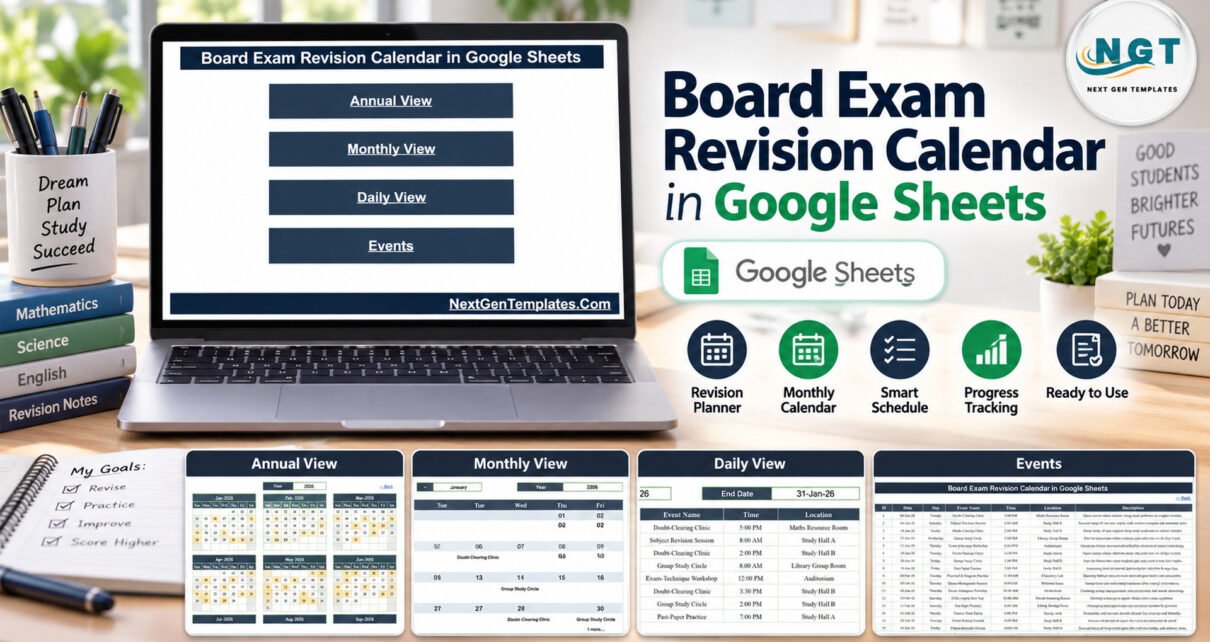
The Board Exam Revision Calendar in Google Sheets is a ready-made revision planner with four linked views (Annual, Monthly, Daily and an Events master sheet) and 100 sample events spread from 6 January to 26 December 2026. The sample covers 16 revision event types, from Chapter-Wise Recap to Pre-Board Examination, across 17 study halls, labs and rooms, with eight or nine sessions in every month.
Board exam preparation usually lives in a mix of WhatsApp messages, printed notices and a whiteboard in the staff room. Students miss a doubt-clearing clinic, two mock tests land in the same week, and nobody can see the whole season at once. This calendar moves every revision session into one shared Google Sheets file that a coordinator, a tutor or a family can read on any device.
Get the Board Exam Revision Calendar in Google Sheets
Key Features of the Board Exam Revision Calendar in Google Sheets
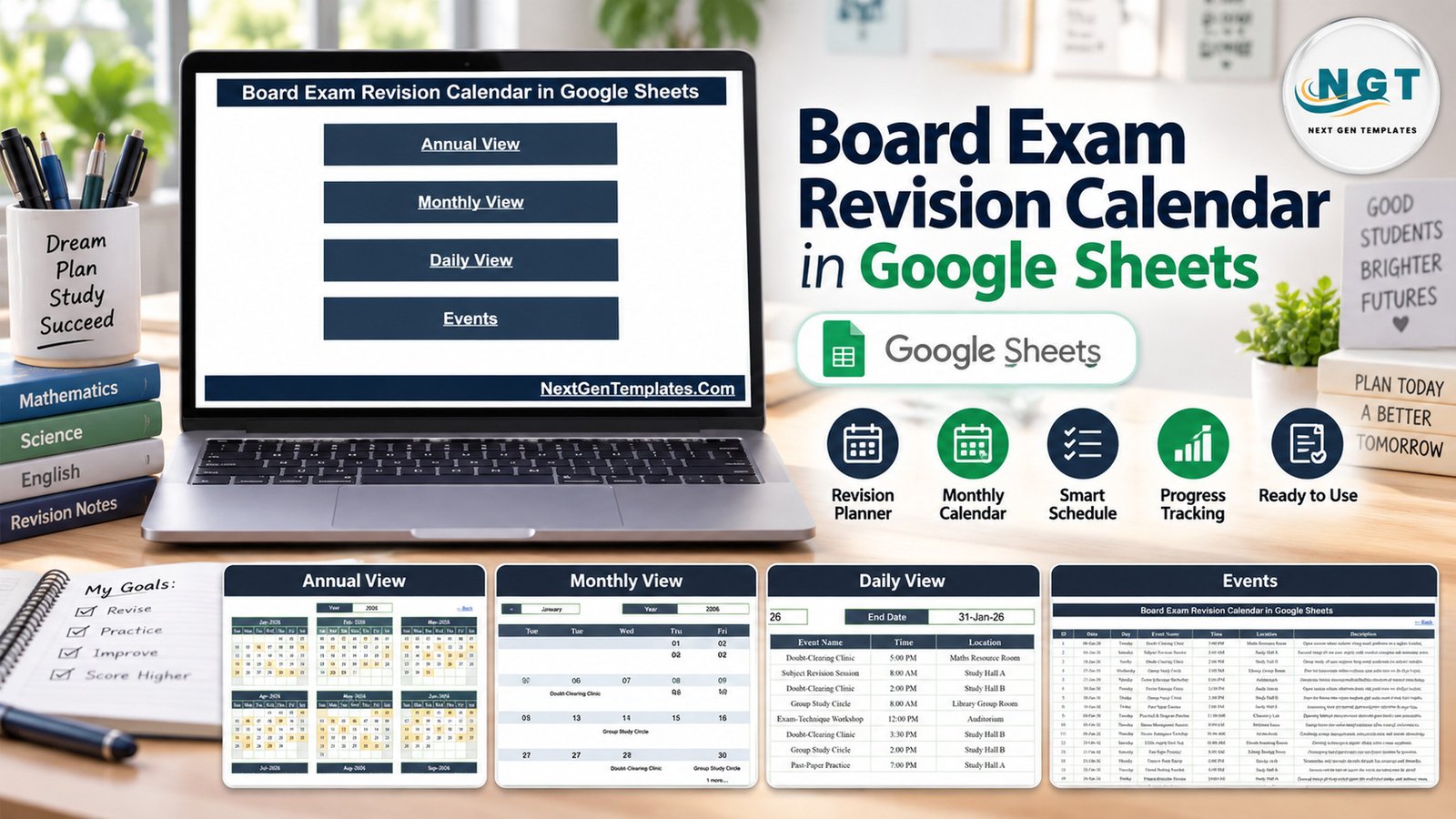
- Four linked views from one Home page. Annual View, Monthly View, Daily View and Events are each one click away, and every view has a “← Back” link.
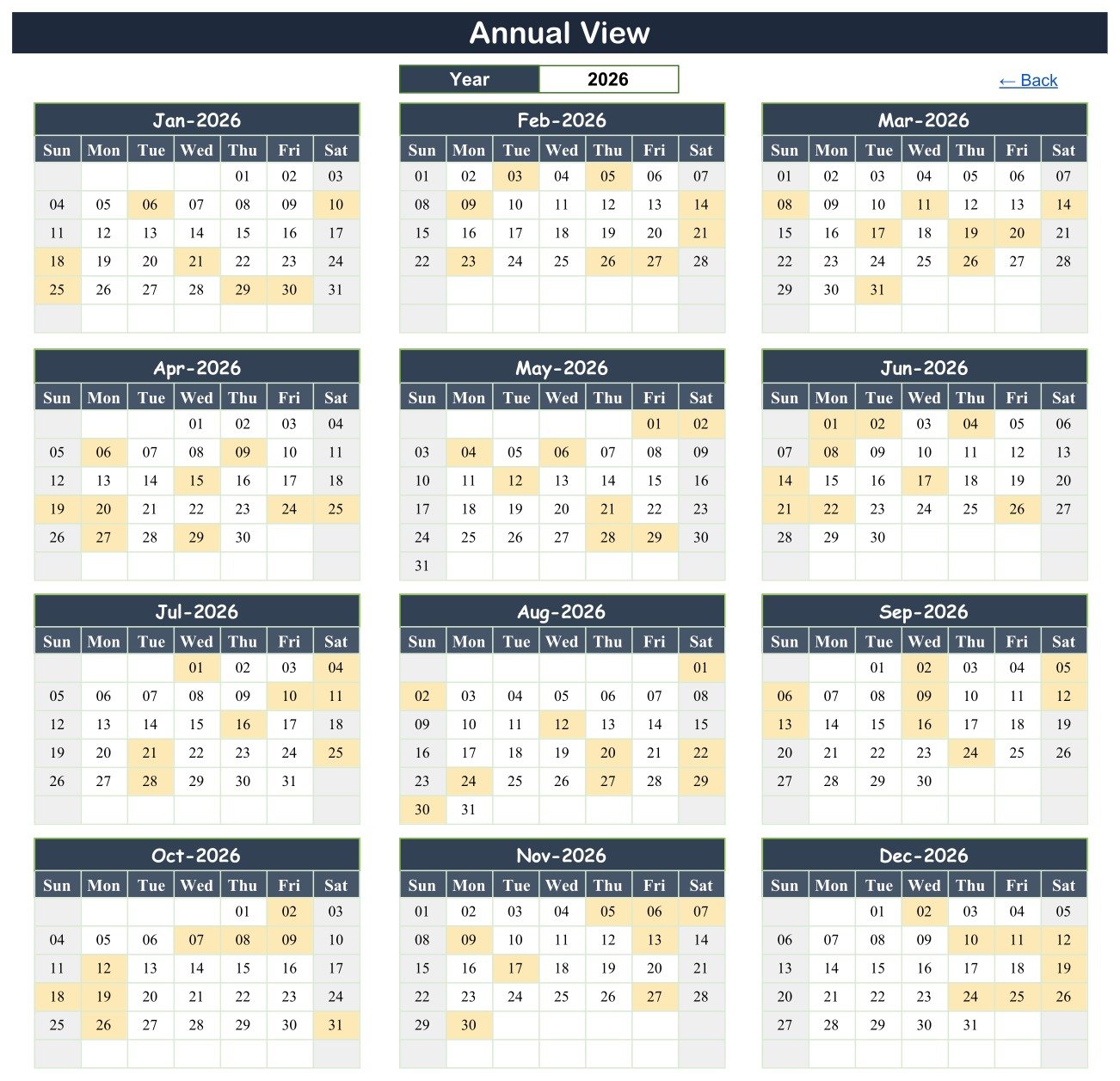
- Annual View with twelve shaded month grids. Every date that holds at least one session is highlighted, so busy mock-test weeks are visible months ahead.
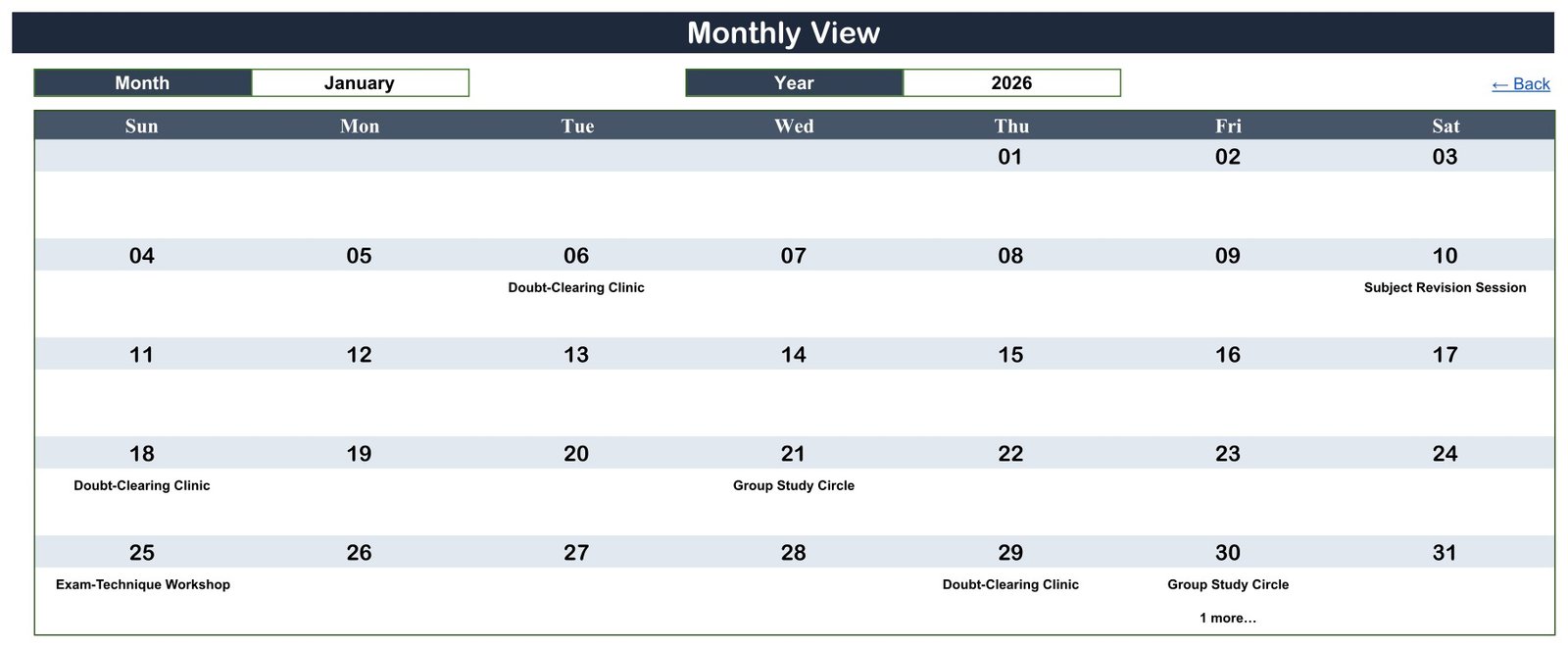
- Monthly View with Month and Year selectors. The first event name appears under each date, and a “1 more…” note flags a second session on the same day.
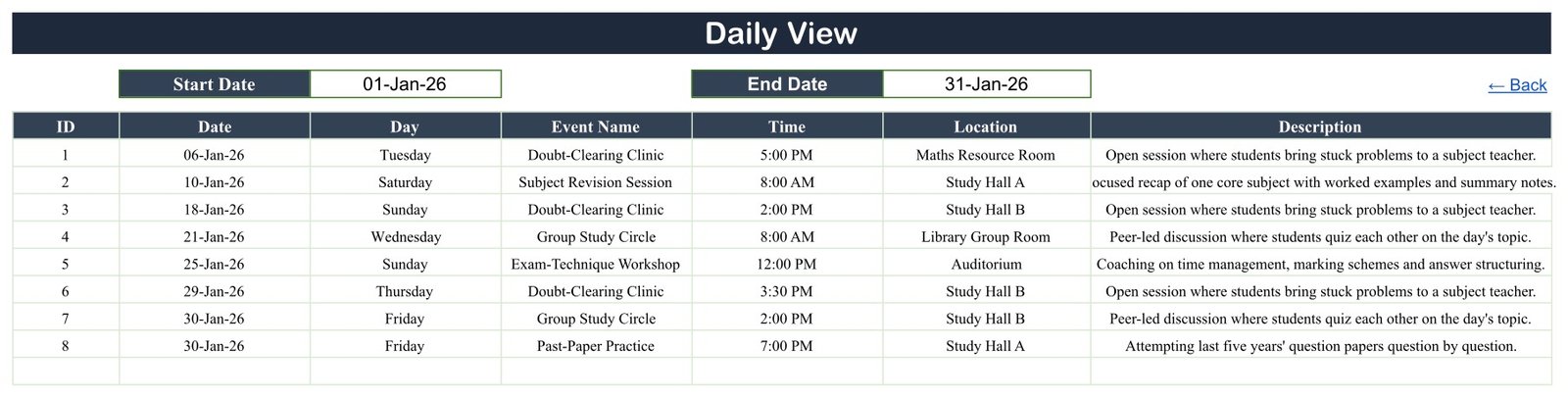
- Daily View for a date range. Set a Start Date and End Date to list every session in that window with ID, date, day, event, time, location and description.
- One Events table drives everything. The three calendar views read from the Events sheet, so a date typed once shows up everywhere.
- Checked sample data. IDs 1 to 100 run without gaps, all 100 weekday labels match their dates, and the events sit on 99 separate days; only 30 January carries two.
Calendar Pages Explanation
Home
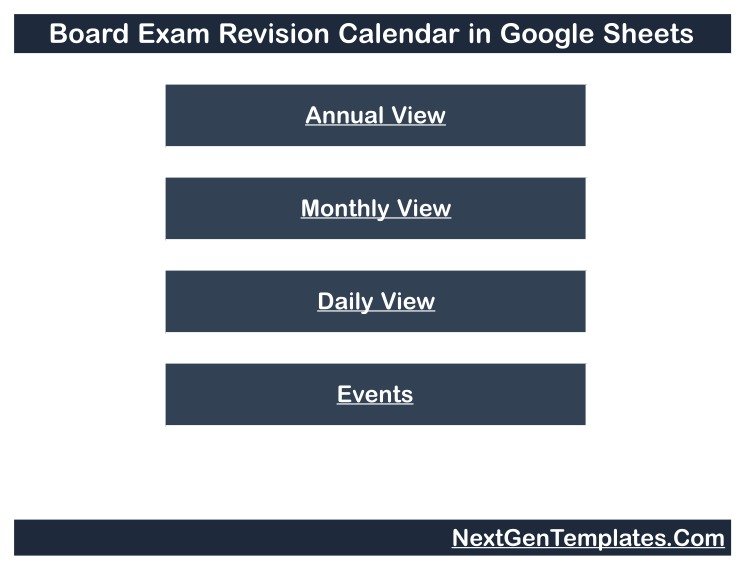
The Home page carries the calendar title and four buttons: Annual View, Monthly View, Daily View and Events. It is the starting point for anyone who opens a shared copy.
Annual View
With the year set to 2026, all twelve months appear as Sunday-to-Saturday grids. January shades the 6th, 10th, 18th, 21st, 25th, 29th and 30th, matching the eight January rows on the Events sheet.
Monthly View
January 2026 shows a Doubt-Clearing Clinic on the 6th, 18th and 29th, a Subject Revision Session on the 10th, a Group Study Circle on the 21st, an Exam-Technique Workshop on the 25th, and a Group Study Circle with “1 more…” on the 30th.
Daily View
The range 01-Jan-26 to 31-Jan-26 returns eight sessions, IDs 1 to 8. The “1 more…” on 30 January resolves here into a Group Study Circle at 2:00 PM in Study Hall B and Past-Paper Practice at 7:00 PM in Study Hall A.
Events
The master table holds all 100 sample sessions. It starts with a Doubt-Clearing Clinic on Tuesday 06-Jan-26 at 5:00 PM in the Maths Resource Room and ends with a Pre-Board Examination on Saturday 26-Dec-26 at 11:00 AM in the Exam Hall. Start times run from 7:30 AM to 7:00 PM.
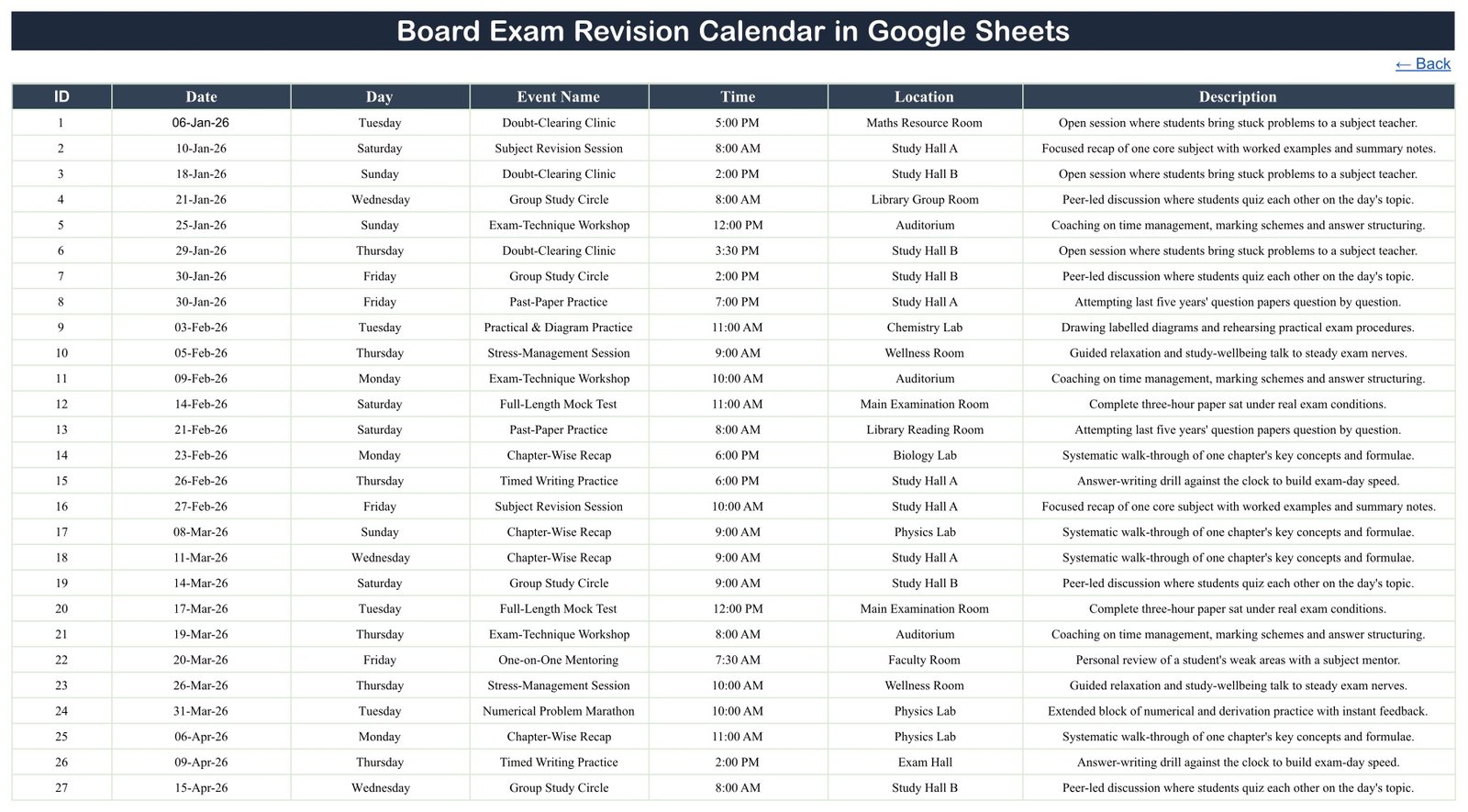
The most frequent sample types are Group Study Circle and Exam-Technique Workshop (11 each), Chapter-Wise Recap (10), Full-Length Mock Test (9) and Subject Revision Session (8). Study Hall B is the busiest room with 14 sessions, followed by Study Hall A (10) and the Exam Hall (9).
Revision Calendar vs. Excel Calendar vs. Study App or LMS: Feature Comparison
| Feature | Board Exam Revision Calendar (Google Sheets) | Desktop Excel calendar | Study-planner app or LMS |
|---|---|---|---|
| Cost | ✅ $4.99 one-time (regular $8.99) | One-time template plus an Excel licence | Often a recurring subscription |
| Platform | ✅ Any browser with a free Google account | Excel desktop | Vendor app or website |
| Setup time | ✅ Minutes: make a copy, replace the rows | Minutes | Accounts, classes and settings first |
| Real-time shared editing | ✅ Yes, through Google Sheets sharing | Limited | ✅ Yes |
| Mobile access | ✅ Google Sheets app | Excel mobile, reduced | ✅ Usually |
| Share with a link | ✅ View-only or edit | File sharing | Student and teacher logins |
| Customizable columns and views | ✅ Fully editable sheets | ✅ Yes | Vendor-defined |
| Question papers, marks and progress scores | ❌ Not included | ❌ Not included | ✅ Typical |
| Reminders and recurring sessions | ❌ Not included | ❌ Not included | ✅ Typical |
For a school, tutor or family that wants the whole revision season on one shared calendar without paying for a study platform, this template sits in the sweet spot.
Who Should Use This Template
Perfect for:
- Exam coordinators scheduling mock tests, pre-board papers and doubt-clearing clinics for final-year classes
- Subject teachers pacing chapter recaps, practical rehearsals and timed writing practice
- Tutors and coaching centres planning group study circles and one-on-one mentoring slots
- Students and parents who want a revision timetable they can open on a phone
Not a fit if:
- You want notes, past papers, mark schemes or any study content; this file schedules sessions only
- You need a gradebook, attendance register, progress scores or automatic reminders
Real-World Use Cases
An exam coordinator at a senior secondary school enters every Full-Length Mock Test and Pre-Board Examination for the final-year sections, then scans the Annual View to make sure no mock test clashes with a practical rehearsal in the Chemistry Lab. A view-only link goes to every class teacher.
A physics and maths tutor places a Numerical Problem Marathon every few weeks and a Doubt-Clearing Clinic after each mock test. Before each fortnight she sets the Daily View range and sends the list to her batch.
A parent supporting a Class 12 student copies the file, keeps only the sessions the school has announced, and adds Stress-Management breaks at home so revision days do not run back to back.
Advantages of the Board Exam Revision Planner
- One source of truth. Typing a session once on the Events sheet updates the Annual, Monthly and Daily views together.
- Clashes are easy to spot. Shaded dates and the “more” note make double-booked days visible before students are told.
- Free to share. Google Sheets link sharing lets a whole batch read the plan without accounts on another platform.
- Low cost. A one-time $4.99 purchase replaces a monthly study-app subscription for pure scheduling needs.
Opportunities for Improvement
The calendar is deliberately simple, and its limits are worth knowing before you buy:
- It is a scheduling calendar only. It holds no study material, past papers or answers, stores no marks, and cannot predict or improve exam results.
- It is not affiliated with or endorsed by any exam board and follows no official board timetable. Always confirm real exam dates with your school.
- Events have a start time only: no end time, reminders, repeat rules or Google Calendar sync.
- The Day column is typed text, so update it by hand when you change a date.
- The Monthly View shows only the first event per date plus a “more” note, and long event names or descriptions are clipped in narrow cells. The Daily View lists everything.
- Sample descriptions such as “last five years’ question papers” or “the real grading scheme” are fictional demo text, not included content.
Best Practices
- Delete all 100 sample rows before adding real sessions so demo dates never reach students.
- Keep event names short so they fit the Monthly View cells, and put detail in the Description column.
- Use batch or section names, not student names. If you add personal details, you are responsible for keeping that data secure.
- Share view-only links with students and parents, and keep edit access to one or two coordinators. Google’s guide to sharing files from Google Drive covers the options.
- New to spreadsheets? Start with How to use Google Sheets from Google.
Explore Relevant Templates
If you schedule the exam papers themselves, read our guide to the Exam Timetable Calendar in Google Sheets. Teachers planning the months before revision will find the Syllabus Coverage Calendar in Google Sheets useful, and tuition centres can pair this file with the Coaching Batch Calendar in Google Sheets. For centre-level reporting, see the Test Preparation Centers Dashboard in Google Sheets.
All of these are available in the NextGenTemplates Google Sheets calendar collection. An Excel edition, Board Exam Revision Calendar in Excel, is being prepared separately.
If you would like to build spreadsheet skills step by step, the NextGenTemplates Academy learning paths are a good place to start, with practice files along the way.
Get the Board Exam Revision Calendar in Google Sheets
Frequently Asked Questions
What do I need to use the Board Exam Revision Calendar in Google Sheets?
You need a free Google account and a web browser or the Google Sheets app. The PDF in the download contains the link that creates your own editable copy of the Board Exam Revision Calendar in Google Sheets in Google Drive.
Does the calendar include study material or improve results?
No. It schedules and displays revision sessions only. There are no notes, past papers, answers or marks inside, and no promise about exam results; performance depends on each student’s own preparation and their school’s guidance.
Is it made for a specific exam board?
No. The calendar is a general planning template with no exam-board affiliation. The 100 events, times and rooms are fictional 2026 demo rows, so replace them with the official dates your school confirms.
Can I change the year?
Yes. The Annual View and Monthly View each have a year selector, and the month grids redraw for the year you pick. Enter that year’s sessions on the Events sheet and they appear in every view.
How long does setup take?
Copying the file takes seconds. Entering a term of recaps, mock tests and clinics usually takes a few minutes, because you type only into the Events sheet and the other three views update from it.
How does this compare with a study-planner app?
Study-planner apps add reminders, progress tracking and content, usually on a subscription. This calendar focuses on scheduling and sharing revision dates for a one-time price, which suits schools and tutors who manage marks and material elsewhere.
About the Author
Built by PK, a Microsoft Certified Professional with 15+ years of Excel, Google Sheets and Power BI experience and the founder of NextGenTemplates, reaching 300K+ subscribers across YouTube channels. Every template is hand-built and tested before release.
Conclusion
A clear revision plan helps students see what is coming and helps teachers avoid clashing sessions. The Board Exam Revision Calendar in Google Sheets gives you that plan in four linked views, driven by one Events sheet, without a subscription.
✅ Instant download · One-time payment · No subscription
Last updated: September 2026