Blood Bank Management System Web App in Google Apps Script is a ready-to-deploy operations template for blood centers, hospital blood-bank departments, donor camp teams, and healthcare administrators that need one place to manage donor records, deferrals, appointments, donations, screening tests, blood inventory, hospital requests, reports, users, archive snapshots, and audit logs.
The need for clean blood-bank records is not theoretical. The American Red Cross reports that someone in the U.S. needs blood or platelets every 2 seconds, and about 29,000 red blood cell units are needed every day. When donor eligibility, screening status, expiry, component availability, and hospital issue requests sit in disconnected files, the team spends too much time hunting for answers instead of acting on them.
This web app template is designed as an editable, one-time download. Google documents that Apps Script web apps can publish browser-accessible interfaces through doGet or doPost functions, which makes this a practical model for teams that want a configurable internal system without starting from blank code or immediately committing to recurring SaaS pricing.
Get the Blood Bank Management System Web App from NextGenTemplates
Sources: American Red Cross blood supply facts and Google Apps Script web app documentation.
🚀 Try the Live Demo Before You Buy
We have deployed this web app in our own Google account so you can test every page, every role — Admin, Lab Technician and Front Desk — with real sample data — before purchasing. No signup, no email required.
🔑 Test Login Credentials
Sign in as admin for full system control, as tech or tech2 to run day-to-day blood bank operations, or as frontdesk for donor registration and appointment scheduling.
💡 What you get after purchase: The full source code (Code.gs + Index.html) plus a step-by-step deployment guide so you can deploy your own private instance in your own Google account in under 15 minutes.
Key Features of Blood Bank Management System Web App
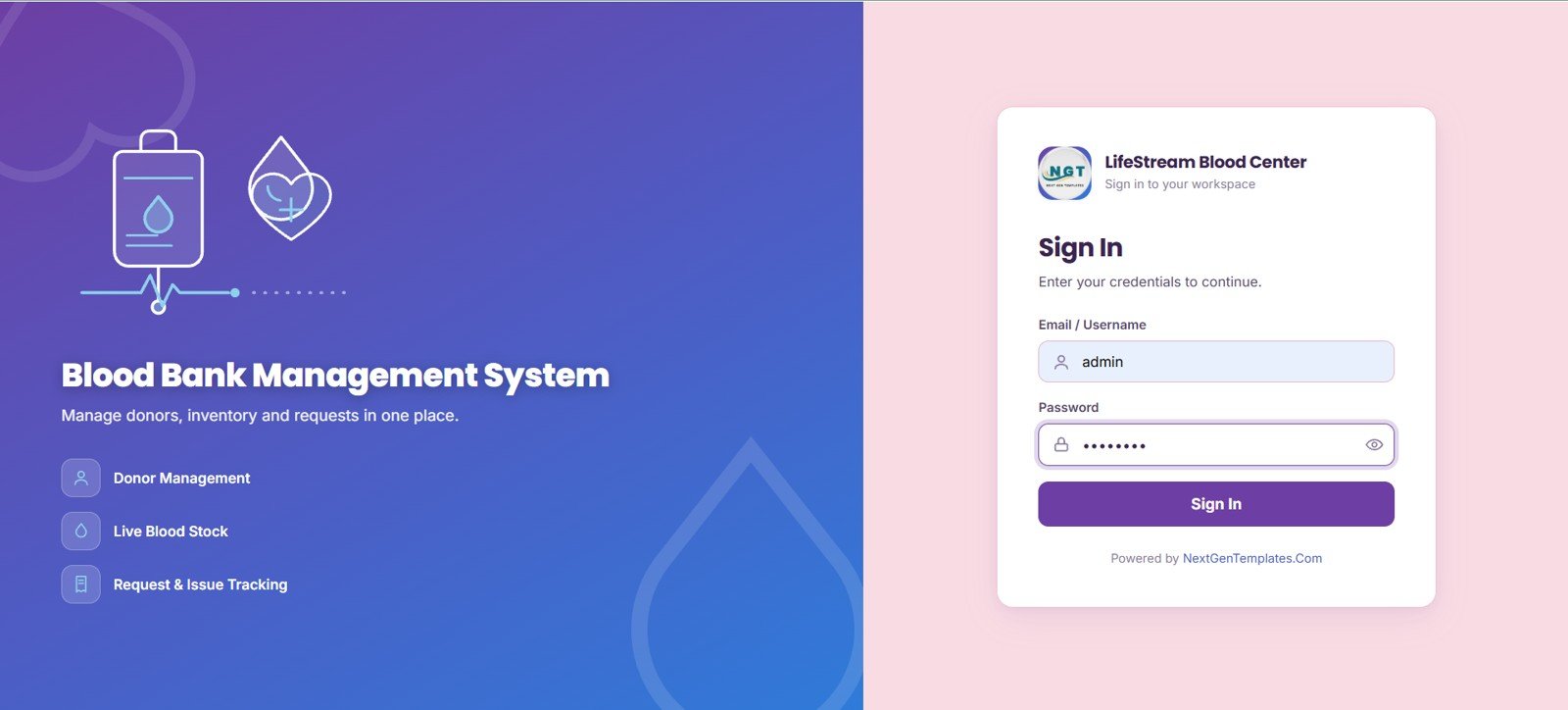
- Secure sign in: LifeStream Blood Center login page with email or username, password, and controlled access.
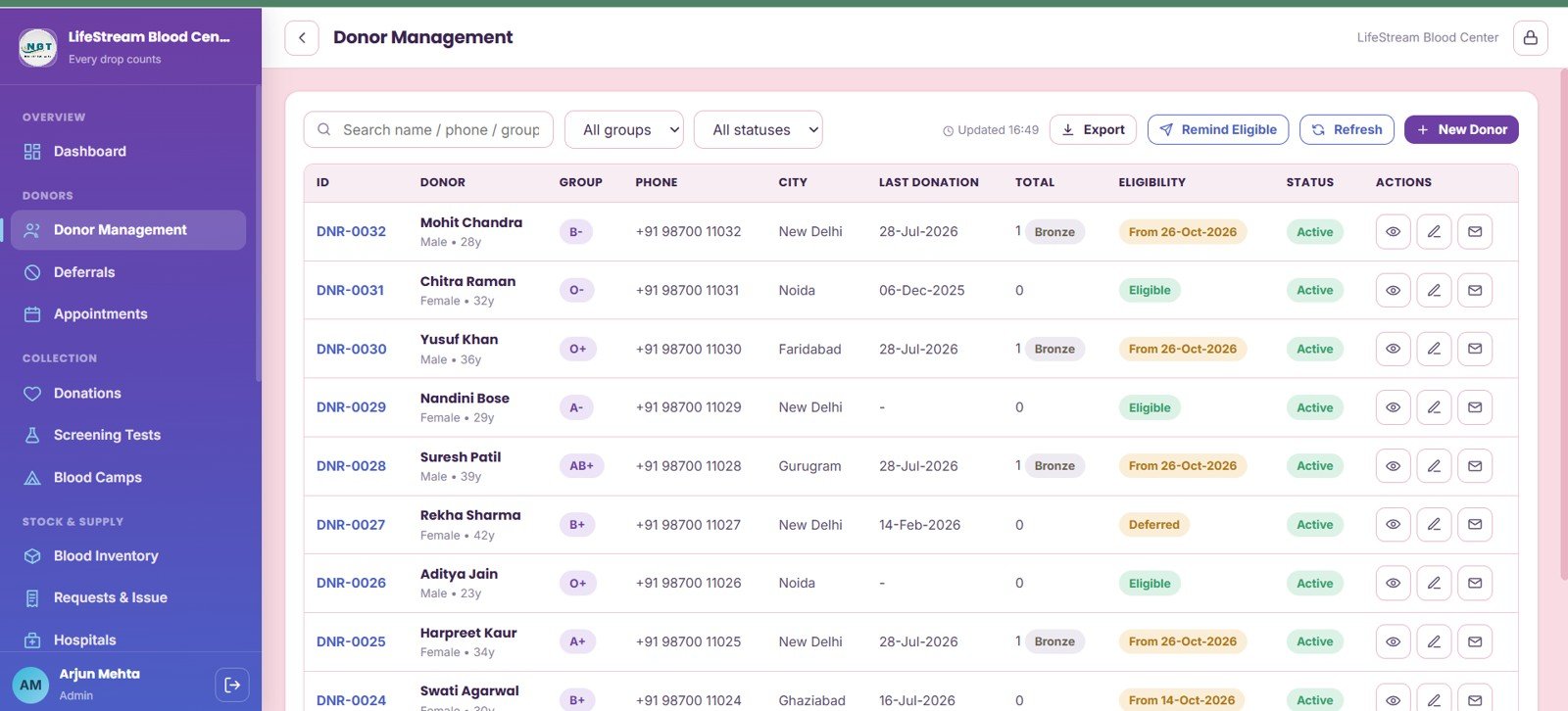
- Donor management: Track donor records by blood group, city, eligibility, last donation, active status, and reminders.
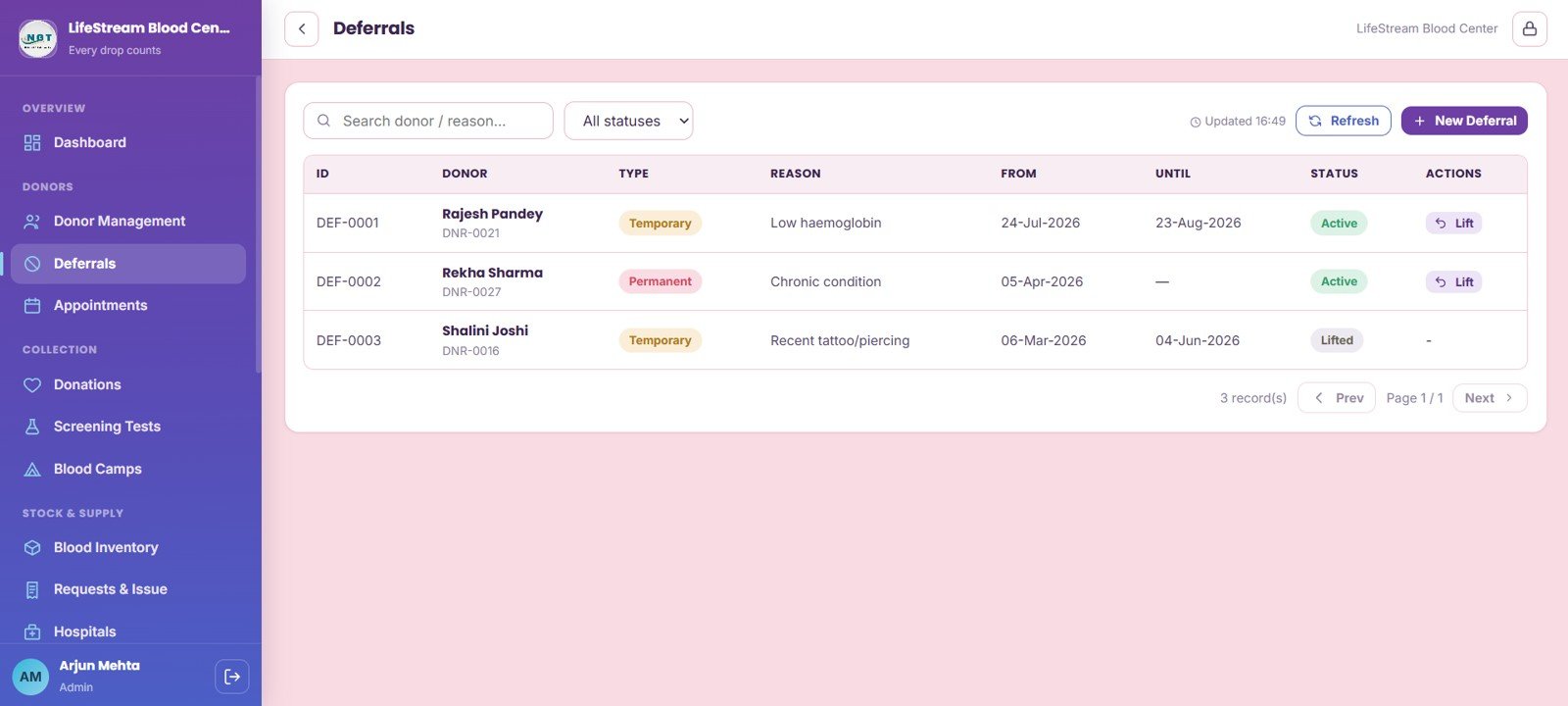
- Deferral workflow: Maintain temporary or permanent deferrals by donor, type, reason, date range, status, and lift action.
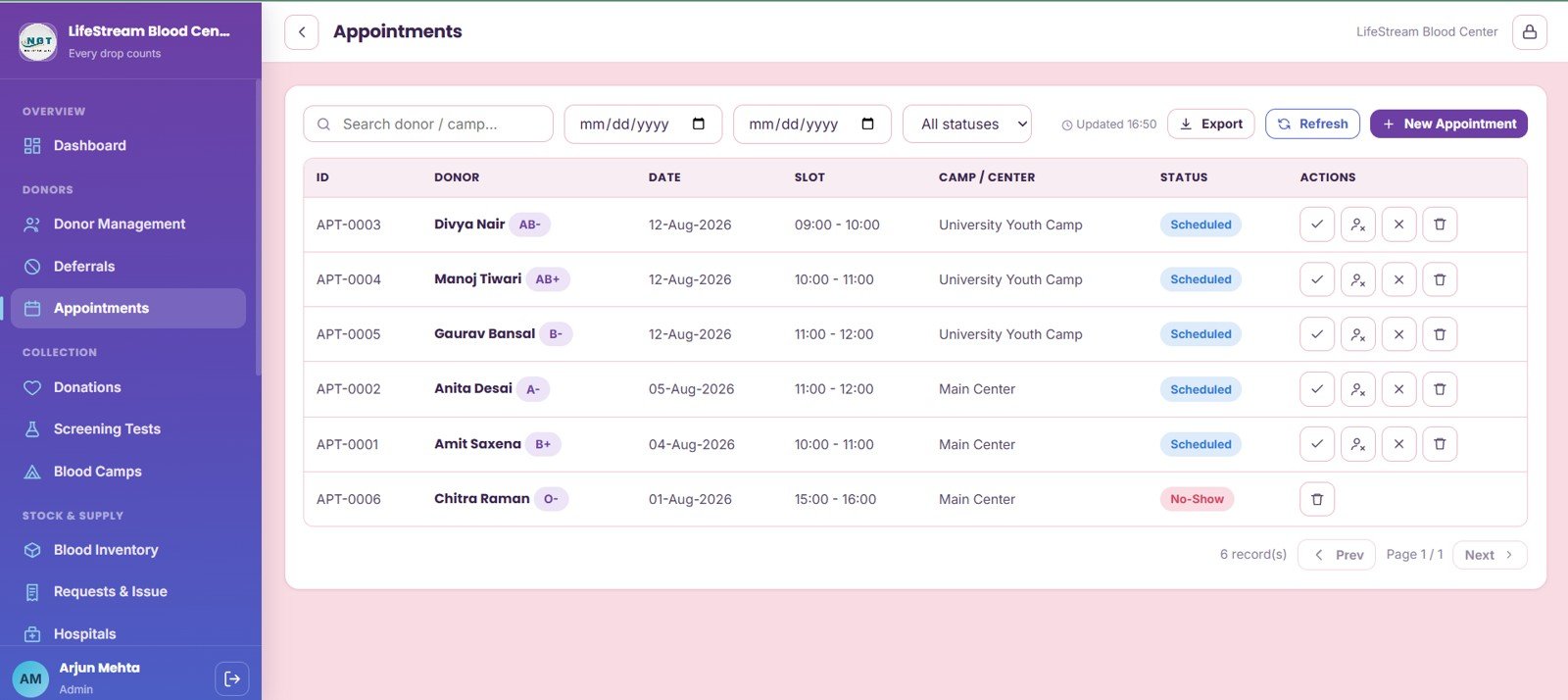
- Appointments: Review donor appointments by date, time slot, camp or center, status, and scheduled-record action.
- Donation records: Connect donation date, donor, blood bag number, component, volume, screening status, and row actions.
- Screening tests: Track HIV, HBsAg, HCV, VDRL, malaria, overall screening result, tested date, and technician.
- Blood camps: Compare organizer, venue, city, collection target, collected units, completion status, and performance.
- Inventory control: Monitor whole blood, RBC, plasma, platelets, reorder level, expiry, location, bag number, and request status.
- Hospital requests: Manage hospital, patient, component, requested units, fulfilled units, priority, approval stage, and issue actions.
- Governance pages: User management, list management, settings, import/export, archive viewer, and audit log support admin control.
Dashboard Pages Explanation
1. Sign In Page
The Sign In page gives staff a controlled entry point into the Blood Bank Management System. It shows secure login access by user credentials, the main workflow modules available in the system, and LifeStream Blood Center workspace branding.
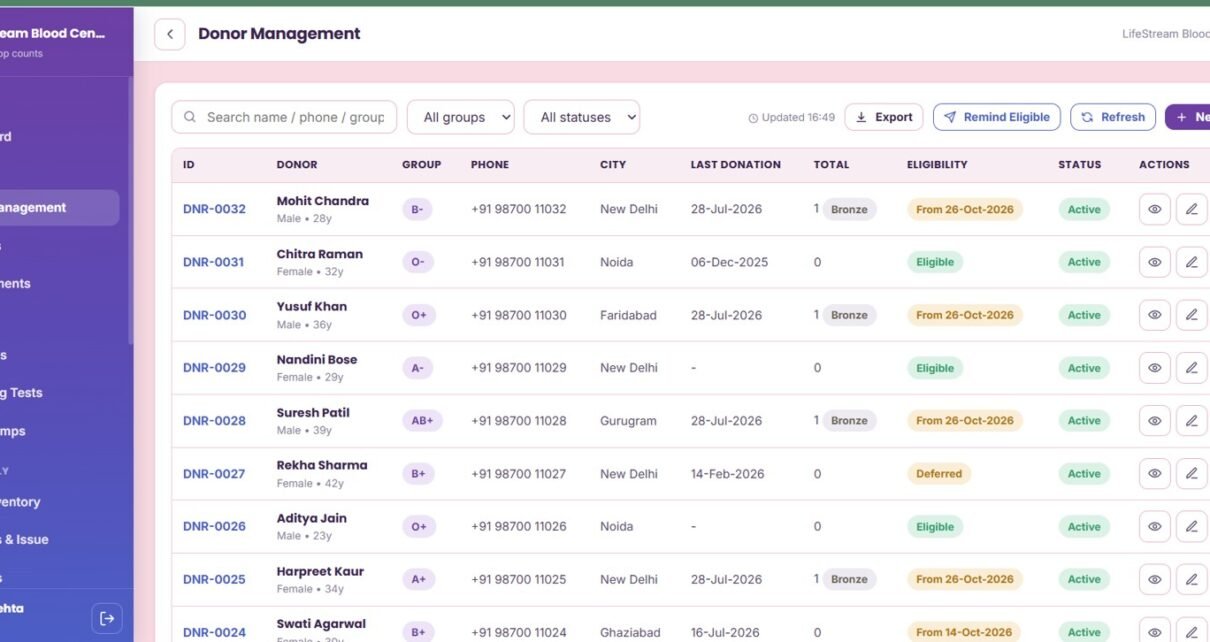
2. Donor Management
The Donor Management page helps staff review donor records by blood group and city, then check eligibility by last donation and active-record status. It also supports donation total review, reminder workflow, and action buttons on each donor record.
3. Deferrals
The Deferrals page organizes deferrals by donor, type, reason, date range, and status. Active deferral lift actions help administrators keep donor eligibility current while protecting donor and recipient safety.
4. Appointments
The Appointments page reviews appointment activity by donor, date, time slot, camp or center, and status. Scheduled-record actions make it easier to keep appointment coordination close to donor records and camp planning.
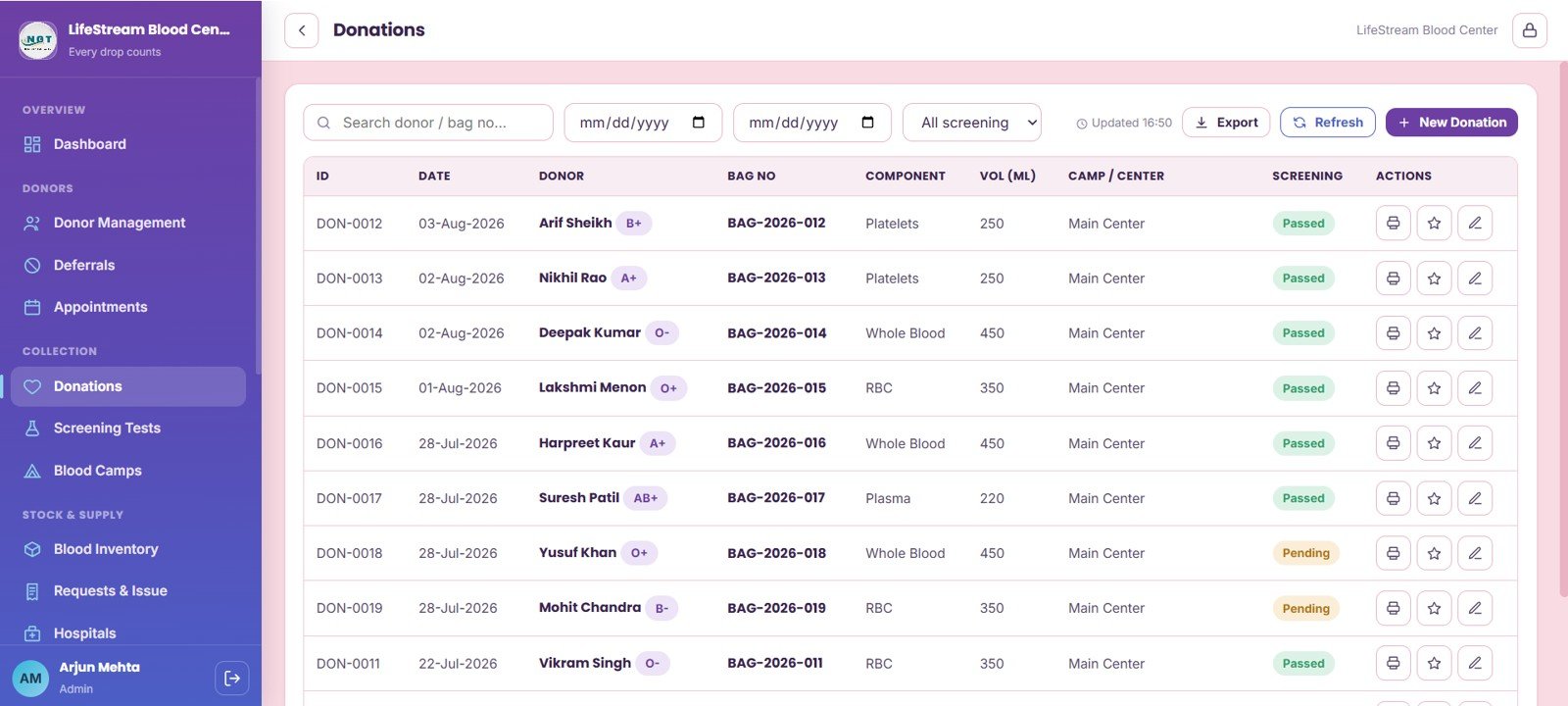
5. Donations
The Donations page connects donation date, donor, blood bag number, component, and volume in ML with screening status. Donation actions on each record help staff keep the path from donor intake to unit availability traceable.
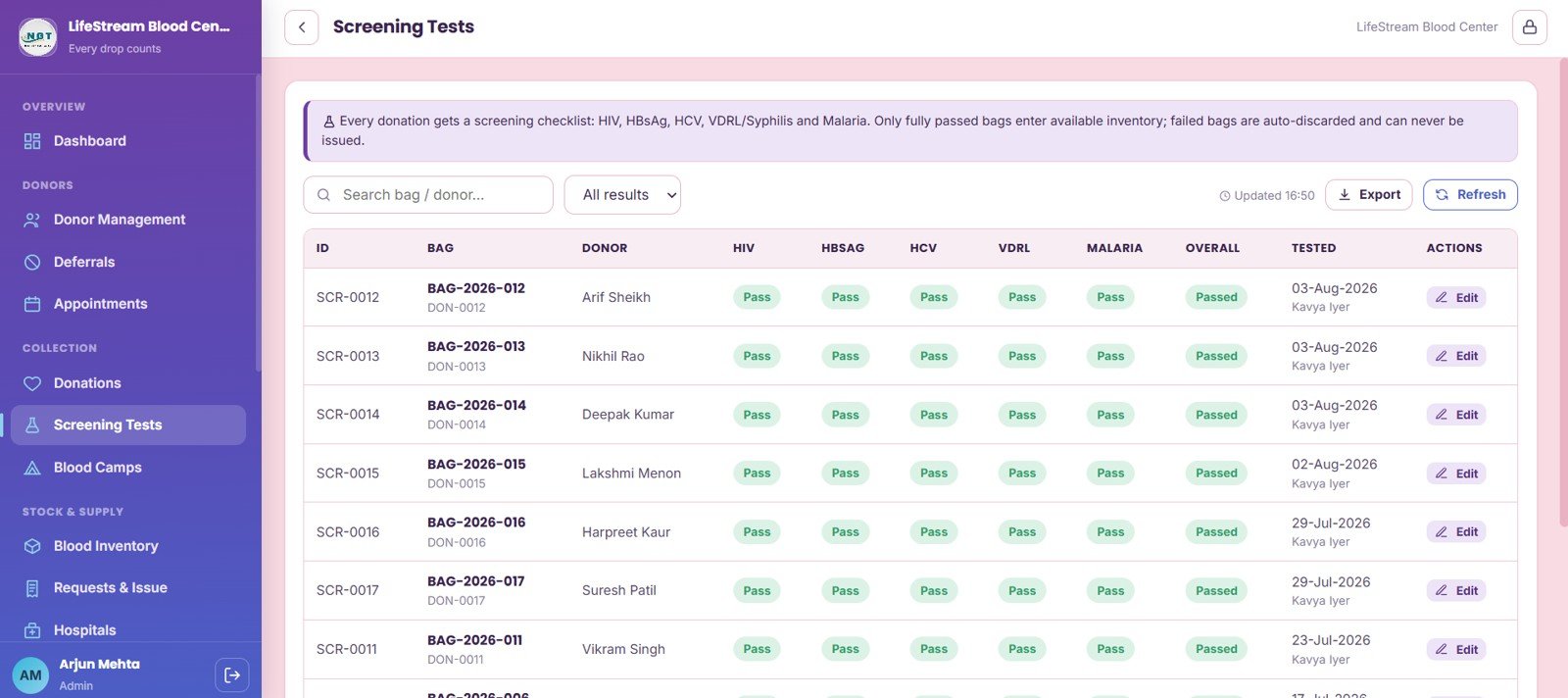
6. Screening Tests
Screening Tests provides a checklist by donation and blood bag. HIV, HBsAg, HCV, VDRL, malaria, overall screening status, tested date, and technician fields give the lab team a clear review area before stock release.
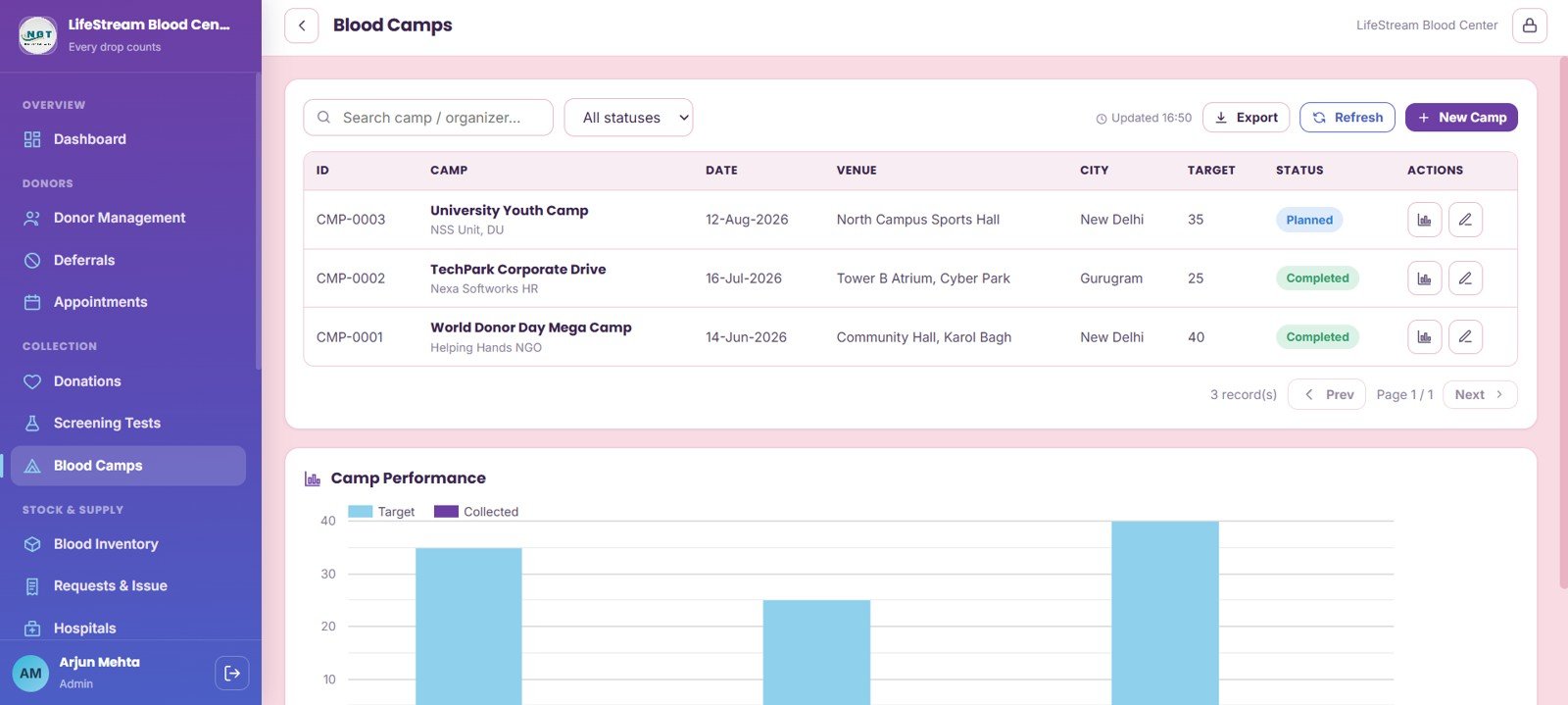
7. Blood Camps
Blood Camps analyzes camp activity by organizer, date, venue, city, target, completion status, and collected units. The camp performance view makes it easier to compare collection targets against actual output after each drive.
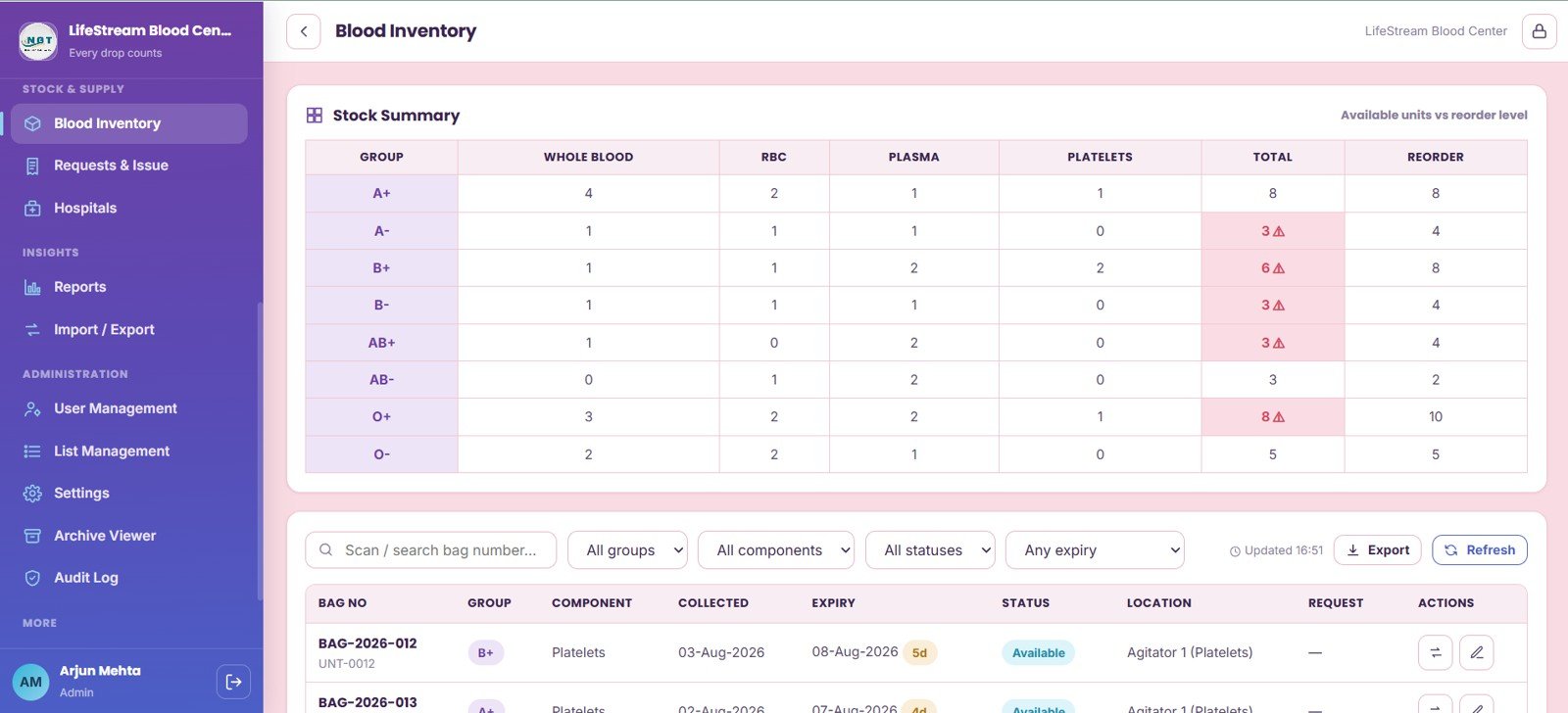
8. Blood Inventory
Blood Inventory is the core stock page. It summarizes stock by blood group, whole blood units, RBC units, plasma units, platelet units, total available units, reorder level, expiry, storage location, bag number, and inventory request status.
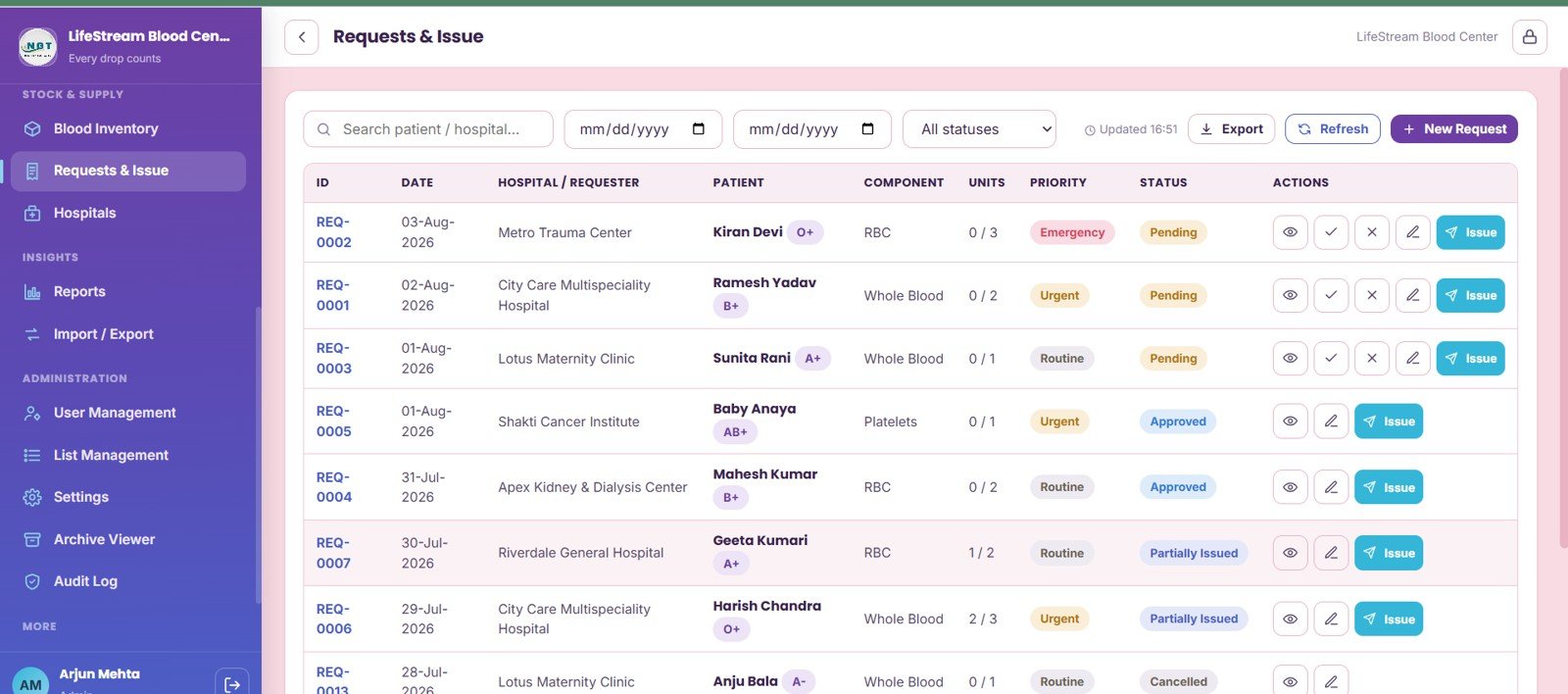
9. Requests and Issue
The Requests and Issue page tracks hospital blood requests by hospital, patient, component, requested units, fulfilled units, priority, request status, and approval stage. Issue actions help staff move approved requests into fulfillment without losing context.
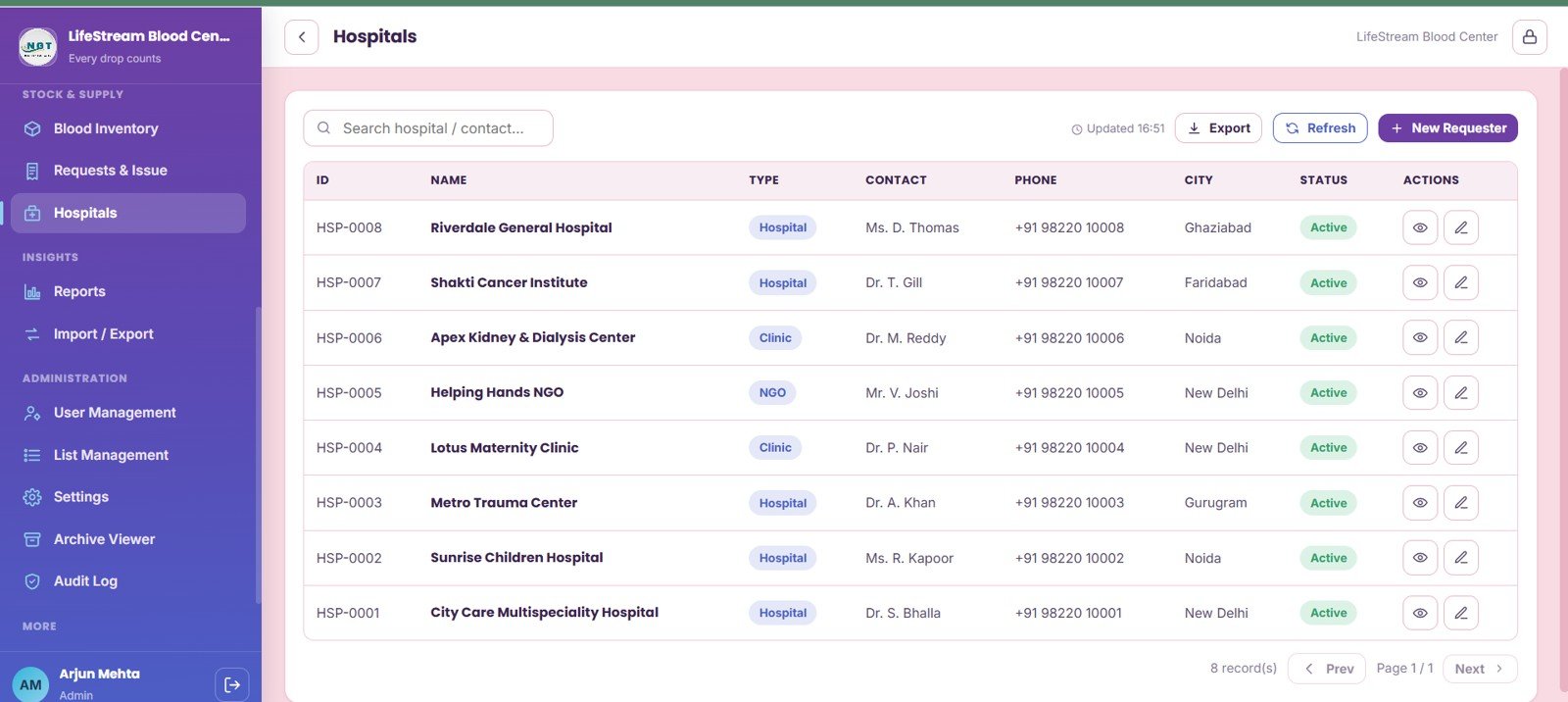
10. Hospitals
The Hospitals page stores requester directory information by organization, hospital type, contacts, phone numbers, city, and active-record status. This keeps the request workflow connected to a clean hospital and requester master list.
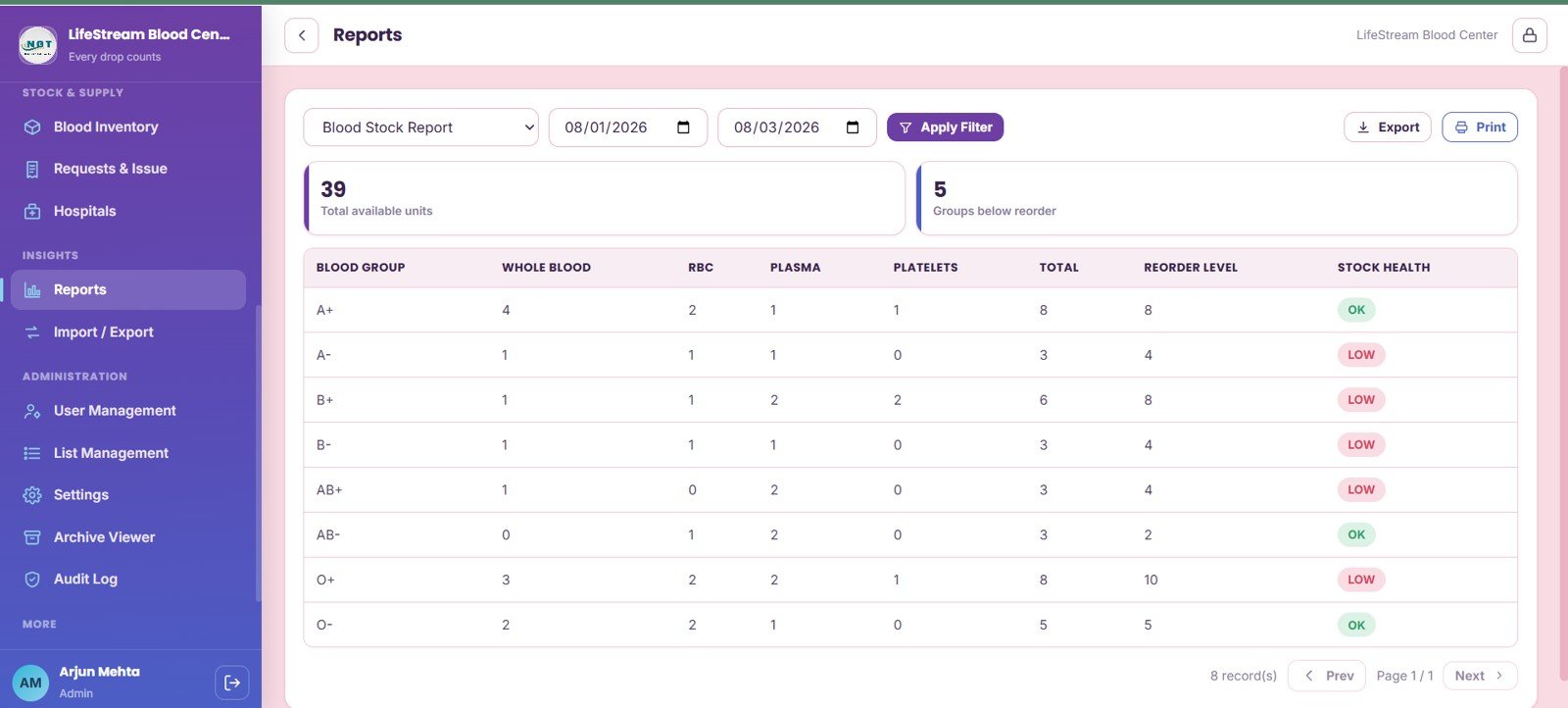
11. Reports
Reports shows blood stock by date range, total available units, groups below reorder level, component units by blood group, reorder level, and stock health. This is useful for weekly management review and stock planning meetings.
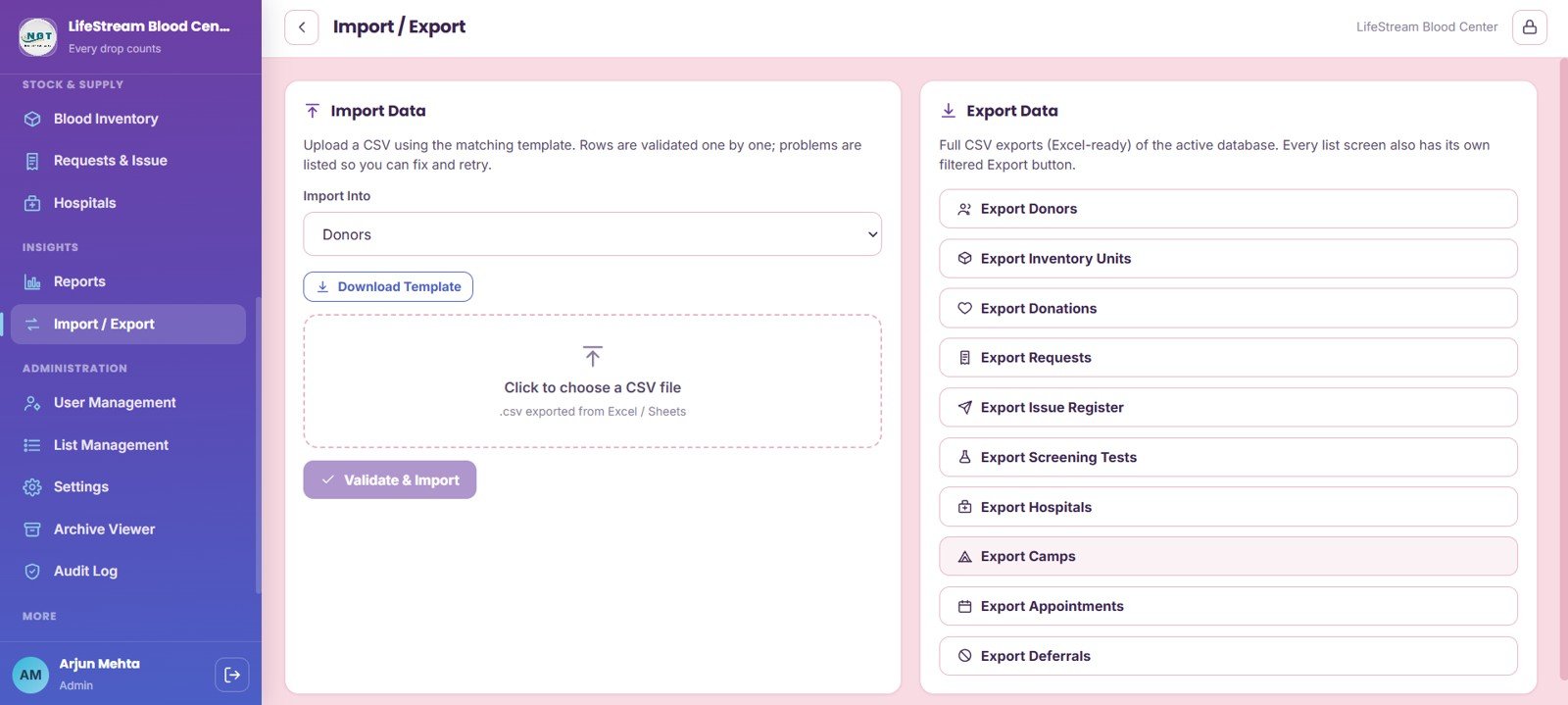
12. Import and Export
Import and Export supports module-level importing, CSV templates, validation results, and exports for donors, inventory units, donations, requests, screening tests, hospitals, camps, appointments, and deferrals. It is built for teams that need controlled bulk updates and extractable records.
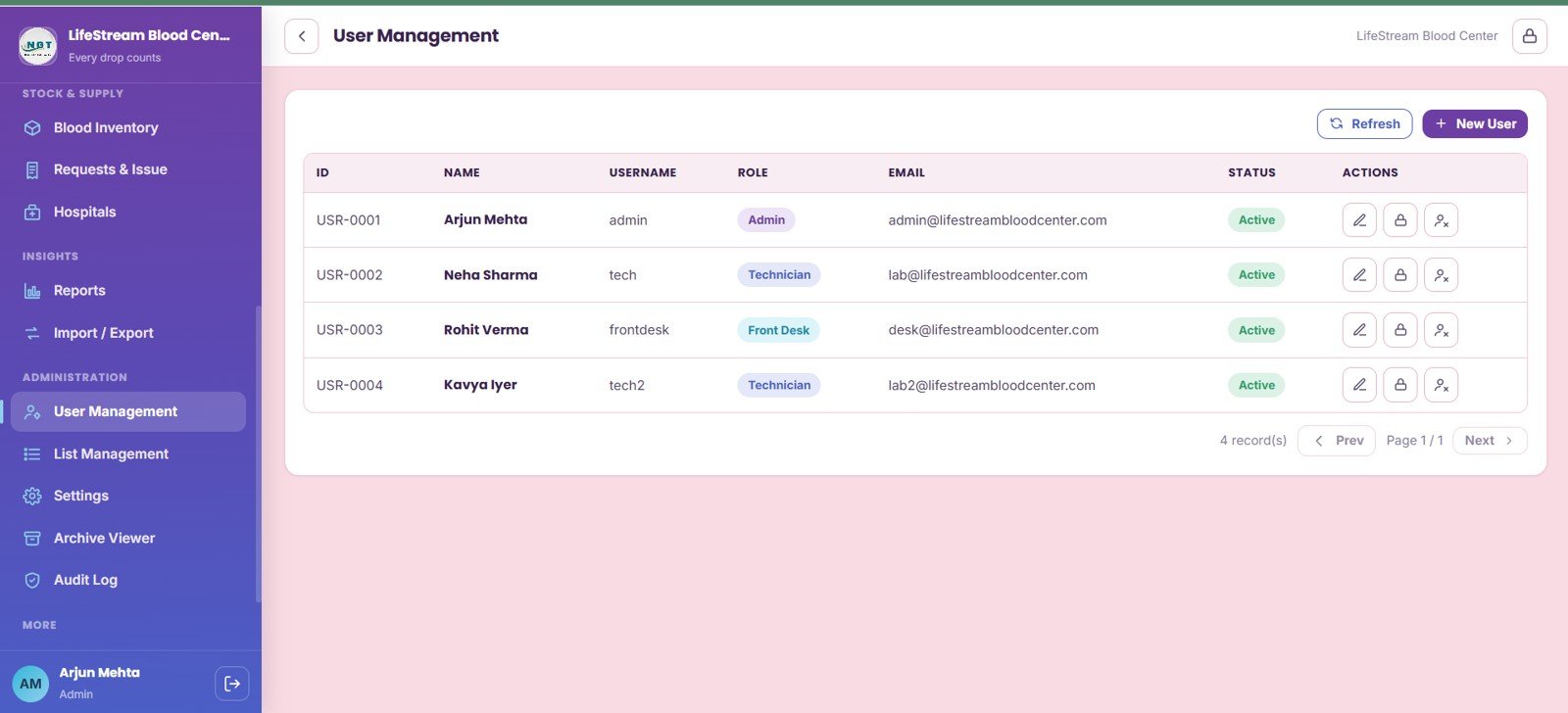
13. User Management
User Management shows users by role, username, email, active-record status, and permission-control actions. This helps administrators separate access for donor desk, lab, inventory, issue desk, reporting, and system administration.
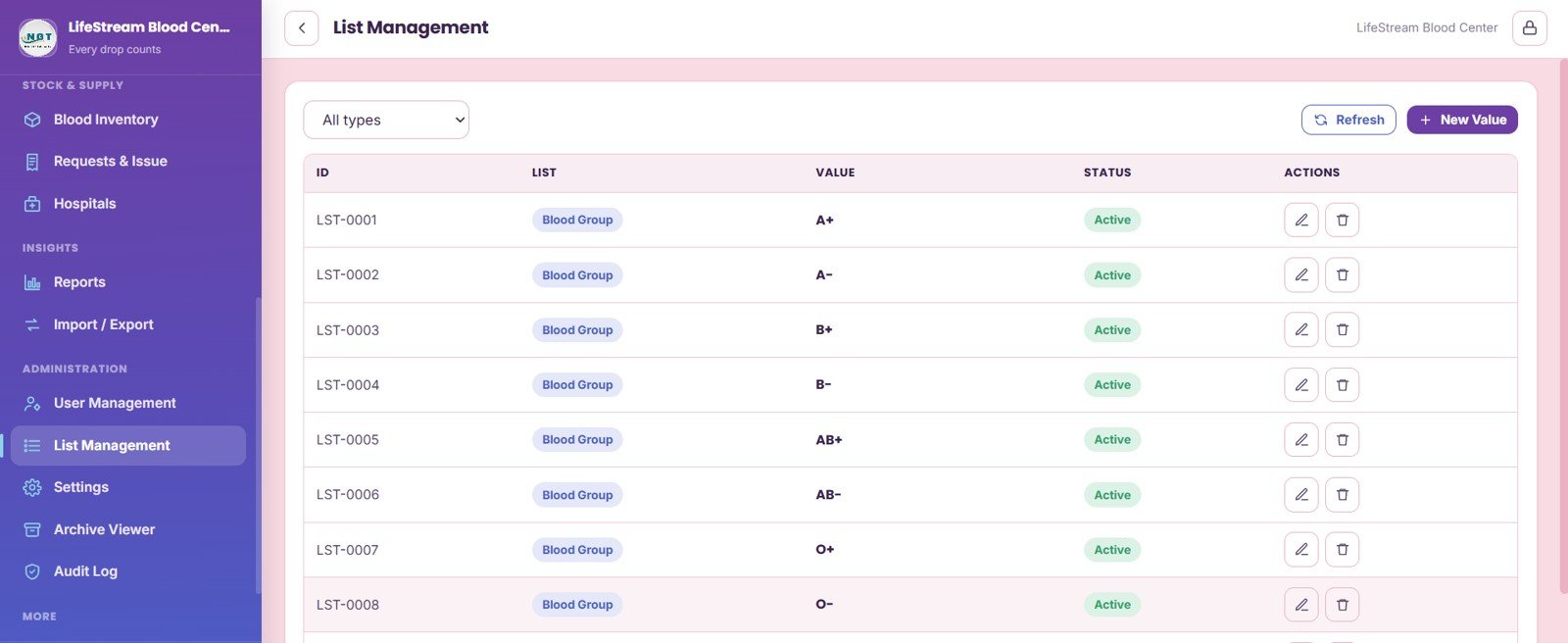
14. List Management
List Management maintains list values by type, blood group master values, active-list status, and admin actions. Clean lists reduce inconsistent dropdown values across donor, donation, screening, inventory, and request pages.
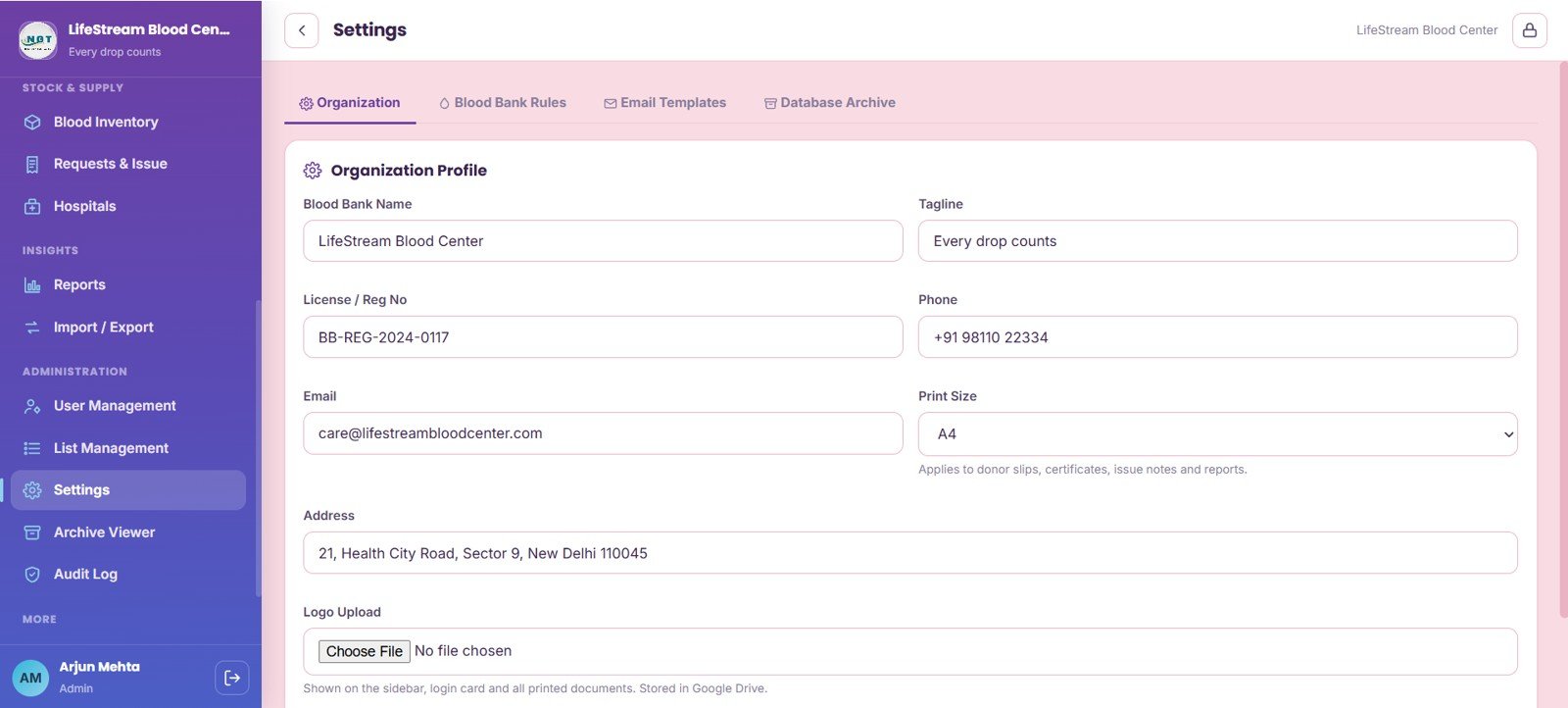
15. Settings
Settings covers organization profile, registration details, license number, phone, email, print size, address, logo upload, blood bank rules, email templates, and database archive settings. It gives administrators one place to maintain system-level details.
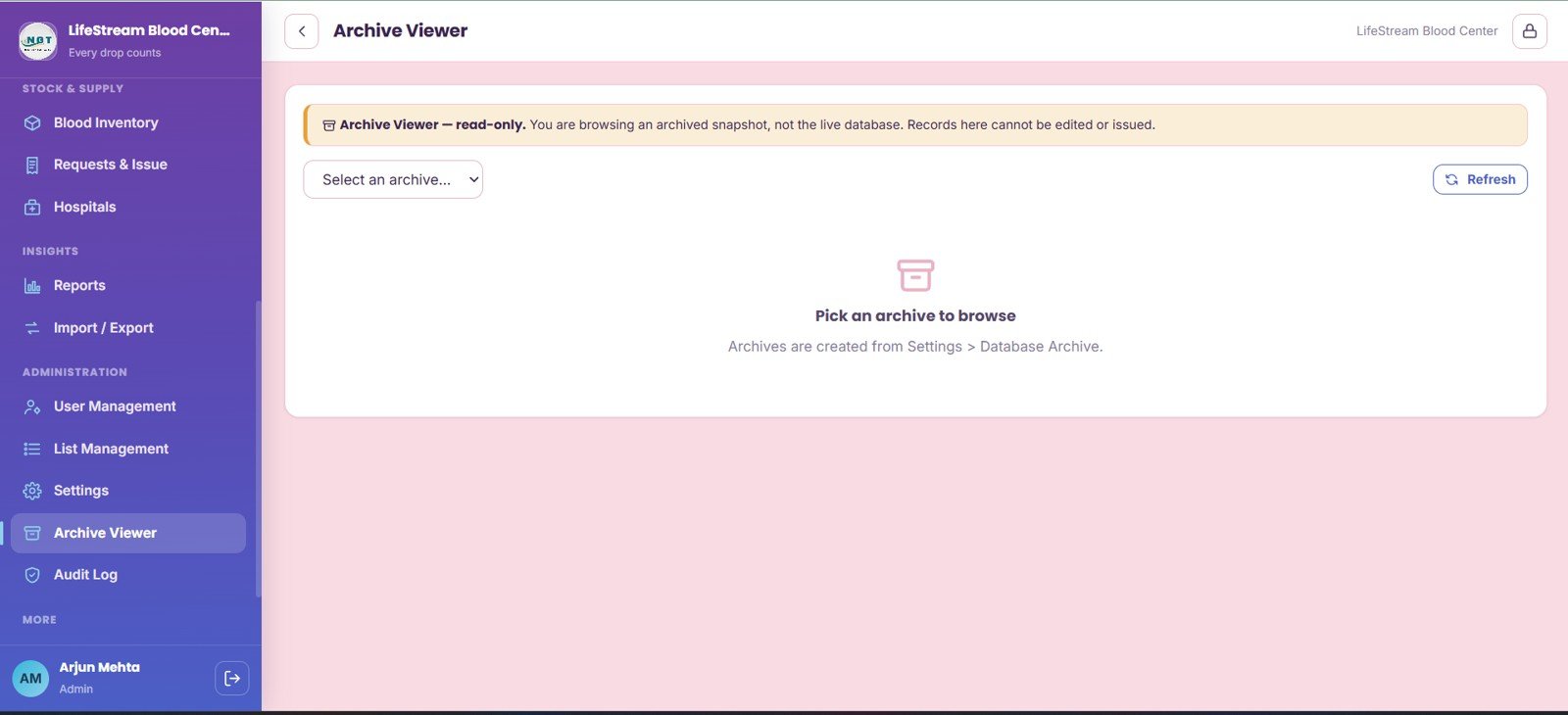
16. Archive Viewer
Archive Viewer lets administrators select archived snapshots and review read-only records. Archive refresh and database archive review help teams inspect historical snapshots without editing current operating data.
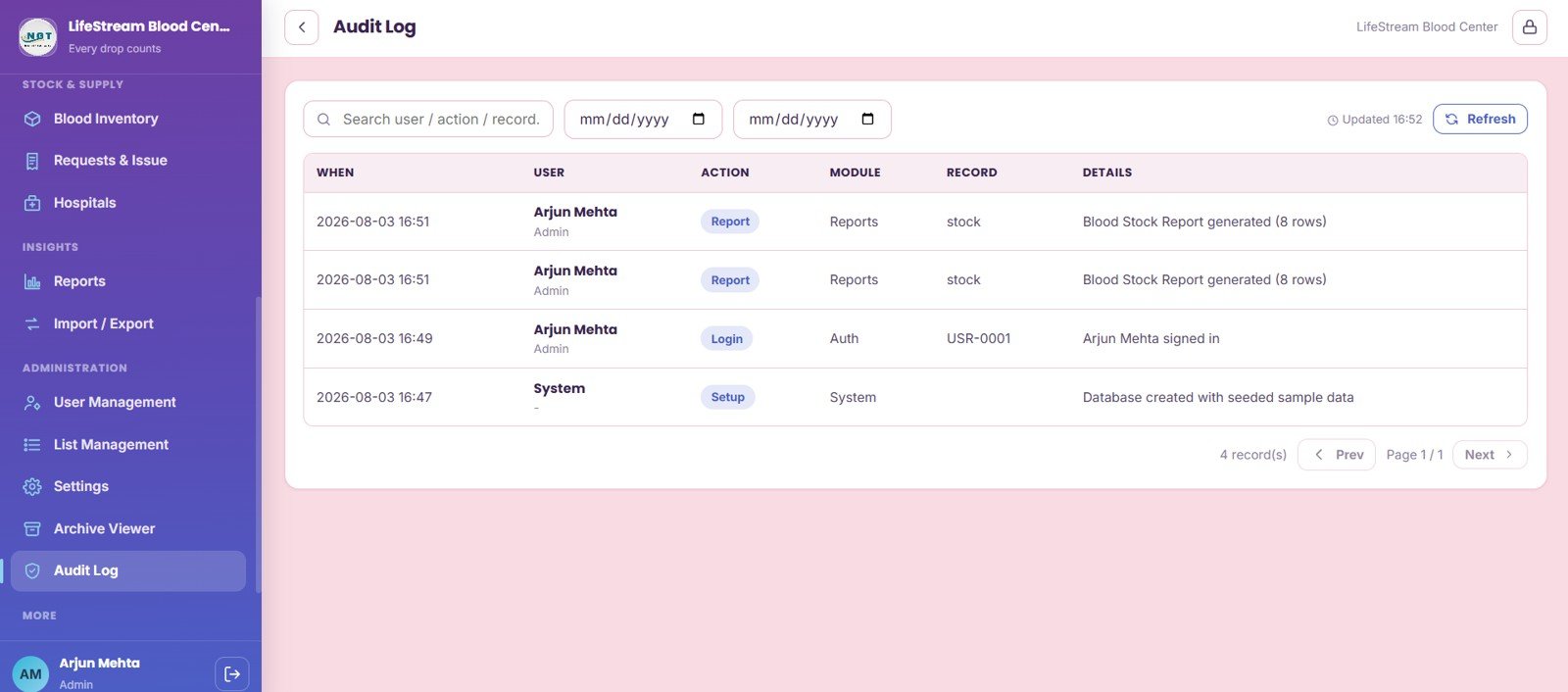
17. Audit Log
Audit Log records events by date range, user, action, module, record, details, report generation, login activity, and system setup. It gives blood-bank administrators a traceable trail of important system activity.
Blood Bank Management System Web App vs. Google Sheets Tracker vs. Paid Healthcare SaaS – Feature Comparison
| Feature | This web app | Google Sheets tracker | Paid healthcare SaaS |
|---|---|---|---|
| Cost | $39.99 one-time sale price | Low software cost, high build time | Recurring monthly or annual pricing |
| Platform | Browser-based web app template | Spreadsheet tabs | Vendor-hosted system |
| Setup time | Deploy, configure settings, import data | Design forms, sheets, formulas, and reports manually | Vendor onboarding and configuration |
| Real-time team collaboration | Supported after deployment and access setup | Shared sheet editing | Usually included by plan |
| Mobile access | Browser access, depending on deployment | Google Sheets mobile app | Usually browser or mobile app |
| Customizable fields | Editable source, settings, and lists | Editable but easy to break | Limited by vendor configuration |
| Share with link | Based on deployment permissions | Yes, through Drive permissions | Usually account based |
| Year-1 cost at 5 users | $39.99 before any workspace or hosting cost | Low subscription cost but more internal labor | Often much higher because of per-user pricing |
| Blood-bank workflow | Donors, screening, inventory, requests, archive, audit log | Requires manual build | May be deeper but less flexible |
Who Should Use This Template
This template is a fit for small and mid-size blood banks, hospital blood-bank departments, donation camp teams, healthcare NGOs, healthcare administrators, operations analysts, and managers who want a structured internal workflow for blood-bank data without building from zero.
It is not a fit for teams that need certified transfusion software, EHR or LIS integration, medical-device connectivity, barcode hardware workflows, validated regulatory deployment, or automated compliance reporting out of the box. For those needs, use this only after a formal technical and compliance review.
Real-World Use Cases
Anita, blood center administrator: starts the day by checking blood inventory, stock health, units below reorder level, and pending hospital requests before making allocation decisions.
Rahul, donor coordinator: filters donors by blood group, city, last donation, and eligibility before sending reminder messages for an upcoming camp.
Meera, screening technician: reviews donation-linked screening tests by blood bag so only cleared units move into available inventory.
Advantages of Blood Bank Management System Web App
- Single workflow: Donor records, appointments, donations, screening, inventory, requests, reports, and admin tools sit in one system.
- Operational traceability: Donation records link to blood bag numbers, screening status, components, and inventory movement.
- Lower recurring cost: A one-time template can be more practical than a monthly subscription for small internal teams.
- Editable structure: Settings and list management let teams adapt labels, values, branding, and operating rules.
- Admin review: Archive Viewer and Audit Log help managers review older snapshots and important system actions.
Opportunities for Improvement
Large regulated blood establishments may want deeper controls such as barcode scanning, instrument integration, validated electronic signatures, role-level audit exports, advanced hemovigilance fields, and integration with hospital information systems. Those features can be scoped as custom enhancements if the template becomes the starting point for a larger internal build.
The template also does not replace policy, medical review, laboratory SOPs, or regulatory validation. The smartest use is to treat it as an editable operational framework, then have the responsible clinical and compliance team approve any production workflow before using it with live data.
Best Practices
- Review Settings and List Management before entering live records.
- Use consistent donor, hospital, component, and blood group naming so filters and reports stay useful.
- Keep screening status updated before marking units available in inventory.
- Review blood inventory expiry and reorder levels at least daily in active operations.
- Use Audit Log and Archive Viewer during management checks, internal reviews, and data cleanup.
- Test user roles before rollout so each staff member sees only the pages they need.
Explore Relevant Templates
- Blood Bank Management System Web App
- Blood Banks Dashboard in Power BI
- Blood Banks Dashboard in Excel
- Ambulance Fleet and Dispatch Management System Web App
- Pharmacy Inventory and Billing Management System Web App
Also read: Hospital Patient Flow Dashboard in HTML and Ambulance Fleet and Dispatch Management Web App.
Frequently Asked Questions
What is the Blood Bank Management System Web App?
It is a downloadable web app template for managing donor records, deferrals, appointments, donations, screening tests, blood camps, inventory, hospital requests, reports, users, settings, archive snapshots, and audit logs.
Is this a subscription-based blood bank software product?
No. It is a one-time downloadable template. Any separate hosting, workspace, or deployment costs depend on how you choose to run and customize it.
Does it include blood inventory tracking?
Yes. The inventory page tracks stock by blood group and component, including whole blood, RBC, plasma, platelets, available units, reorder levels, expiry, location, and bag number.
Can it track screening tests?
Yes. Screening Tests covers HIV, HBsAg, HCV, VDRL, malaria, overall result, tested date, technician, donation reference, and blood bag reference.
Can it manage hospital requests and blood issue workflow?
Yes. Requests and Issue tracks hospital, patient, component, requested units, fulfilled units, priority, approval stage, request status, and issue actions.
Does it replace certified transfusion software?
No. It is a customizable operations template. Blood banks with regulated validation, EHR integration, LIS integration, barcode hardware, or clinical compliance requirements should complete their own review before production use.
About the Author
Built by PK – Microsoft Certified Professional with 15+ years of Excel, Google Sheets, and Power BI experience. Founder of NextGenTemplates, reaching 300K+ subscribers across YouTube channels. Every template is hand-built and tested before release.
Conclusion
The Blood Bank Management System Web App brings donor management, deferrals, appointments, donations, screening tests, blood camps, inventory, hospital requests, reports, user permissions, archive review, list management, settings, and audit history into one practical web app workflow. For teams that want a customizable starting point without recurring SaaS pricing, it gives a serious operational base while still leaving room for local policy, compliance review, and custom enhancement.
Click here to purchase the Blood Bank Management System Web App
Visit our YouTube channel for more web app templates, dashboard walkthroughs, and tutorial content: Youtube.com/@NeoTechNavigators
Last updated: August 4, 2026.