Buffet restaurants move quickly: one day can include breakfast, lunch, hi-tea and dinner sessions, dozens of table turns, per-head pricing, add-on beverages, held bills, kitchen refills, advance reservations and end-of-day cash review. The Buffet Restaurant Management System Web App brings that rhythm into 17 connected pages, with 8 dashboard cards, a 14-day revenue trend, table views, POS billing, inventory, staff attendance, reports and audit tracking. Instead of paying for a large restaurant SaaS suite before you know your workflow, this template gives operators a source-editable starting point they can inspect and adapt.
Buffet Restaurant Management System Web App
🚀 Try the Live Demo Before You Buy
We have deployed this Buffet Restaurant Management System in our own Google account so you can test every page, every role and every module — table bookings, buffet counters, orders, KDS, billing and reports — with real sample data, before purchasing. No signup, no email required.
🔑 Test Login Credentials — 5 Roles
Sign in as Admin for full control of the system, or switch to Manager, Cashier, Waiter and Kitchen to see exactly how role-based access changes the menu and permissions for each staff member. 💡 Tip: log in as Waiter to place an order, then log in as Kitchen to watch the same order appear on the kitchen display.
💡 What you get after purchase: The full source code (Code.gs + Index.html) plus a step-by-step deployment guide so you can deploy your own private instance in your own Google account in under 15 minutes.
Key Features of Buffet Restaurant Management System Web App
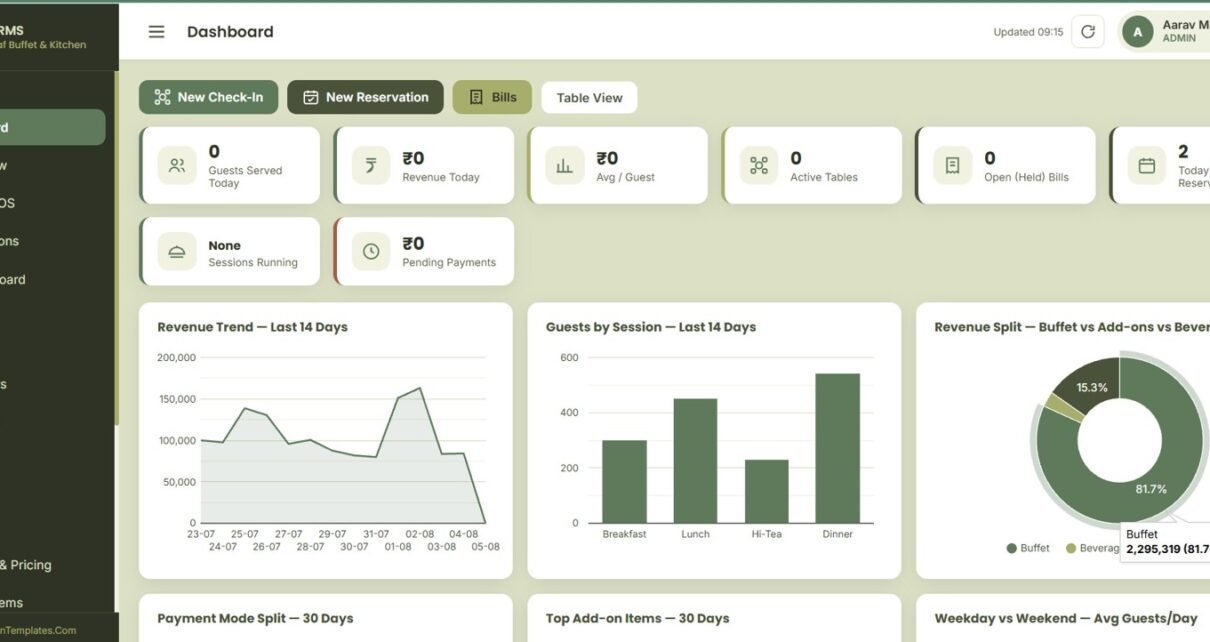
The template is built around buffet service, where revenue depends on session timing, guest count, table availability and fast billing. Managers can watch daily volume, revenue, average spend, active tables, reservations and pending payments from the Dashboard.
Table View, Billing POS, Reservations and Kitchen Board handle the front-of-house flow. Inventory, Customers, Expenses, Staff, Reports, Sessions and Pricing, Add-on Items, User Management, List Management, Settings and Audit Log support the back office.
- Secure login with username and password access.
- Live table view with seating capacity, hall area and cleaning status.
- Buffet POS billing with guest count, payment mode, payment status and receipt actions.
- Reservations with adult and child pax mix, table preference and advance amount.
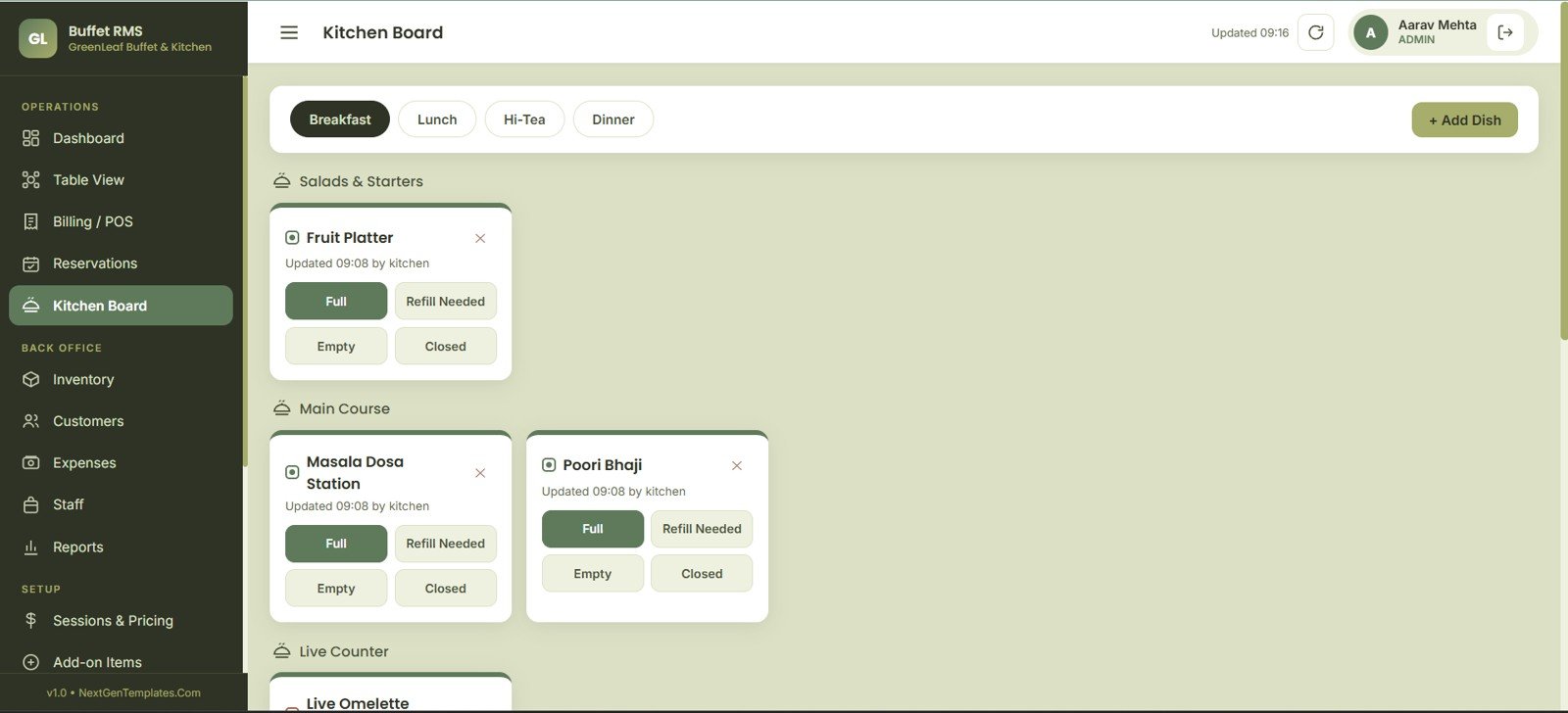
- Kitchen board for dish refill needs, buffet session status and counter closing.
- Inventory, expense, staff, customer and audit pages for daily control.
- Session pricing for weekday, weekend, adult, child and senior rates.
Dashboard Pages Explanation
1. Login Page
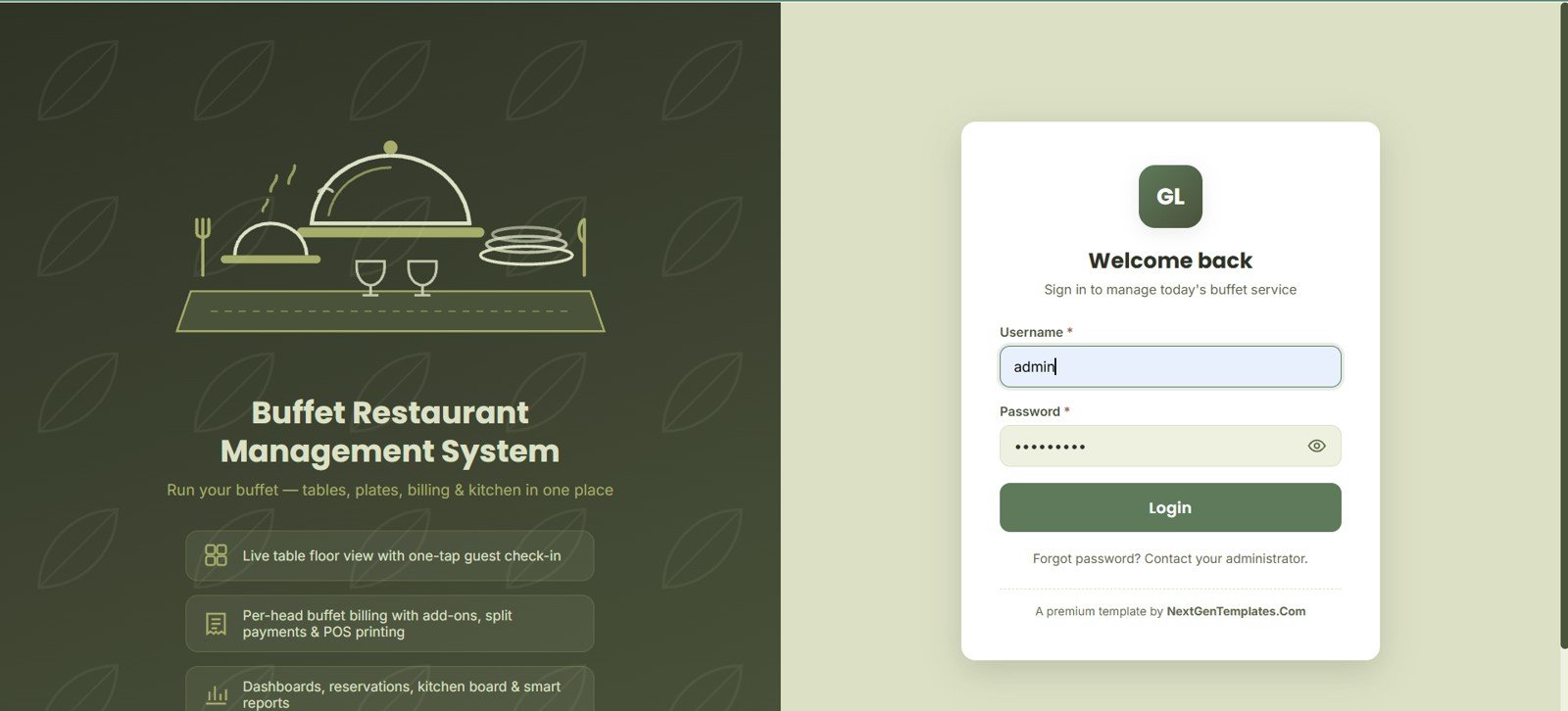
The Login Page opens the GreenLeaf Buffet & Kitchen workspace with username and password access. It frames the table, billing, reservation, kitchen and reports workflow.
Login Page
2. Dashboard
The Dashboard tracks guests served, revenue, average revenue per guest, active tables, held bills, reservations, sessions and pending payments. Charts show the 14-day revenue trend, session guest mix, revenue split, payment modes, top add-ons and weekday versus weekend guest patterns.
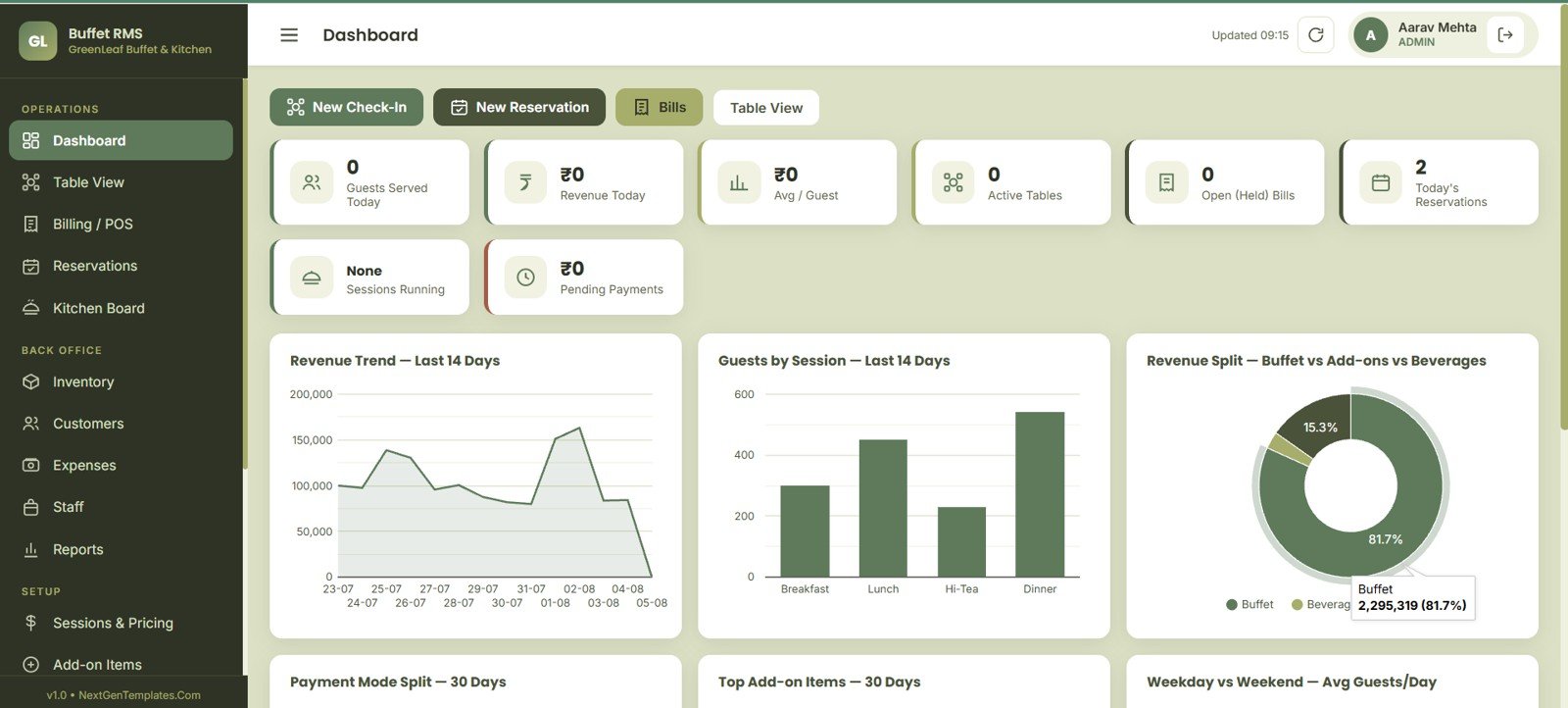
Dashboard
3. Table View
Table View shows availability status and seating capacity for fast party placement. Area, guest check-in, cleaning and hold charts keep the floor ready.
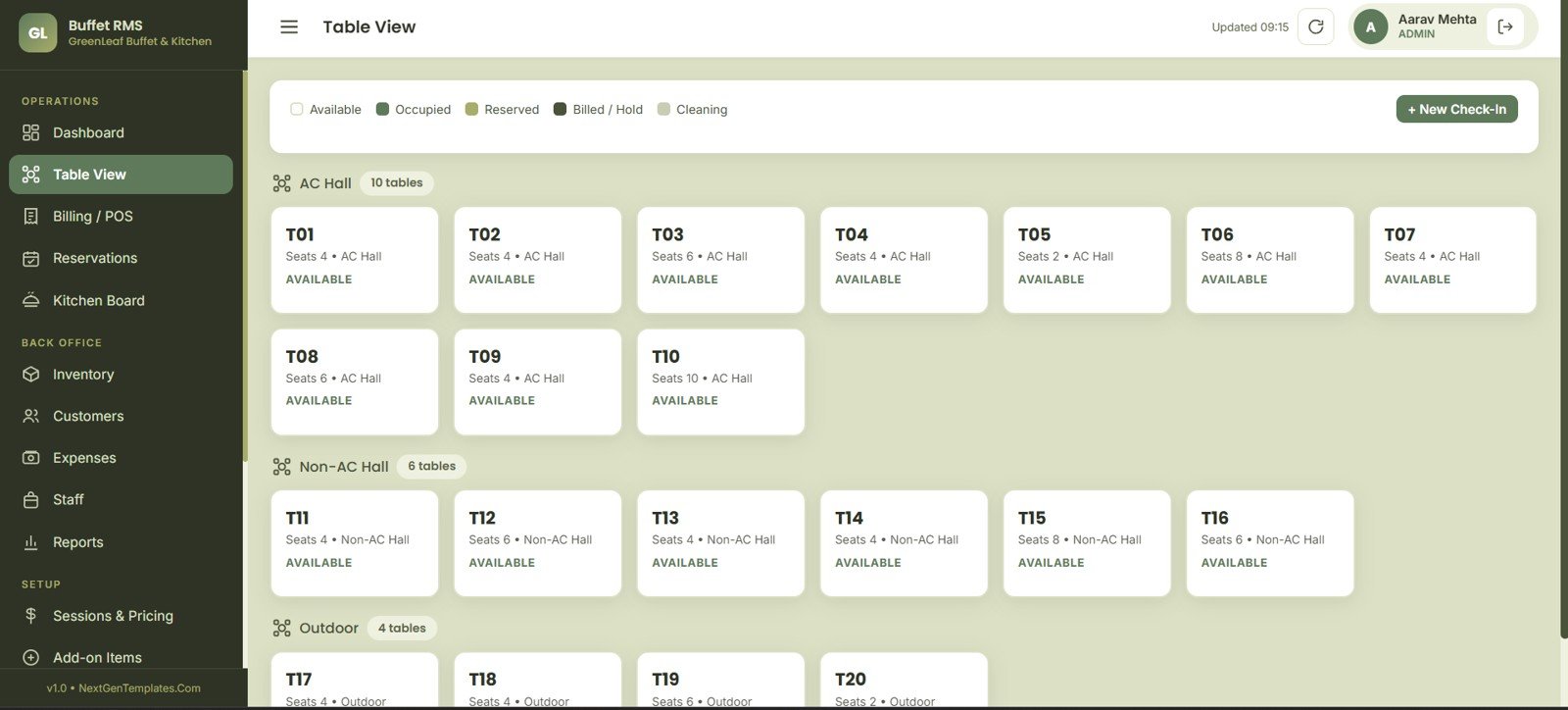
Table View
4. Billing POS
Billing POS covers bill total, guest count, payment mode and payment status by bill. Session sales, date range and receipt actions support cashier closeout.
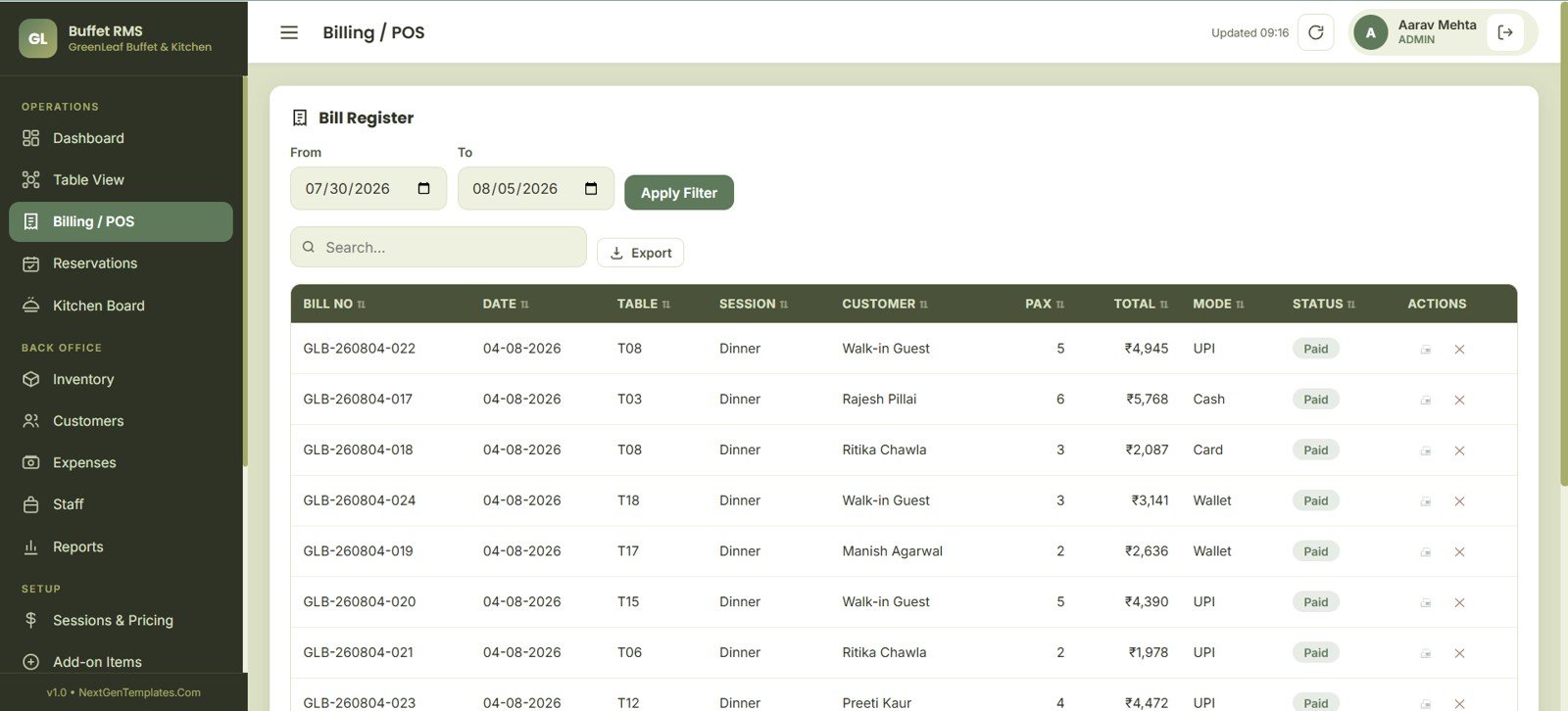
Billing POS
5. Reservations
Reservations tracks booking count, guest details, adult and child pax mix, table preference and advance amount. Confirmation and check-in actions prepare the team before arrival.
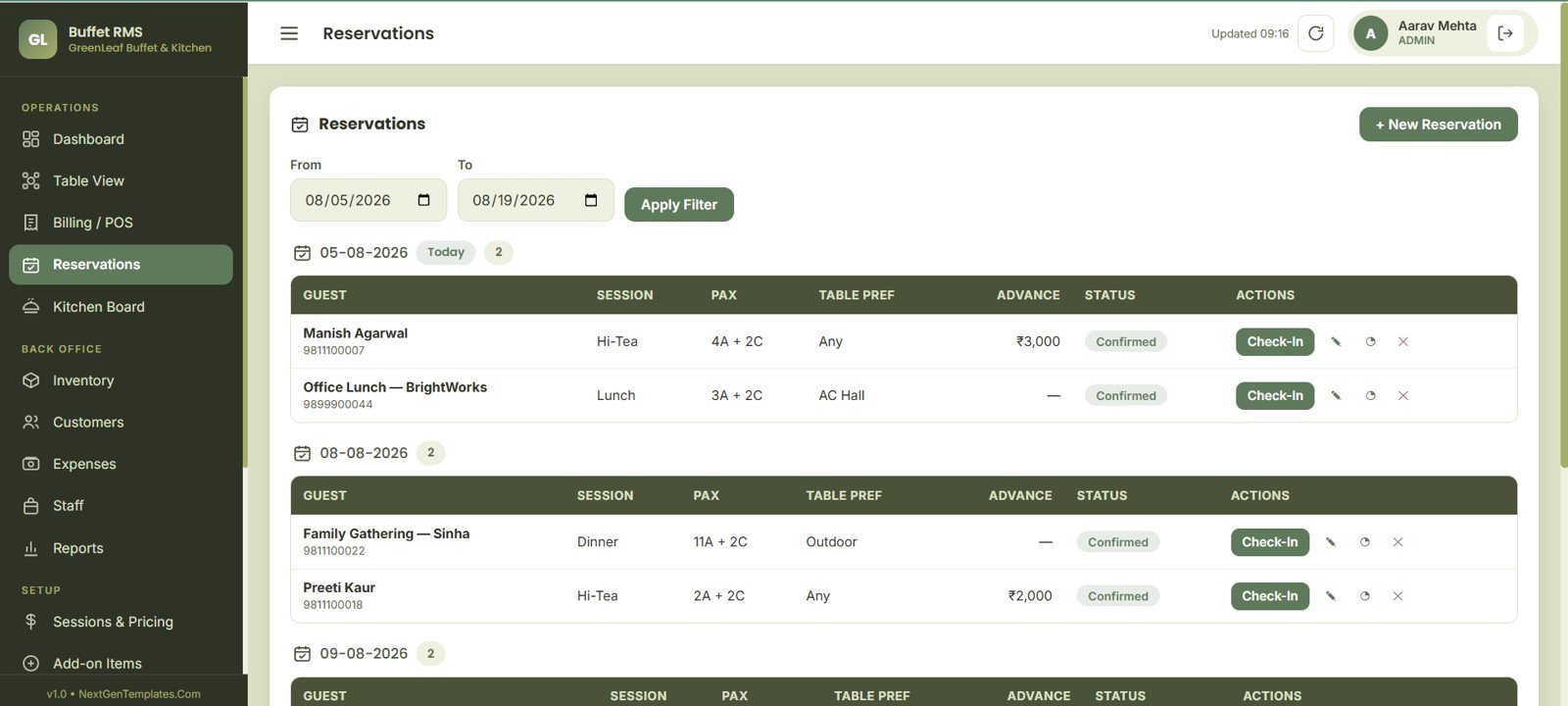
Reservations
6. Kitchen Board
Kitchen Board gives dish status, refill need and course group by buffet session. Update time, closed counter and add-dish actions keep counters moving.
Kitchen Board
7. Inventory
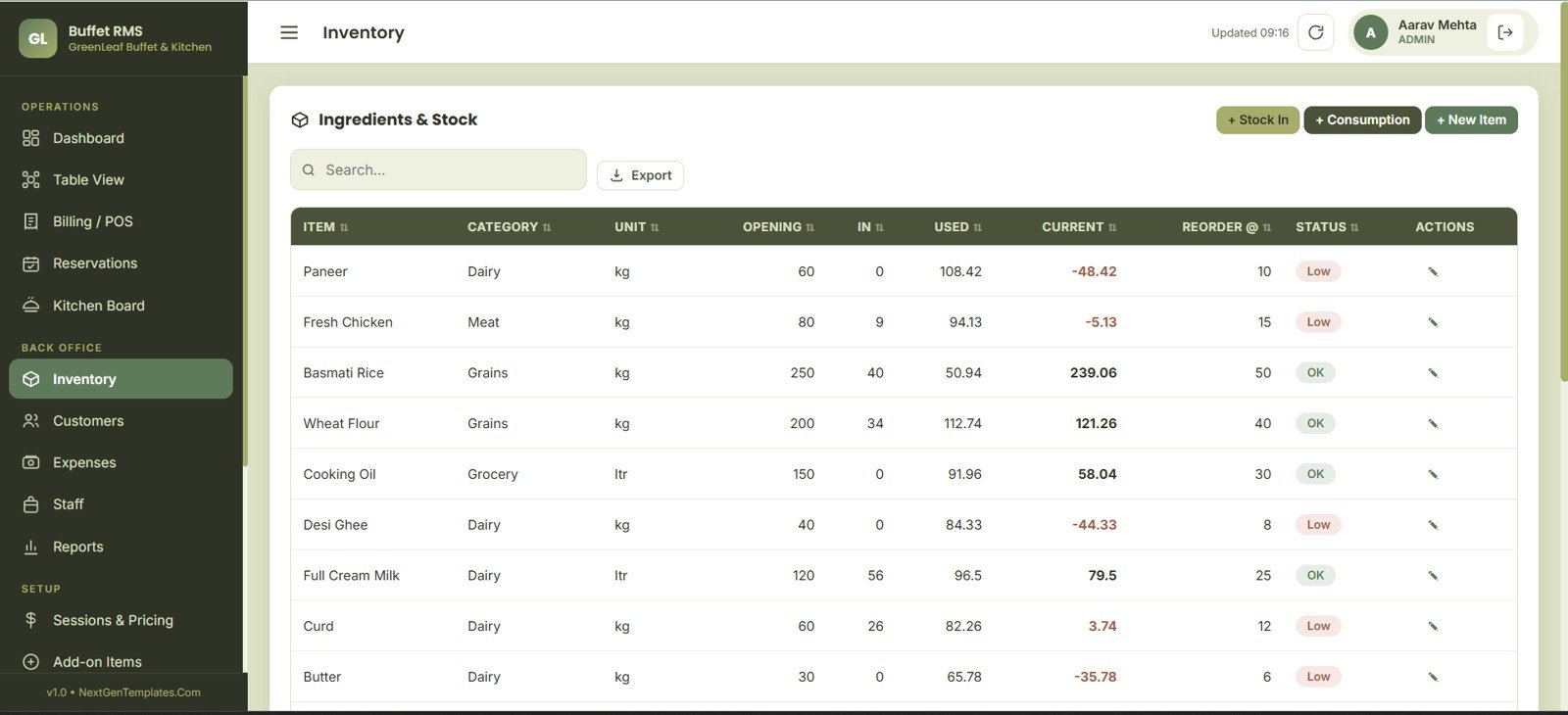
Inventory compares current stock, opening quantity, stock in and consumption. Reorder level and low-stock status show what needs attention before service.
Inventory
8. Customers
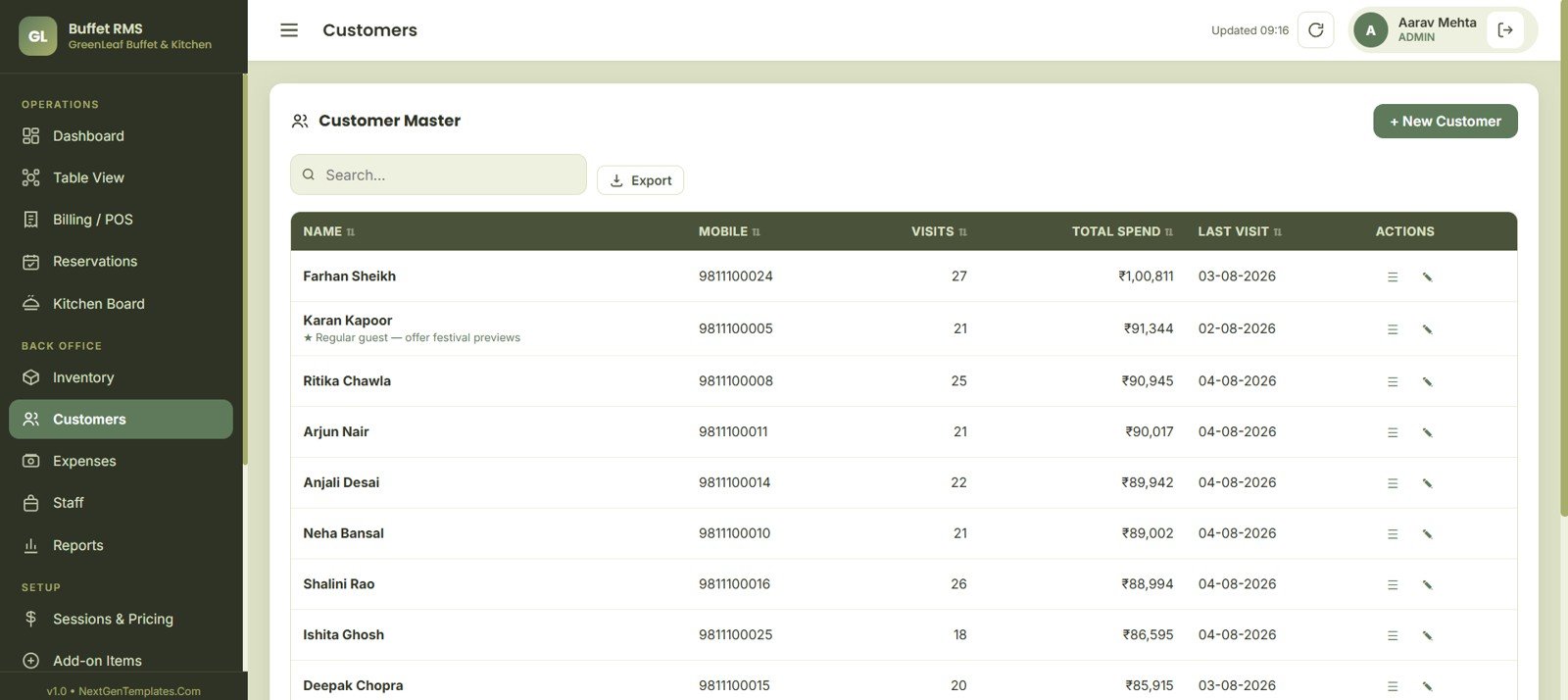
Customers tracks spend, visit count, last visit, mobile number and notes. Record actions help the team maintain repeat-guest history.
Customers
9. Expenses
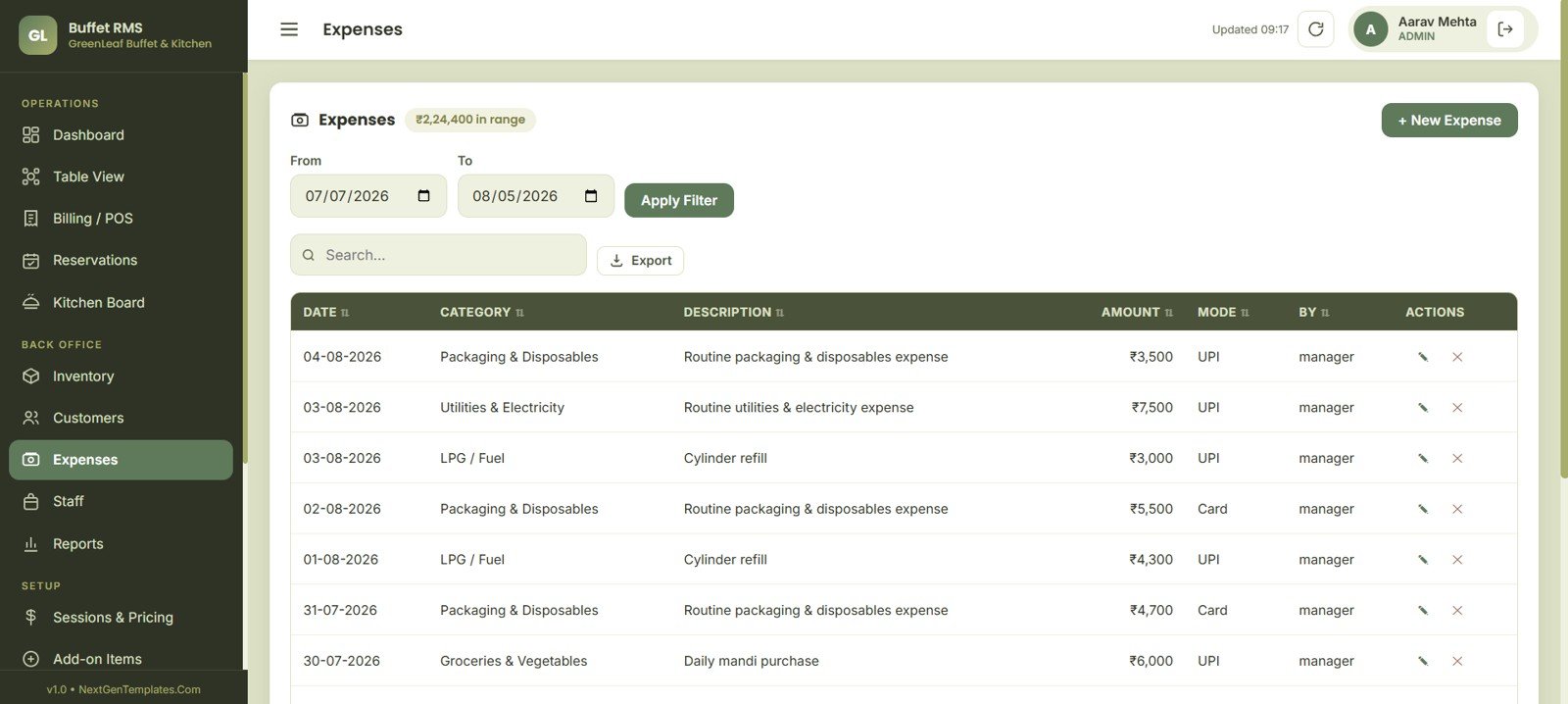
Expenses shows amount by category, date range and payment mode. Description, staff role and export fields support cost review.
Expenses
10. Staff
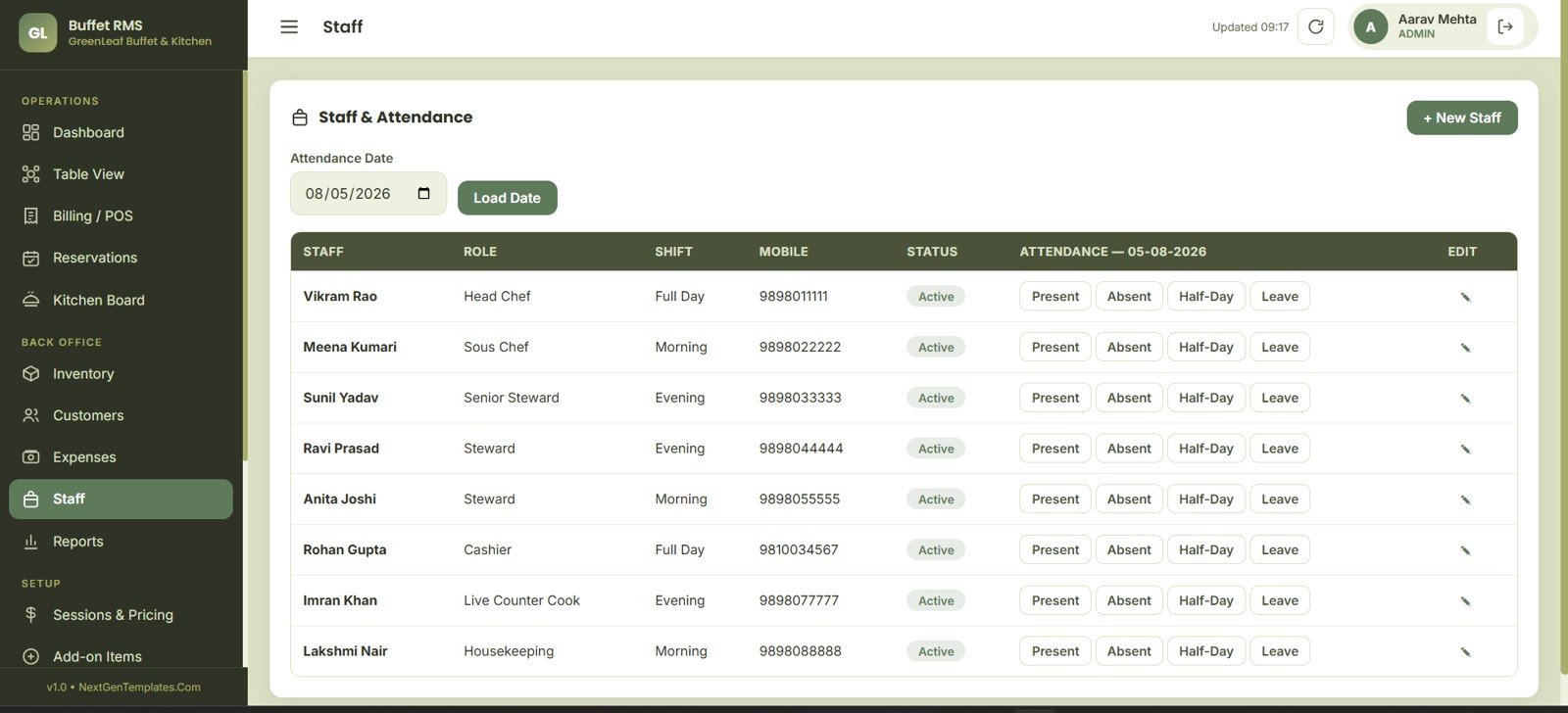
Staff tracks employee role, shift, attendance status and mobile number. Presence options plus leave and half-day fields support daily staffing.
Staff
11. Reports
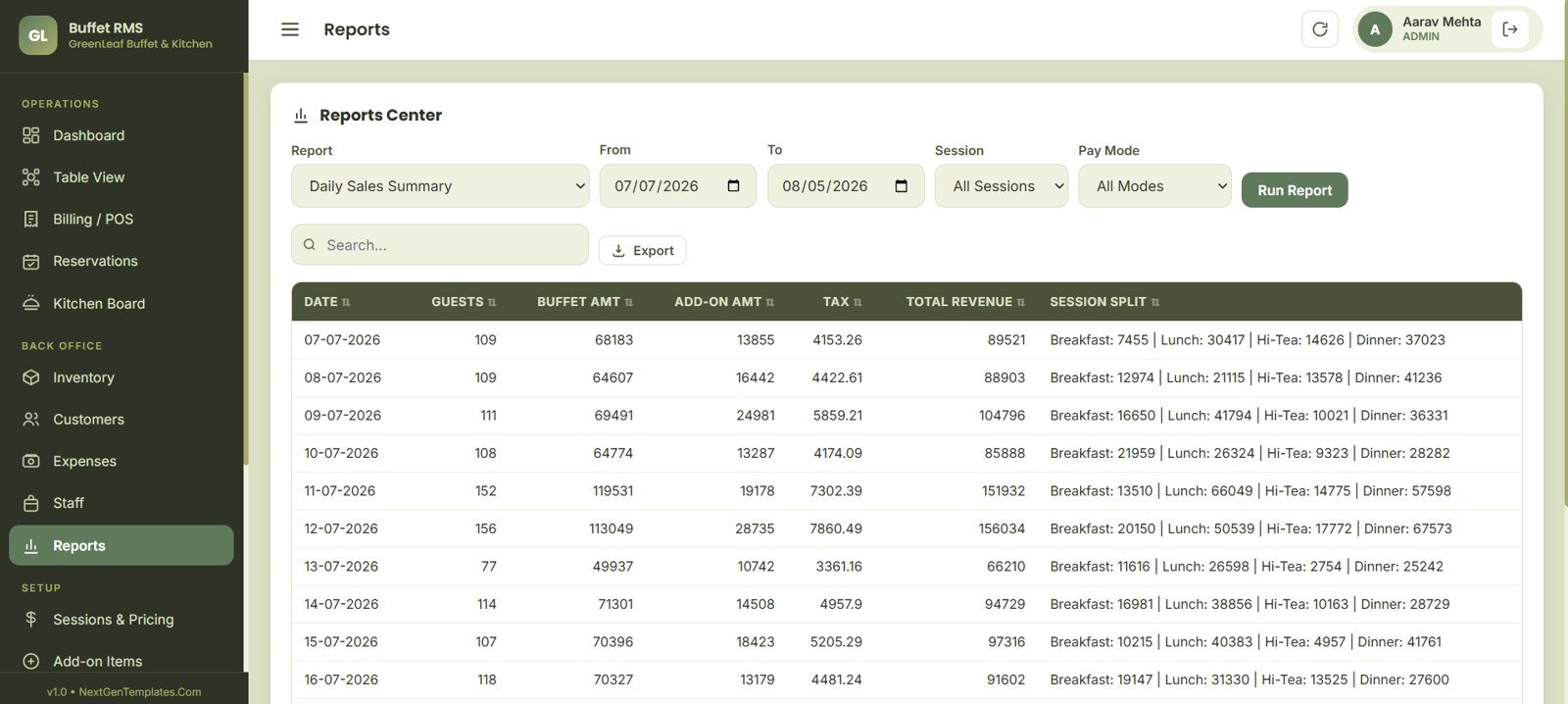
Reports summarizes sales, guest count, buffet amount, add-ons, tax and total revenue by date. Session split and filters support end-of-day review.
12. Sessions and Pricing
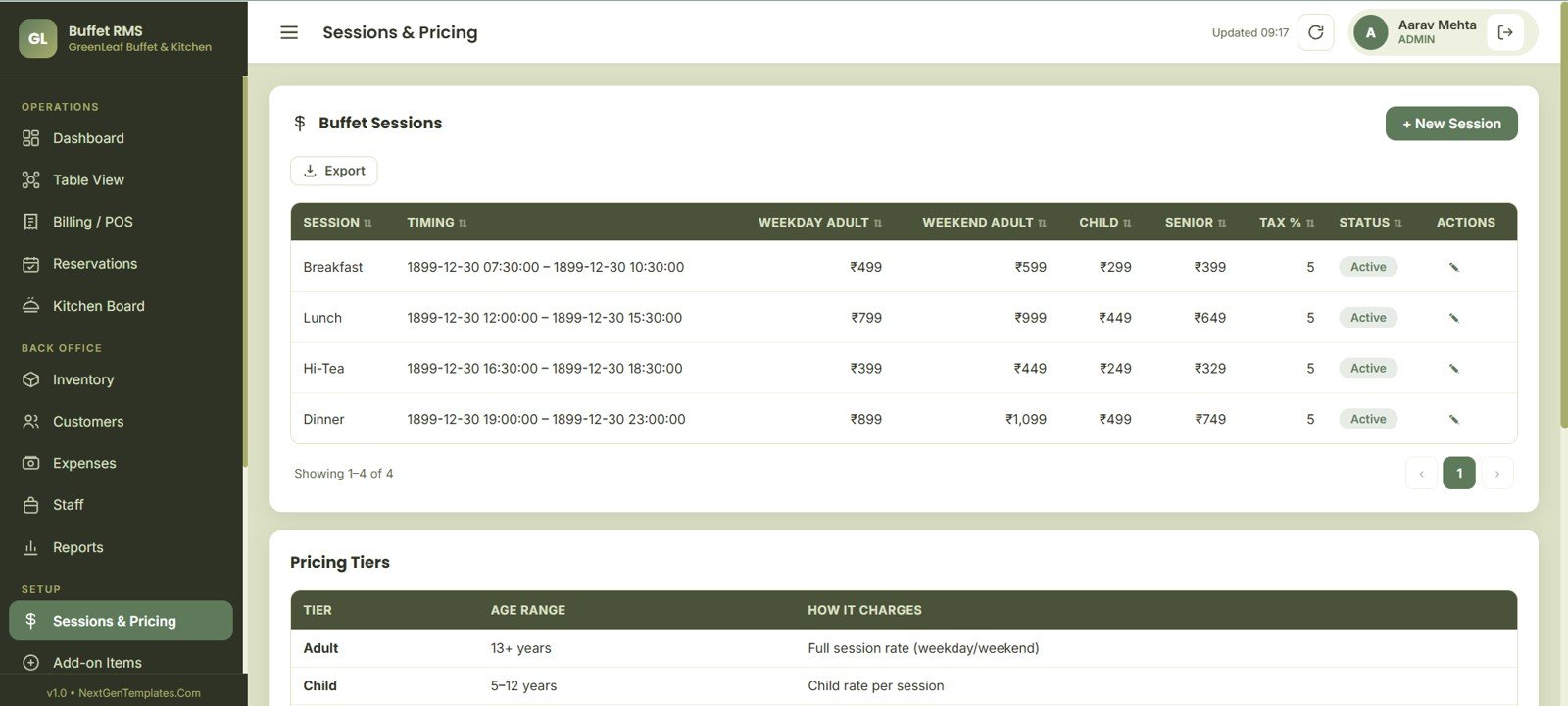
Sessions and Pricing stores weekday adult, weekend adult, child, senior and tax rates. Age tiers and session timing keep buffet billing consistent.
Sessions and Pricing
13. Add-on Items
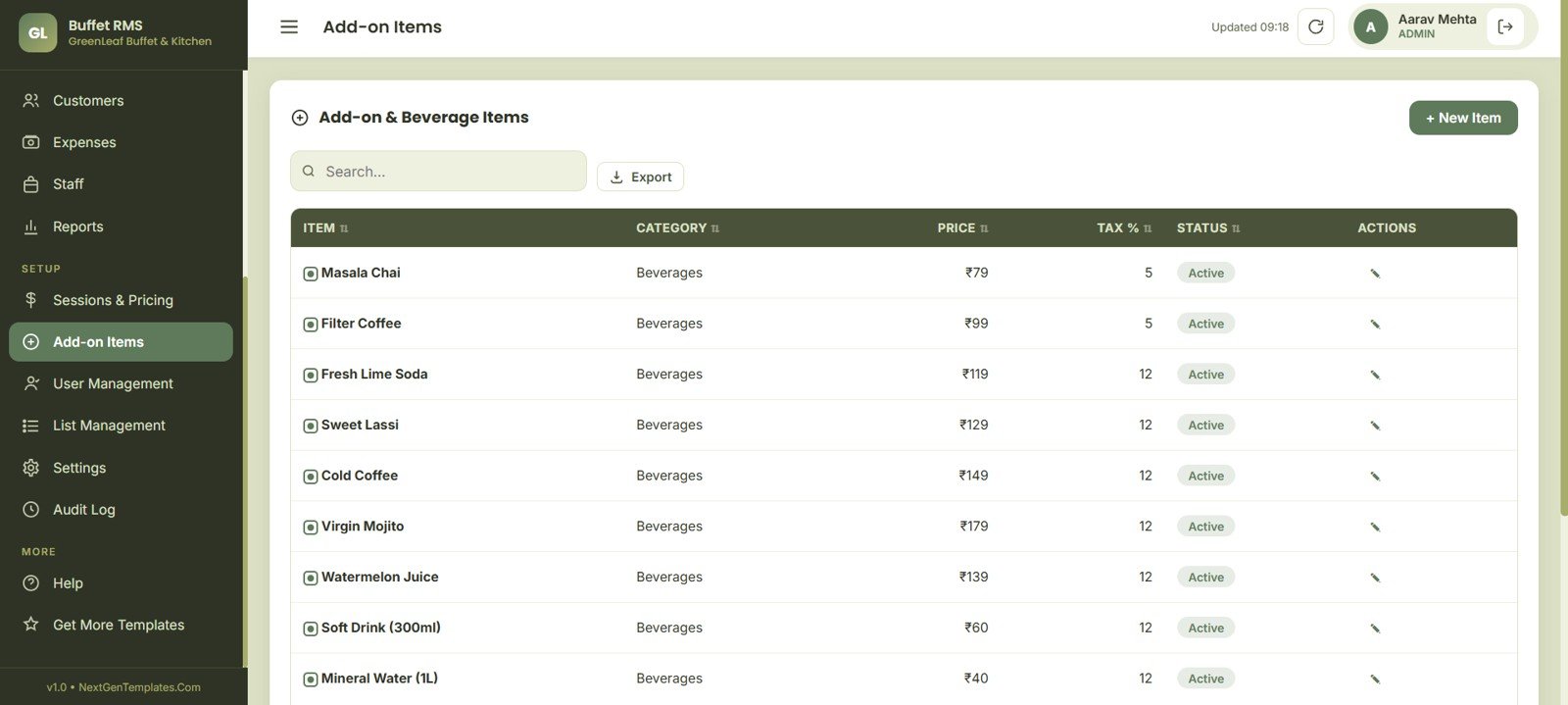
Add-on Items organizes price, tax percent and status by item. Beverage categories, search, export and entry controls keep upsells tidy.
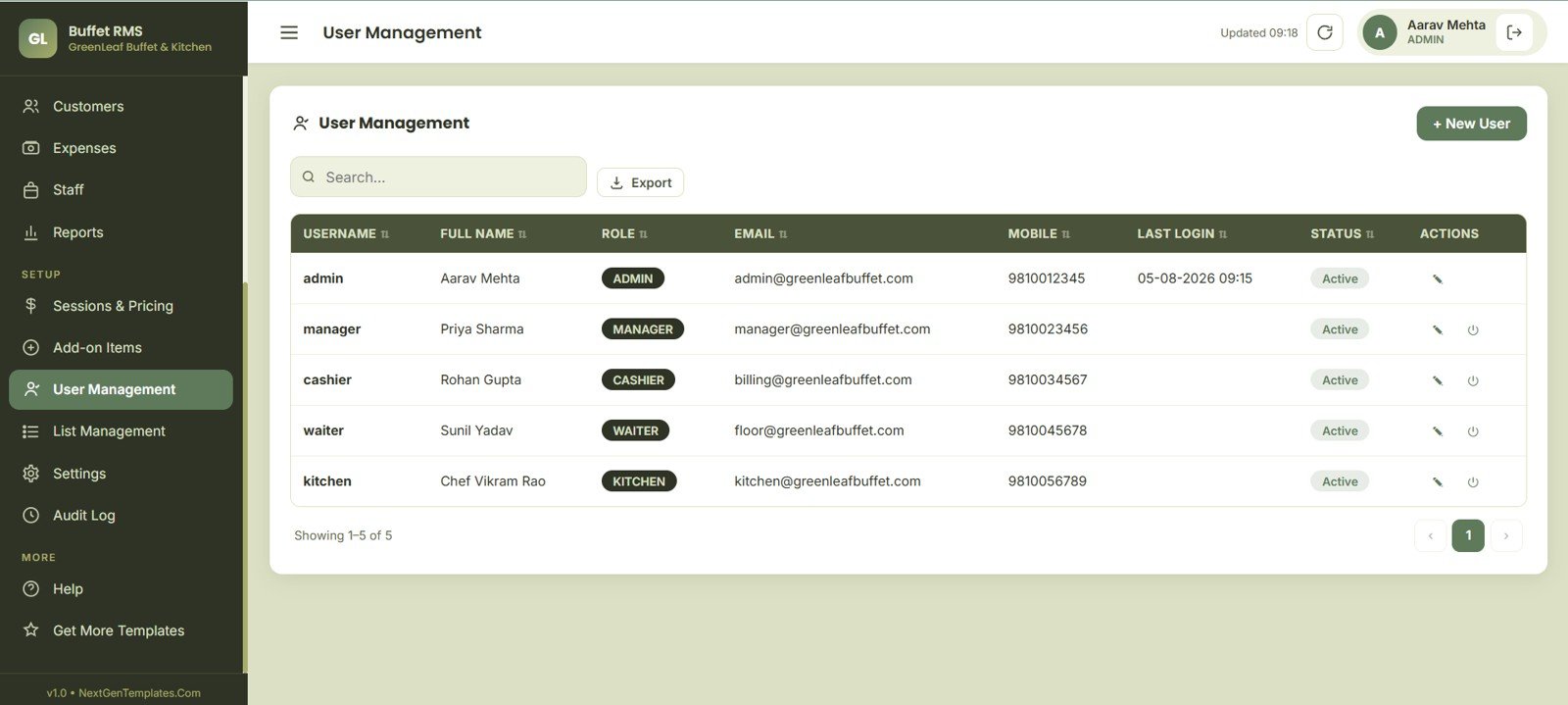
14. User Management
User Management tracks role, contact fields, last login, access status and permissions. Admin, Manager, Cashier, Waiter and Kitchen access stay visible.
User Management
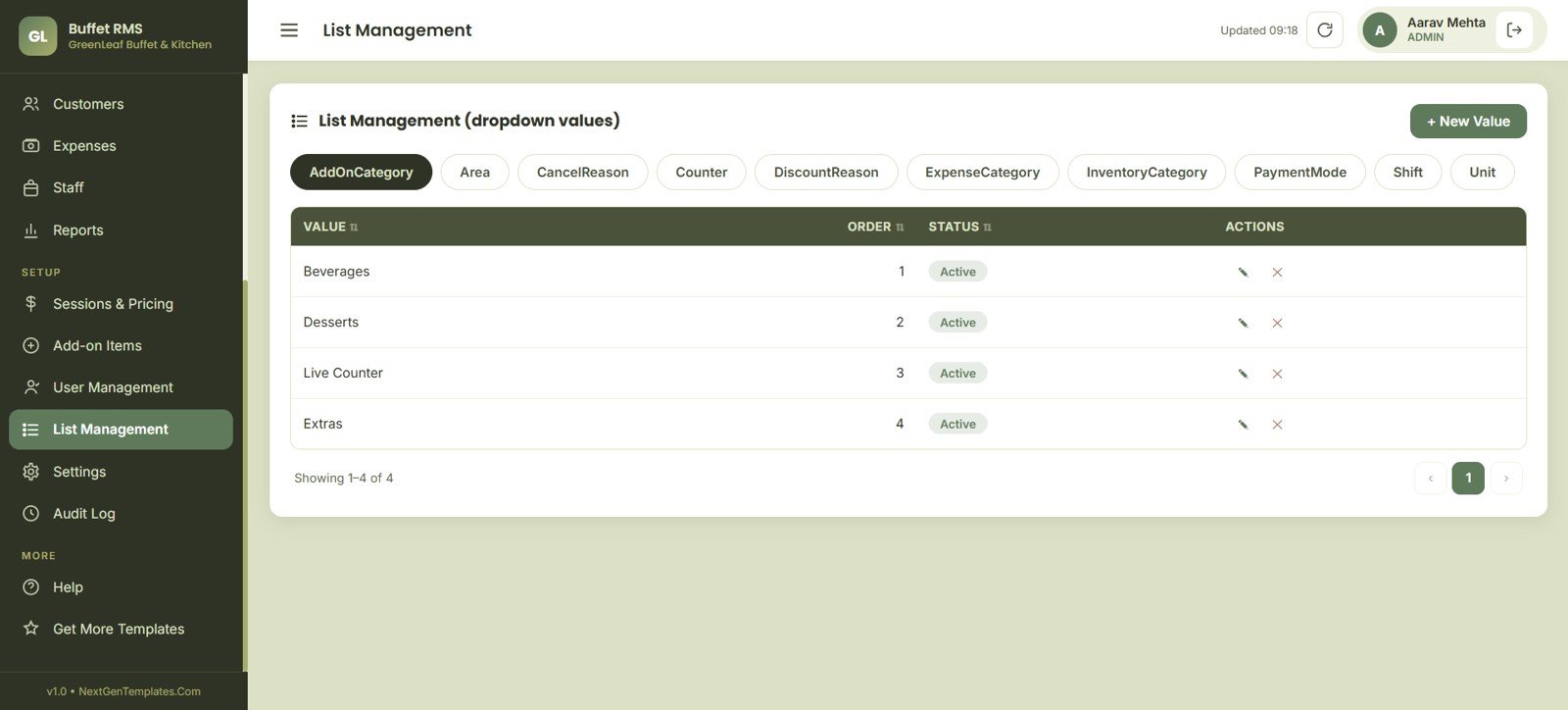
15. List Management
List Management keeps dropdown values for add-on category, area, cancel reason, counter, discounts, expenses and inventory. Payment mode, shift and unit values stay consistent.
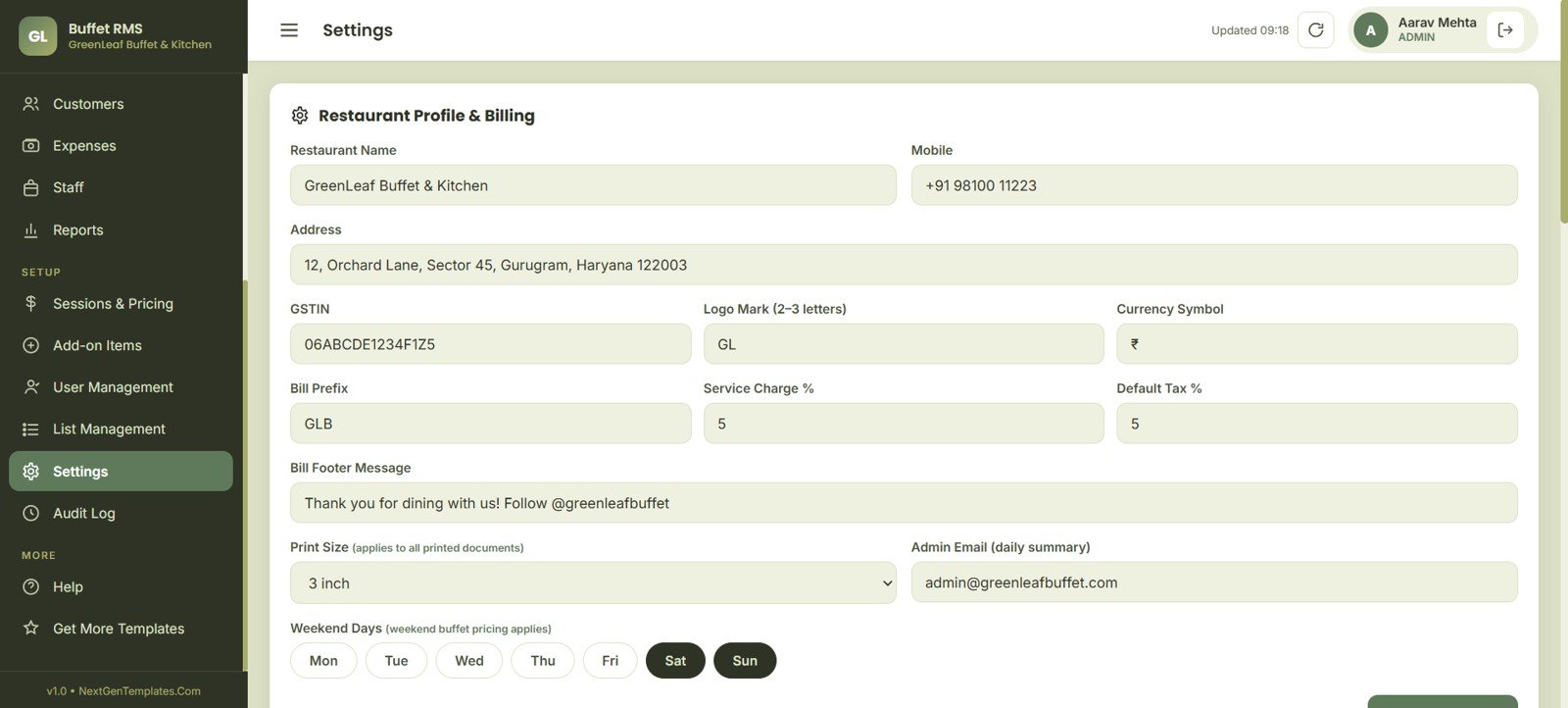
16. Settings
Settings stores profile, GSTIN, bill prefix, service charge, tax, print size, weekend days, admin email and footer message. It turns the sample app into a restaurant-specific setup.
Settings
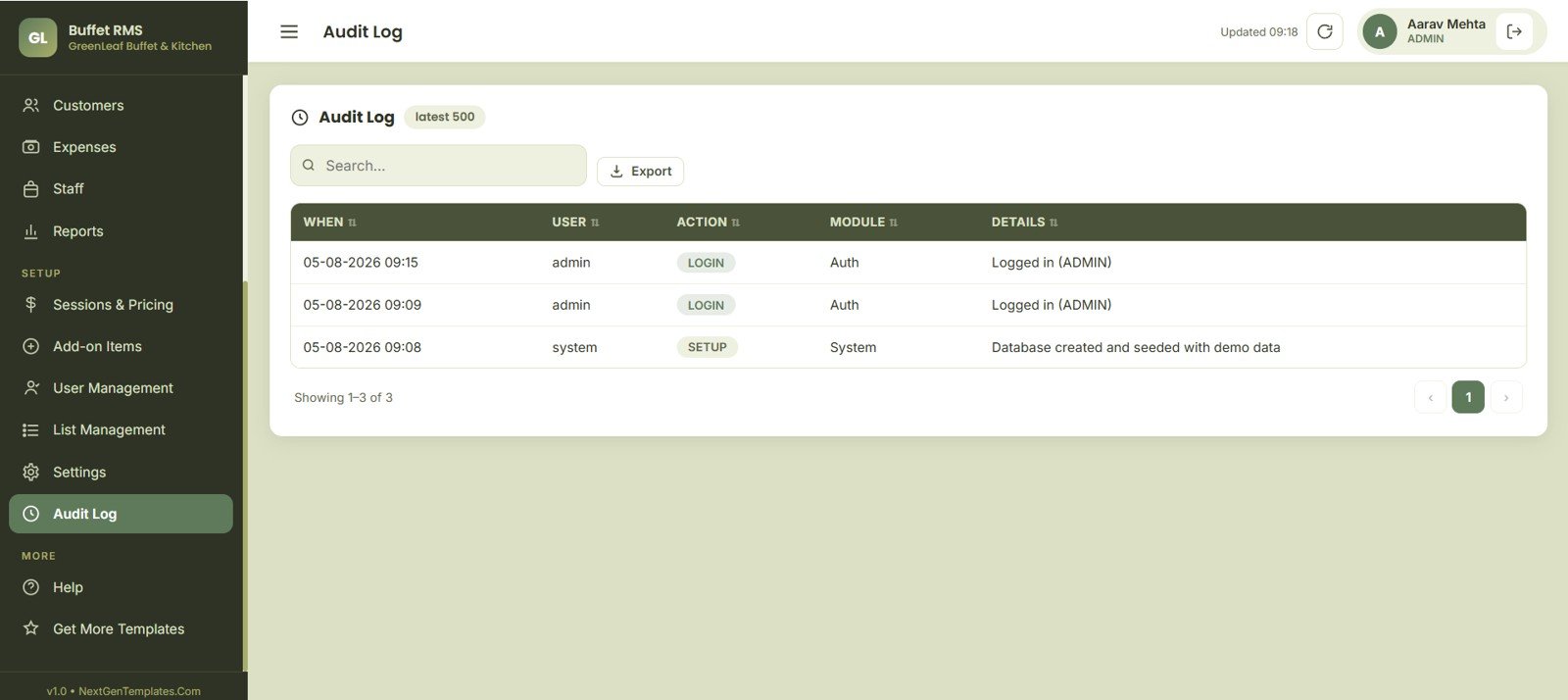
17. Audit Log
Audit Log records user actions, login history, setup changes, activity details and latest activity. Export and search controls support accountability.
Buffet Restaurant Management System Web App vs. Spreadsheet Tracker vs. Paid POS/CRM SaaS – Feature Comparison
| Feature | Buffet Restaurant Management System Web App | Spreadsheet tracker | Paid POS/CRM SaaS |
|---|---|---|---|
| Cost | 39.99 one-time sale price | Low cost, but built manually | Monthly subscription and possible terminal fees |
| Platform | Google Sheets and Apps Script style web app package | Excel or Google Sheets files | Vendor-hosted cloud system |
| Setup time | Start from a finished buffet workflow | Hours or days of setup | Onboarding may be required |
| Real-time team collaboration | Designed for team use after deployment | Possible, but often messy | Usually included |
| Mobile access | Browser-based interface | Limited by spreadsheet layout | Usually included |
| Customizable fields | Editable source files and dropdown lists | Editable formulas and sheets | Limited to vendor settings |
| Share with link | Can be shared after deployment in your account | Can share the file | Vendor account access required |
| Year-1 cost at 5 users | 39.99 sale price, before any customization | Mostly internal build time | Can rise quickly with users and terminals |
| Buffet sessions | Breakfast, lunch, hi-tea and dinner reporting | Manual setup needed | Depends on vendor plan |
| Kitchen refill board | Included | Manual setup needed | Usually included in restaurant systems |
Who Should Use This Template
This template is best for buffet restaurant owners, hotel buffet managers, food-court operators, banquet dining teams, catering businesses and hospitality consultants who need a working operations app they can adapt. It is useful when the team needs visibility across floor status, billing, reservations, kitchen refills, inventory and reports without starting from a costly SaaS stack.
It also fits restaurants that want a prototype before custom development. The pages show the fields, logic and reporting model a buffet business needs.
Real-World Use Cases
Dinner rush control: A manager checks Active Tables, Open Held Bills, Pending Payments and Cleaning Status before seating the next party.
Buffet session review: The owner compares guest count and revenue across breakfast, lunch, hi-tea and dinner, then adjusts staffing by session.
Kitchen refill planning: The kitchen team reviews dish status, refill need and course group so counters stay ready during peak service.
End-of-day reconciliation: The cashier uses payment mode, bill totals, tax amount and session sales to close the day.
Advantages of Buffet Restaurant Management System Web App
The biggest advantage is workflow coverage. Many restaurant templates focus only on sales reporting, while this one connects table status, billing, reservations, kitchen, stock, customers, expenses, staff and admin controls. Buffet operations need that wider view because service timing, seat availability, refill pressure and quick settlement all affect the guest experience.
The second advantage is ownership. Buyers can inspect the files and adapt dropdowns, pricing, users and settings. For browser-side customization, MDN’s Web Storage API reference is a useful technical starting point.
Opportunities for Improvement
This is still a template. Restaurants that need payment gateway settlement, fiscal printer compliance, barcode inventory, accounting sync, SMS reminders, WhatsApp confirmations, loyalty wallet integrations or a native mobile app should plan custom development. Teams should test role permissions, print formats and tax settings before live use.
Best Practices
- Start by updating Settings, Sessions and Pricing, Add-on Items and List Management before entering daily transactions.
- Create user roles carefully so cashiers, waiters, kitchen staff and managers only access the pages they need.
- Review inventory reorder levels before every high-volume weekend session.
- Use Audit Log weekly to spot unusual changes, repeated corrections or training gaps.
- Archive exported reports by date so sales, tax and payment reviews are easier later.
Explore Relevant Templates
If you want a broader restaurant web app, compare the Restaurant Management System Web App Template. If you want multiple restaurant and hospitality files together, see the Hospitality & Restaurant Bundle. Analytics buyers may also like the Catering Services Dashboard in Excel, Restaurants and Food Services Dashboard in Power BI and Restaurant P and L Dashboard in Excel. Browse all Web Apps and HTML Dashboard Templates for more options.
Frequently Asked Questions
What does the Buffet Restaurant Management System Web App do?
It helps buffet restaurants manage table check-in, per-head billing, add-ons, reservations, kitchen refill status, inventory, customers, expenses, staff, reports and admin settings.
Which pages are included?
The 17 pages are Login, Dashboard, Table View, Billing POS, Reservations, Kitchen Board, Inventory, Customers, Expenses, Staff, Reports, Sessions and Pricing, Add-on Items, User Management, List Management, Settings and Audit Log.
Can it handle different buffet sessions?
Yes. Sessions and Pricing supports weekday adult, weekend adult, child, senior and tax setup by buffet session, while Reports summarizes breakfast, lunch, hi-tea and dinner.
Does it replace a full restaurant POS SaaS?
For many small buffet teams, it can replace scattered trackers and manual reports. It may not replace a certified POS platform when you need hardware, payment settlement, accounting sync or compliance integrations.
Can I customize the fields?
Yes. The app includes settings and list management pages for core dropdown values, and the downloadable source package can be adapted further.
About the Author
Built by PK – Microsoft Certified Professional with 15+ years of Excel, Google Sheets, and Power BI experience. Founder of NextGenTemplates, reaching 300K+ subscribers across YouTube channels. Every template is hand-built and tested before release.
Conclusion
The Buffet Restaurant Management System Web App is built for restaurants that want a practical middle path between manual spreadsheets and a full subscription POS platform. With 17 pages covering floor, billing, reservations, kitchen, stock, staff and reporting, it gives buffet teams a clear operating base they can test, adapt and improve.
For more tutorials and walkthroughs, visit NeoTech Navigators on YouTube.
Click here to Buy Buffet Restaurant Management System Web App