The Cafeteria and Canteen Management System Web App runs 31 linked database tables, 29 screens and 20 built-in reports on a single Google Sheet. It tracks 10 live dashboard KPIs, splits every meal between the company and the employee across 4 subsidy categories, and ships with 62 days of realistic sample data so every chart is populated the moment you sign in. Deployment takes about 5 minutes.
🚀 Try the Live Demo Before You Buy
We have deployed this web app in our own Google account so you can test every page, every role and every report — with real sample data — before purchasing. No signup, no email required.
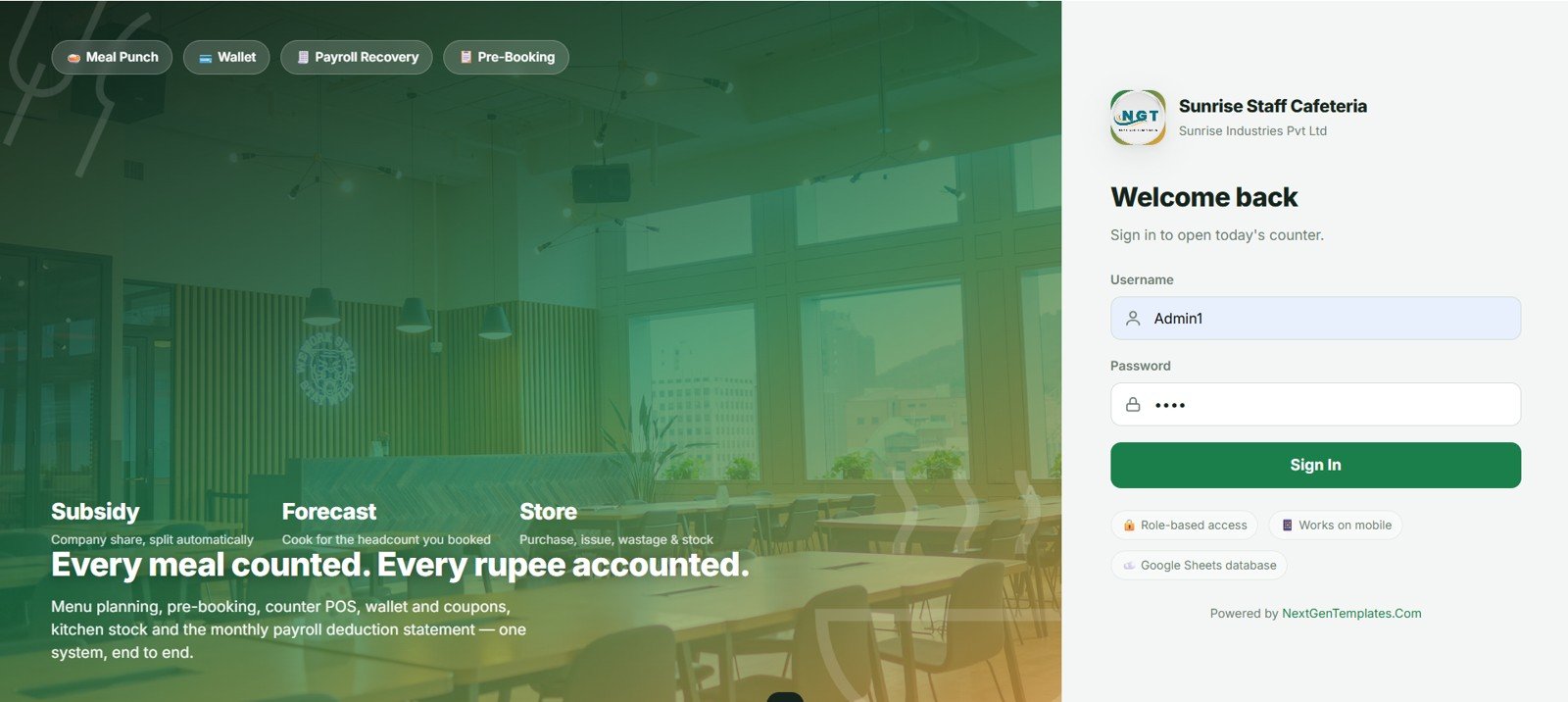
🔑 Test Login Credentials
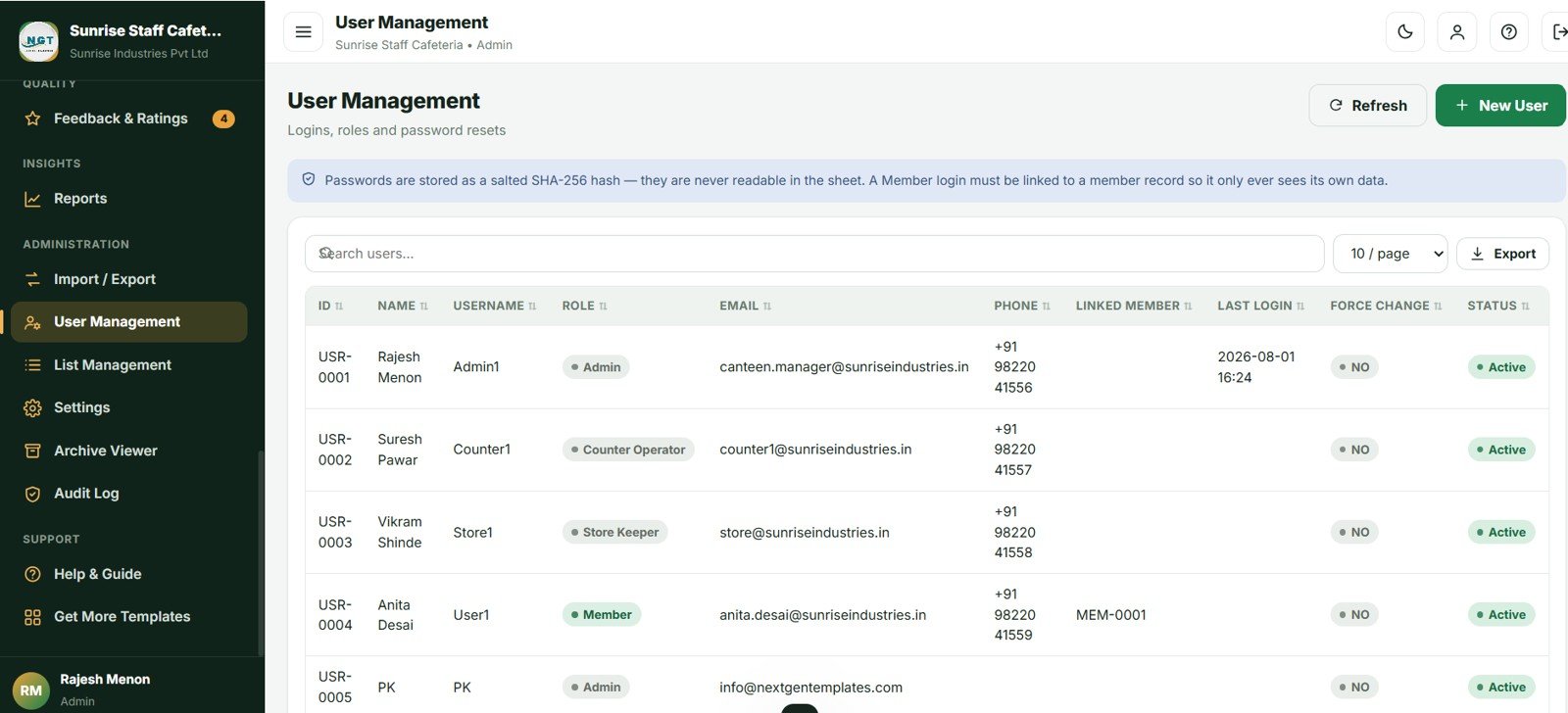
Sign in as Admin1 to access the full canteen dashboard, menu & pricing setup, stock control, staff management and all sales reports — or as Counter1 to run the billing counter, punch orders and print receipts, or Store1 to manage kitchen stock, ingredient issues and purchase entries. 💡 Log in with each role one by one to see exactly how the permissions change.
| Role | Username | Password | Demo User |
|---|---|---|---|
| 👨💼 Admin | Admin1 | abcd | Rajesh Menon (Canteen Manager) |
| 🧾 Counter Operator | Counter1 | abcd | Suresh Pawar (Cashier) |
| 📦 Store Keeper | Store1 | abcd | Vikram Shinde (Kitchen Store In-charge) |
💡 What you get after purchase: The full source code (Code.gs + Index.html) plus a step-by-step deployment guide so you can deploy your own private instance in your own Google account in under 15 minutes.
Running a staff canteen is not the same as running a restaurant. A restaurant has one money flow: the customer pays. A canteen has two, and they run side by side every single day. The company subsidises meals for employees and recovers the employee share through a wallet, coupons or payroll. Meanwhile guests, visitors and contractors pay cash at the counter. Most canteen managers try to hold both in a spreadsheet and a paper register, and by month-end the numbers never quite agree. This Cafeteria and Canteen Management System Web App was built specifically to solve that Cafeteria and Canteen Management System Web App
Get the Cafeteria and Canteen Management System Web App
Key Features of the Cafeteria and Canteen Management System
The system supports 4 subsidy types – Fixed amount per meal, Percent of price, Full Free and No Subsidy – each with its own daily entitlement per meal type and an optional monthly cap. It accepts 7 payment modes including split payments, and enforces 4 user roles entirely on the server.
- Automatic subsidy split. Every entitled meal is divided between the company share and the employee share using the member’s subsidy category. Anything beyond the daily entitlement is charged at the full cash price automatically.
- Prepaid wallet with a real ledger. Top-ups, auto-debits at the counter, refunds and adjustments all post to a per-member ledger with a running balance, so the member card and the ledger can never drift apart.
- Meal pre-booking with cut-off rules. Members book ahead within a configurable window. Standing meal plans are auto-booked. The kitchen gets a plate-by-plate indent instead of a guess.
- Menu cycles. Plan one week, save it as a named cycle such as Week A, then stamp it across an entire month in a few clicks and publish it to members.
- Serialised coupons. Issue coupon batches where every individual serial is tracked from issue through redemption, cancellation or expiry, with a reconciliation report.
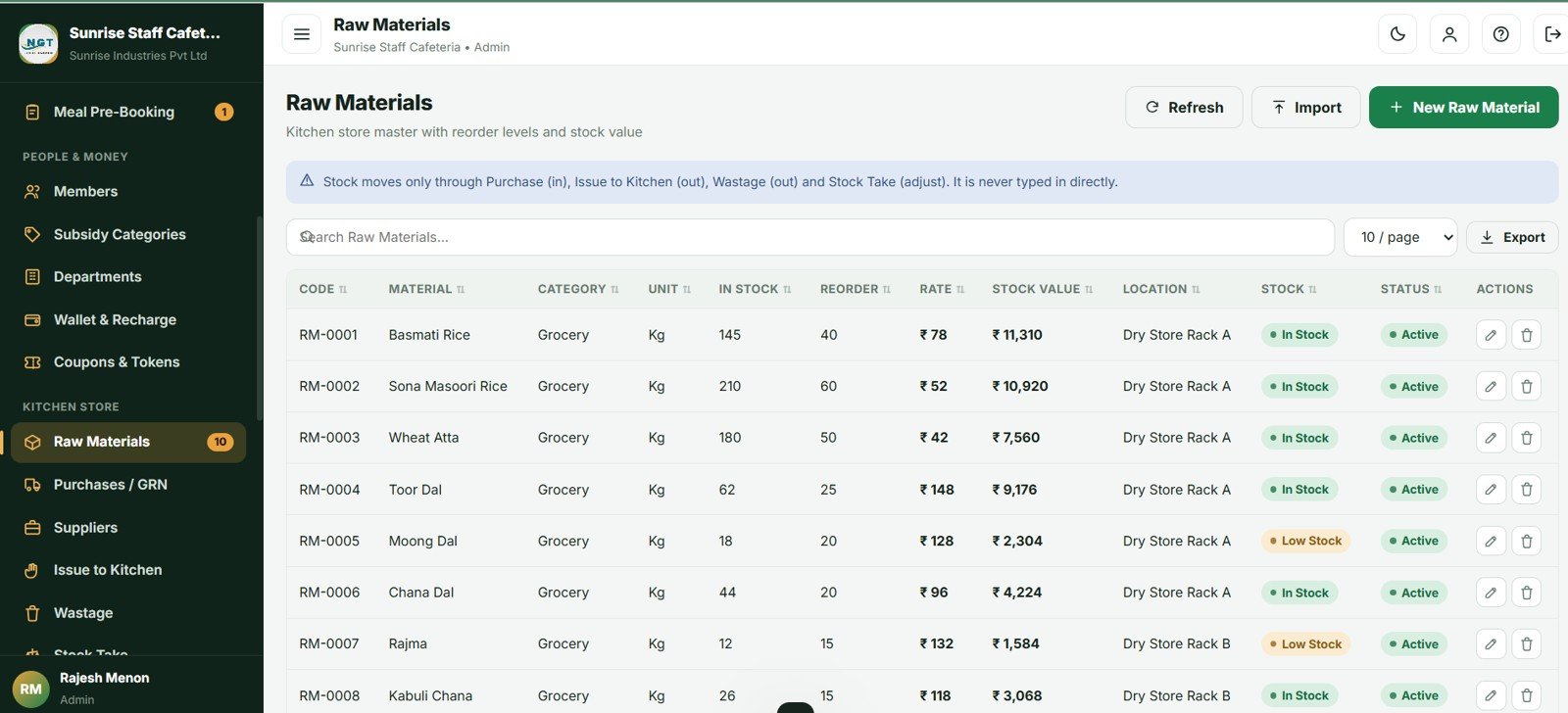
- Full kitchen store. Purchases and goods receipt, issue to kitchen, wastage with approval, physical stock take, low-stock email alerts and stock valuation.
- Database archive. Move closed months into a dated Drive copy so the live database stays fast, while master data and open money always stay put Cafeteria and Canteen Management System Web App
Dashboard and Screens Explained
Dashboard
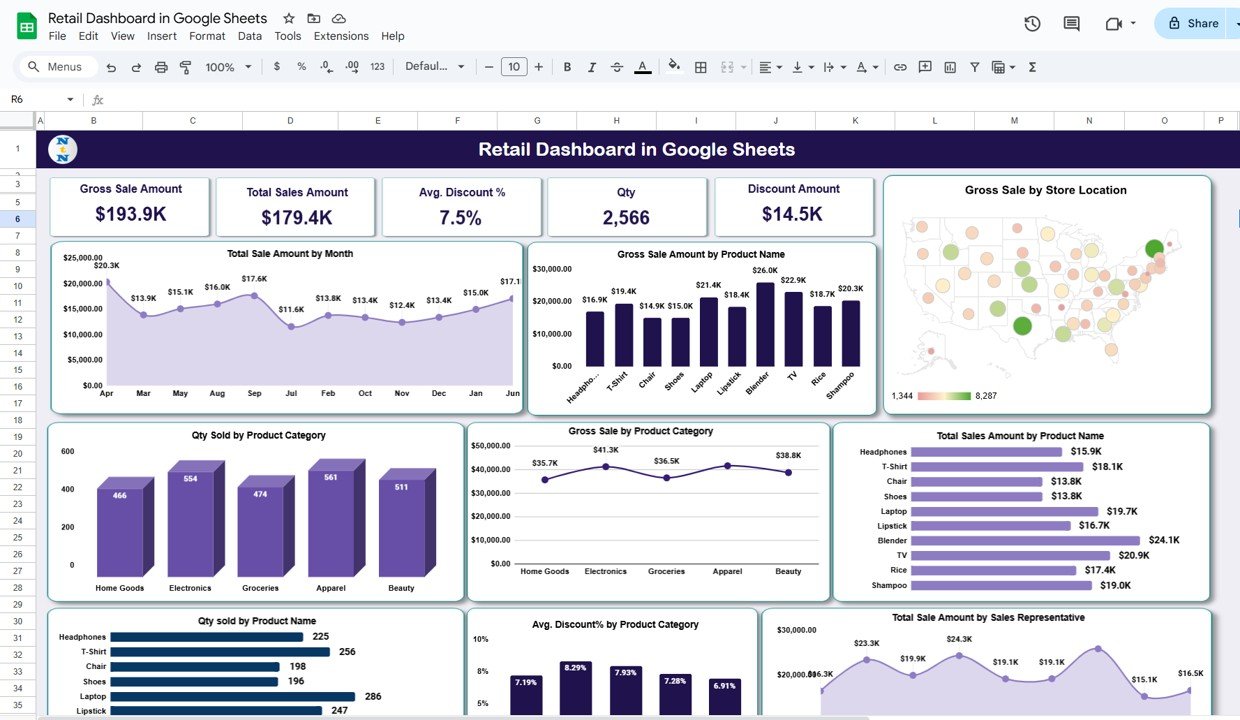
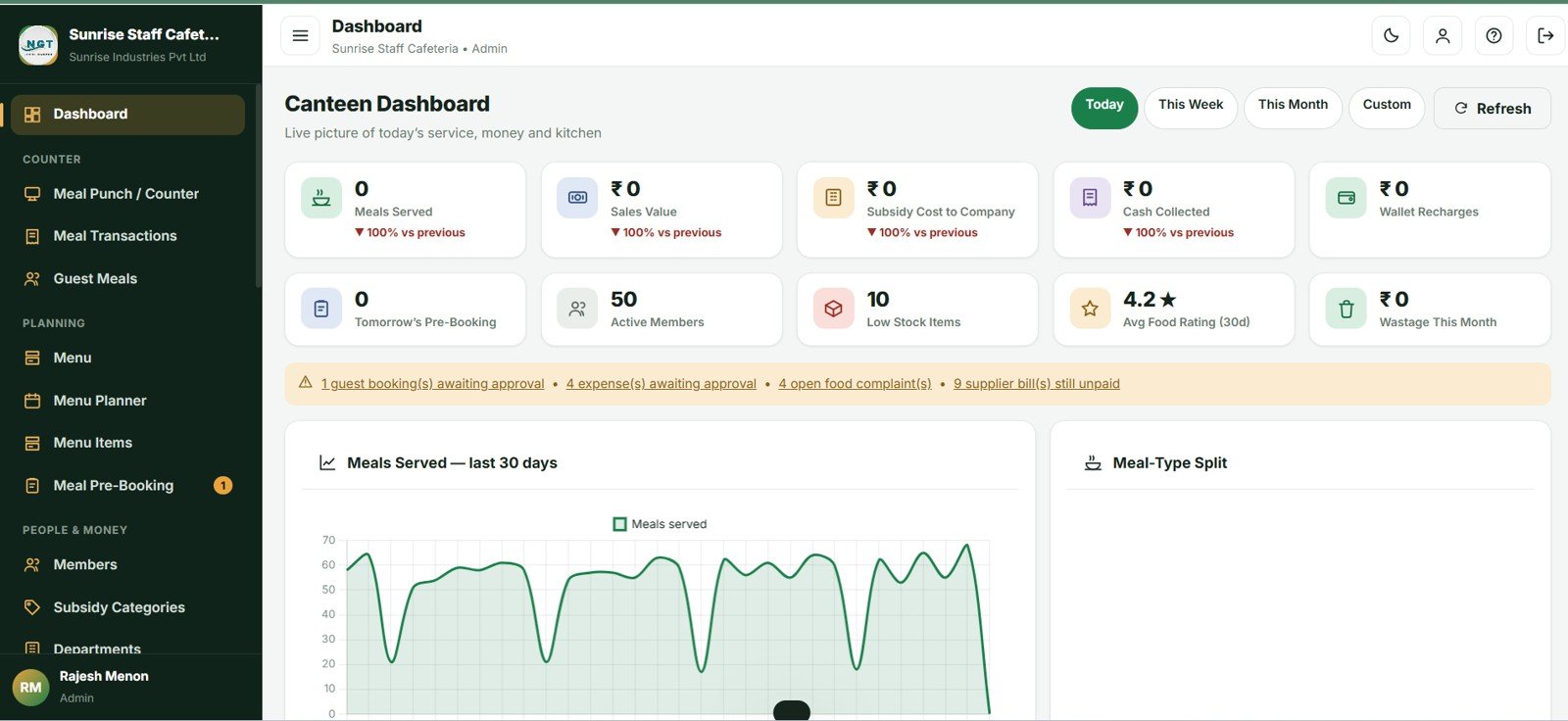
Ten KPI cards cover Meals Served, Sales Value, Subsidy Cost to Company, Cash Collected, Wallet Recharges, Tomorrow’s Pre-Booked Headcount, Active Members, Low Stock Items, Average Food Rating and Wastage Value. Six charts show Meals Served by Day, Meals by Meal Type, Consumption Value by Department, Quantity Sold by Menu Item, Subsidy vs Employee Recovery by Month, and Collection by Payment Mode.
Meal Punch and Counter POS
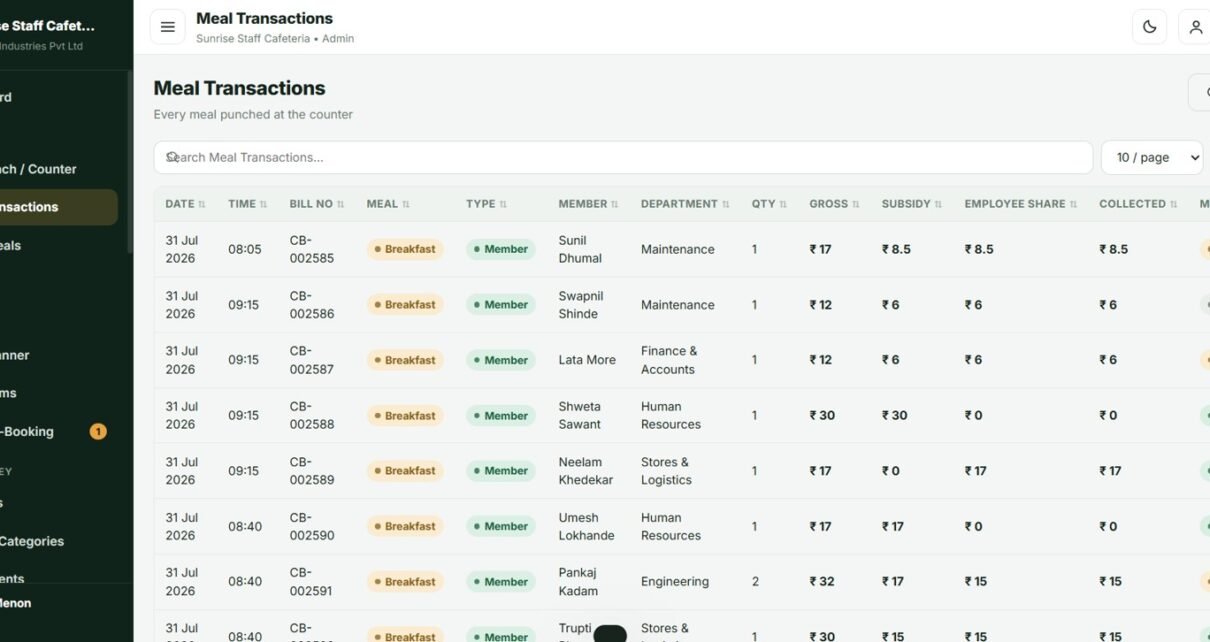
Scan a card or type an employee number and the member’s photo, department, subsidy category, wallet balance, remaining entitlement and today’s consumption all load at once. Tap item tiles to build the cart and the employee share and company subsidy update live. A duplicate-punch guard catches the same person being served twice for the same mealCafeteria and Canteen Management System Web App
Split Payments and Coupons
Payment can be split across wallet, coupon, cash, card, UPI, payroll deduction and free entitlement on a single bill – which is exactly what happens when an entitlement covers the meal but the employee also buys a coffee. The system refuses to save unless the split adds up to the amount due.
Shift Close and Cash Reconciliation
Open a shift with a cash float, and at close the system shows the expected drawer total, the counted cash and the variance. Closing locks the day for that counter; only an administrator can re-open it and the reason goes into the audit log.
Menu Planner
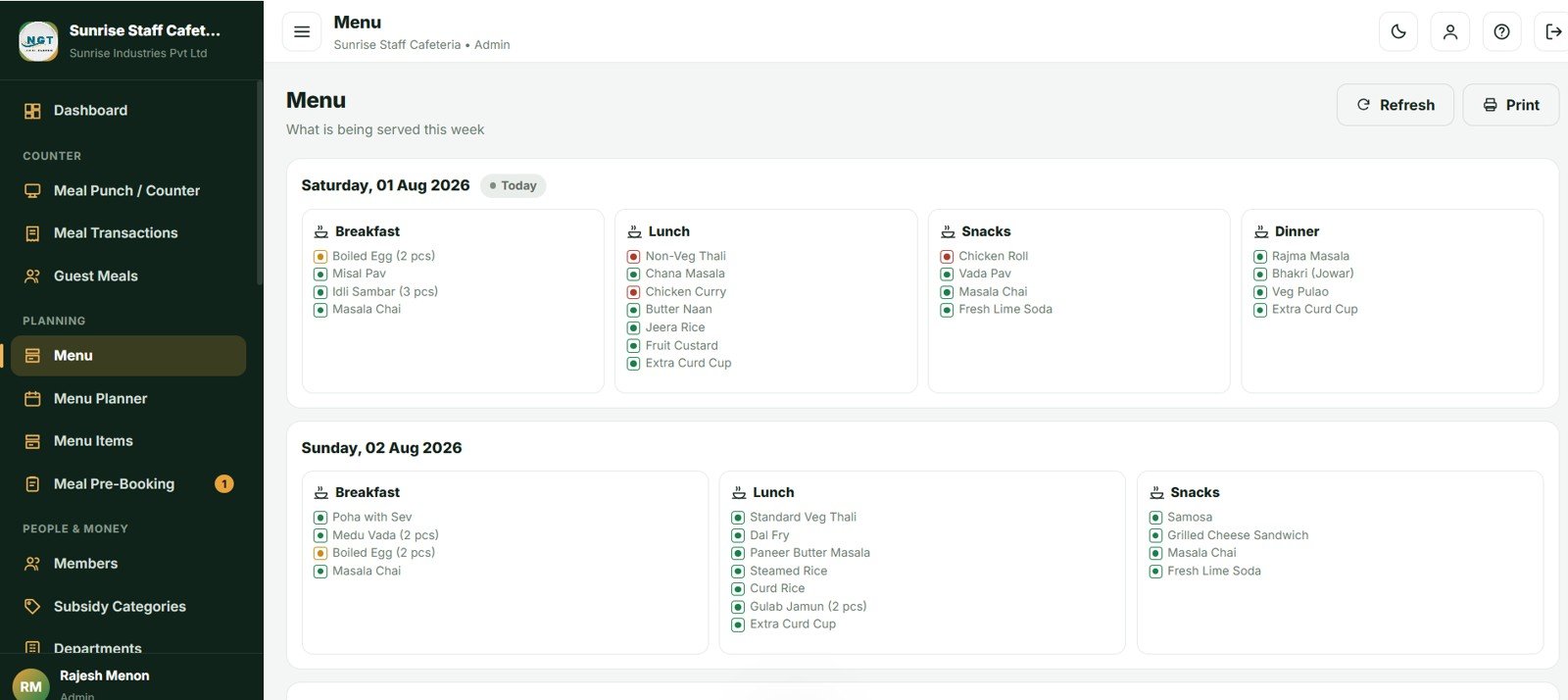
A grid of four meals down the side and seven days across the top. Click any cell to pick dishes from a searchable card. Save the week as a cycle, apply it across a date range, and publish – publishing is what makes a day visible and bookable for members.
Kitchen Indent and Booking Variance
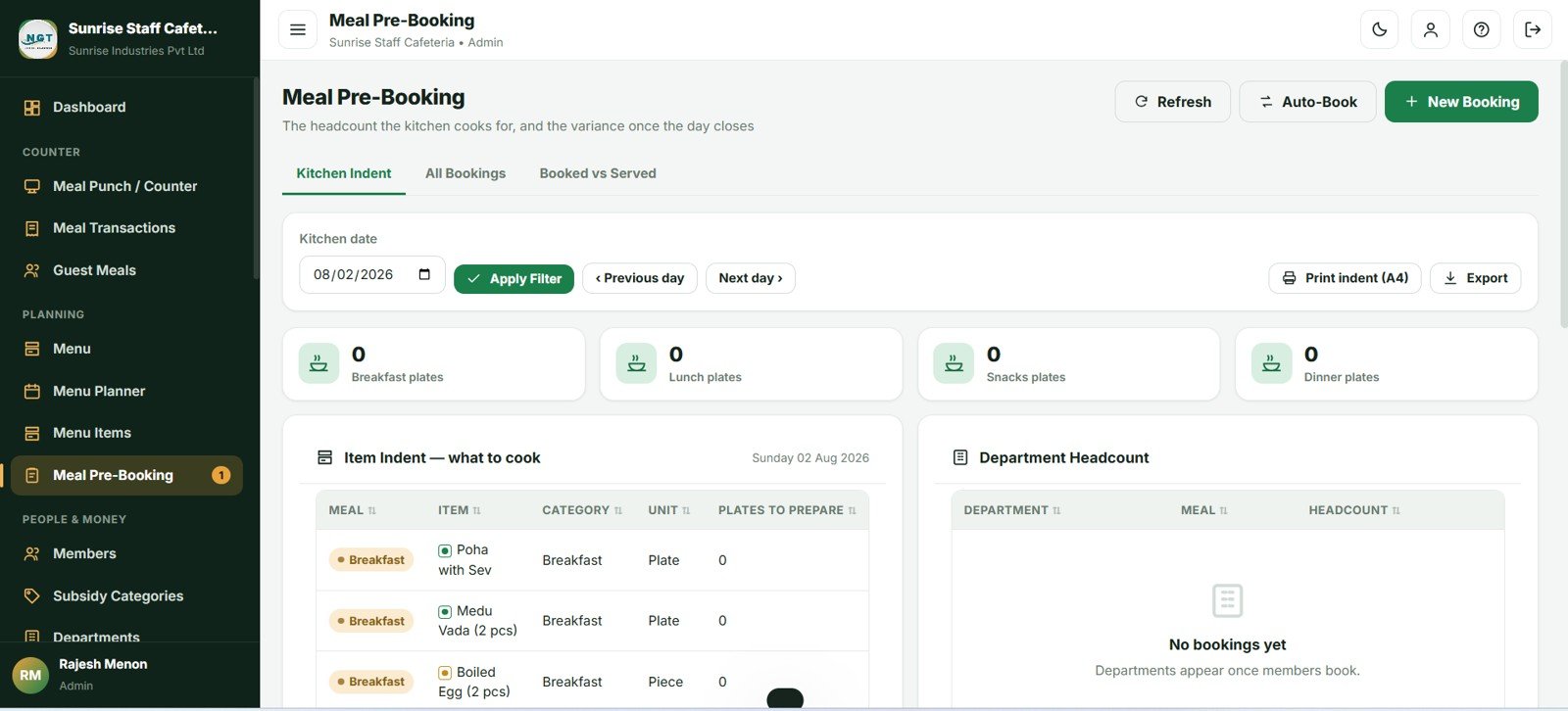
The kitchen indent turns bookings into plate counts by meal, by department and by dish, printable on A4 for the kitchen wall. After the day closes, Booked vs Served shows the variance and fill rate so quantities can be tuned week by week.
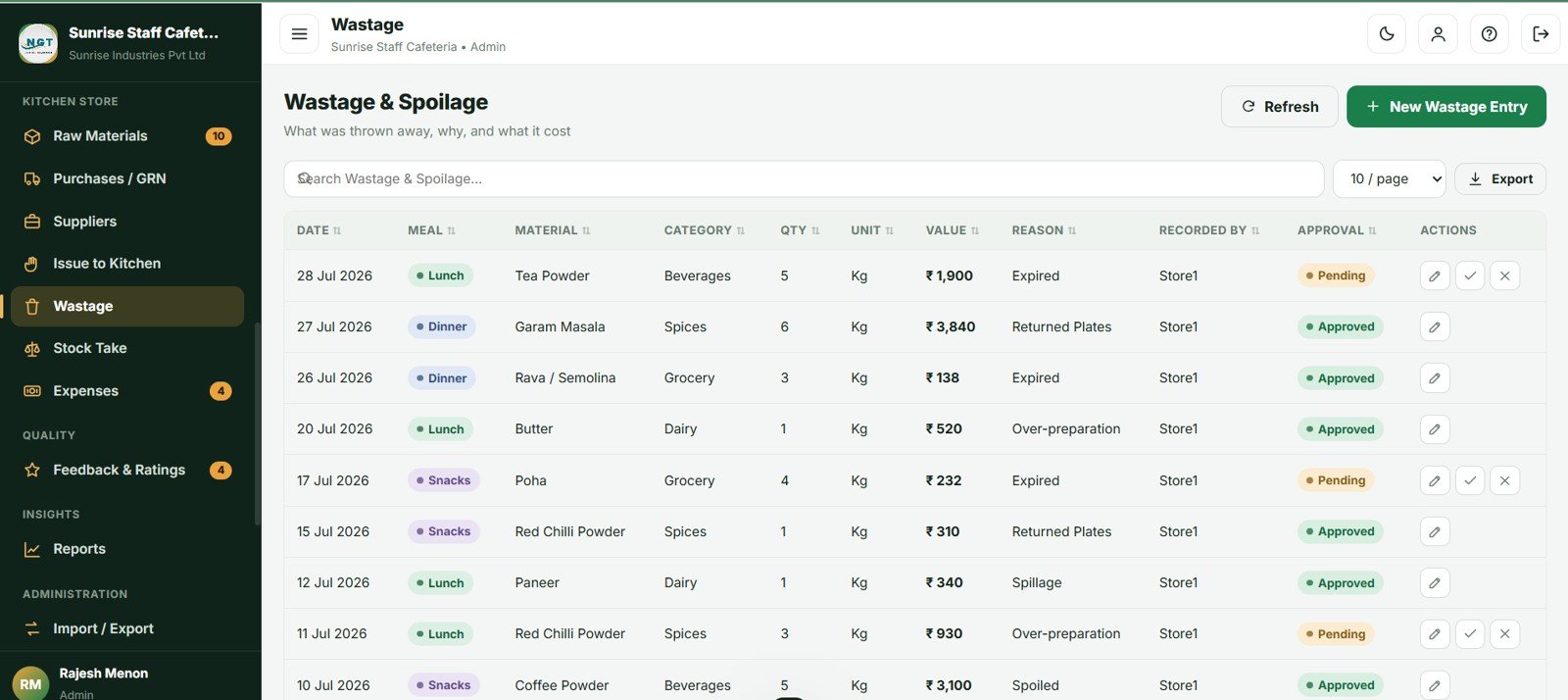
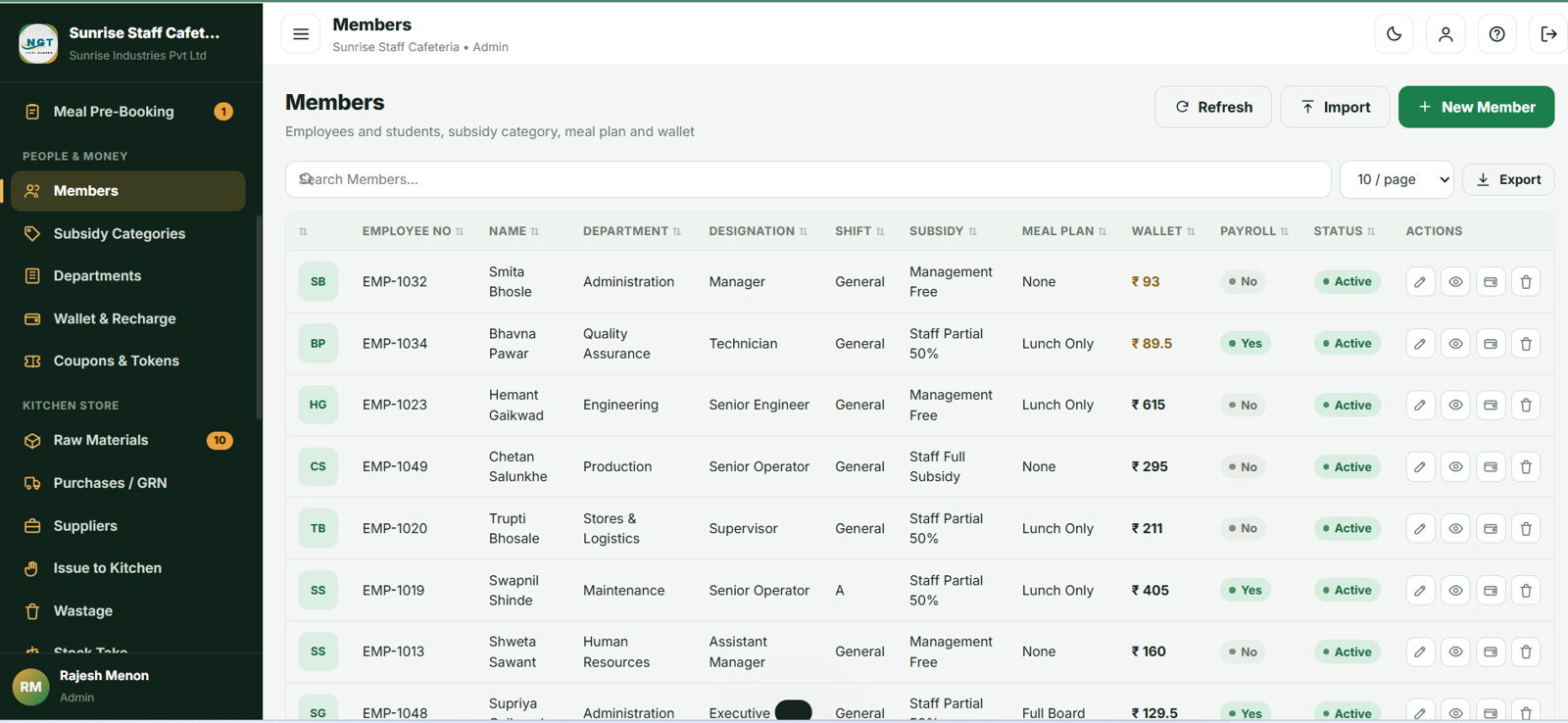
Wallet, Members and Kitchen Store
Members carry a subsidy category, meal plan, shift, card number and wallet balance. The wallet ledger shows opening balance, every credit and debit, and the closing balance. The kitchen store covers raw materials, purchases and GRN, issue to kitchen, wastage approval and physical stock take.
Twenty Reports
Grouped into Operations, Finance, Kitchen and Store. The headline report is the Payroll Deduction Summary, which lists employee code, name, department, total meals, employee share payable, wallet and coupon adjustments and the net deduction – laid out to hand straight to payroll.
Cafeteria and Canteen Management System vs. Excel Canteen Tracker vs. Paid Canteen SaaS – Feature Comparison
| Feature | Cafeteria and Canteen Management System | Excel Canteen Tracker | Paid Canteen SaaS (Zeta, Sodexo, CaterTrax) |
|---|---|---|---|
| Cost | $39.99 one-time | $0-$30 one-time | $2-$6 per employee / month |
| Platform | Google Sheets + Apps Script, browser-based | Desktop Excel file | Vendor cloud |
| Setup time | About 5 minutes | Immediate | 2-8 weeks onboarding |
| Automatic subsidy split | Yes – 4 category types with caps | Manual formulas | Yes |
| Prepaid wallet + payroll deduction | Both, with full ledger | No | Yes |
| Meal pre-booking + kitchen indent | Yes, with cut-off rules | No | Usually a paid add-on |
| Kitchen stock and wastage | Included | Separate file | Separate module |
| Multi-user, real-time | Yes – 4 roles, unlimited users | One file, one user | Yes, priced per user |
| Year-1 cost at 200 employees | $39.99 | ~$30 | $4,800-$14,400 |
For canteens that want subsidy automation and payroll recovery without paying per employee every month, the Cafeteria and Canteen Management System sits in the sweet spot.
Who Should Use This Template
Perfect for:
- Corporate cafeterias with 50-2,000 staff recovering meal costs through wallets or payroll
- Factory and industrial canteens running A, B and C shifts with subsidised meals
- School, college and hostel messes managing meal plans and monthly statements
- Hospital staff canteens serving employees, doctors and visitors
- Catering contractors who operate a facility and must bill the client company monthly
Not a fit if:
- You need table management, KOT routing and delivery integration – the Restaurant POS Web App is the better choice
- Your organisation requires SOC 2 certification, SSO or biometric hardware out of the box
- Your counter has no internet connection – this is a browser-based system Cafeteria and Canteen Management System Web App
Real-World Use Cases
Ramesh manages a 480-person factory canteen near Pune. Shop-floor staff eat on full subsidy, office staff pay half, and contract workers pay full price. He runs the Payroll Deduction Summary on the 1st of each month, exports it to Excel and hands it straight to payroll – a job that used to take two days with registers and a spreadsheet.
Priya runs HR at a 120-person software company. She switched on meal pre-booking so the kitchen cooks to a real headcount instead of guessing. The Booked vs Served report showed she was over-cooking lunch by 18% every Friday. Fixing that saved more in three months than the template cost.
Annapurna Catering operates the canteen for a client company. They use the Contractor Monthly Billing Summary to invoice meals served by category at the agreed rate, with employee collection and company subsidy shown separately so the client’s finance team can reconcile in minutes.
Advantages of the Cafeteria and Canteen Management System
- No recurring cost. A canteen SaaS at $3 per employee per month costs a 300-person site $10,800 a year. This is $39.99 once, with unlimited users.
- Your data stays yours. Everything lives in your own Google Sheet, in your own Google Drive. No vendor lock-in and no data export requests.
- Deploy in minutes. Because it is a bound Apps Script project with no hardcoded spreadsheet ID, copying the Sheet gives you a complete private system. See the official Google Apps Script web app guide for background on how this deployment model works.
- Real financial control. Subsidy cost, department recharge, cost per meal and wastage value are all measured, not estimated.
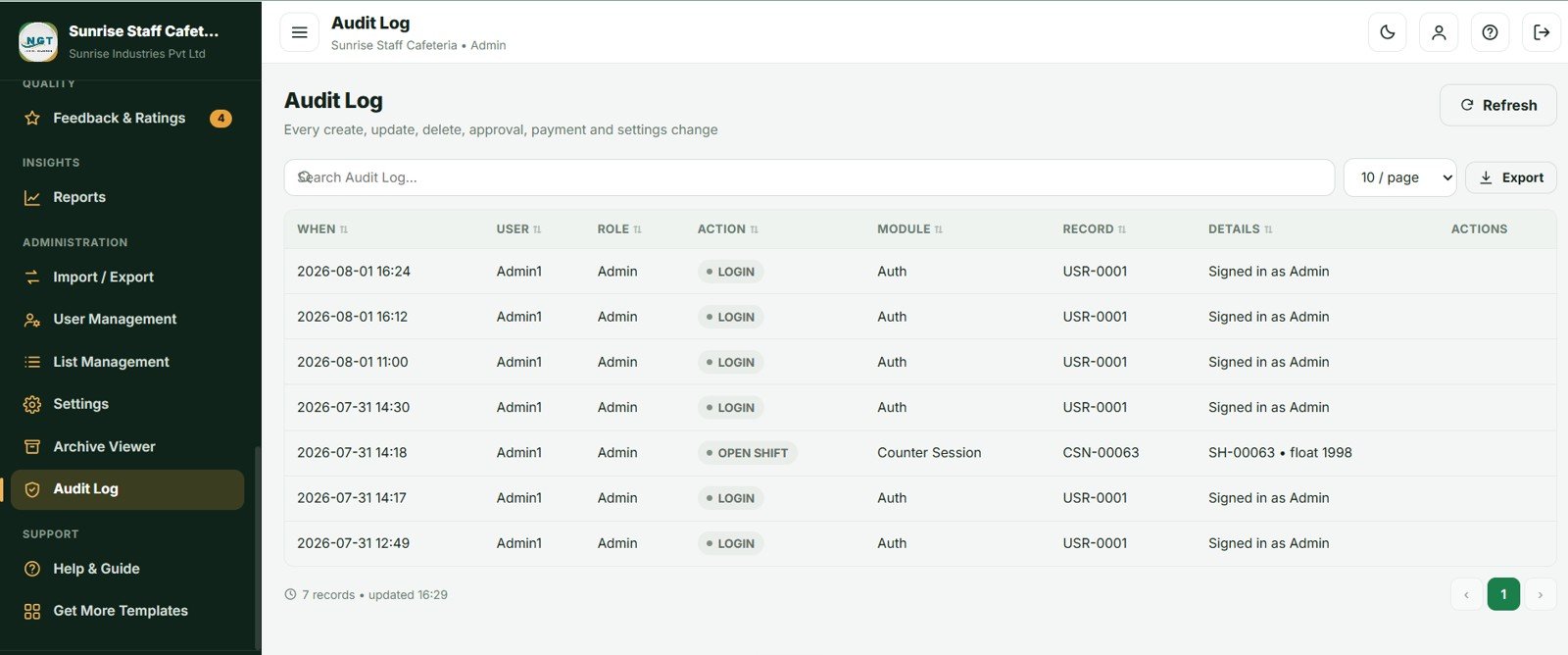
- Honest audit trail. Every create, update, approval, payment, void and settings change is logged with the user and timestamp.
Opportunities for Improvement
In fairness, there are limits worth knowing before you buy. The system needs an internet connection at the counter, so a site with unreliable connectivity will struggle during peak service. Card identification is by typed or scanned card number rather than native biometric hardware, though most USB RFID readers behave as keyboards and work immediately. Gmail sending quotas apply to bulk emails such as the weekly menu circular – roughly 100 recipients a day on free Gmail and 1,500 on Google Workspace. And while the archive keeps the database fast, extremely high-volume sites serving several thousand meals daily should plan to archive quarterly rather than annually Cafeteria and Canteen Management System Web App
Best Practices
- Set your meal timings accurately first – the counter screen picks the meal type from them, removing a whole class of mistakes.
- Get subsidy categories right before importing members. The payroll report, department recharge and subsidy cost analysis are all built on them.
- Publish the menu at least a week ahead so members can pre-book and the kitchen has a real headcount.
- Run Auto-Book each evening and print the kitchen indent for the morning.
- Review Booked vs Served weekly – a consistently negative variance means you are over-cooking, and it is the cheapest saving available.
- Open a shift every morning and close it every evening so cash reconciliation actually works.
- Do a physical stock take monthly to catch quiet losses no report will surface on its own Cafeteria and Canteen Management System Web App
Explore Relevant Templates
If you run other food-service operations, the Restaurant Management System Web App, Coffee Cafe POS Web App, Bakery POS Web App and Bar POS System Web App cover counter and table service. On the employee side, pair this with the Payroll and Salary Management System Web App so canteen deductions flow into your salary run, or the HR Employee Management System Web App for the full employee master.
You may also like our other Apps Script builds: the Banquet Hall Management System, the Brewery Management System and the Ayurvedic and Homeopathy Clinic Management System. Browse the full Web Apps and Management Systems collection.
New to building management systems in spreadsheets? The NextGenTemplates Academy learning paths walk through the underlying Excel and Google Sheets skills with practice files.
Get the Cafeteria and Canteen Management System Web App
Frequently Asked Questions
How does the Cafeteria and Canteen Management System calculate the subsidy split?
Each menu item carries a cash price and a subsidised employee price. Each member belongs to a subsidy category – Fixed, Percent, Full Free or No Subsidy – which decides how the employee price is shared. Daily entitlement limits and monthly caps are applied automatically at the counter Cafeteria and Canteen Management System Web App
.
How long does setup take?
About 5 minutes. Paste two files into an Apps Script project, run setup() once, and deploy as a web app. The Cafeteria and Canteen Management System arrives with 62 days of sample data so every dashboard and report is populated immediately Cafeteria and Canteen Management System Web App
How does this compare to paid canteen SaaS like Zeta or Sodexo?
Paid canteen platforms typically charge $2-$6 per employee per month, which is $4,800-$14,400 a year for 200 staff. The Cafeteria and Canteen Management System is a one-time $39.99 purchase with unlimited users, and your data stays in your own Google account.
Can multiple counters use the system at the same time?
Yes. Each counter operator gets their own login, shift, cash count and shift report. Bill numbers are generated under a script lock, so two counters saving at the same moment can never produce a duplicate bill number.
Does the Cafeteria and Canteen Management System handle guest and visitor meals?
Yes. Guest mode records the visitor name, company, purpose and host employee, bills at the full cash price with no subsidy, and charges the host department. The Guest and Visitor Meal Report lists every guest with the department being recharged.
What happens when a member’s wallet runs out of money?
You choose the policy in Settings: block the punch entirely, allow the wallet to go negative up to a credit limit, or allow it freely. Low-balance email alerts can also be sent to members automatically below a threshold you set.
Will the system slow down as the data grows?
No. The built-in Database Archive copies the database to Drive, then removes only old closed transactions from the live file. Master data, unpaid supplier bills and outstanding wallet balances always stay, so the system remains fast for years Cafeteria and Canteen Management System Web App
About the Author
Built by PK – Microsoft Certified Professional with 15+ years of Excel, Google Sheets and Power BI experience. Founder of NextGenTemplates, reaching 300K+ subscribers across YouTube channels. Every template is hand-built and tested before release.
Conclusion
If your canteen is still reconciling a paper register against a spreadsheet at month-end, the Cafeteria and Canteen Management System Web App will pay for itself in the first payroll cycle. It handles the subsidy split, the wallet, the coupons, the pre-booking headcount and the kitchen store in one place, and produces the payroll deduction and department recharge statements your finance team actually asks for.
Instant download · One-time payment · No subscription · Lifetime access
Last updated: August 2026