A busy car wash can lose control when appointments sit in one register, vehicles wait in an untracked queue, bills live in another file, and chemical stock is checked only after it runs out. The Car Wash Management System Web App replaces that split process with 24 connected screens, six daily KPI cards, four live bay-status panels, and one job flow from booking to delivery. It is a Google Apps Script web app for independent washes, detailing studios, bike wash centers, and fleet service teams that want shared browser access without buying a recurring template subscription.
Get the Car Wash Management System Web App
Try the Live Demo
Explore the Car Wash Management System in action. Log in with any test account below to see all features.
Test Login Credentials
| Role | Username | Password |
|---|---|---|
| Admin | Admin1 | abcd |
| Manager | Manager1 | abcd |
| Receptionist | Receptionist1 | abcd |
| Cashier | Cashier1 | abcd |
| Wash Supervisor | Supervisor1 | abcd |
| Washer/Technician | Washer1 | abcd |
| Inventory User | Inventory1 | abcd |
| Viewer | Viewer1 | abcd |
Note: This is a live demo environment. Feel free to explore all features and test the system with any of the above credentials. Changes will not be saved between sessions.
Key Features of the Car Wash Management System Web App
- Booking Calendar with day, week, month, and list views
- Walk-in intake and bay-wise wash queue
- Job cards with stage, staff, bay, print, and billing actions
- Customer, vehicle, loyalty, package, and membership records
- Service pricing, duration, category, and vehicle eligibility
- Invoices, partial payments, expenses, suppliers, and purchases
- Consumable stock, reorder levels, and job-linked usage
- Reviews, filtered reports, editable lists, users, and settings
Dashboard Pages Explanation
1. Login Screen
The branded login keeps the operational workspace behind a username and password and gives the business a clear identity at sign-in.
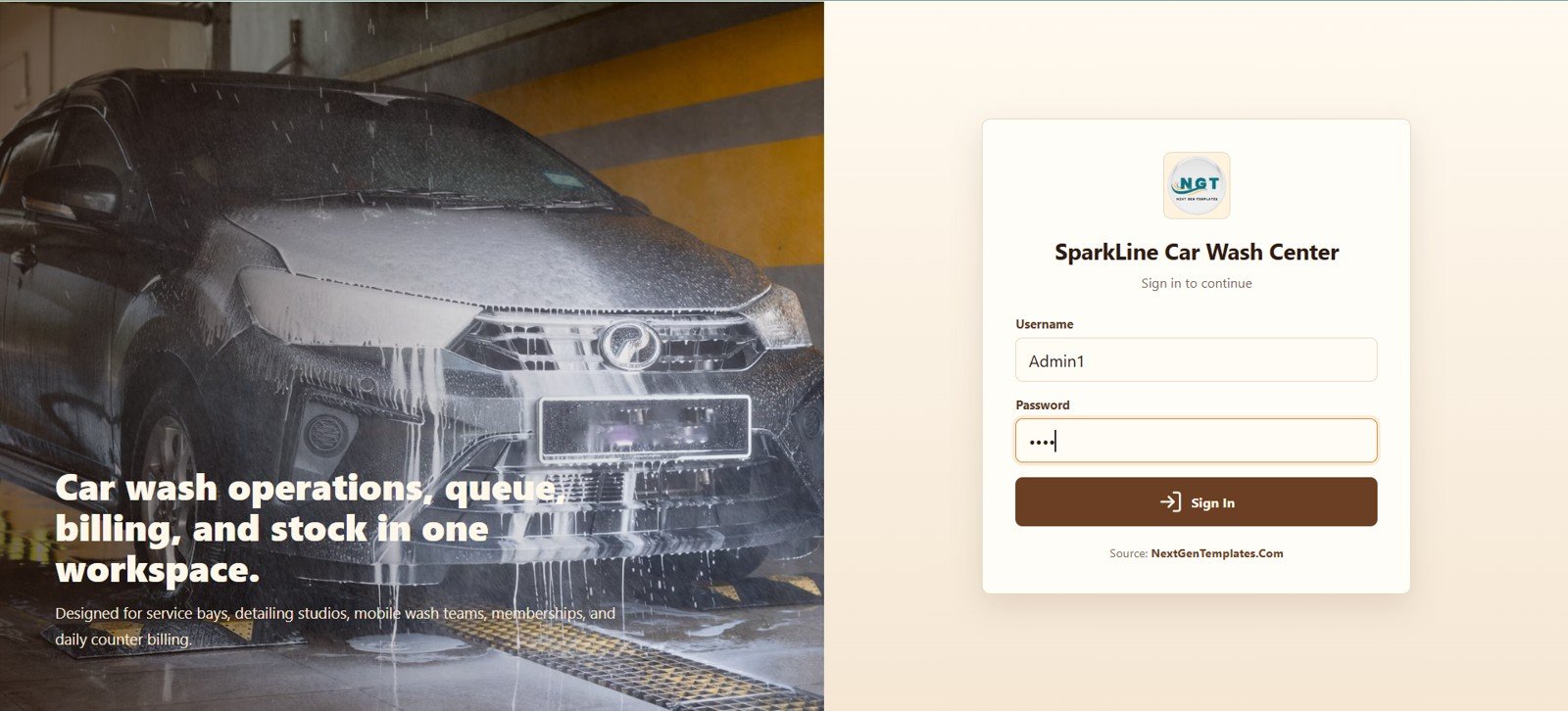
Car Wash Management System Web App Login
2. Dashboard Overview
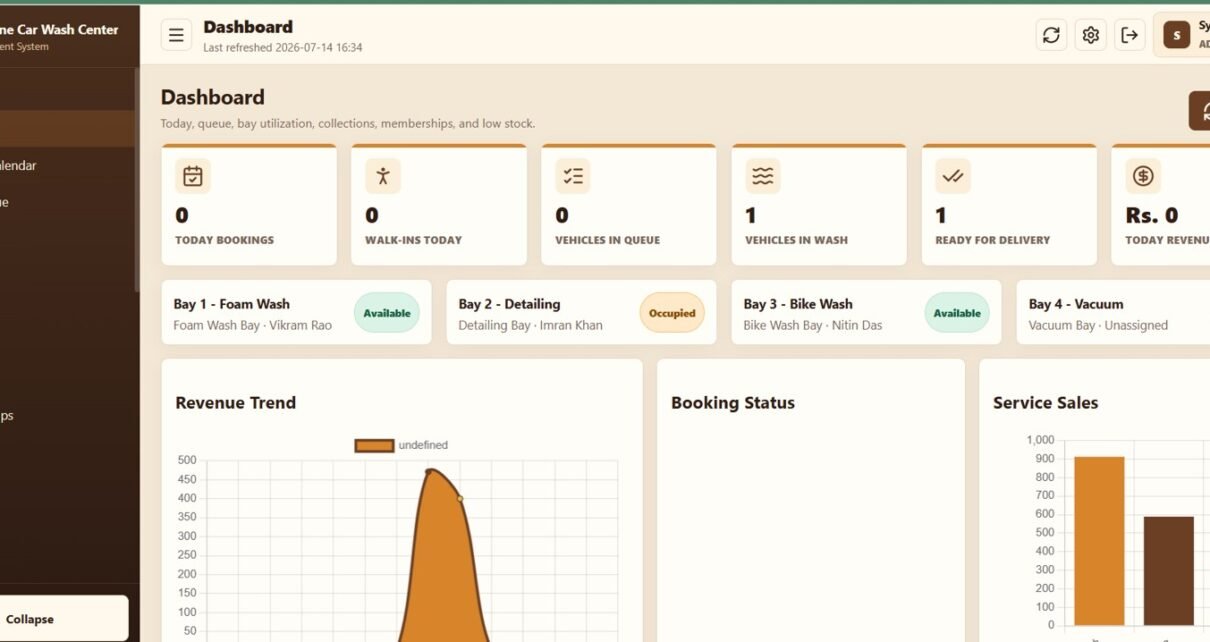
Six cards show Today Bookings, Walk-ins Today, Vehicles in Queue, Vehicles in Wash, Ready for Delivery, and Today Revenue. Four additional panels show whether each bay is available, occupied, or being cleaned and identify the assigned person.
Revenue Trend: This visual plots revenue over time so the owner can spot changes in daily collections. Use it to identify busy periods and investigate sudden drops.
Booking Status: This visual summarizes how bookings are distributed across their current statuses. It helps the front desk see whether work is building up at a particular stage.
Service Sales: This comparison shows which wash or detailing services generate the most sales. It supports pricing, promotion, and staff-capacity decisions.
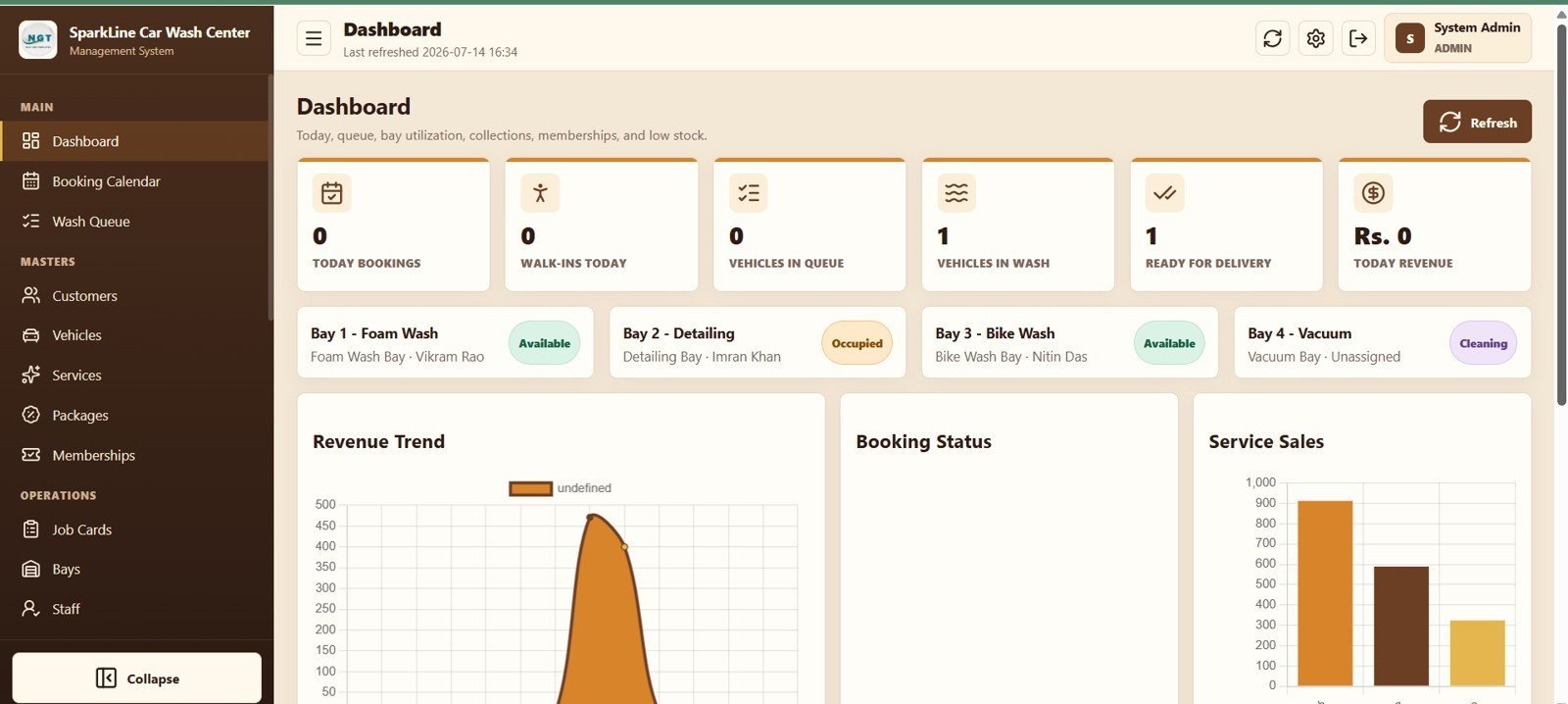
Car Wash Management System Web App Dashboard
3. Booking Calendar
Select a date and view format, refresh the schedule, create a booking, and open booking actions directly from the calendar. The week view shown makes empty capacity and booked slots easy to compare before accepting another vehicle.
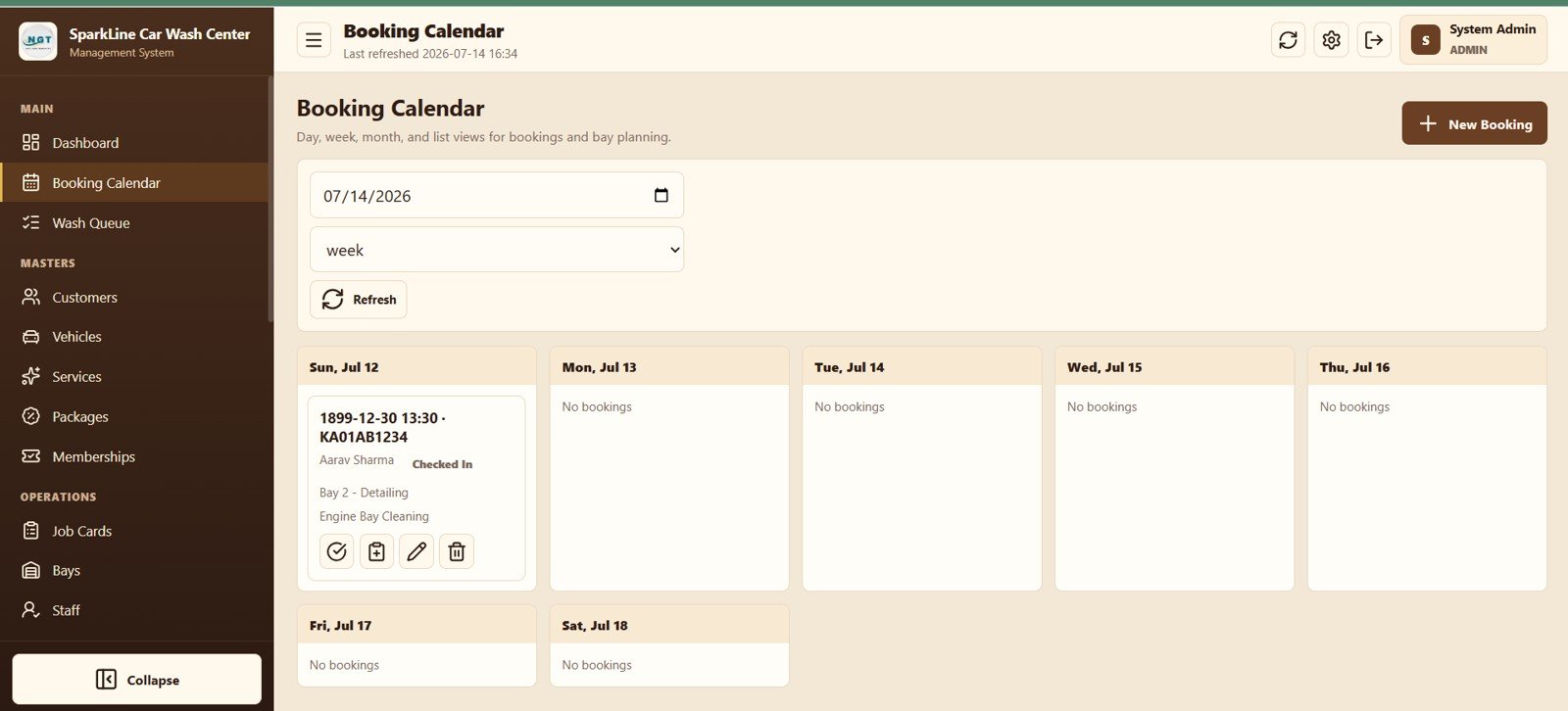
Booking Calendar View
4. Wash Queue Operations
Jobs are grouped by bay and show vehicle, customer, service, stage, status, and assigned staff. Stage, Next, Print, and Bill actions let the team update work without leaving the queue, while the Walk-in button handles unscheduled arrivals.
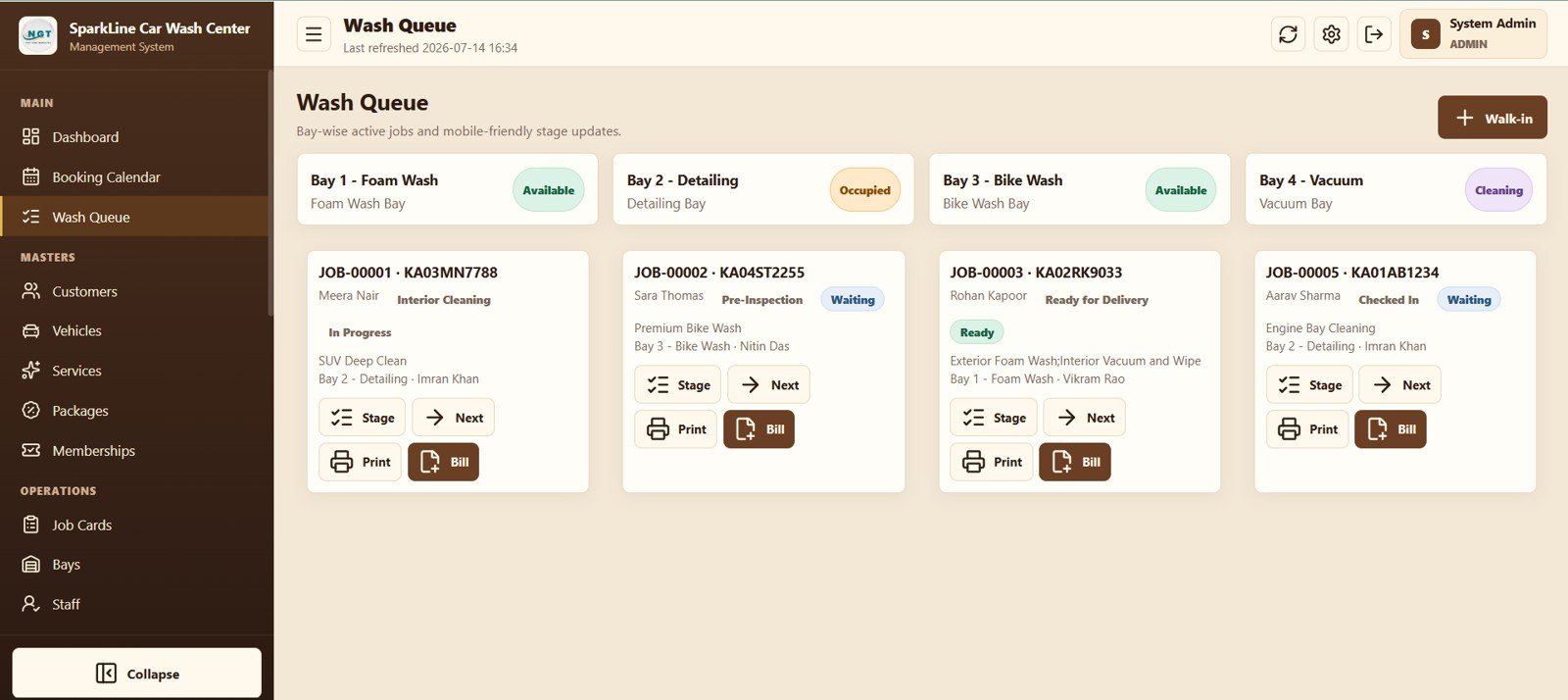
Wash Queue Management
5. Customer Management
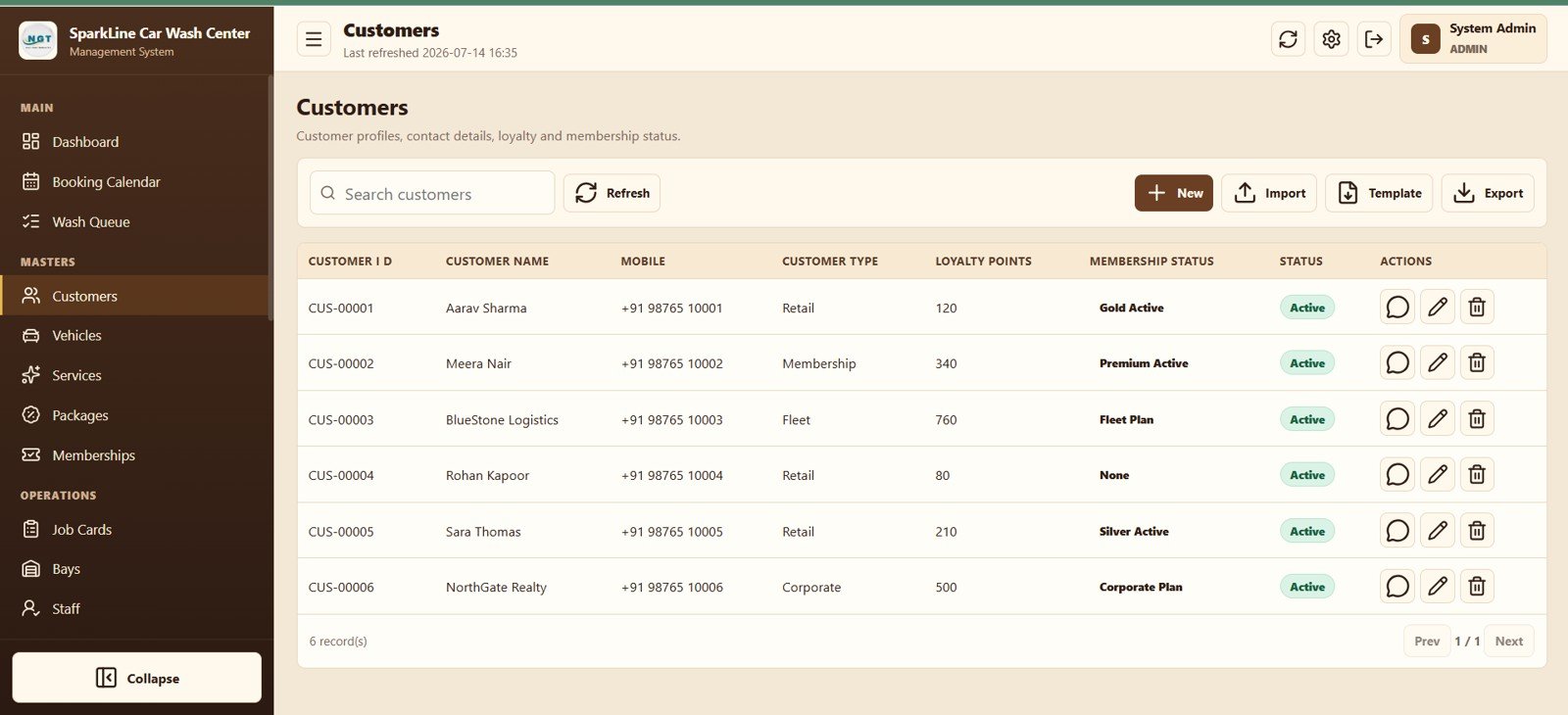
Customer records include type, loyalty points, membership status, mobile number, and active status. Search, import, template, export, message, edit, and delete actions support both counter work and bulk administration.
Customer Management Module
6. Vehicles
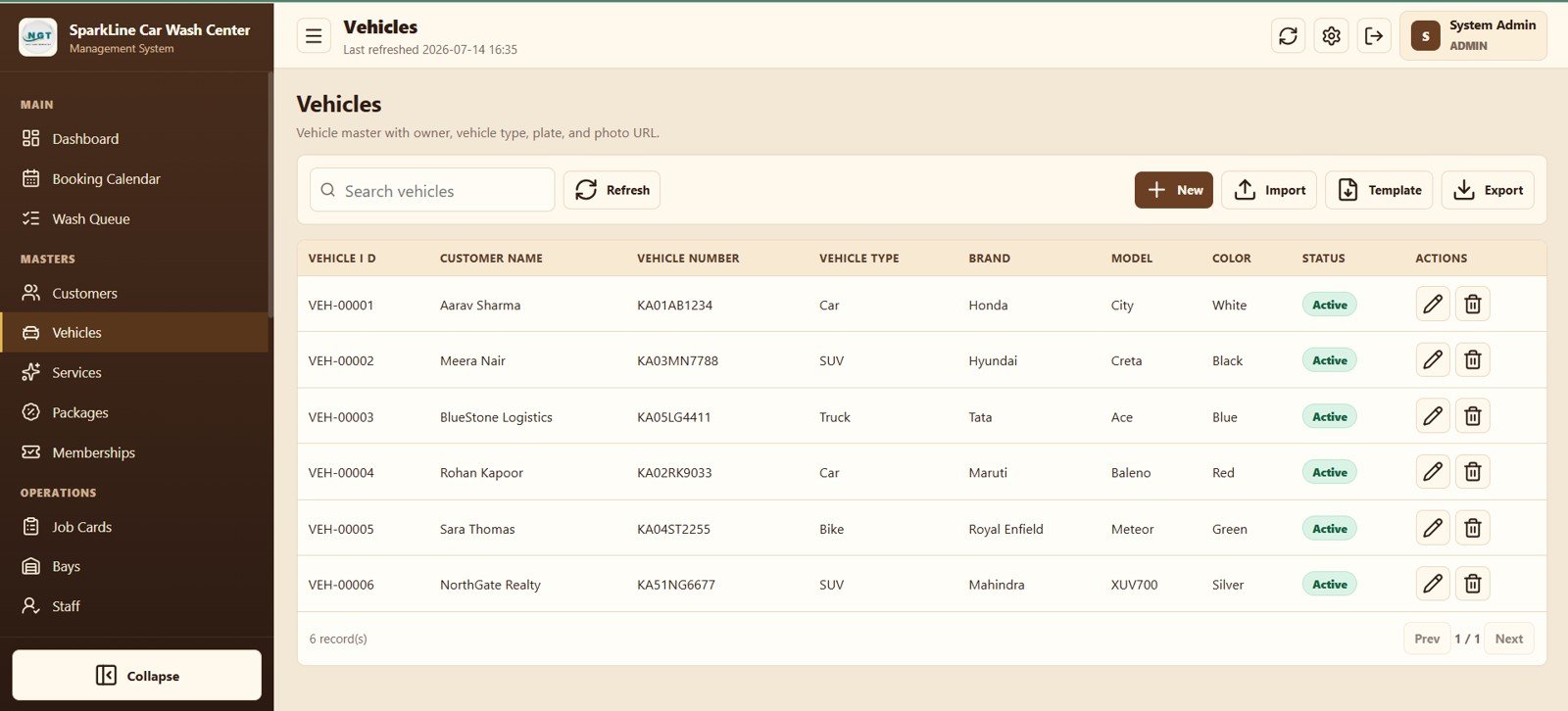
Link owners to number plates, vehicle types, brands, models, and colors so bookings and job cards identify the correct vehicle.
Vehicle Master Data
7. Services
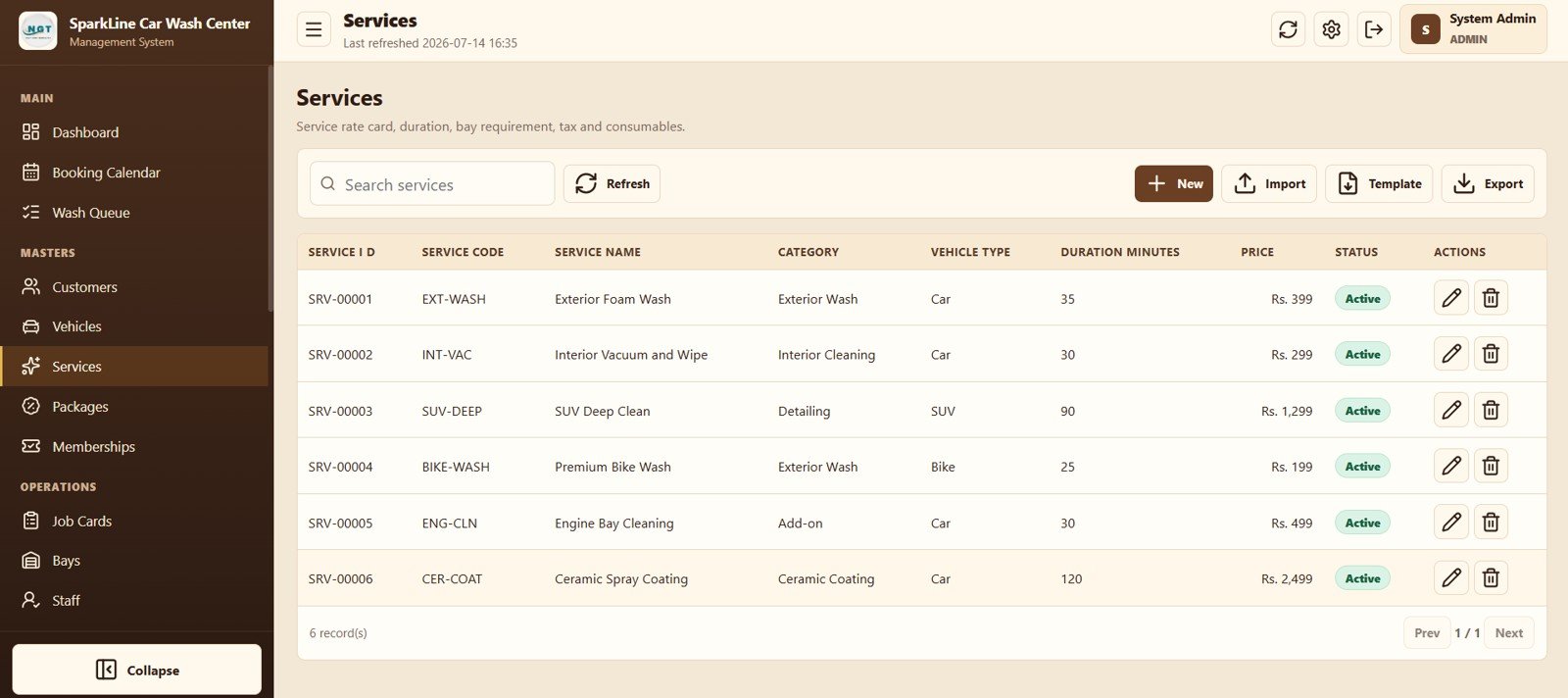
Build the rate card with service code, name, category, vehicle type, duration, price, and active status.
Services Master Data
8. Packages and 9. Memberships
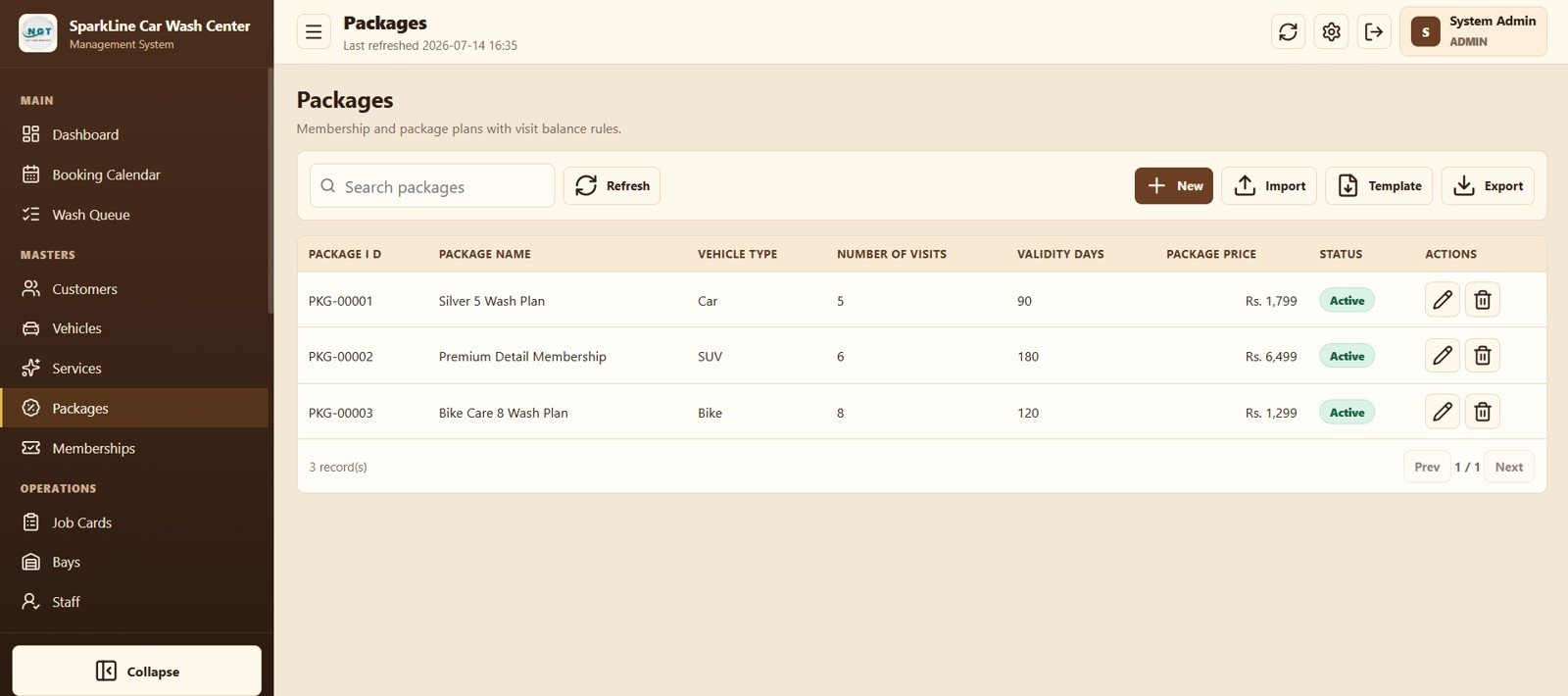
Packages define visit count, validity, price, and eligible vehicle; Memberships tracks each customer’s expiry and remaining visits.
Wash Package Management
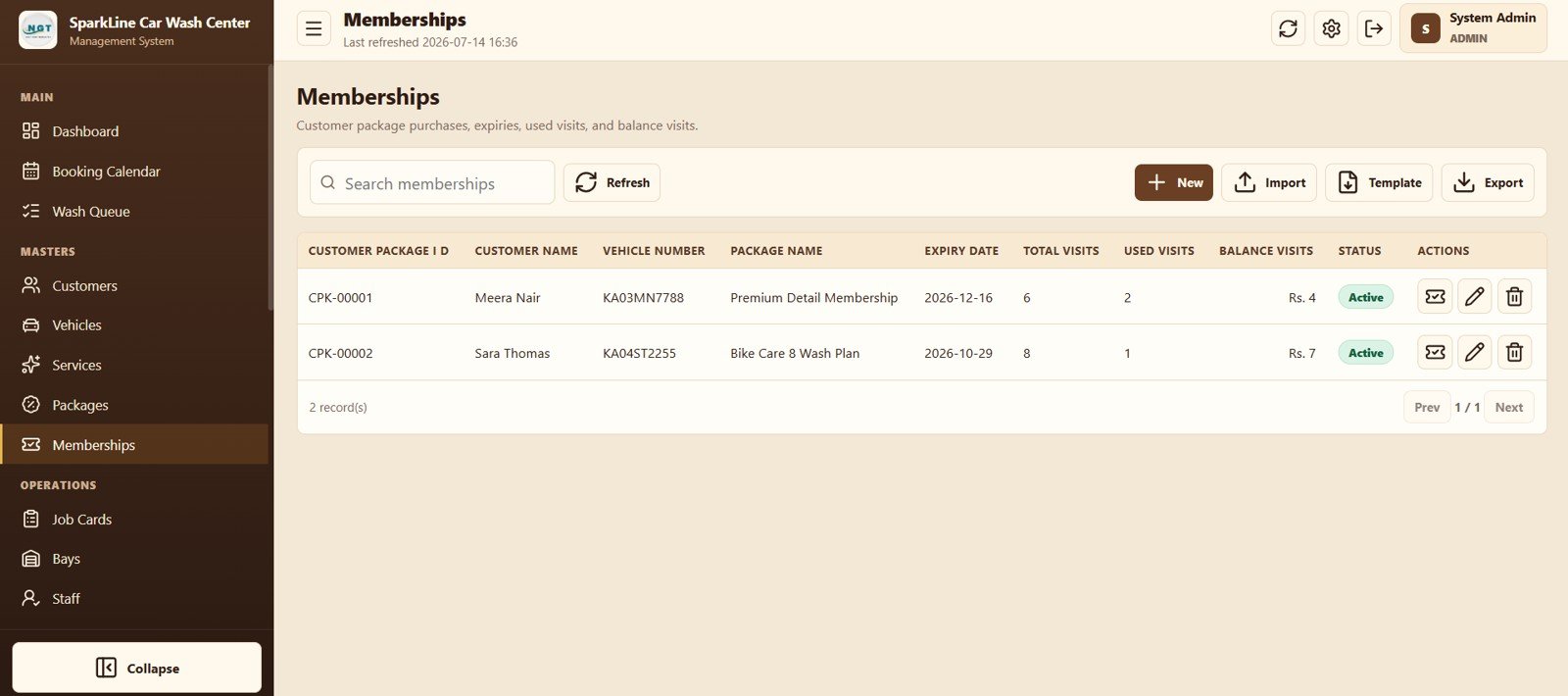
Membership Tracking
10. Job Cards, 11. Bays, and 12. Staff
Job Cards connects bookings to bays and technicians; Bays monitors type, capacity, status, and assignment; Staff stores roles, skills, shifts, and contact details.
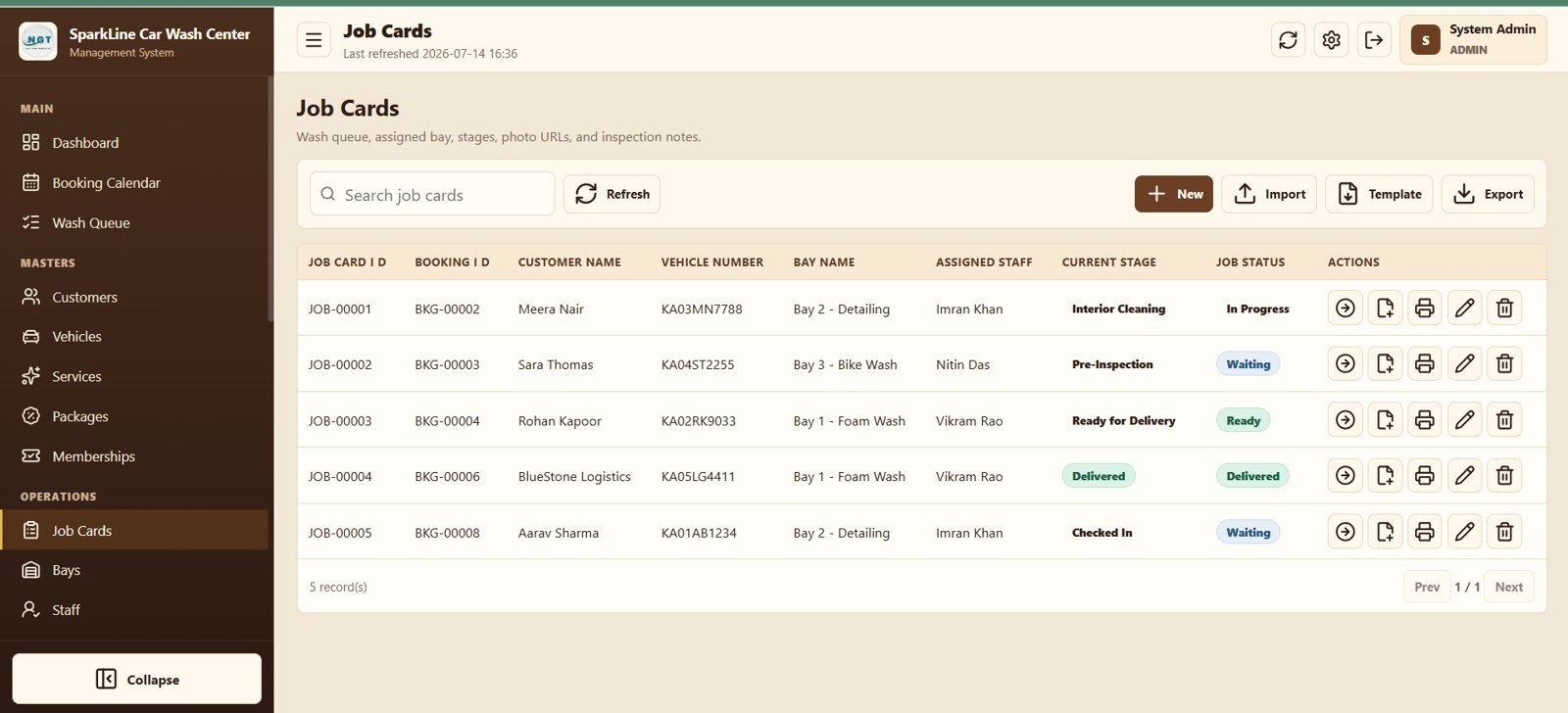
Job Card Operations
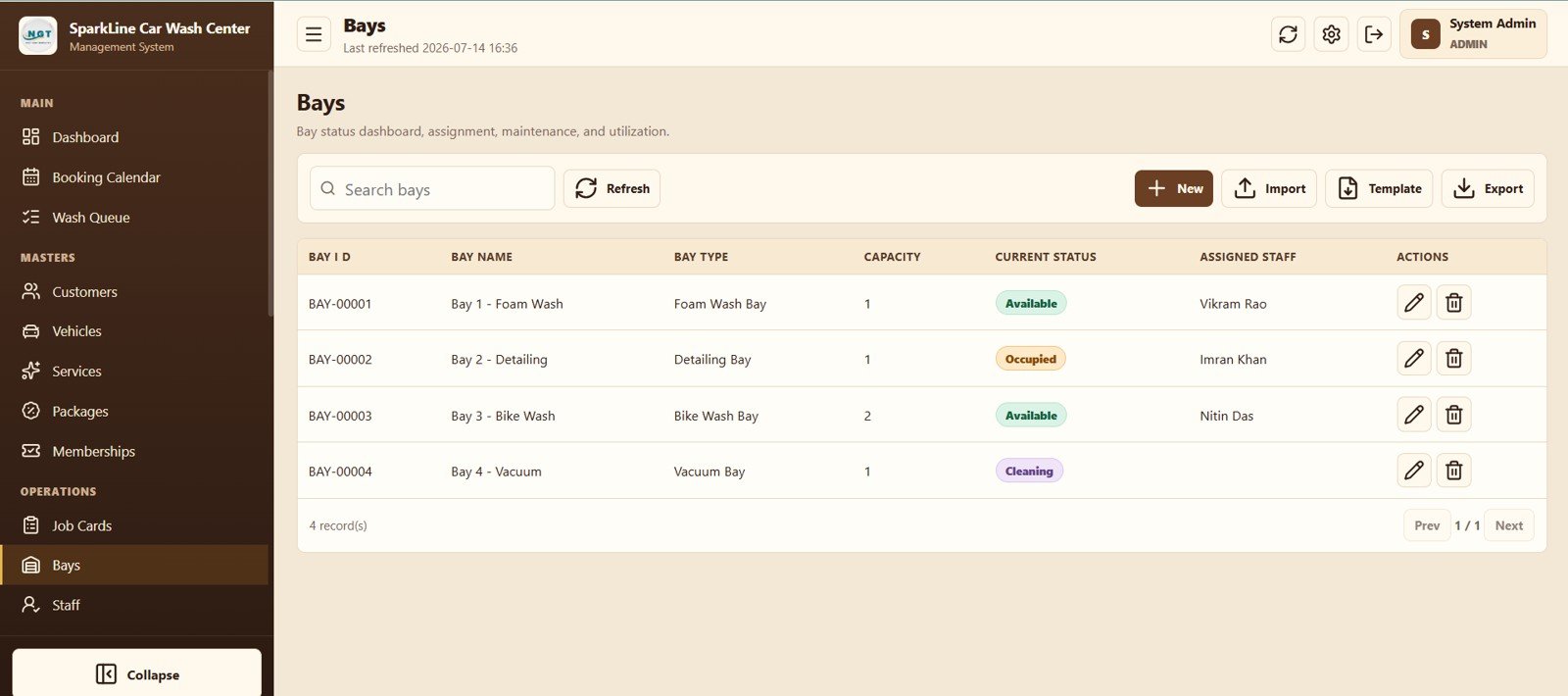
Bay Management
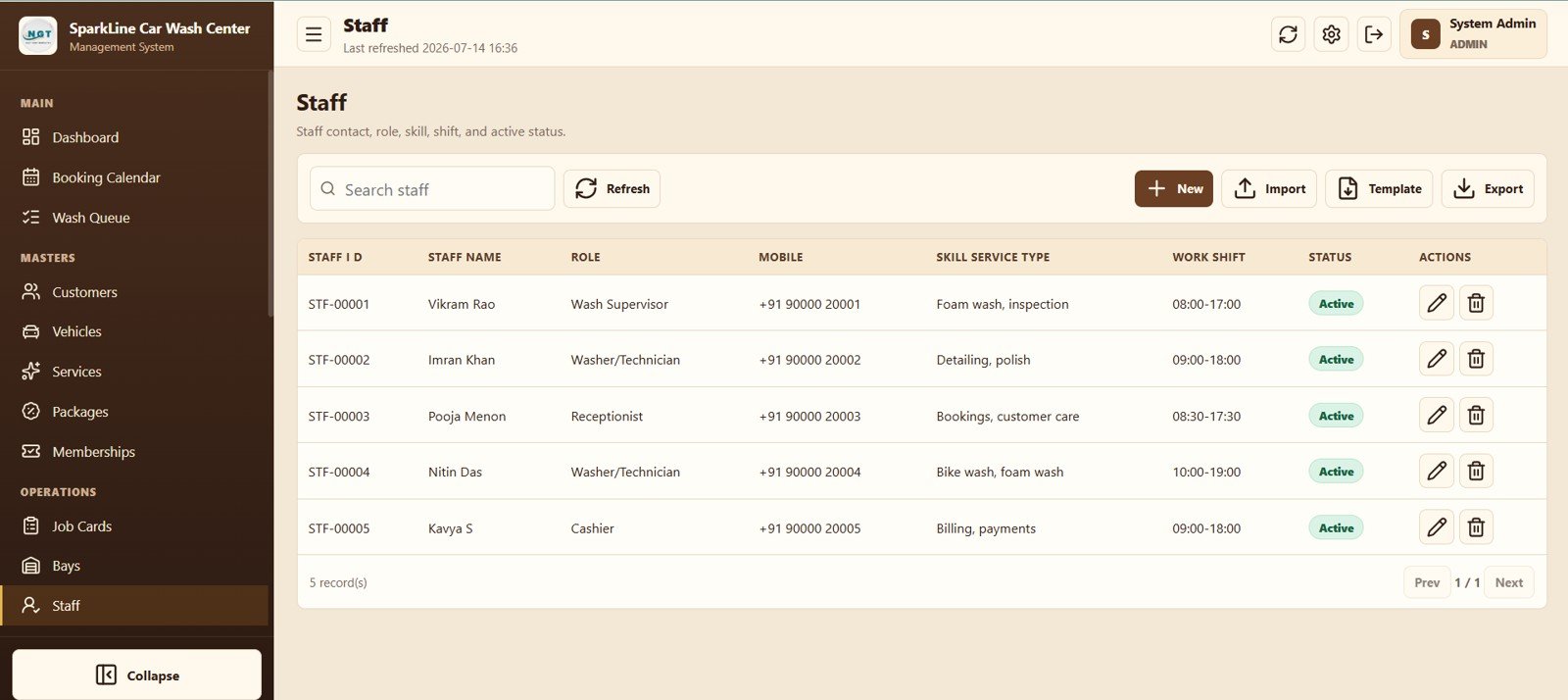
Staff Management
13. Invoices, 14. Payments, and 15. Expenses
Invoices tracks total, paid, balance, and payment status. Payments records each receipt and reference, while Expenses logs water, chemicals, rent, salaries, marketing, maintenance, and other operating costs.
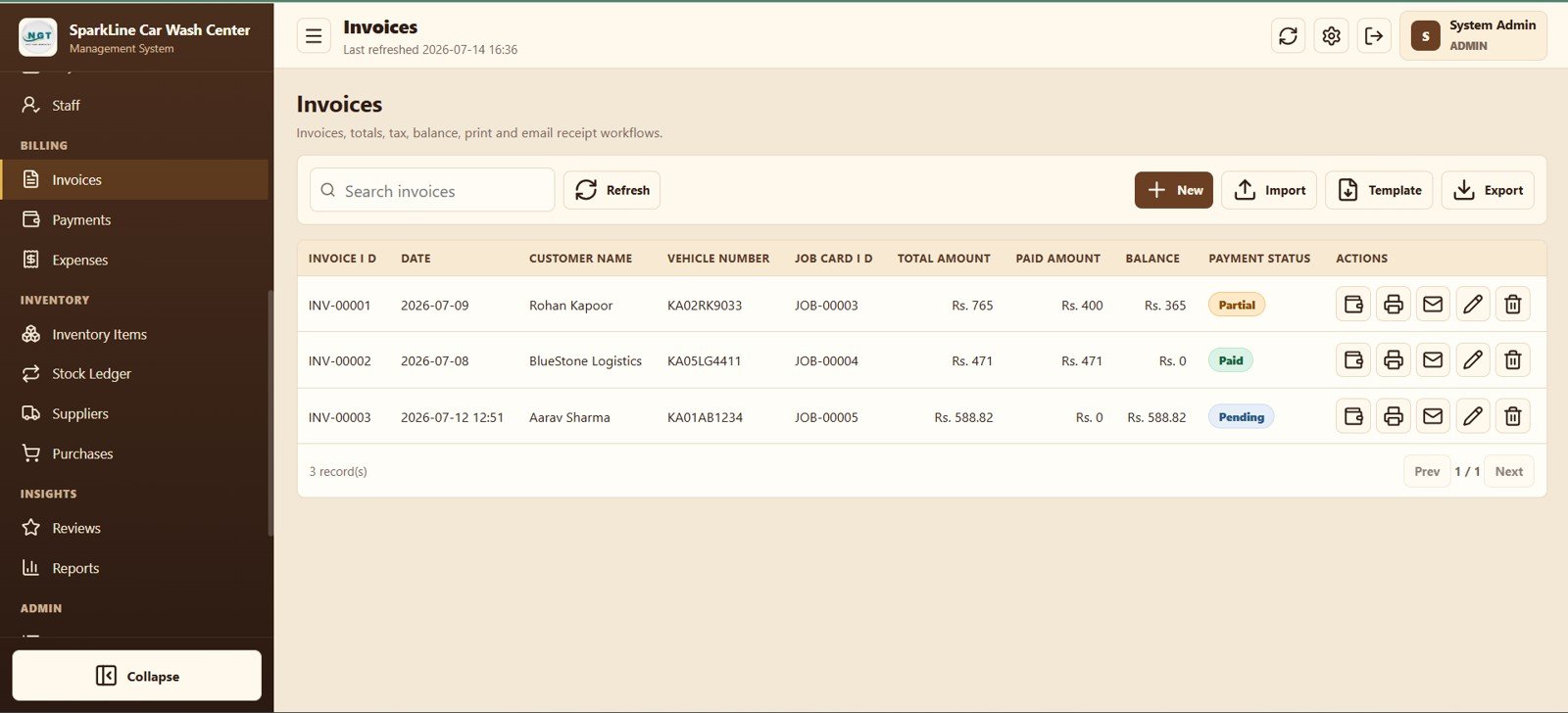
Invoice Management
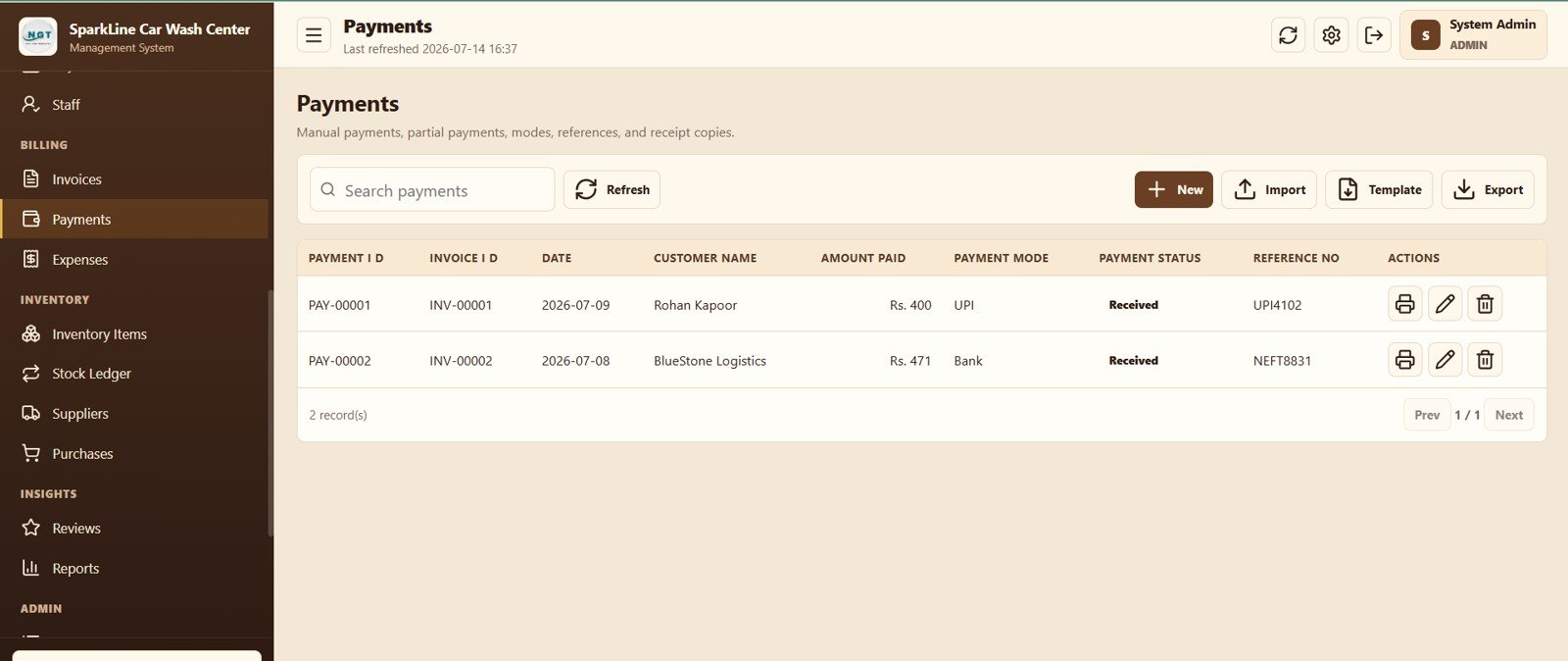
Payment Tracking
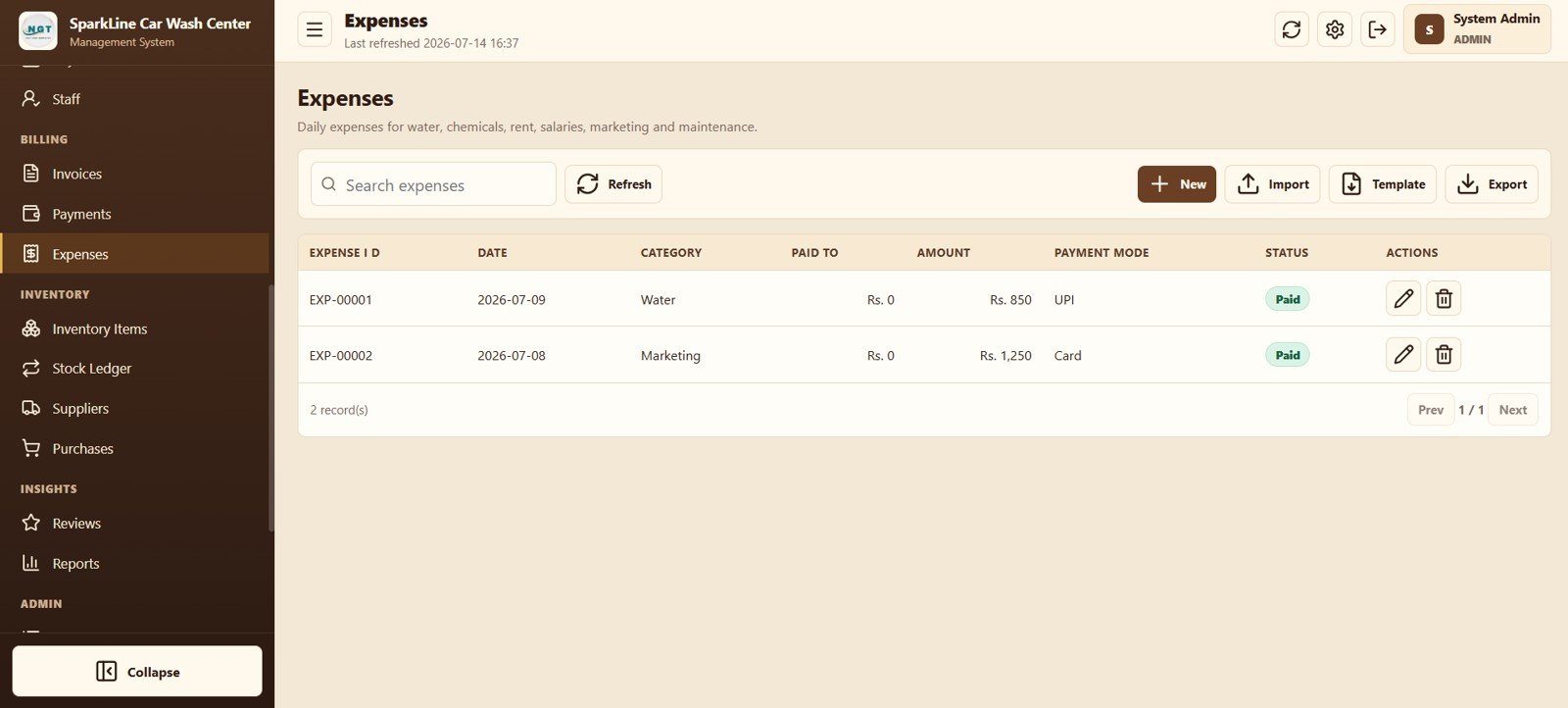
Expense Management
16. Inventory Items and 17. Stock Ledger
Inventory Items monitors current quantity and reorder level; Stock Ledger explains every inward or outward movement and can connect consumption to a job card.
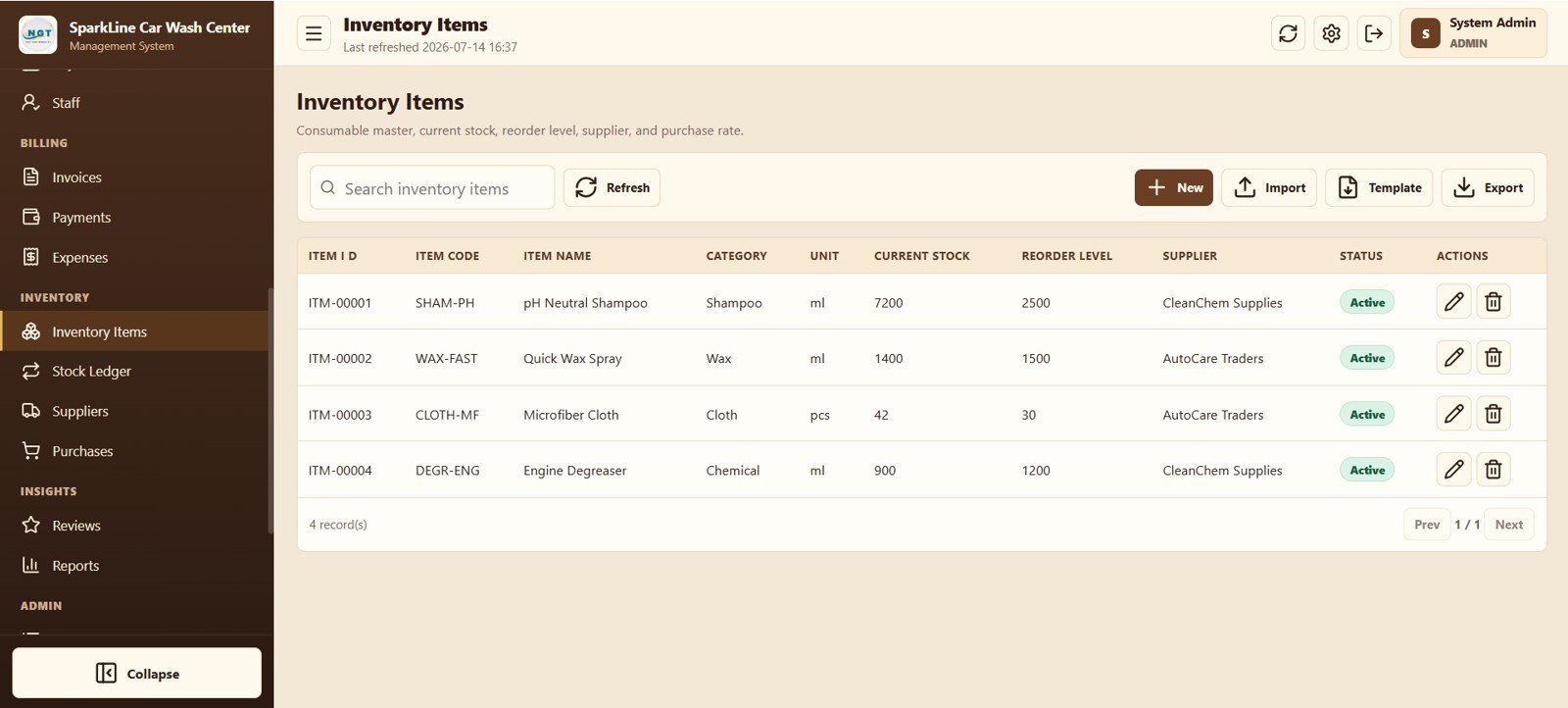
Inventory Item Master
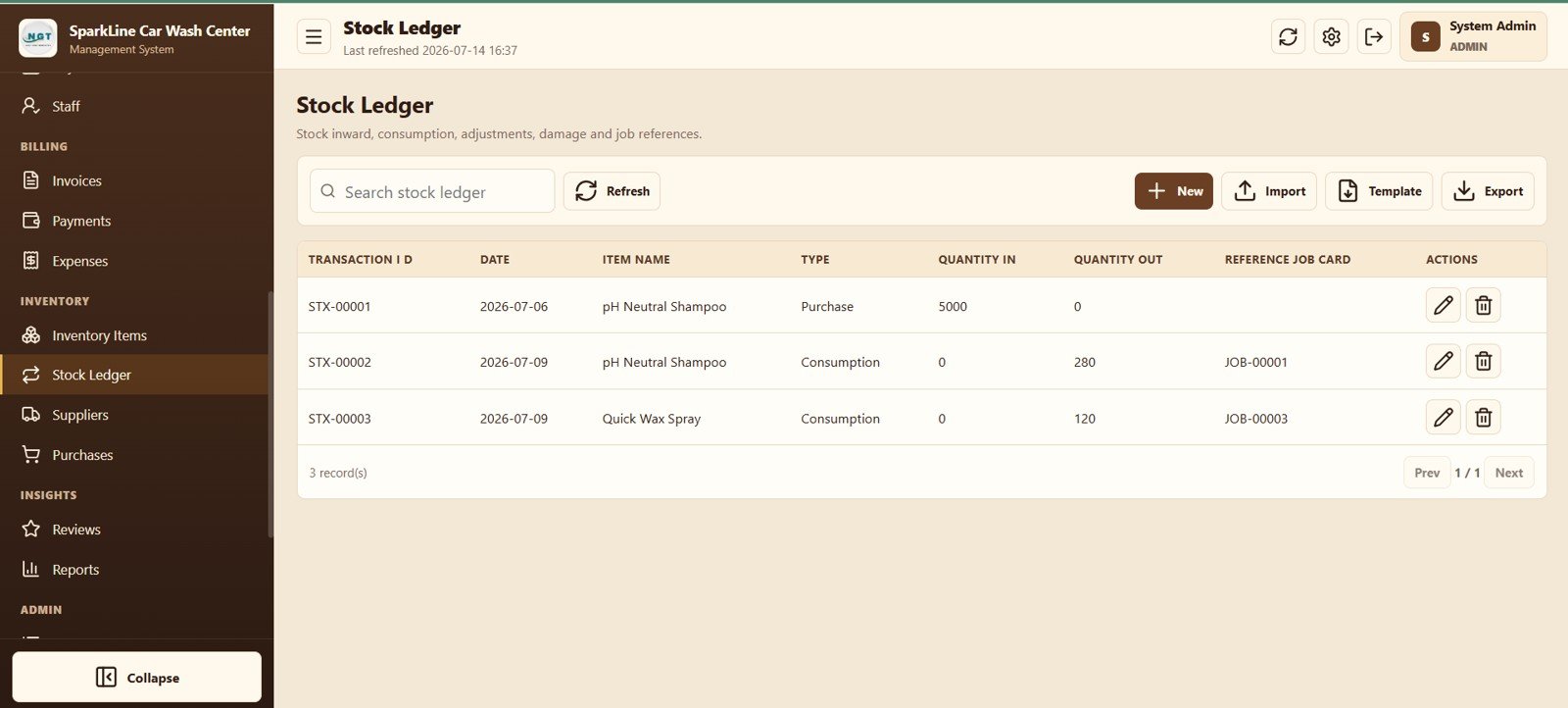
Stock Ledger
18. Suppliers and 19. Purchases
Supplier records show contact and payment status, and Purchases tracks bill amount, paid amount, balance, and settlement state.
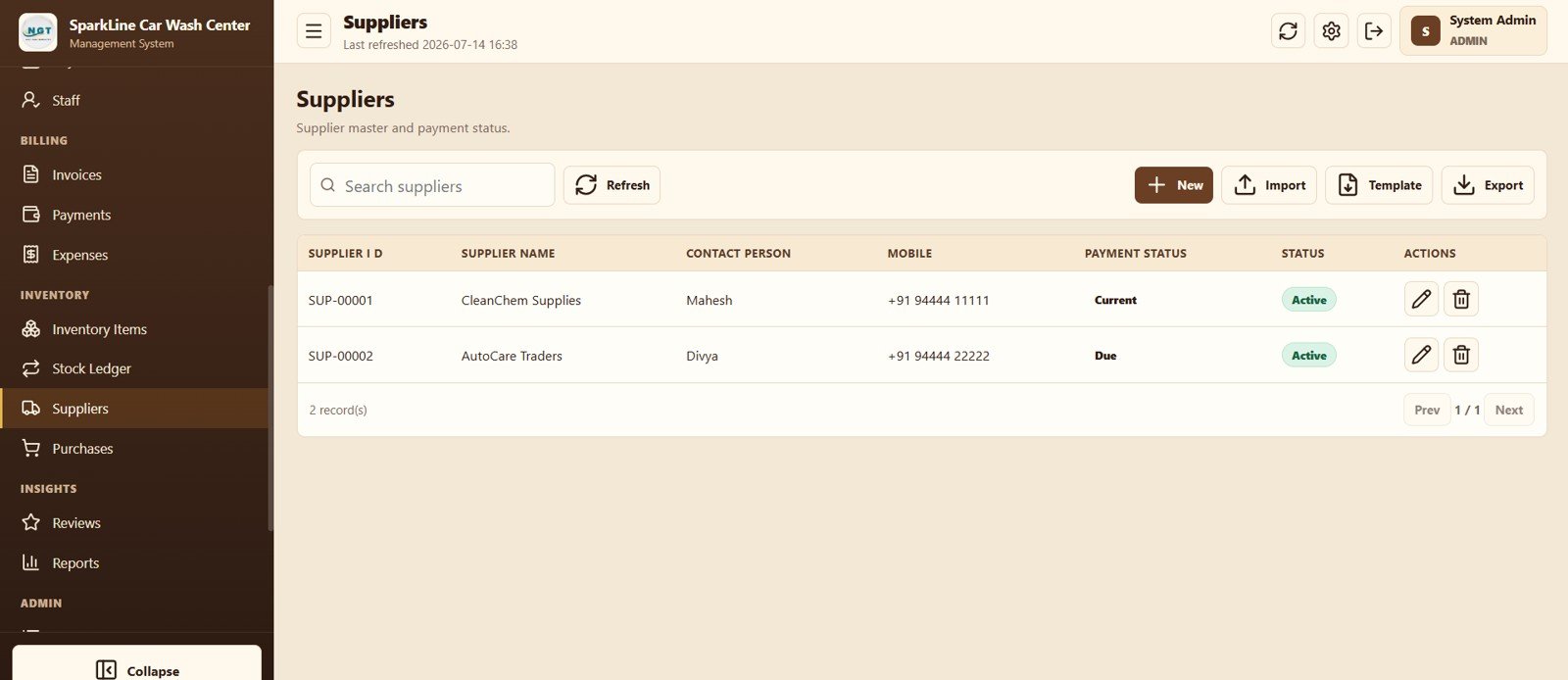
Supplier Management
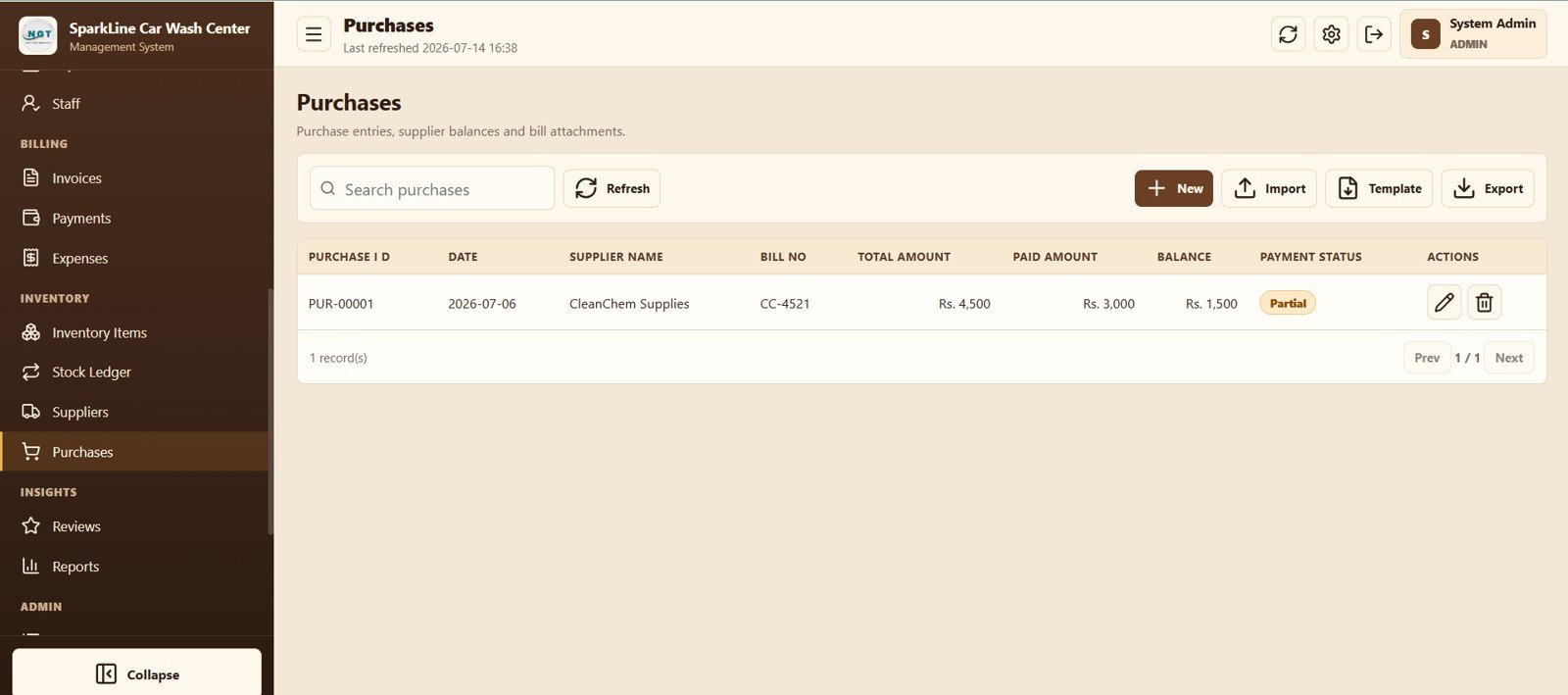
Purchase Management
20. Reviews and 21. Reports
Reviews connects a rating and follow-up flag to the completed job and staff member. Reports runs date-filtered operational, billing, inventory, review, or audit outputs and can export the result.
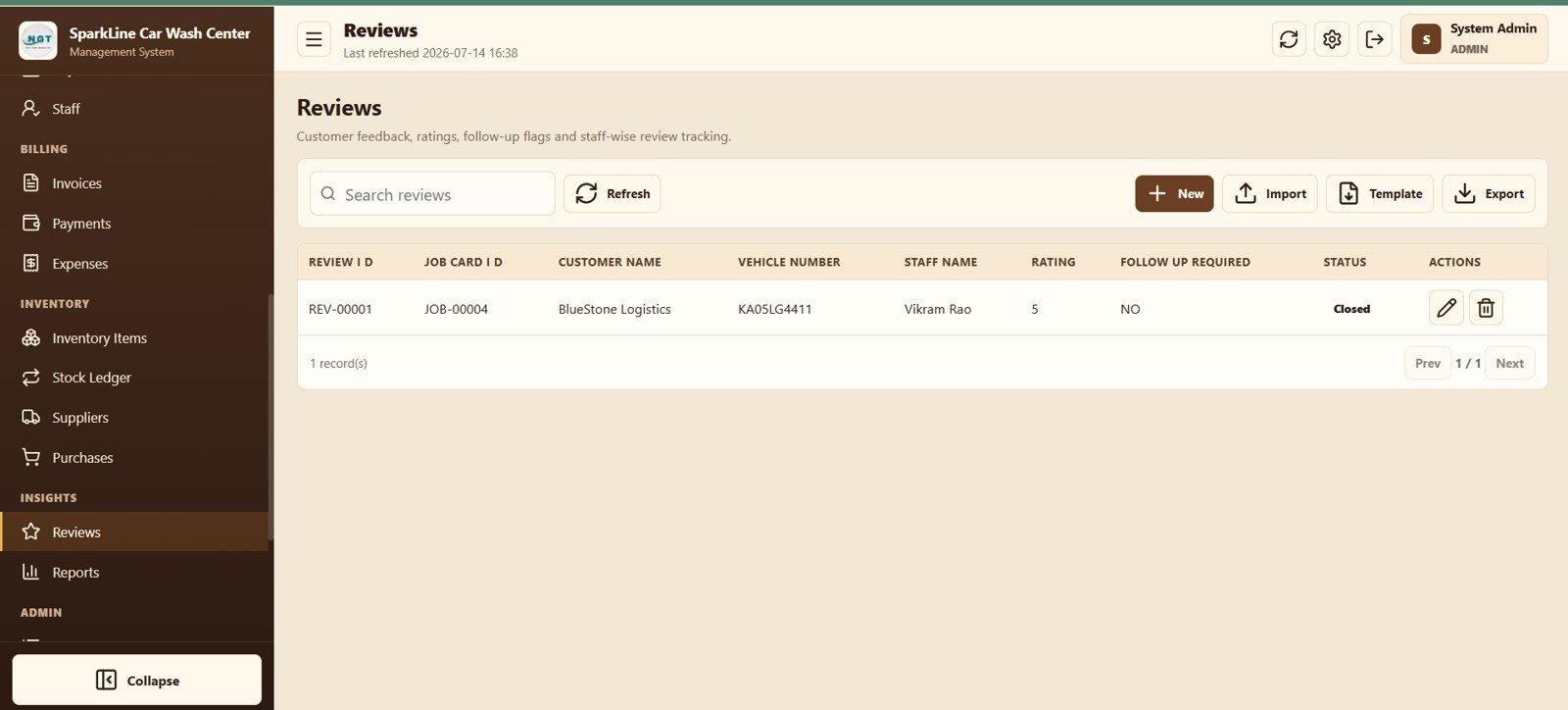
Customer Review Tracking
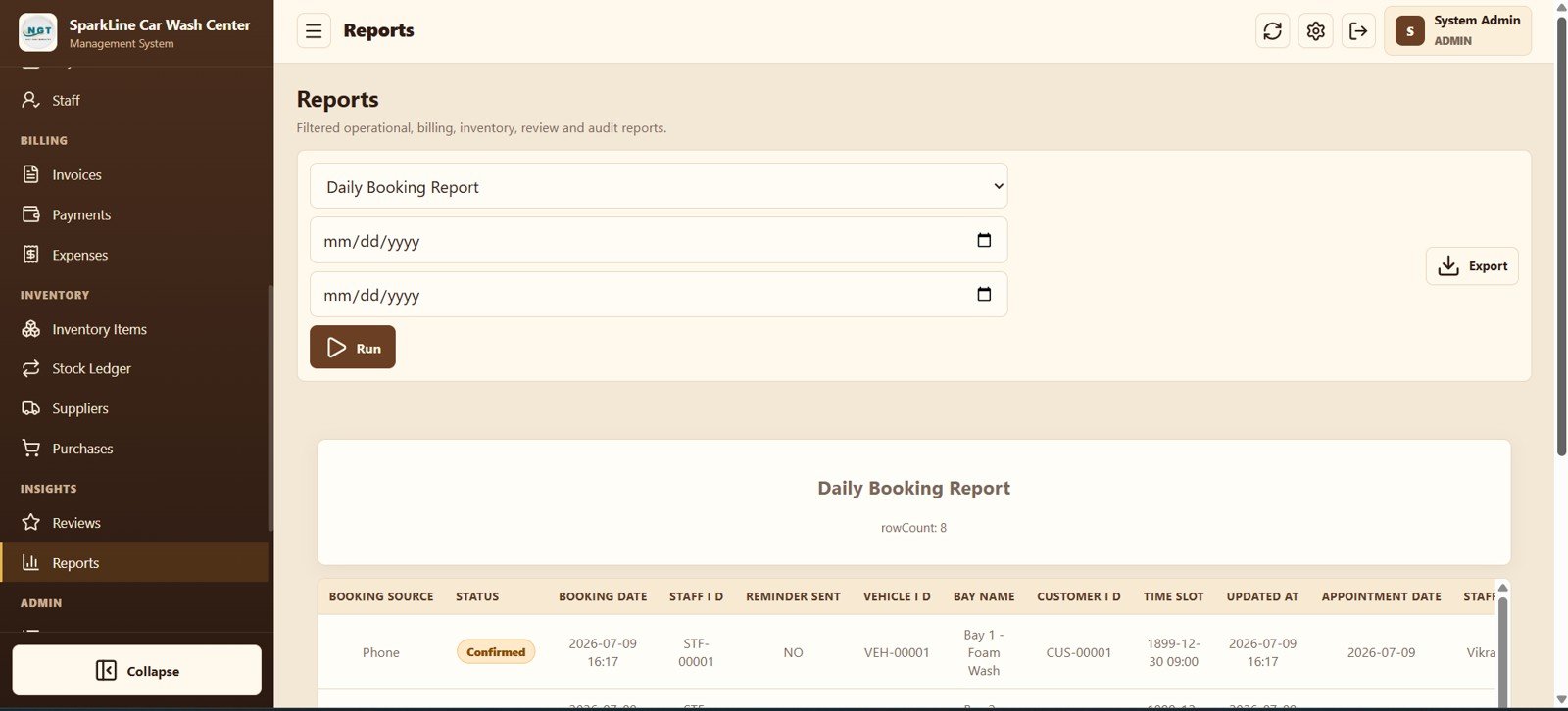
Reports and Export
22. List Management, 23. User Management, and 24. Settings
Administrators can edit dropdown values, manage user roles and login status, and configure business identity, tax, prefixes, print size, archive, and password settings.
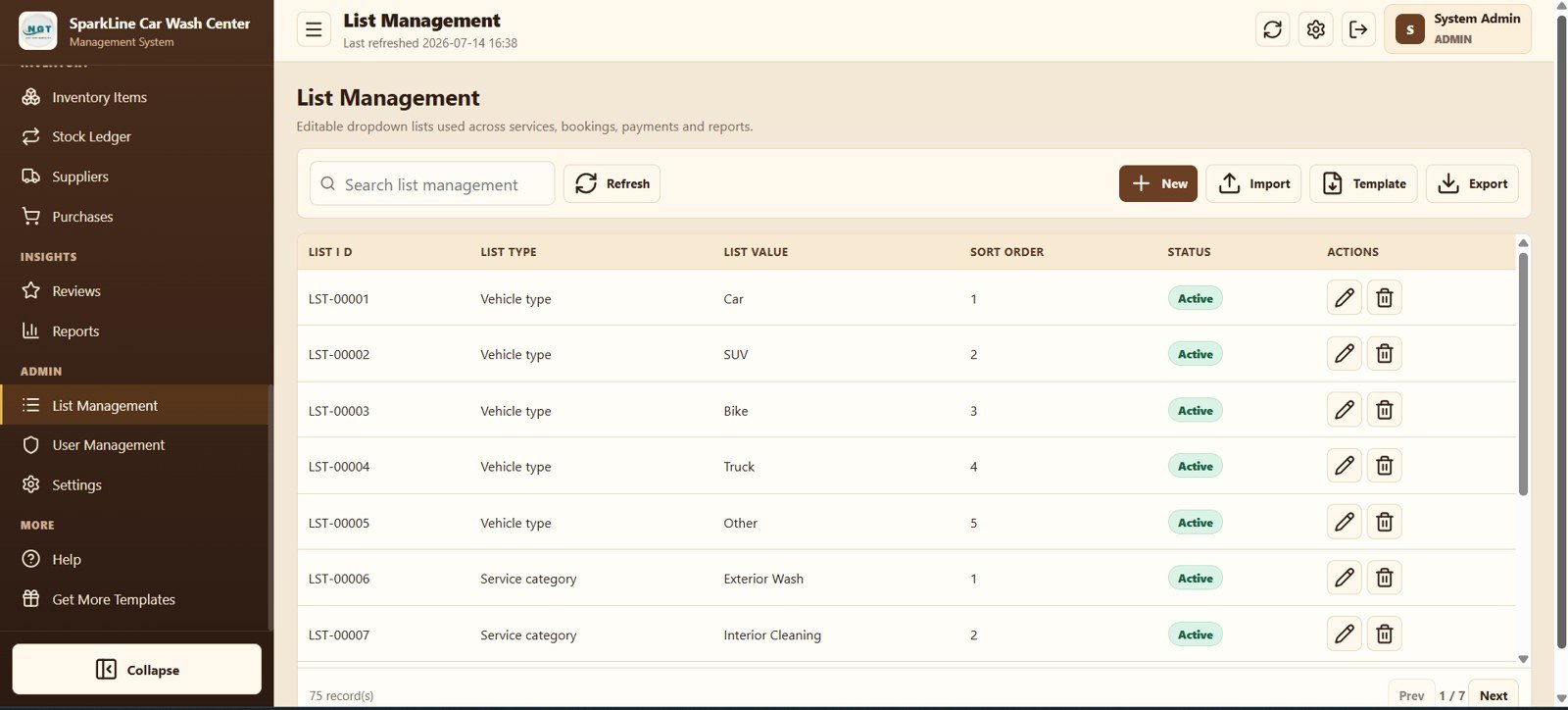
List Management
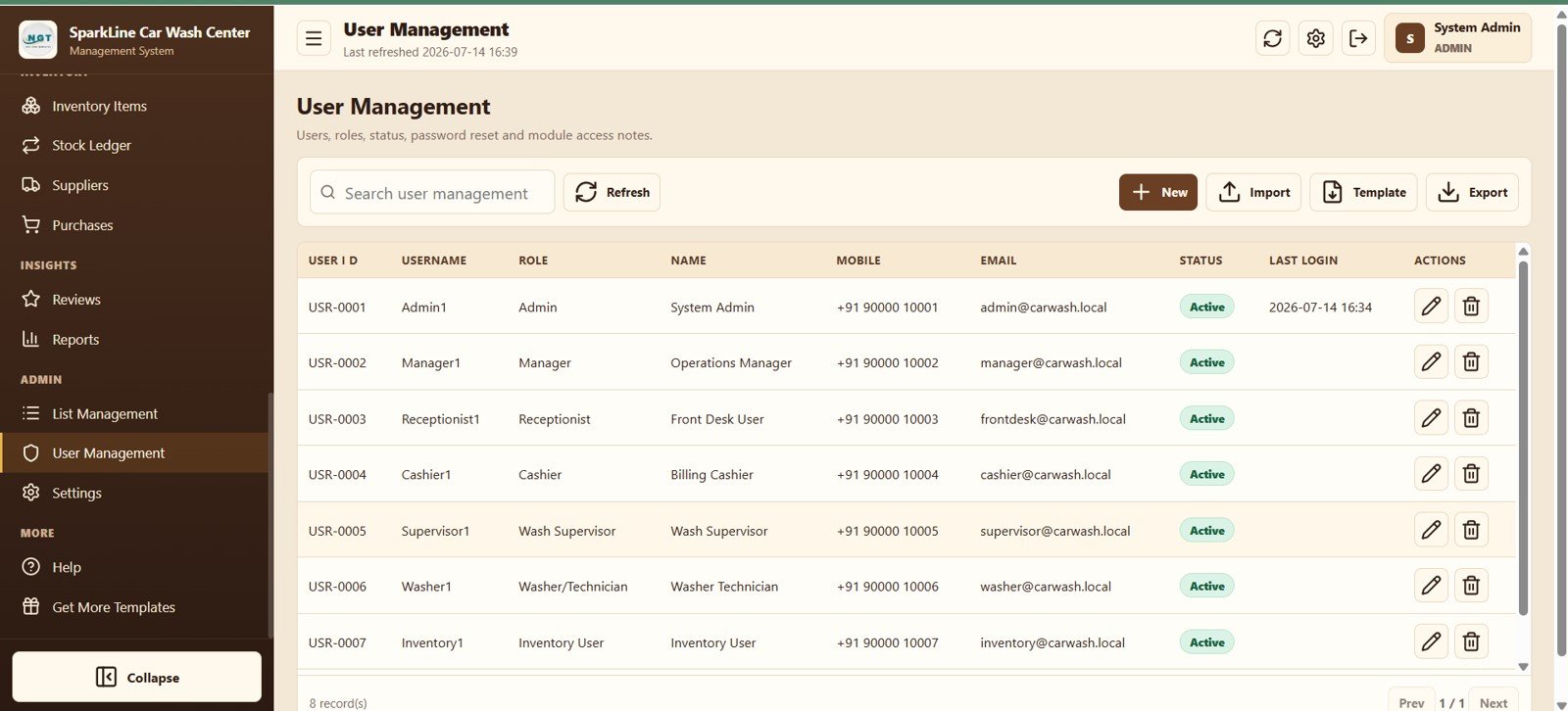
User and Role Management
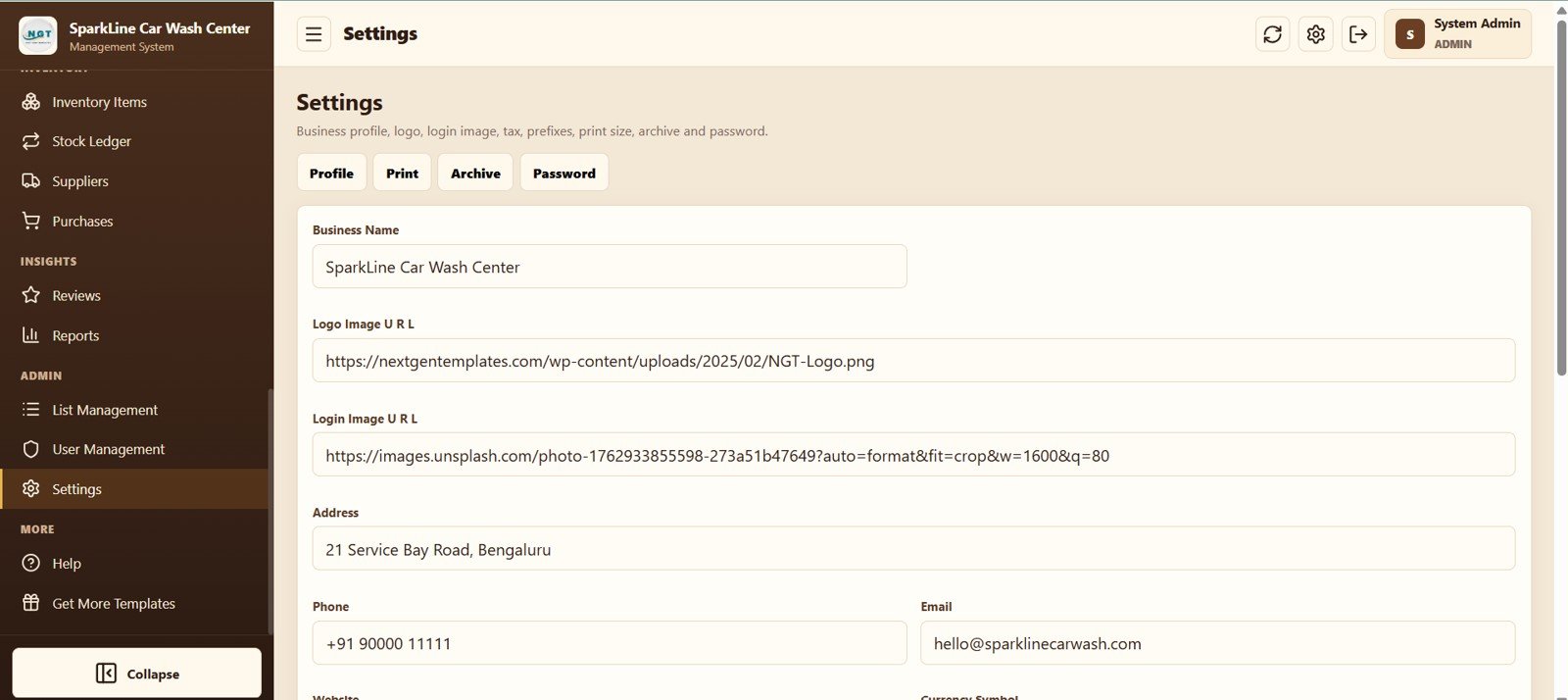
System Settings
Car Wash Management System Web App vs. Basic Google Sheets Tracker vs. Paid Car Wash SaaS – Feature Comparison
| Feature | Car Wash Web App | Basic Google Sheets Tracker | Paid Car Wash SaaS |
|---|---|---|---|
| Cost | $39.99 one-time sale price | Low cash cost; internal build time | Recurring and plan-dependent |
| Platform | Google Apps Script web app | Spreadsheet | Vendor-hosted service |
| Setup | Deploy and configure master data | Build tables, formulas, and permissions | Vendor onboarding |
| Team access | Browser access with user roles | Shared-sheet permissions | Usually user-based access |
| Mobile use | Responsive browser workflow | Spreadsheet UI | Web or mobile app |
| Custom fields | Editable masters and lists | Highly editable | Depends on plan |
| Share with link | Yes, after deployment | Yes | Yes |
| Year-1 cost at 5 users | $39.99 template price | Build and maintenance time | Vendor-specific |
| Bay queue | Built in | Requires custom design | Varies |
| Stock by job | Built in | Requires linked tables | Varies |
Who Should Use This Template
This template fits single-location and small multi-bay businesses that handle cars, SUVs, bikes, or light commercial vehicles. It is especially useful for an owner who still manages the day through paper cards, WhatsApp messages, or separate spreadsheets. It is not intended to replace enterprise franchise software, embedded payment processing, or a native offline mobile app.
Real-World Use Cases
Arjun’s neighborhood wash: the receptionist books appointments, the supervisor assigns bays, technicians advance stages, and the cashier invoices from the same job record.
Meera’s detailing studio: packages encourage repeat visits, membership balances prevent manual counting, and the service-sales chart shows which detailing work earns the most.
Sameer’s fleet service: corporate customer and vehicle masters support recurring vehicles, while invoices, partial payments, and exported reports simplify monthly reconciliation.
Advantages of the Car Wash Management System Web App
- One workflow connects booking, production, billing, and stock.
- Live bay status reduces double assignment and front-desk uncertainty.
- Packages, memberships, and loyalty fields support repeat business.
- Imports, templates, exports, and editable lists reduce setup friction.
- Source deployment in your Google account keeps the operating setup under your control.
Opportunities for Improvement
Businesses that need online payment processing, automatic WhatsApp or SMS reminders, route optimization for pickup and delivery, multi-branch consolidation, or native offline mobile operation may need custom development. Those items are not visible in the supplied screens and should not be assumed to be included.
Best Practices
- Standardize service names, stages, and vehicle types before importing records.
- Check staff shifts and bay availability before accepting peak-hour bookings.
- Record chemical consumption against job cards so reorder warnings remain meaningful.
- Reconcile invoice balances, payments, purchases, and expenses every day.
- Export reports and use the archive tools on a regular schedule.
- Follow the official Google Apps Script web app deployment guide when publishing the app from your account.
Explore Relevant Templates
- Service Center and Repair Shop Management System Web App
- Universal Appointment Booking System Web App Template
- Parking Management System Web App
- Dry Clean Service Management System Web App
See all NextGenTemplates Web Apps.
Curious about the spreadsheet skills behind systems like this? The NextGenTemplates Academy learning paths walk through them with practice files.
Get the Car Wash Management System Web App
Frequently Asked Questions
How many modules are included?
The screenshots show 24 connected screens from Login and Dashboard through operational, billing, inventory, reporting, and administration modules.
Can the system accept both bookings and walk-ins?
Yes. Booking Calendar handles scheduled appointments, and Wash Queue includes a separate Walk-in action.
Can it manage multiple vehicles for business customers?
The customer and vehicle masters are separate and linked by owner, which supports fleet and corporate records.
Does it support packages and memberships?
Yes. Packages define visits, validity, vehicle type, and price; Memberships tracks expiry and remaining visits for each customer.
Can it track low-stock consumables?
Yes. Inventory Items compares current stock with reorder level, and Stock Ledger records quantities in and out.
Is online payment processing included?
The visible modules record payment modes, amounts, status, and references. An integrated payment gateway is not shown.
About the Author
Built by PK – Microsoft Certified Professional with 15+ years of Excel, Google Sheets, and Power BI experience. Founder of NextGenTemplates, reaching 300K+ subscribers across YouTube channels. Every template is hand-built and tested before release.
Conclusion
The Car Wash Management System Web App is a practical middle ground between a manually maintained tracker and a recurring SaaS platform. Its strongest value is continuity: the booking becomes a queued job, the job becomes an invoice, the payment updates the balance, and consumed materials reach the stock ledger. If that connected daily flow matches your operation, get the Car Wash Management System Web App and configure it for your bays, services, and team.