Most people’s medical history lives in four places at once: a clinic portal they last logged into two years ago, a folder of printed letters, a phone calendar with three past appointments still in it, and memory. Then a new consultant asks “when was the last time you had that looked at?” and none of those four places answers the question.Doctor Appointments & Medical History Tracker in Google Sheets
The Doctor Appointments & Medical History Tracker in Google Sheets is one sheet that does. It is 16 columns wide, holds 985 appointment records, fills 4 of its columns in automatically, drives 4 live charts and a single Upcoming Visits counter, and feeds 6 dropdown columns from a list you control. It covers every member of a household in one file, works on the Google Sheets mobile app, and needs no add-on, no script and no subscription.
One thing to be clear about before anything else: this is a personal record-keeping spreadsheet. It is not medical software, not a medical device, not an EHR or EMR, it is not HIPAA-certified, and nothing in it constitutes medical advice. It records what you tell it. Decisions belong to you and a qualified healthcare professional.
Get the Doctor Appointments & Medical History Tracker in Google Sheets
Key Features of the Doctor Appointments & Medical History Tracker in Google Sheets
- 16 columns, one row per visit – ID, Appointment Date, Patient, Visit Type, Specialty, Provider, Facility, Reason / Condition, Status, Priority, Follow Up Needed, Follow Up Date, Days Until Visit, Insurance, Cost and Notes.Doctor Appointments & Medical History Tracker in Google Sheets
- Twelve columns you type, four the sheet writes – ID, Follow Up Needed, Follow Up Date and Days Until Visit are formulas. Everything else is yours.
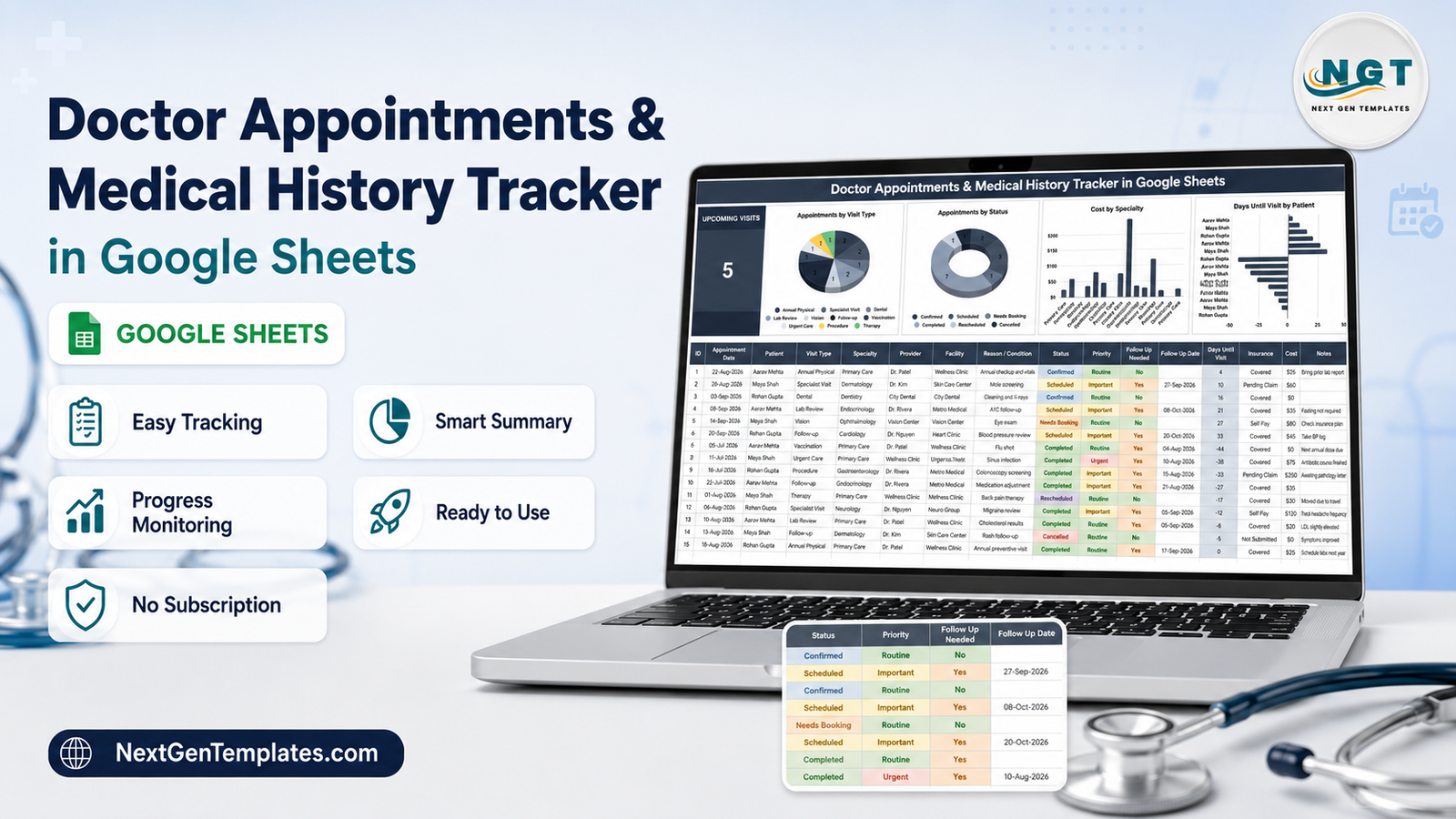
- An Upcoming Visits KPI card – a single large number counting rows dated today or later whose Status is Scheduled or Confirmed.Doctor Appointments & Medical History Tracker in Google Sheets
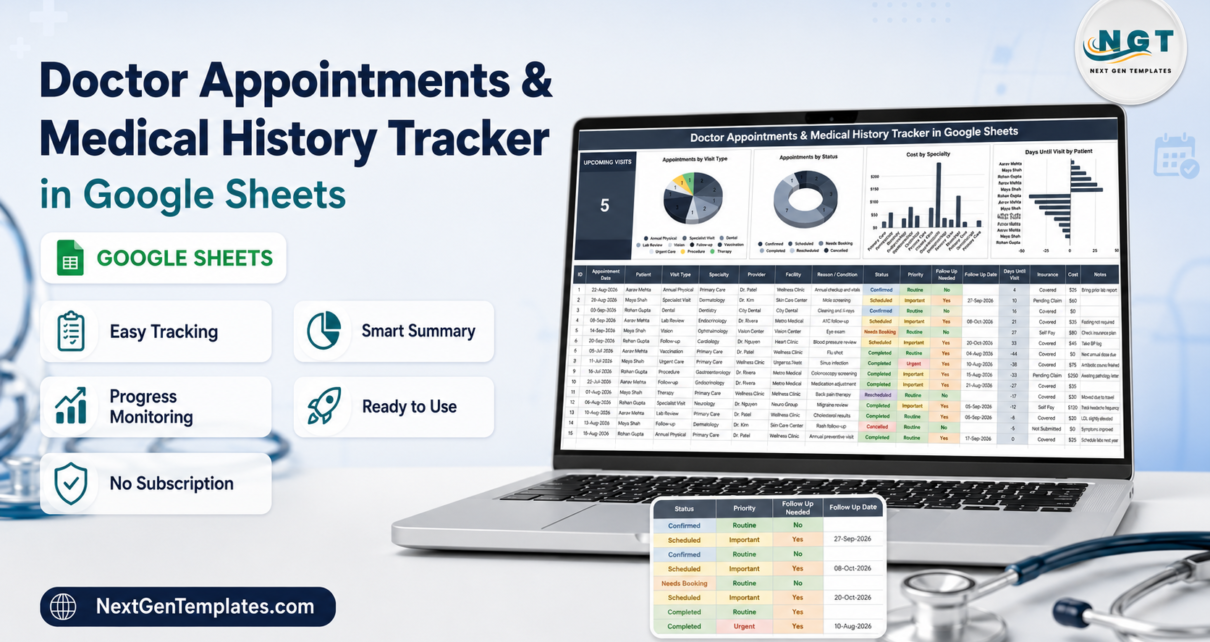
- Four charts reading the log directly – Appointments by Visit Type, Appointments by Status, Cost by Specialty, and Days Until Visit by Patient. No pivot tables, no helper sheet.
- Six dropdowns sourced from an editable List tab – Visit Type, Specialty, Provider, Status, Priority and Insurance. The tracker reads rows 2 to 500 of each list, so your own additions appear straight away.Doctor Appointments & Medical History Tracker in Google Sheets
- Household-wide by design – the Patient column means one file, several people, and charts that break down by person.Doctor Appointments & Medical History Tracker in Google Sheets
- Money and insurance on the same row – Cost sits beside an Insurance status of Covered, Self Pay, Pending Claim or Not Submitted.
- 15 worked sample rows across 3 patients and 8 specialties, there to be deleted once the behaviour is obvious.Doctor Appointments & Medical History Tracker in Google Sheets
Inside the Sheet, Tab by Tab
Medical History Tracker
The working page, and the only one most people will ever touch. A title banner runs across the top. Below it on the left sits the Upcoming Visits card, and to its right the four charts sit in a row. Column headers are on row 13 and records start at row 16, running to row 1000.
The formulas are worth understanding because they shape how you use the sheet. ID simply numbers each filled row. Days Until Visit is the appointment date minus today, so future visits are positive, past visits are negative, and sorting on it puts your next appointment at the top. Follow Up Needed is a rule rather than a checkbox: it returns Yes whenever the Status is Completed, or the Priority is Urgent or Important. Follow Up Date then proposes a date exactly 30 days after the appointment.Doctor Appointments & Medical History Tracker in Google Sheets
That last pair deserves a caveat. The 30-day date is a prompt, not a real booking – if the doctor said “come back in three months”, type the real date over the formula in that one cell. And because Follow Up Needed is derived, a completed routine visit that genuinely needs no follow-up will still say Yes. Neither is a bug; both are rules doing exactly what they were written to do, and both are one keystroke to override.Doctor Appointments & Medical History Tracker in Google Sheets
List
Six columns of dropdown source data: Visit Type (10 entries, from Annual Physical through Therapy and Procedure), Specialty (10, from Primary Care through Pediatrics), Status (6), Priority (3 – Routine, Important, Urgent), Insurance (4) and Provider (7). Add your own values underneath any list and the tracker’s dropdown picks them up, because the validation ranges reach down to row 500. If you want to understand or extend how that works, Google’s own documentation on data validation in Sheets covers the mechanics.
Facility, Reason / Condition and Notes are deliberately free text – clinic names and reasons vary too much to be worth constraining.Doctor Appointments & Medical History Tracker in Google Sheets
Instructions
A short reference covering which columns are editable, which calculate, how the dropdowns are fed, and how the charts refresh. It also carries the same note the listing does: the tracker organises appointment history, and it is not medical advice.Doctor Appointments & Medical History Tracker in Google Sheets
Explore More Templates
Links out to related NextGenTemplates products, mostly the rest of the personal health range.
Google Sheets vs. an Excel Log vs. a Paid Health App – Feature Comparison
| This Google Sheets tracker | An Excel appointment log | Paid personal health-record app | |
|---|---|---|---|
| Cost | $6.99 one time | Needs a Microsoft 365 licence | Recurring subscription |
| Platform | Any browser plus the Sheets mobile app | Desktop Excel; mobile is limited | The vendor’s own app |
| Setup time | About a minute | Download, unblock, save | Account and profile setup |
| Family sharing | Share a link, set Editor or Viewer | Email the file, reconcile versions | Usually one account per person |
| Real-time collaboration | Yes, several people at once | Only through OneDrive co-authoring | Varies by plan |
| Customisable fields | Every column, dropdown and chart | Yes | Rarely – fields are fixed |
| Where the data lives | Your own Google Drive | Your own disk | The vendor’s servers |
| Push reminders | None | None | Usually yes |
| Cost and insurance tracking | Built into every row | Build it yourself | Often a paid tier |
The honest split: if what you want is to be notified, buy an app, because no spreadsheet will ever tap you on the shoulder. If what you want is to own a record – searchable, editable, exportable, shared with a sibling, still readable in ten years – the spreadsheet wins, and it does not bill you monthly for the privilege.
Who Should Use This Template
It suits households running appointments for several people at once; anyone seeing multiple specialists for a long-term condition; adult children coordinating a parent’s care; people rebuilding a medical history for a new doctor, an insurance claim or a second opinion; and anyone whose records are currently spread across three clinic portals with three different passwords.
It is the wrong tool for a clinic. There is no booking engine, no availability grid, no patient-facing side and no calendar view – it is a log, not a scheduler. It will not connect to a provider portal, import records or file claims. And it is not the place for records you handle professionally on someone else’s behalf, because it carries no certification, no audit trail and no HIPAA coverage.
Real-World Use Cases
Coordinating an elderly parent’s care. Three specialists, no shared view. Every visit goes in under the parent’s name with the reason and the outcome in Notes. When a new consultant asks what happened last spring, the answer is one filter away instead of three phone calls.
A family of four. Dental checks, vaccinations, annual physicals, the occasional urgent care visit. Both parents edit the same file from their phones. The Appointments by Visit Type chart is the thing that quietly reveals nobody has booked a dental clean this year.
Managing a long-term condition and its paperwork. Specialist cycles every six weeks, regular lab reviews, and claims sitting at different stages. Filtering Insurance to Pending Claim shows what is still outstanding; the Cost column shows what has actually been spent out of pocket.
Advantages of the Doctor Appointments & Medical History Tracker
- The history is the product. Most appointment tools care about what is next. This one is just as useful looking backwards, which is when medical records actually get asked for.
- Clean data by construction. Six dropdowns mean one spelling of “Dermatology”, so the charts stay honest.
- Nothing hidden. No scripts, no add-ons, no helper tabs. Every formula is visible and editable, so nothing breaks mysteriously.
- Everyone in one file. Per-person tools multiply; this one does not.
- You own it outright. It lives in your Drive, exports to Excel or PDF, and does not stop working when a subscription lapses.
Opportunities for Improvement
Four things worth knowing before you buy, stated plainly:
- The two bar charts do not group. “Cost by Specialty” and “Days Until Visit by Patient” plot one bar per appointment row and label it with the specialty or patient, so a specialty visited four times appears four times. For per-appointment cost that is genuinely useful; if you want one bar per specialty with costs summed, click the chart, choose Edit chart, and tick Aggregate in the Setup panel. One click, and it sticks.
- Follow Up Needed cannot be set by hand without overwriting its formula, so a completed routine visit is flagged Yes whether or not it needs anything.
- The 30-day follow-up date is a placeholder, not a real appointment date.
- There are no reminders of any kind. No email, no notification, no alert. The Upcoming Visits card only tells you anything while the sheet is open. Put the actual date in your phone calendar too.
Best Practices
- Set up the List tab before you enter a single appointment. Your real doctors and specialties first; the dropdowns are only as useful as the lists behind them.
- Backfill the last two years. An empty tracker answers no questions. An hour spent entering old visits is what makes it worth having.
- Sort by Days Until Visit to bring the next appointment to the top, and use Status honestly – Needs Booking means it is not booked, and the KPI card deliberately excludes it.
- Put the outcome in Notes on the day, not a week later. “LDL slightly elevated, recheck next visit” is the sentence you will want in a year.
- Share rather than copy. Two copies of a family medical log diverge within a month.
- Keep it out of professional use. Your own family’s records, yes. Anyone else’s, no.
Explore Relevant Templates
The Medication & Pill Tracker in Google Sheets covers what happens between appointments, and the Lab Results & Health Metrics Tracker in Google Sheets holds the numbers that come back after them. The Symptom & Pain Diary Tracker in Google Sheets is what you bring to the next consultation, and the Blood Pressure Log Tracker in Google Sheets handles readings taken at home. For claims and out-of-pocket spending, pair it with the Medical Expense & Claims Tracker in Google Sheets. If you want a dated calendar rather than a log, see the Patient Follow-Up Visit Calendar in Google Sheets; clinics should look at the Healthcare Management Dashboard in Google Sheets instead.
Want to build skills like this step by step? The NextGenTemplates Academy learning paths walk you through spreadsheet tracking with practice files.
Get the Doctor Appointments & Medical History Tracker in Google Sheets
Frequently Asked Questions
Does it send appointment reminders?
No – none at all. No emails, no notifications, no alerts. The Upcoming Visits card and the Days Until Visit column tell you what is coming when you open the sheet, and nothing happens while it is closed. Use your phone calendar for the reminder and this sheet for the record.
Is this medical software or medical advice?
Neither. It is a spreadsheet that stores what you type. It is not a medical device, not an EHR or EMR, and it does no interpretation, diagnosis, or checking of medications, doses, interactions or allergies. Always follow the guidance of a qualified healthcare professional.
Is it HIPAA compliant?
No, and it makes no such claim. It is a personal Google Sheet in your own Drive – no certification, no audit trail, no business associate agreement. Fine for your own family’s records; not built for handling anyone else’s professionally.
Can I track more than one person in the same file?
Yes, that is the intent. The Patient column separates each person’s history and the charts break down by it, so one file covers a whole household.
Why does the same specialty appear several times on the cost chart?
Because that chart plots one bar per appointment rather than grouping by specialty. Tick Aggregate in the chart editor’s Setup panel to sum them instead.
How many appointments can it hold?
The formulas and chart ranges run to row 1000, which is 985 records – years of history for a family. Drag the formulas down and extend the chart ranges if you outgrow it.Doctor Appointments & Medical History Tracker in Google Sheets
Do I need Google Sheets experience?
No. If you can type in a cell and pick from a dropdown, you can use it. Everything else is already built.Doctor Appointments & Medical History Tracker in Google Sheets
About the Author
Built by PK – Microsoft Certified Professional with 15+ years of Excel, Google Sheets, and Power BI experience. Founder of NextGenTemplates, reaching 300K+ subscribers across YouTube channels. Every template is hand-built and tested before release.Doctor Appointments & Medical History Tracker in Google Sheets
Conclusion
A medical history is one of those records nobody keeps until the moment they urgently need it. The Doctor Appointments & Medical History Tracker in Google Sheets makes keeping one cheap and dull enough that it actually happens: 16 columns, six dropdowns so the data stays clean, four columns that fill themselves, four charts and a counter for what is coming next – all in one file that a whole household can share from their phonesDoctor Appointments & Medical History Tracker in Google Sheets
It will not remind you, diagnose you, or advise you, and it does not pretend otherwise. What it does is make sure that when someone qualified asks what happened and when, you have the real record in front of you rather than a guess.Doctor Appointments & Medical History Tracker in Google Sheets
Get the Doctor Appointments & Medical History Tracker in Google Sheets for $6.99, and find more Google Sheets walkthroughs on NeoTechNavigators on YouTube.