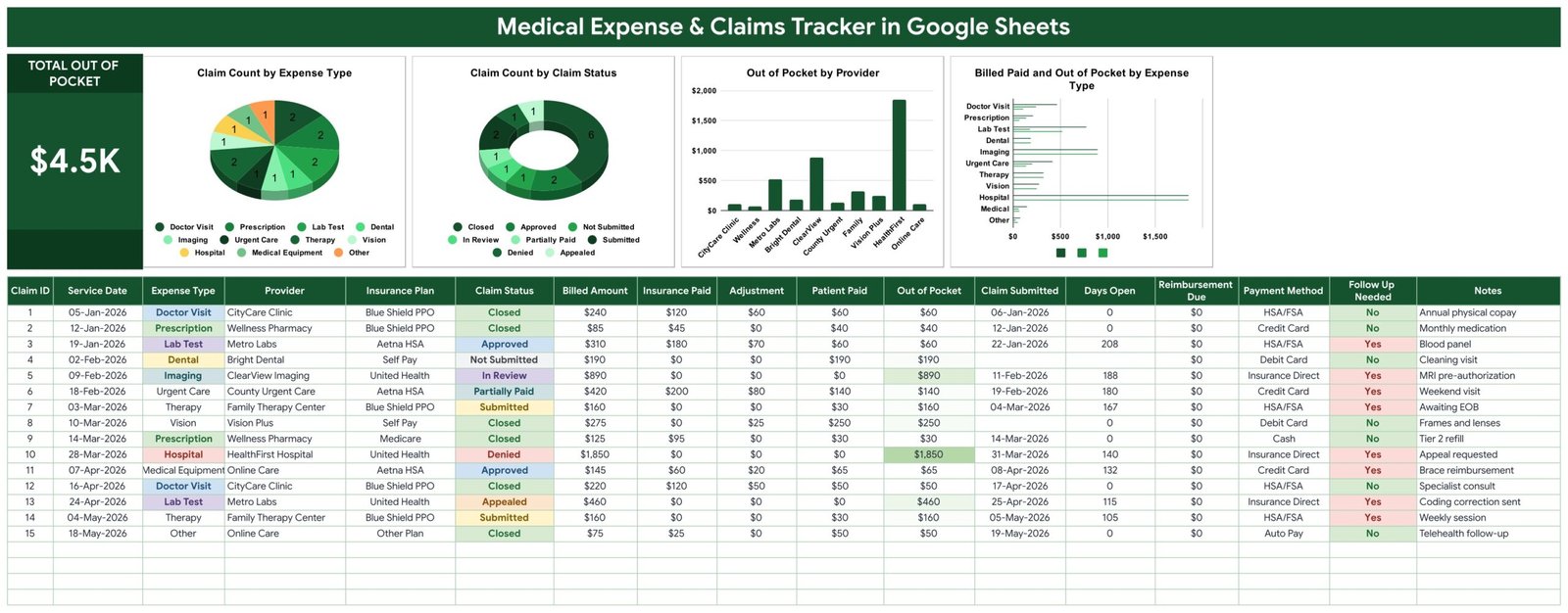
Open the Medical Expense & Claims Tracker in Google Sheets with its sample data loaded and one number does the talking: $4.5K Total Out of Pocket. Fifteen claims sit underneath it – a $240 physical, an $890 MRI still in review, a $1,850 hospital bill that came back Denied – and $4,455 of that is money the household is still carrying. Eight of the fifteen rows are flagged Follow Up Needed, which is the tracker’s way of saying: these are the eight phone calls you owe someone.
That is the whole argument for tracking medical bills in a spreadsheet rather than a shoebox. Insurers pay part, adjust part, deny part, and the difference lands on you weeks later. Unless you write down what was billed, what was paid and when the claim went in, you have no way to tell a slow claim from a lost one. This template is one Google Sheets page that keeps that record straight – and it is a record-keeping tool, not medical or insurance software.
Get the Medical Expense & Claims Tracker in Google Sheets
Key Features of the Medical Expense & Claims Tracker
- Everything on one page. The KPI card, four charts and the claims table share a single Tracker tab. No navigation, no dashboard-versus-data split.
- A Total Out of Pocket KPI card that sums the Out of Pocket column live as you type.
- Four charts fed straight from the table – Claim Count by Expense Type, Claim Count by Claim Status, Out of Pocket by Provider and Billed Paid and Out of Pocket by Expense Type. They read rows 16 to 1000 directly, so there are no helper ranges or pivot caches to refresh.
- Seventeen columns per claim, from Service Date and Provider through Billed Amount, Insurance Paid, Adjustment and Patient Paid to Payment Method and Notes.
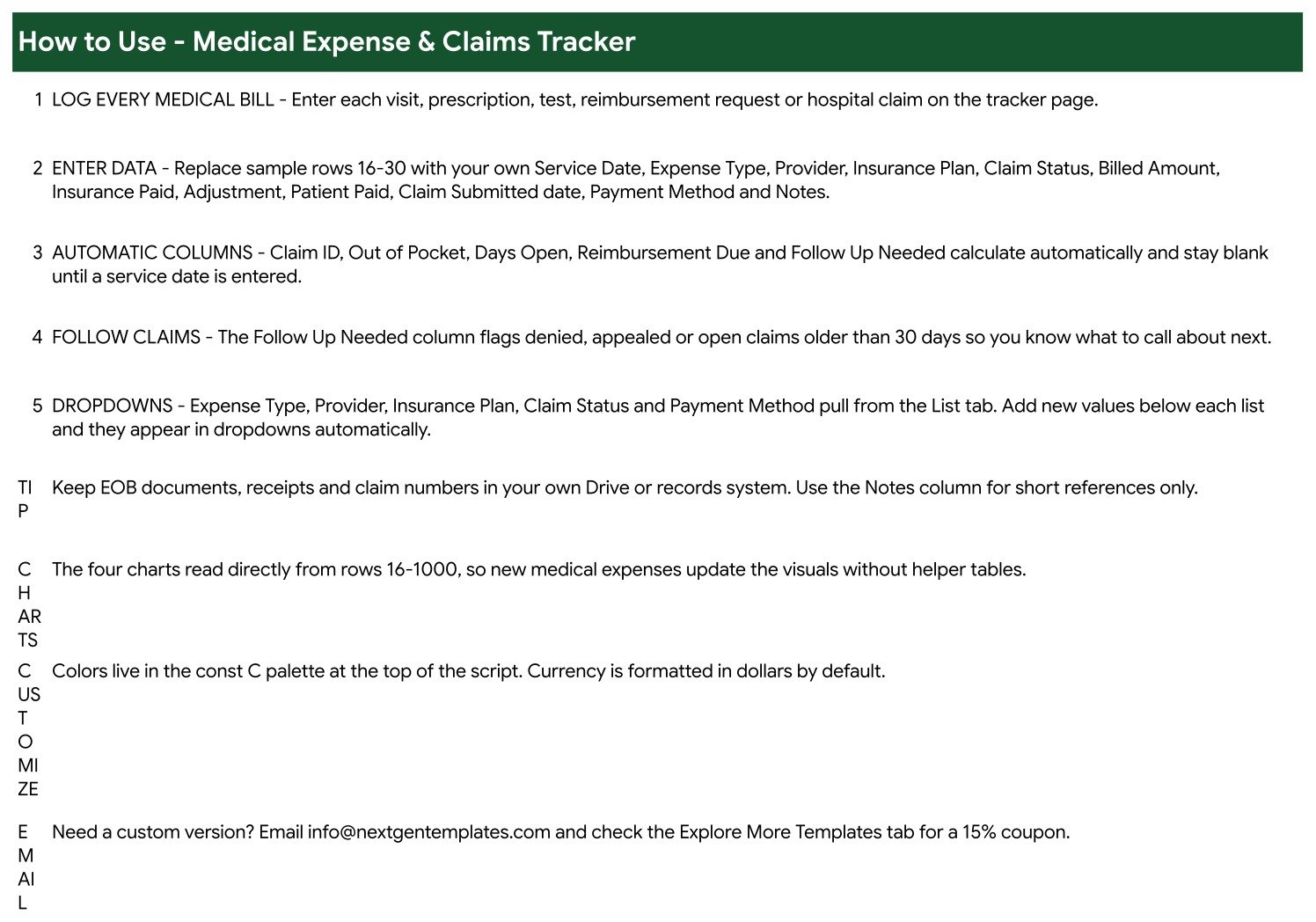
- Five columns that write themselves – Claim ID, Out of Pocket, Days Open, Reimbursement Due and Follow Up Needed. They stay blank until a Service Date exists, so the sheet never fills with half-empty rows.
- An automatic follow-up flag. Denied claims, appealed claims and anything open past 30 days flip to Yes.
- Dropdowns that grow with you. Five lists on the List tab feed the sheet, and they read down to row 500.
Tracker Pages Explained
There are three tabs, and the first is where the work happens.
Tracker
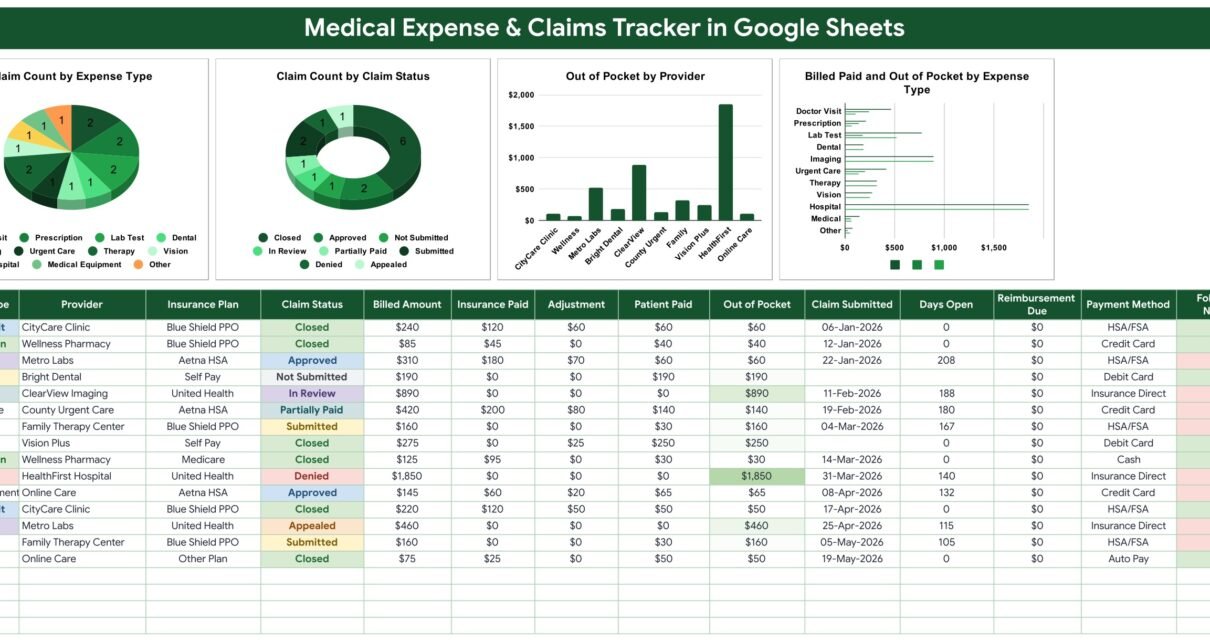
The green banner runs across the top with the Total Out of Pocket card at the left. Beside it sit the four charts. The pie splits Claim Count by Expense Type across the eleven categories; the donut splits Claim Count by Claim Status across the eight statuses; the column chart ranks Out of Pocket by Provider, which in the sample data puts HealthFirst Hospital far out in front on the strength of that single denied claim; and the bar chart compares Billed Paid and Out of Pocket by Expense Type.
Below the charts the claims table starts at row 16. Claim Status and Follow Up Needed are colour-coded – green for Closed and No, red for Denied and Yes, amber for Submitted and Appealed – so you can read the state of your paperwork without reading a single figure.
List
Five columns, five dropdowns. It ships with 11 Expense Types (Doctor Visit, Prescription, Lab Test, Imaging, Dental, Vision, Urgent Care, Therapy, Hospital, Medical Equipment, Other), 10 Providers, 6 Insurance Plans, 8 Claim Statuses and 7 Payment Methods – including HSA/FSA and Insurance Direct, which matter more than people expect once reimbursements start arriving. The dropdowns read rows 2 to 500, so anything you add below a list appears in the sheet straight away.
Explore More Templates
A reference page of related NextGenTemplates products, plus a WELCOME15 coupon for 15% off a future purchase.
Medical Expense & Claims Tracker vs. Excel vs. Paid Medical-Bill SaaS – Feature Comparison
| This Google Sheets tracker | A DIY Excel workbook | Paid medical-bill manager | |
|---|---|---|---|
| Cost | $6.99 once | Free if you build it yourself | Roughly $8-$15 per month |
| Platform | Google Sheets, any browser | Desktop Excel | Vendor web app |
| Setup time | About a minute | Hours of formulas and charts | Signup plus data entry |
| Real-time collaboration | Yes, built in | OneDrive co-authoring only | Usually paid seats |
| Mobile access | Google Sheets app | Limited | Yes |
| Customizable fields | Every column and dropdown | Yes | Rarely – fixed schema |
| Share with a link | Yes | No | Vendor-controlled |
| Year-1 cost for a family of five | $6.99 | $0 plus your time | $480-$900 |
| Claim status workflow | 8 statuses and an auto follow-up flag | Build it yourself | Yes, vendor-defined |
| Stores EOB documents | No – keep them in your Drive | No | Often yes |
Who Should Use This Template
It suits anyone who pays medical bills and has to keep track of them: a family on a high-deductible plan watching how close they are to the threshold, a carer running a parent’s paperwork across four providers and two insurers, a freelancer collecting health costs for tax time, or anyone in the middle of an appeal who needs dates and figures at hand when the insurer calls back.
It is not for a clinic. There is no patient register, no invoicing, no coding and no scheduling here – this is the patient’s side of the desk. And because it is a spreadsheet, it is not a medical record system: it is not HIPAA-certified, it holds only what you type, and it lives in your own Google account under your own sharing settings.
Real-World Use Cases
The deductible race. Priya logs each visit the week it happens. The Total Out of Pocket card tells her where the family stands against the deductible, and Out of Pocket by Provider shows which clinic is driving the number – useful when the same imaging centre keeps appearing.
The denied claim. Daniel’s $1,850 hospital claim came back Denied. Because he recorded the Claim Submitted date, Days Open counts the wait automatically and Follow Up Needed keeps the row flagged until it closes. When he finally reaches a human, the dates are in front of him instead of in a drawer.
The carer’s ledger. Amara manages her father’s bills – four providers, two plans, an HSA card and a credit card. Payment Method plus Claim Count by Claim Status tell her at a glance what has been reimbursed, what is still in review and what nobody has submitted yet.
Advantages of the Medical Expense & Claims Tracker
- The follow-up flag is the feature. Most expense trackers tell you what you spent. This one tells you what is still unresolved, which is where medical money actually leaks.
- No maintenance. Charts read the raw rows, so adding claims never breaks a range or a pivot.
- Honest arithmetic. Out of Pocket is computed as Billed Amount minus Insurance Paid minus Adjustment, not typed by hand, so it cannot drift from the underlying figures.
- It is yours. No subscription, no vendor holding your history, no account to close.
- Shareable on your terms. Send it to a spouse or an accountant with ordinary Google Sheets sharing.
Opportunities for Improvement
Three things are worth knowing before you start entering data, and none of them are hidden.
Out of Pocket does not subtract Patient Paid. It is the residual the claim leaves you responsible for – Billed minus Insurance Paid minus Adjustment. In the sample data, rows 7 and 14 show Patient Paid of $30 against an Out of Pocket of $160, because those therapy claims are still awaiting an EOB. Read the two columns together rather than treating Out of Pocket as “what I have paid”.
Reimbursement Due reads $0 on all fifteen sample rows. No seeded claim has the patient paying more than the residual, so the column has nothing to show until your own data exercises it. It is not a broken formula.
Days Open is a live figure. It counts from the Claim Submitted date to today, so it moves daily and your copy will not match any screenshot. And to be explicit: there are no reminders, emails or notifications of any kind. Follow Up Needed writes Yes into a cell; you still have to open the sheet.
Best Practices
- Enter the claim when the bill arrives, not when it is settled. A row with a Service Date and a Not Submitted status is already doing useful work.
- Always fill in Claim Submitted. Days Open and the follow-up flag both depend on it; leave it blank and the claim quietly stops being chased.
- Rewrite the List tab first. Put your real insurers and providers in before you log anything, so the dropdowns match your life.
- Keep EOBs and receipts in a Drive folder and use the Notes column for a short reference. The sheet is an index, not a filing cabinet.
- Work the Yes rows weekly. Fifteen minutes against the Follow Up Needed column is the habit that recovers money.
- Protect the formula columns if others will edit the sheet. Google’s guide to protecting ranges covers it in a couple of clicks.
Explore Relevant Templates
If you are building a full personal health record, pair this with the Doctor Appointments & Medical History Tracker in Google Sheets for the visits behind the bills, the Lab Results & Health Metrics Tracker for test results, and the Medication & Pill Tracker for prescriptions. On the money side, the Insurance Policy and Premium Tracker records what you pay for cover, and the Bill Payment Tracker handles the non-medical bills.
If you would like to sharpen your spreadsheet skills alongside this tracker, the NextGenTemplates Academy learning paths offer step-by-step lessons with practice files.
Get the Medical Expense & Claims Tracker in Google Sheets
Frequently Asked Questions
Is this medical or insurance software?
No. It is a personal record-keeping spreadsheet. It does not file claims, connect to any insurer or clearinghouse, import Explanation of Benefits files, validate billing codes, or offer medical, billing, tax or insurance advice. It is not HIPAA-certified. Every figure in it is one you entered yourself.
Do I need to know spreadsheet formulas?
No. You type into the white columns and the five calculated columns fill themselves in.
How many claims will it hold?
The charts read rows 16 to 1000, so roughly 985 claims before the ranges need extending.
Can I use a currency other than dollars?
Yes. Currency is dollar-formatted by default; change the number format on the money columns like any other Google Sheet.
Will it tell me when a claim is overdue?
Only inside the sheet. Follow Up Needed turns to Yes for denied and appealed claims and for anything open past 30 days, but nothing is sent to you – there are no alerts or emails.
Can my spouse and I both use it?
Yes. Share it from Google Drive and you can both edit. Because the contents are sensitive, share deliberately and check the Google Sheets sharing settings before you send a link.
About the Author
Built by PK – Microsoft Certified Professional with 15+ years of Excel, Google Sheets, and Power BI experience. Founder of NextGenTemplates, reaching 300K+ subscribers across YouTube channels. Every template is hand-built and tested before release.
Conclusion
Medical billing is slow, partial and easy to lose track of, and the money you lose is usually the money nobody chased. The Medical Expense & Claims Tracker in Google Sheets gives you one page that holds the record: what was billed, what the insurer paid, what it adjusted, what is left with you, and which claims have been sitting too long. It will not file anything on your behalf and it will not remind you – but it will make sure that when you sit down to work through the pile, you know exactly which rows to start with.
Get the Medical Expense & Claims Tracker in Google Sheets for $6.99 – reduced from $12.99, instant download, yours to keep and edit.
For walkthroughs of this and other Google Sheets builds, subscribe at youtube.com/@NeoTechNavigators.