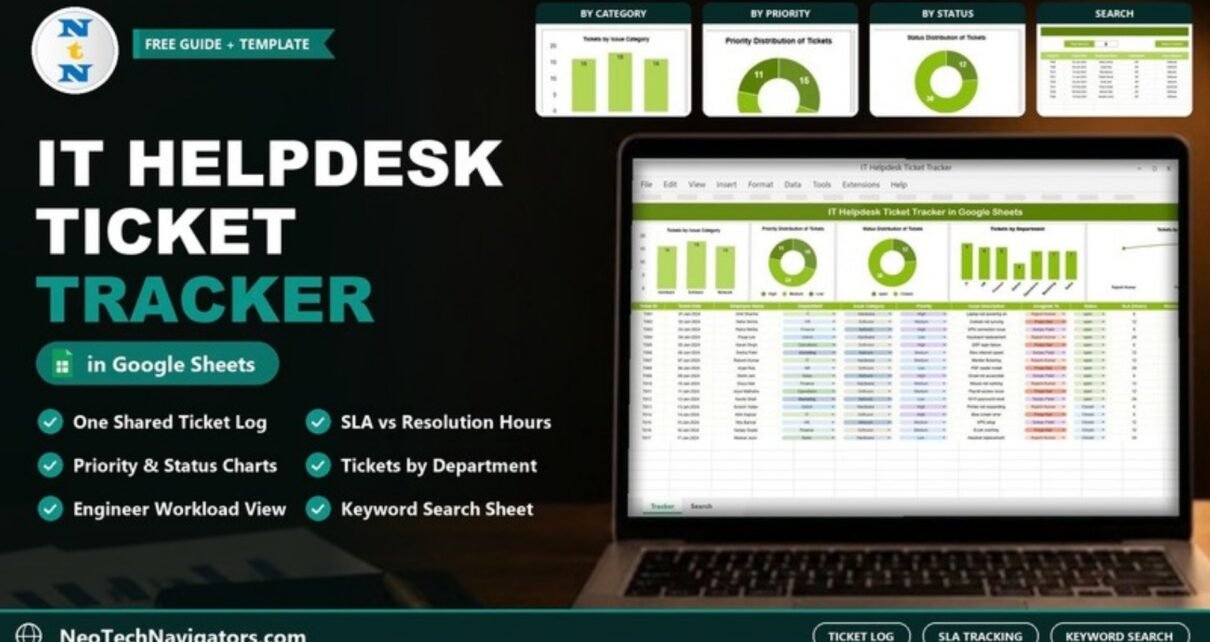
The IT Helpdesk Ticket Tracker in Google Sheets is a ready-made ticket log for small and mid-sized IT teams. Each support request goes into one row, with the employee, department, issue category, priority, assignee, status, SLA hours, resolution time and satisfaction rating. Five charts above the log show the workload, and a Search sheet finds any ticket by keyword.
It suits IT support staff, system administrators, office IT coordinators and service-desk leads who have outgrown email threads but do not need a full ITSM platform. Because it is a shared Google Sheets file, the whole team works from one up-to-date list.
🎥 Watch the Video Tutorial
Get the IT Helpdesk Ticket Tracker
Why a Simple Ticket Tracker Helps
When IT requests arrive through chat, email and hallway conversations, tickets get lost and urgent issues wait behind easy ones. Managers also cannot see who is overloaded. A single log with consistent fields fixes most of this. Every request gets an ID, a priority and an owner, and the charts show where the work is coming from.
What Is Inside the IT Helpdesk Ticket Tracker in Google Sheets
The template has two working sheets: the tracker (ticket log plus five charts) and a Search sheet titled “Search by Search Keyword and Field Name”.
Ticket log columns
| Column | Purpose | Sample values |
|---|---|---|
| Ticket ID | Unique reference | T001, T002 |
| Ticket Date | Date the request was raised | 01-Jan-2024 |
| Employee Name | Who raised it | Amit Sharma |
| Department | Requester’s team (dropdown) | IT, HR, Finance, Admin, Operations, Marketing, Sales |
| Issue Category | Type of problem (dropdown) | Hardware, Software, Network |
| Priority | Urgency (dropdown) | High, Medium, Low |
| Issue Description | Short summary | Laptop not powering on, VPN connection issue |
| Assigned To | Support engineer (dropdown) | Rajesh Kumar, Pooja Nair, Sanjay Patel |
| Status | Current state (dropdown) | open, Closed |
| SLA (Hours) | Target time to resolve | 6, 8, 12, 24 |
| Resolution Time (Hours) | Actual time taken | 5, 10, 20 |
| Satisfaction Rating (1–5) | Requester feedback score | 4, 5 |
The five charts
- Tickets by Issue Category: Hardware, Software and Network. In the 50 sample tickets, Software leads with 18, and Hardware and Network have 16 each.
- Priority Distribution of Tickets: a doughnut of High (15), Medium (24) and Low (11).
- Status Distribution of Tickets: Open (12) vs. Closed (38), your backlog at a glance.
- Tickets by Department: IT raises the most (9), then HR and Finance (8 each), Operations, Marketing and Sales (7 each), and Admin (4).
- Tickets by Assigned To: ticket count for each engineer, for balancing workload.

Worked Example: Checking SLA Compliance
The log stores both SLA (Hours) and Resolution Time (Hours), so you can measure how often the team meets its targets. A ticket meets SLA when resolution time is less than or equal to the SLA.
Take the first 17 sample tickets (T001 to T017). Four of them took longer than their SLA:
- T005: SLA 6, resolved in 7
- T010: SLA 6, resolved in 8
- T011: SLA 12, resolved in 13
- T013: SLA 6, resolved in 7
That gives 13 of 17 met = 76.5%. Add a helper column next to the log to flag each ticket. Replace J and K below with the letters of your SLA (Hours) and Resolution Time (Hours) columns:
=IF(K2<=J2,"Met","Missed")If the helper column is M, calculate the compliance rate for the whole log with:
=COUNTIF(M2:M,"Met")/COUNTA(M2:M)You can do the same for satisfaction. The 8 HR tickets in the search example have ratings of 4, 5, 4, 5, 4, 4, 5 and 4, which average 4.4 out of 5. Here D is the Department column and L the Satisfaction Rating column, so adjust the letters to your layout:
=AVERAGEIF(D2:D,"HR",L2:L)If you want to get comfortable with IF, COUNTIF and AVERAGEIF, the Excel AI Mastery: 100 Formulas course on NextGenTemplates Academy covers them with practical examples, and the same logic works in Google Sheets.
Search by Keyword and Field Name
On the Search sheet, choose a column in Select Column, type a value in Search Keyword, and the matching tickets appear with a Total Record count. In the screenshot, Department = hr returns 8 tickets. Six of them are Closed and two (Outlook not syncing and PDF reader install) are still open. This view is handy during a support call or a monthly review with a department head.

How to Use It With Your Own Data
- Make a copy (File > Make a copy) and remove the sample tickets.
- Update the dropdown lists (Data > Data validation) for Department, Issue Category, Priority, Assigned To and Status to match your organisation. You can add statuses such as In Progress or On Hold if you need them.
- Set an SLA for each priority, for example High = 6 hours, Medium = 12, Low = 24, and enter it with every ticket.
- Log each new request with date, requester, category, priority and a short description, then assign it.
- Close the ticket once the user confirms the fix, and record the resolution time and satisfaction rating.
- Review the charts weekly and use the Search sheet for department or engineer reviews.
Real-World Use Cases
- Small company with one or two IT staff: replace an email inbox with a shared list everyone can see.
- Office IT coordinator in a branch: report monthly ticket volume by department to head office.
- Managed service provider: keep one tracker per client and share a view-only copy as proof of work.
Best Practices
- Use short, consistent descriptions (“VPN connection issue”, not a paragraph) so you can search them later.
- Never leave Assigned To blank. Unowned tickets are the ones that miss SLA.
- Watch the Hardware vs. Software split. A rising Hardware count often means old equipment is due for replacement.
- Review open High-priority tickets daily.
- Restrict edit access to the support team. Share a view-only link with everyone else.
Blank Sheet vs. This Tracker vs. Helpdesk Software
| Option | Setup effort | Reporting | Best for |
|---|---|---|---|
| Blank spreadsheet | You design columns, dropdowns and charts yourself | Only what you build | One-off lists |
| IT Helpdesk Ticket Tracker | Ready to use, just replace the sample data | Five charts plus keyword search | Small teams handling dozens of tickets a week |
| Dedicated helpdesk tool | Configuration, user accounts and training | Built-in SLA timers and portals | High-volume service desks |
Limitations: When to Move to a Helpdesk System
This tracker has no email-to-ticket intake, automatic escalation, user portal or notifications. Requests are typed in by hand. That is fine for a few dozen tickets a week. If you handle hundreds of tickets a day, need audit-grade SLA timers or want end users to raise tickets themselves, a dedicated helpdesk tool is a better fit.
Related Guides and Templates
For dashboard-style reporting on the same data, see the Office IT Helpdesk Dashboard in Google Sheets and the IT Support Ticket Dashboard. To focus on speed and SLA, read the Ticket Resolution Time KPI Dashboard and the IT SLA Compliance and Ticket Monitoring Dashboard. For simpler request logs, try the IT Support Request Tracker.
Related templates: the Office IT Helpdesk Dashboard in Google Sheets and the IT Helpdesk KPI Dashboard in Excel.
Frequently Asked Questions
What fields does the IT Helpdesk Ticket Tracker include?
It includes Ticket ID, Ticket Date, Employee Name, Department, Issue Category, Priority, Issue Description, Assigned To, Status, SLA (Hours), Resolution Time (Hours) and Satisfaction Rating (1–5).
Can I add more issue categories or statuses?
Yes. Edit the dropdown lists under Data > Data validation. Then check that the chart ranges include the new values.
How do I measure SLA compliance?
Compare Resolution Time with SLA for each ticket using a helper column such as =IF(K2<=J2,"Met","Missed"), then divide the count of “Met” by the total number of tickets.
Can several technicians update tickets at the same time?
Yes. Google Sheets supports simultaneous editing, so everyone with edit access sees changes immediately.
Is this a replacement for ServiceNow or Jira Service Management?
No. It is a lightweight tracker for small teams. It has no automation, email intake or self-service portal.
Wrapping Up
A clear ticket log is the first step to faster IT support. The IT Helpdesk Ticket Tracker in Google Sheets gives you consistent fields, five workload charts, SLA and satisfaction data, and a keyword search in one shared file. Watch the tutorial, load your current open tickets, and add the SLA helper column to see how your team is really doing.
Get the IT Helpdesk Ticket Tracker
📅 Last updated: October 2026