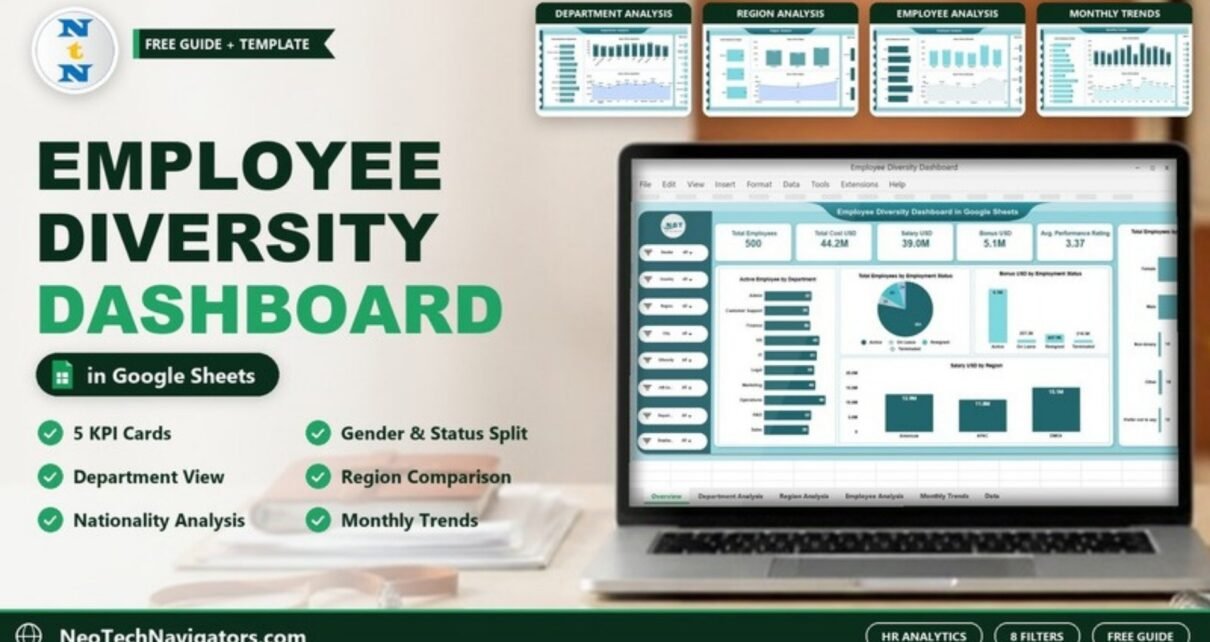
A page-by-page guide to the Employee Diversity Dashboard in Google Sheets: KPI cards, gender and employment-status charts, department, region, nationality and monthly views, plus how to load your own HR data.
Online Tutorial for Data Analysis and Automation
Google-Sheets-Dashboard
A page-by-page guide to the Employee Diversity Dashboard in Google Sheets: KPI cards, gender and employment-status charts, department, region, nationality and monthly views, plus how to load your own HR data.
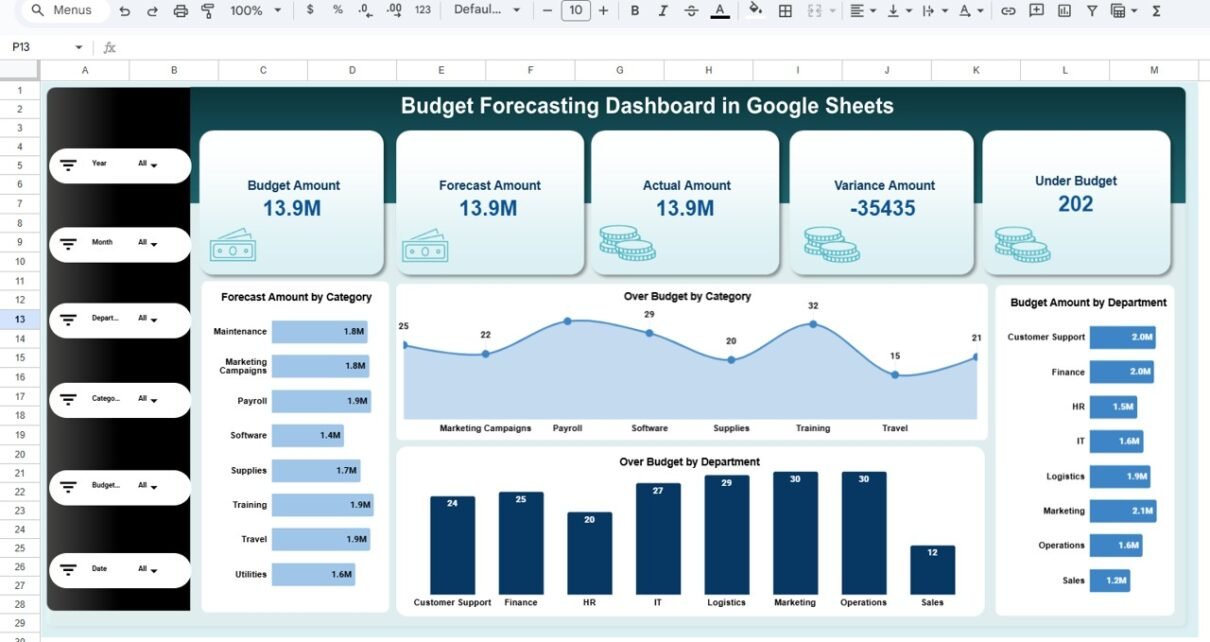
Budget forecasting plays a critical role in financial planning and decision-making. However, many organizations still rely on static spreadsheets that fail to show forecast accuracy, budget overruns, and trends clearly. As a result, leaders struggle to control costs and plan effectively.Budget Forecasting Dashboard in Google Sheets That is exactly why a Budget Forecasting Dashboard in […]
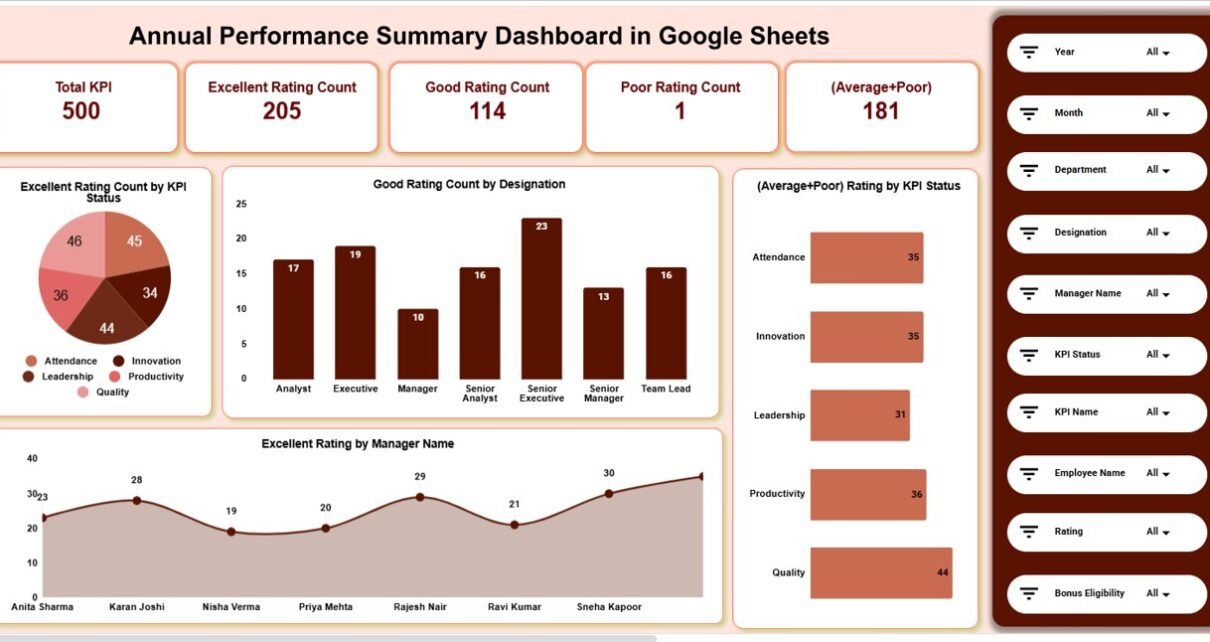
Tracking employee and KPI performance over an entire year becomes challenging when data sits in multiple files or static reports. Managers often struggle to identify high performers, weak areas, and improvement opportunities. As a result, performance reviews become subjective and time-consuming.Annual Performance Summary Dashboard in Google Sheets That is exactly why an Annual Performance Summary […]
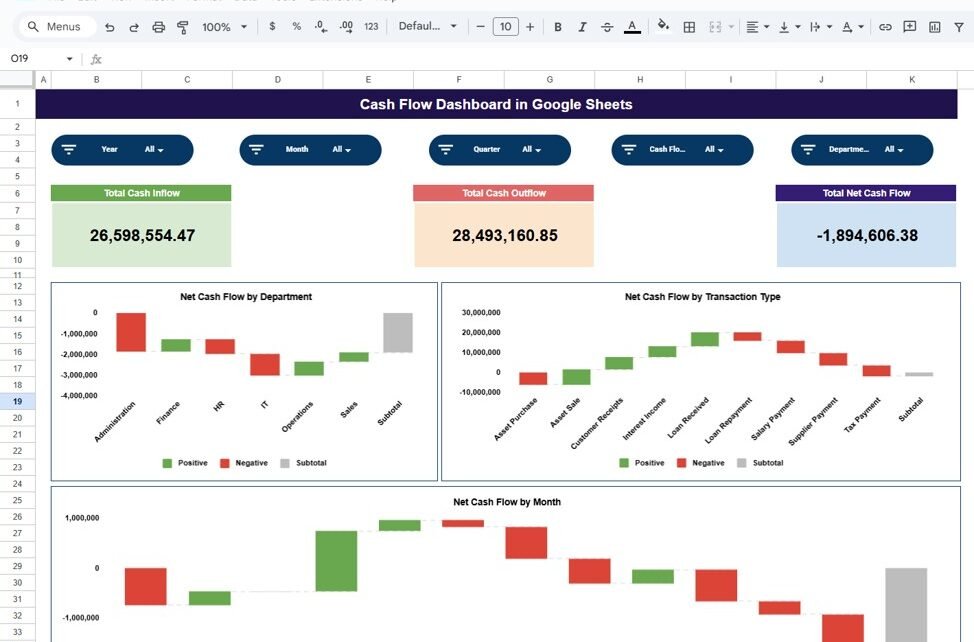
Cash flow represents the lifeblood of any business. Even profitable organizations can face serious challenges if cash inflow and outflow remain unbalanced. However, many teams still track cash movements using raw spreadsheets that fail to provide real-time insights. That is exactly why a Cash Flow Dashboard in Google Sheets becomes an essential financial management tool. […]
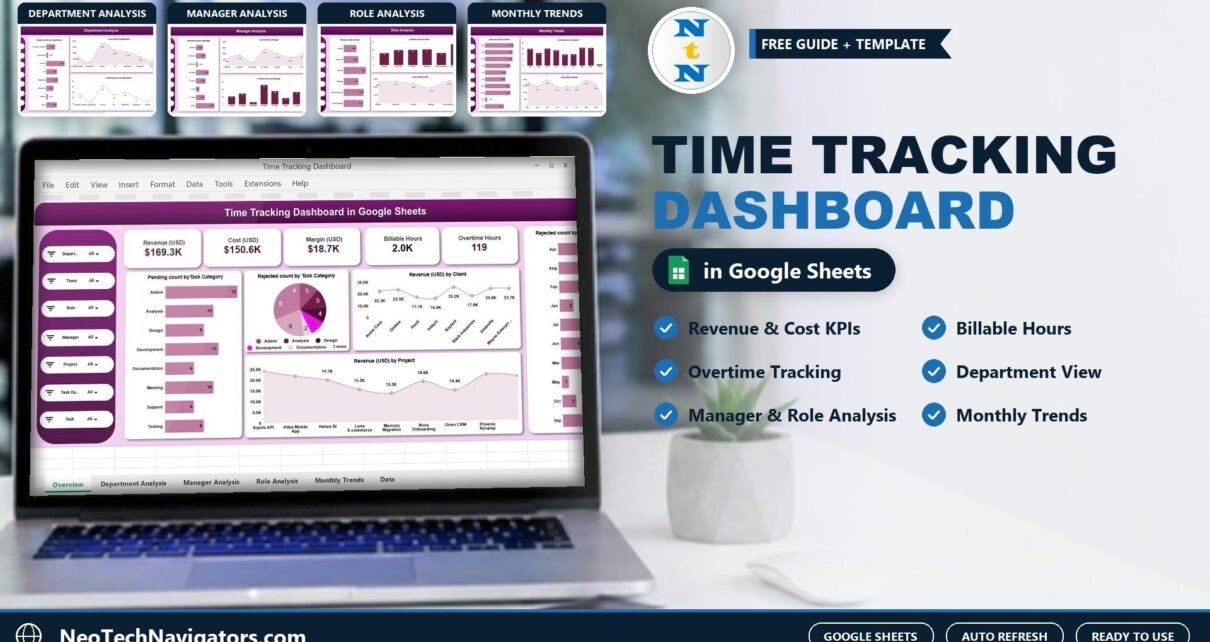
The Time Tracking Dashboard in Google Sheets turns timesheet data into revenue, cost, margin, billable hours and overtime insights by department, manager, role, client, project and month.
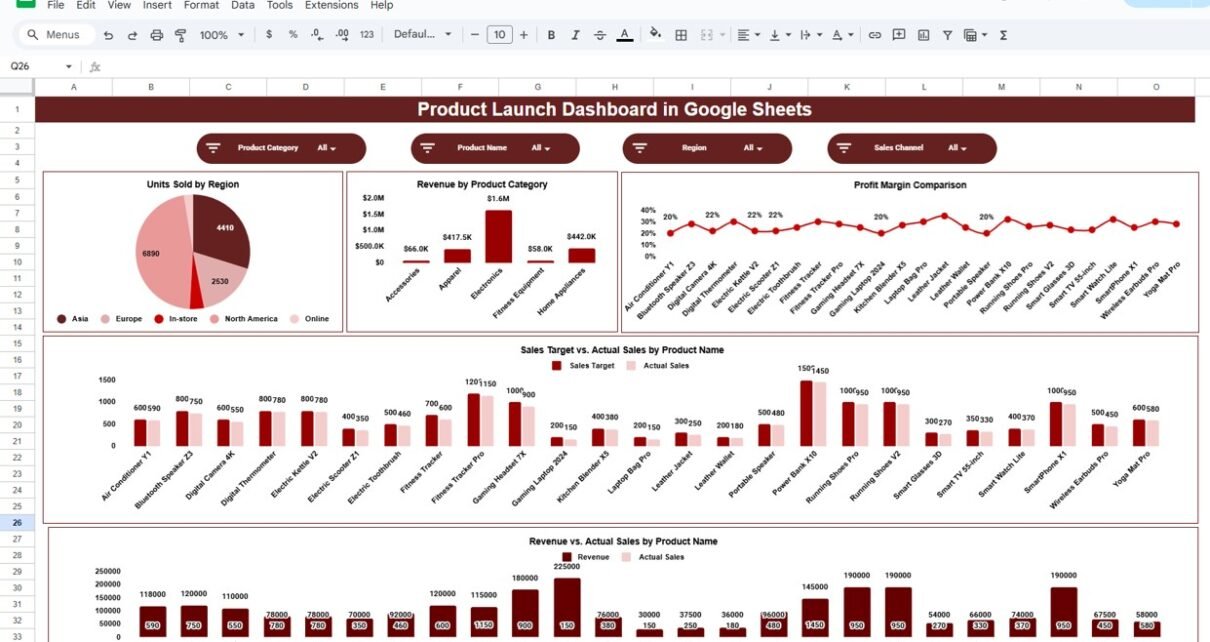
Launching a new product involves multiple teams, tight timelines, and constant performance monitoring. Sales, revenue, profit margins, and regional performance all need close attention. However, when launch data spreads across multiple sheets or tools, decision-making slows down and insights get missed. This is where a Product Launch Dashboard in Google Sheets becomes extremely valuable. Get […]
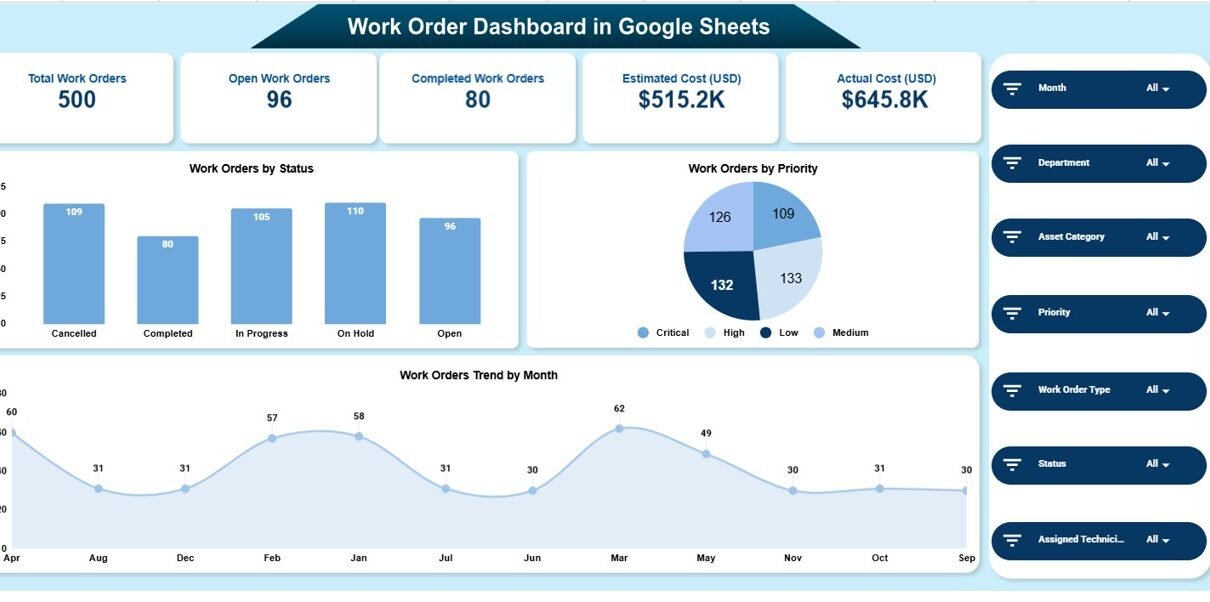
Work orders help organizations manage maintenance tasks, service requests, repairs, and operational activities. However, when teams track work orders using scattered spreadsheets or emails, monitoring progress, costs, and performance becomes difficult. That is exactly why a Work Order Dashboard in Google Sheets becomes a powerful and practical solution. Get the Work Order Dashboard in Google […]
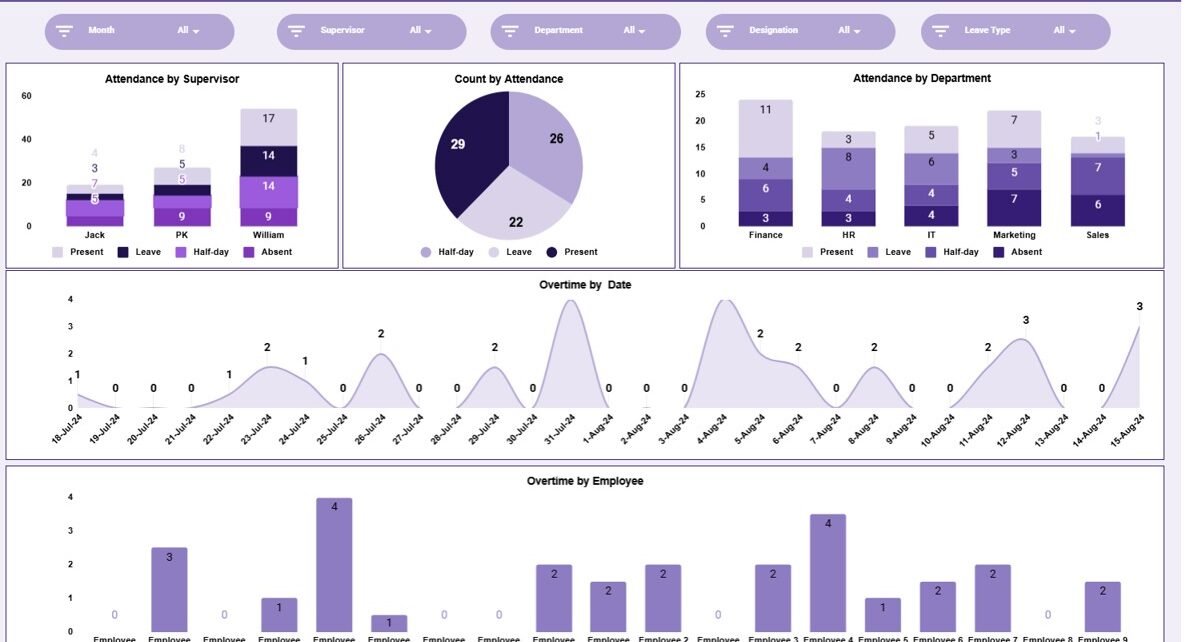
Employee attendance plays a critical role in workforce productivity, payroll accuracy, and operational planning. However, many organizations still manage attendance data using raw spreadsheets or manual registers. As a result, tracking attendance trends, overtime, and department-wise patterns becomes time-consuming and error-prone.Employee Attendance Dashboard in Google Sheets This is where an Employee Attendance Dashboard in Google […]
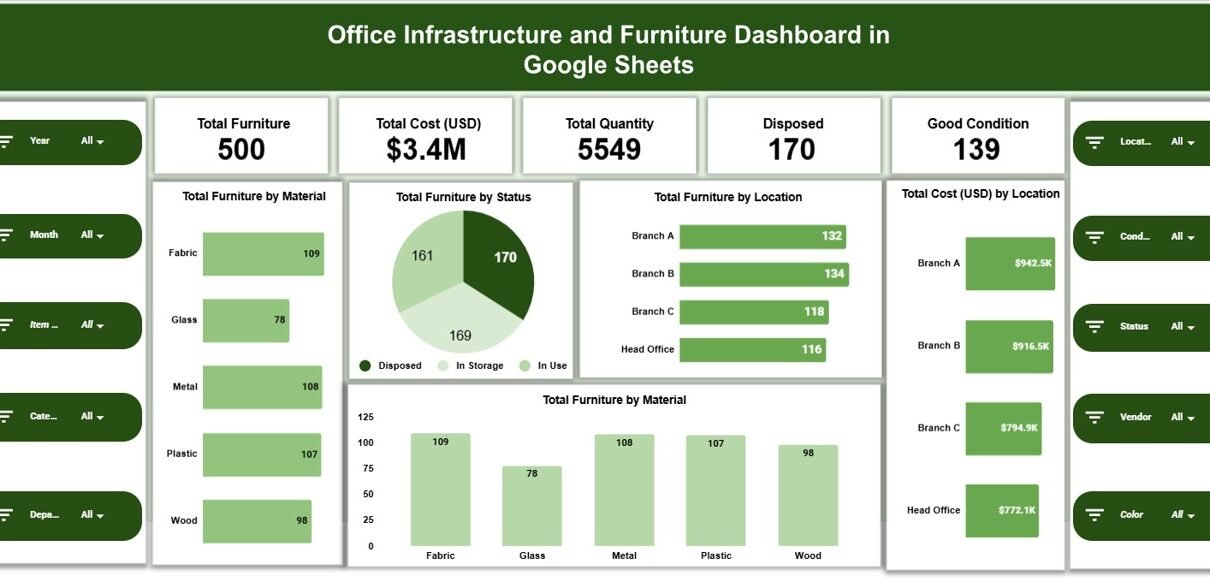
Office infrastructure and furniture represent a significant investment for any organization. Chairs, desks, workstations, cabinets, meeting room furniture, and other assets directly impact employee comfort, productivity, and workplace efficiency. However, many organizations struggle to track furniture inventory, costs, condition, and repairs when data remains scattered across multiple spreadsheets.Office Infrastructure and Furniture Dashboard in Google Sheets […]
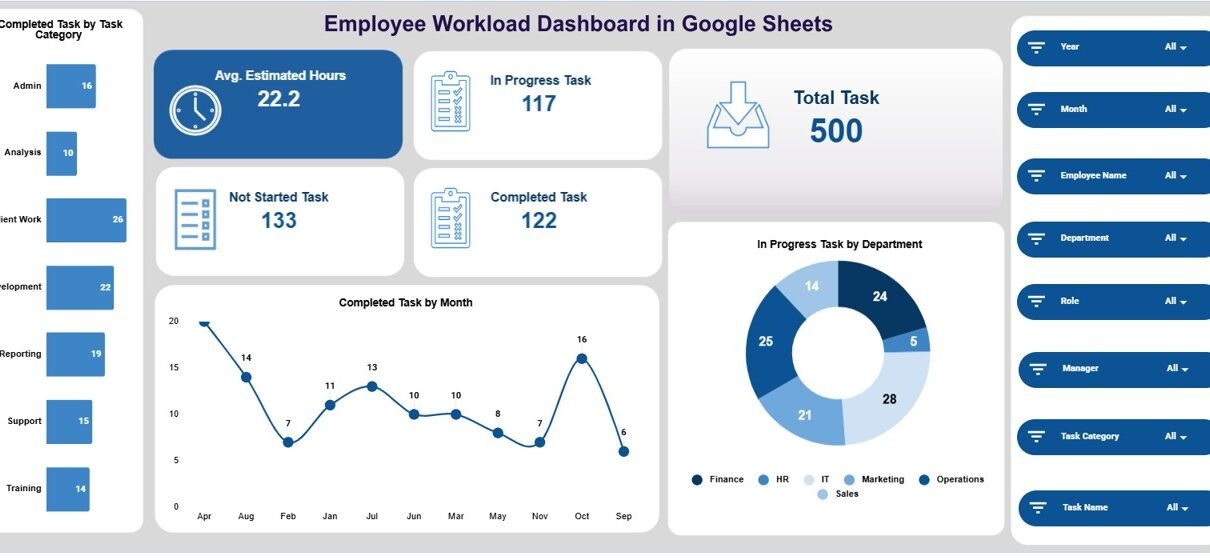
Managing employee workload plays a vital role in productivity, employee well-being, and timely project delivery. When teams face uneven task distribution, some employees experience burnout while others remain underutilized. However, many organizations still rely on manual tracking, emails, or basic spreadsheets, which makes workload monitoring difficult and inefficient. That is exactly why an Employee Workload […]