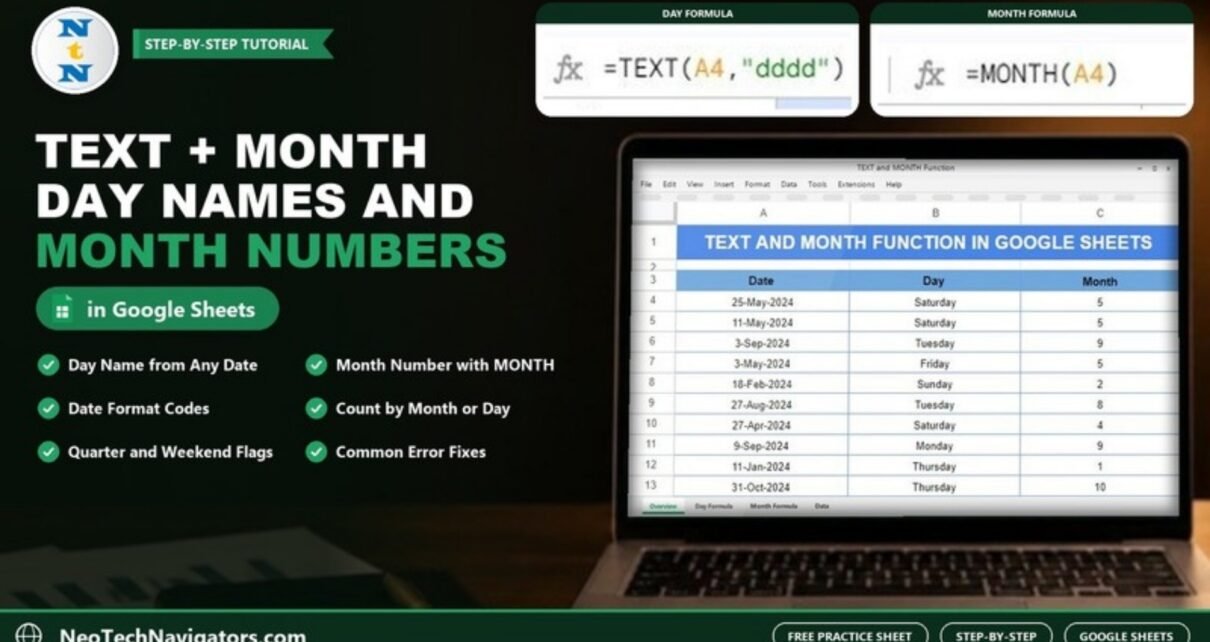
The TEXT and MONTH functions in Google Sheets pull useful information out of a date. TEXT can show a date as a day name like “Saturday” or a month name like “May”, and MONTH returns the month as a number from 1 to 12. Together they turn a plain list of dates into something you can group, count and report on.
This guide is for anyone who logs orders, bookings, attendance or expenses by date and wants a quick “which day?” and “which month?” breakdown. Using 17 dates from the practice sheet, you will add a Day column with TEXT and a Month column with MONTH, check the real results, and then try format codes, counts, quarters and weekend flags.
TEXT and MONTH Syntax
=TEXT(number, format)
=MONTH(date)| Argument | Function | What it means |
|---|---|---|
| number | TEXT | The value to format. For dates, a cell such as A4 holding a real date. |
| format | TEXT | A format pattern in quotes. "dddd" gives the full day name. |
| date | MONTH | A date (or a cell containing one). The result is the month number, 1 to 12. |
The key difference: TEXT returns text, which is good for labels, while MONTH returns a number, which is good for sorting, maths and grouping.
The Example Data
The practice sheet lists 17 dates from 2024 in column A (Date), rows 4 to 20, with empty Day and Month columns next to them.
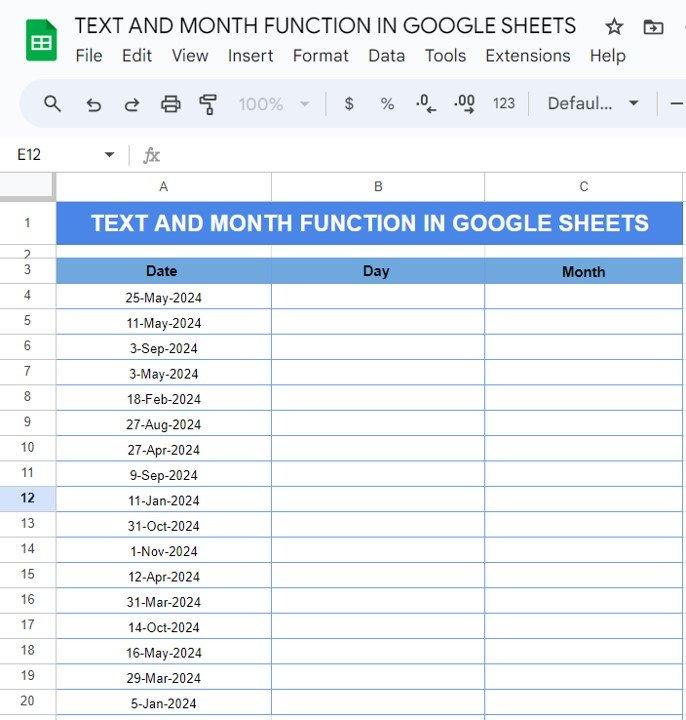
Step 1: Get the Day Name with TEXT
Click B4, enter the formula and fill it down to B20:
=TEXT(A4,"dddd")The pattern dddd asks for the full weekday name. For 25-May-2024 the result is Saturday.

Step 2: Get the Month Number with MONTH
Click C4, enter the formula and fill it down to C20:
=MONTH(A4)MONTH reads the date and returns its month number. 25-May-2024 gives 5; 31-Oct-2024 gives 10.

Step 3: The Final Table

| Date | Day | Month |
|---|---|---|
| 25-May-2024 | Saturday | 5 |
| 11-May-2024 | Saturday | 5 |
| 3-Sep-2024 | Tuesday | 9 |
| 3-May-2024 | Friday | 5 |
| 18-Feb-2024 | Sunday | 2 |
| 27-Aug-2024 | Tuesday | 8 |
| 27-Apr-2024 | Saturday | 4 |
| 9-Sep-2024 | Monday | 9 |
| 11-Jan-2024 | Thursday | 1 |
| 31-Oct-2024 | Thursday | 10 |
| 1-Nov-2024 | Friday | 11 |
| 12-Apr-2024 | Friday | 4 |
| 31-Mar-2024 | Sunday | 3 |
| 14-Oct-2024 | Monday | 10 |
| 16-May-2024 | Thursday | 5 |
| 29-Mar-2024 | Friday | 3 |
| 5-Jan-2024 | Friday | 1 |
Useful TEXT Format Codes for Dates
| Format | Result for 25-May-2024 | Use it for |
|---|---|---|
"dddd" |
Saturday | Full weekday name |
"ddd" |
Sat | Short weekday in narrow columns |
"mmmm" |
May | Full month name |
"mmm-yyyy" |
May-2024 | Monthly report labels |
"d mmmm yyyy" |
25 May 2024 | Readable dates inside sentences |
"yyyy-mm" |
2024-05 | Labels that sort correctly as text |
Practical Variations
1. Count dates in a month
Because MONTH returns numbers, counting is simple. Four dates fall in May (5):
=COUNTIF(C4:C20,5)2. Count a weekday
Count the TEXT results directly. Five of the dates are Fridays:
=COUNTIF(B4:B20,"Friday")3. Quarter from the month
Divide the month by 3 and round up. 25-May-2024 is in quarter 2:
="Q"&ROUNDUP(MONTH(A4)/3,0)4. Weekend or weekday flag
WEEKDAY with type 2 numbers Monday as 1 and Sunday as 7, so anything above 5 is a weekend. 25-May-2024 returns “Weekend”:
=IF(WEEKDAY(A4,2)>5,"Weekend","Weekday")5. Fill the whole column with one formula
ARRAYFORMULA applies TEXT to every row and leaves blank rows blank:
=ARRAYFORMULA(IF(A4:A20="","",TEXT(A4:A20,"dddd")))Where TEXT and MONTH Help in Real Work
- Sales and orders: add a Day column to an order log and count orders per weekday to see which days are busiest, then plan staff or promotions around them.
- Expenses: add a Month column to a spending list and use
=SUMIF(C:C,5,D:D)to total everything spent in May without filtering by hand. - Attendance and bookings: flag weekend dates with WEEKDAY so weekend shifts or bookings can be priced or reviewed separately.
- Reports and charts: use
TEXT(A4,"mmm-yyyy")as a label column so a chart or pivot table shows “May-2024” instead of a long date.
In each case the original date stays in place and the helper columns do the grouping, so you can change the grouping later without touching the source data.
Common Errors and Fixes
- TEXT returns the date unchanged or MONTH shows #VALUE!: the “date” is text, not a real date. Check with
=ISNUMBER(A4); it should be TRUE. Convert with=DATEVALUE(A4)or retype the date. - Wrong day names: the sheet may read 03/05 as 3 May or 5 March depending on locale. Check File > Settings > Locale and enter dates in an unambiguous form such as 3-May-2024.
- Day names in another language: TEXT uses the spreadsheet locale for names. Change the locale if you need English names.
- Month names sort alphabetically: TEXT output is text, so “April” sorts before “January”. Sort by the MONTH number instead and display the name beside it.
Tips
- Keep the original date column. Derived Day and Month columns are for grouping, not for replacing the date.
- For a monthly summary, combine MONTH with SUMIF or a pivot table so totals group automatically.
- If the data spans several years, group by
TEXT(A4,"yyyy-mm")rather than MONTH alone, so May 2024 and May 2025 stay separate.
To go further with dates, see FILTER and MONTH to list records for one month, the EOMONTH function for month-end dates, EDATE for adding months and DATEDIF and TODAY for date differences. For more on text formatting, read mastering Google Sheets text functions.
If you want structured lessons on date and text formulas, the Excel AI Mastery: 100 Formulas course on NextGenTemplates Academy covers them with practice exercises; TEXT, MONTH and WEEKDAY work the same way in Google Sheets.
Frequently Asked Questions
How do I get the day name from a date in Google Sheets?
Use =TEXT(A4,"dddd") for the full name (Saturday) or =TEXT(A4,"ddd") for the short name (Sat).
How do I get the month name instead of the number?
Use =TEXT(A4,"mmmm") for the full month name or "mmm" for the three-letter version. MONTH always returns a number.
What is the difference between TEXT and MONTH?
TEXT formats a date as text in any pattern you choose. MONTH returns only the month as a number from 1 to 12, which is better for calculations, sorting and COUNTIF.
Why does MONTH return #VALUE!?
The cell holds text that Google Sheets cannot read as a date. Retype it as a real date or convert it with DATEVALUE.
How do I get the year from a date?
Use =YEAR(A4) for the year as a number (2024 for every date in the example), or =TEXT(A4,"yyyy") if you want it as text for a label. Combine it with MONTH when your data covers more than one year.
Can I change the date format without a formula?
Yes. Select the cells and use Format > Number > Custom date and time. That changes only the display; TEXT is useful when you need the result in a separate column or inside a sentence.
Wrapping Up
TEXT and MONTH turn one date column into ready-made labels and groups. In the example, =TEXT(A4,"dddd") gave Saturday for 25-May-2024 and =MONTH(A4) gave 5, and the same columns then counted four May dates and five Fridays. Make a copy of the practice sheet with File > Make a copy and try the other format codes on your own dates.
📅 Last updated: October 2026