Google Sheets

How to Use the EDATE Function in Google Sheets with Real-Life Example

Have you ever needed to quickly add or subtract months from a specific date in Google Sheets? The EDATE function is the perfect tool for this task! Whether you’re managing project deadlines, loan schedules, or any other time-based tasks, the EDATE function makes it easy to adjust dates accurately. In this blog post, we’ll walk […]

Google Sheets

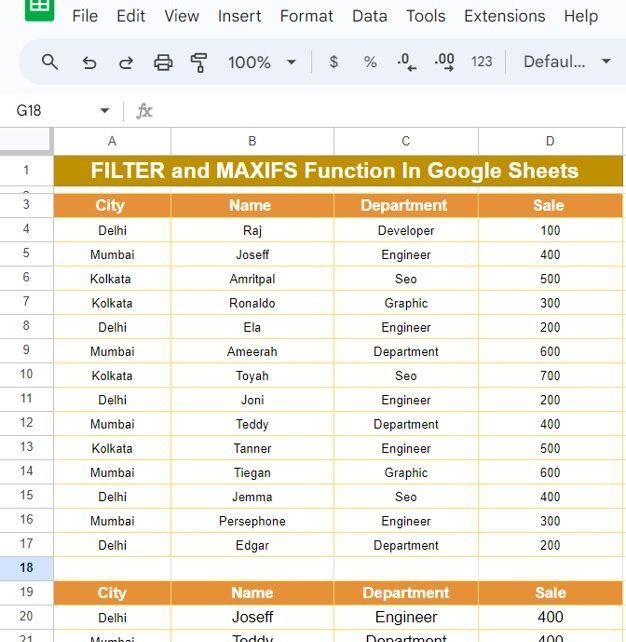
FILTER and MAXIFS Function In Google Sheets With Example

When it comes to working with large datasets in Google Sheets, knowing the right functions can be a lifesaver. In today’s post, we’re going to dive into two essential formulas that make filtering and identifying maximum values in your data a breeze—FILTER and MAXIFS Function If you’ve ever wondered how to easily extract specific information […]

Google Sheets

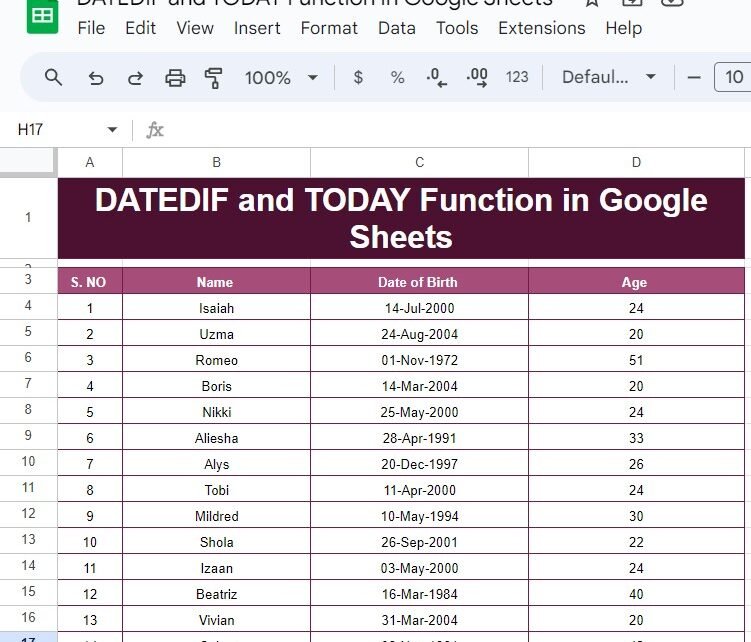
How to Use the DATEDIF and TODAY Functions in Google Sheets with Example

f you’ve ever needed to calculate someone’s age or figure out the difference between two dates, Google Sheets makes it incredibly easy with the DATEDIF and TODAY functions. These two functions, when combined, can help you dynamically calculate ages, durations, or any other date-based differences without manually updating the values. In this blog post, we’ll […]

Google Sheets

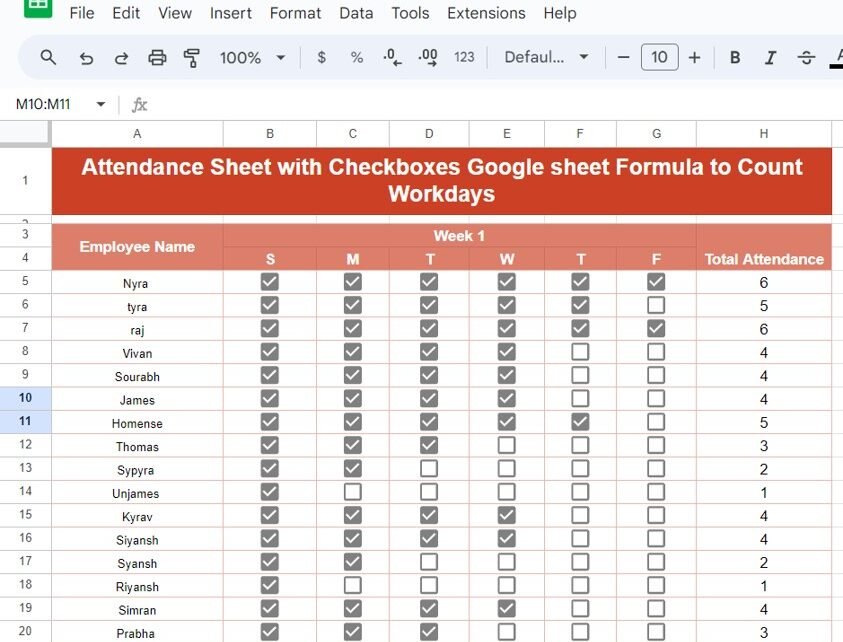
Attendance Sheet with Checkboxes in Google Sheets to Count Workdays

Managing attendance is a crucial part of workplace organization, and Google Sheets makes it easy to keep track of workdays using simple formulas. In this post, we’ll guide you through the process of creating an Attendance Sheet with Checkboxes in Google Sheets, along with a formula to automatically count the workdays. Why Use Attendance Sheet […]